






SleekPixel for Microsoft Word docs
Comms and content teams who draft long-form docs in Microsoft Word and publish them through WordPress, often as part of a resource library or whitepaper hub, get a per-doc share card on save with title, edition, and author visible.
♾️ Lifetime License available
Word is where regulated and enterprise content lives
Microsoft Word remains the drafting surface for most enterprise and regulated content. Whitepapers, policy briefs, technical product documentation, legal-reviewed marketing collateral, all of it usually goes through Word because reviewers want track changes, comment threading, and the formatting controls Word offers. When the time comes to publish, the doc lands in a WordPress resource library, knowledge base, or whitepaper hub through Word-to-WordPress import or copy-paste.
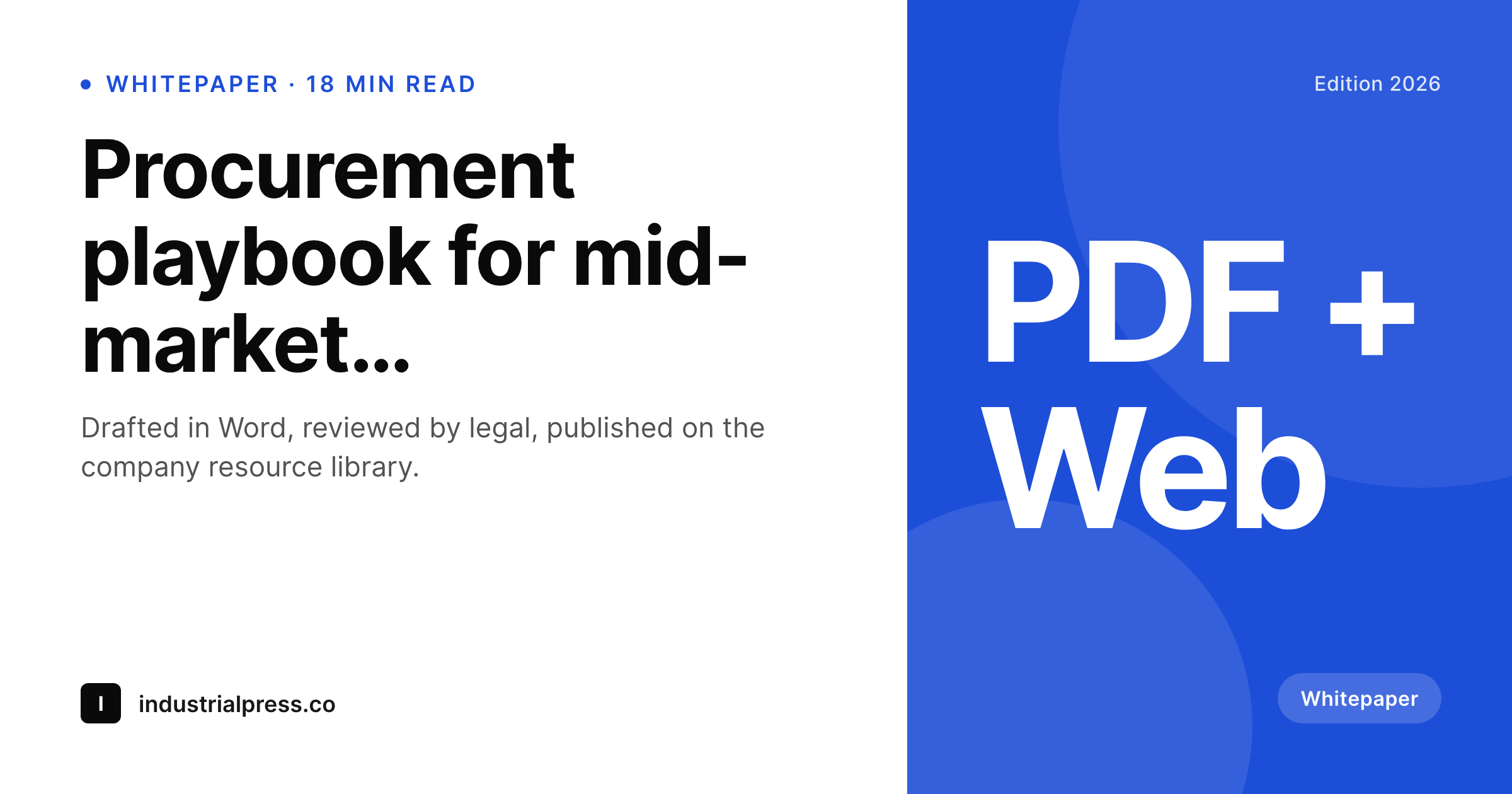
The share image is the part the workflow rarely handles. Word cannot render a PNG that lives on the WordPress side. Resource library posts unfurl with whatever the theme default is, or with a featured image that was framed for the resource hub thumbnail, not the social preview. SleekPixel resolves this on the WordPress side. When the resource post saves, the doc title, edition, author, and optional document type, whitepaper, brief, playbook, render into a 1200 by 630 share card. The og:image meta tag updates, and any internal or external share picks up the new card.
For enterprise teams with strict brand controls, the template gets configured once to match the corporate visual system. After that, every Word doc imported into the resource library ships with the right colours, typography, and brand mark on the unfurl. Document types appear as small badges so readers see at a glance whether the asset is a whitepaper, a brief, a playbook, or a case study. The Word side stays exactly as the team uses it, the WordPress side ships the public share artwork.
Workflow
From Word draft to share-ready resource
Draft in Word
Import to WordPress
Save the post
Share via every channel
Output
What gets generated per Word-imported doc
A 1200 by 630 OG and Twitter card with the doc title, edition or version, author byline, and document type badge, rendered on save inside WordPress.
Comparison
Word import alone versus SleekPixel
Word to WordPress default
- Word-to-WordPress import handles body and tables but never produces a share card
- Resource hub thumbnails get reused as OG, which looks wrong at 1200 by 630
- Document type and edition never appear on the unfurled link
- Author byline misses on the share preview so whitepapers read as unowned
- Compliance-reviewed visual identity drifts across a multi-year archive
SleekPixel
- Renders a 1200 by 630 share card on save inside WordPress, no Word plugin needed
- Doc title, edition, document type, and author all surface on the card
- Document type badge reads from a custom taxonomy and lands as a small chip
- Brand template locks corporate identity across the resource library
- Bulk regenerate covers a multi-year whitepaper archive in one WP-CLI command
Features
What SleekPixel gives you for Microsoft Word docs
Type-aware
Document type, whitepaper, brief, playbook, case study, surfaces as a small badge. Readers see the format at a glance on the unfurl, not just the title.
Edition badge
Multi-year publications like '2026 edition' or '4th edition' carry the edition string on the card from a post meta field, so the share preview communicates currency.
Brand-locked
Enterprise visual identity locked in the template means every imported Word doc ships with compliance-reviewed colours and typography, automatically.
Use cases
Where Word-driven resource libraries gain
Whitepaper hubs
B2B marketing teams running a whitepaper library publish from Word and pick up per-doc share cards with edition, type, and author visible on every LinkedIn unfurl.
Policy and research briefs
Think tanks and policy organisations drafting briefs in Word and publishing to WordPress get share cards that respect the document type and brief number.
Enterprise knowledge bases
Internal knowledge bases hosted on WordPress, where docs draft in Word and import on publish, get a consistent share layer for internal Slack and intranet sharing.
The bigger picture
Why enterprise resource libraries need composed share cards
Enterprise resource libraries are the public face of expensive content programmes. A single whitepaper might represent months of research, legal review, and editorial work, and the share preview is the first thing every external reader sees before they decide whether to download the asset. A generic theme fallback on the unfurled link signals that nobody cared enough to compose a proper preview, which contradicts the months of care that went into the doc itself.
The first reason composed share cards matter is signal alignment, the preview has to match the seriousness of the content. The second is consistency across a multi-year archive. Whitepaper libraries accumulate dozens of assets over time, and consistency across that body of work is what builds brand authority.
Manual Canva exports drift, get inconsistent, miss the brand colours half the time, and the archive reads as scattered. Composed share cards stay consistent forever because the template is the source of truth. The third reason is compliance.
Enterprise visual identity is often a compliance matter, and locking it in a template that every Word-imported doc inherits removes a class of compliance risk entirely.
Questions
Common questions about SleekPixel for Microsoft Word docs
Yes. The Microsoft Word for WordPress plugin lands the doc as a normal WordPress post with title, body, and author. SleekPixel renders the card from those fields on save, regardless of how the post got imported.
Yes, if document types are stored as a custom taxonomy on the WordPress side. SleekPixel reads the taxonomy term and renders it as a small badge on the card.
Edition or version usually lives as a post meta field. SleekPixel reads any meta key by name and can render the value in the template corner, useful for multi-year publications.
Track changes and comments are an editing concern that resolves before import. They do not cross into WordPress and do not affect the share card, which is composed from final post fields.
Yes. The template is configured once with compliance-approved typography, colours, and brand marks. Contributors cannot override it from the post editor, which is exactly what an enterprise compliance team needs.
PDFs imported as downloadable assets to a WordPress post still need a share card on the surrounding post. SleekPixel renders the card from post fields, not from the PDF itself. The PDF download link sits inside the post, the share card travels with the post URL.
The Word platform does not affect SleekPixel. Once a doc lands as a WordPress post, the rendering happens entirely server-side on the WordPress host. Mac, Windows, and web Word all produce the same end result.
Yes. The bulk regenerate WP-CLI command iterates every post in a chosen post type or category and renders fresh cards with the current template. A library of two hundred whitepapers rebuilds in minutes.
Pricing
More than 1000+
happy customers
Explore our flexible licensing options tailored to your needs. Upgrade your license anytime to access more features, or opt for a lifetime license for ongoing value, including lifetime updates and lifetime support. Our hassle-free upgrade process ensures that our platform can grow with you, starting from whichever plan you choose.
Lifetime ♾️
Most popular
EUR
once
- Unlimited websites
- Lifetime updates
- Lifetime support
...or get the Bundle Deal
and save €250 🎁
💎 Want everything forever? The All Access Pass is going away on 01.08.2026.
The Bundle (unlimited sites)
Pay once, own it forever
Elevate your WordPress site with our exclusive plugin bundle that includes all of our premium plugins in one package. Enjoy lifetime updates and lifetime support. Save significantly compared to buying plugins individually.
What’s included
-
SleekAI
-
SleekByte
-
SleekMotion
-
SleekPixel
-
SleekRank
-
SleekView
€749
Continue to checkoutBrowse more
- LinkedIn article covers
- X social cards
- WeChat Moments images
- Threads social images
- Farcaster cast images
- Facebook group banners
- Passes page banner
- YouTube playlist covers
- YouTube Music cover art
- Lemon8 post
- Facebook Shop product images
- Etsy shop banners
- Twitch profile banner
- Odnoklassniki banners
- YouTube ad thumbnails