






SleekPixel for Logseq notes
Public Logseq outlines published through WordPress get per-page share cards. Page title, tags, properties and last update bind into the template on save.
♾️ Lifetime License available
Outliners produce structure, share previews flatten it
Logseq is the outliner end of the local-first note-taking world. Writers and researchers who think in nested blocks rather than long paragraphs gravitate to it. Like Obsidian, the strength is local-first markdown and a strong block model; like Obsidian, public publishing happens through an export or a sync to a public surface. The most common public surface is a WordPress blog or digital garden, where each Logseq page becomes a post.
Once those pages reach WordPress, they pick up everything WordPress does well: URLs, SEO, themes, comments. What they do not pick up automatically is a branded share preview. The default OG image is the site banner, regardless of which Logseq page is being shared. The structure that made the Logseq page interesting - the block hierarchy, the properties, the tags - flattens to a single homepage thumbnail on every social channel.
SleekPixel reads the synced Logseq fields and renders a per-page share card. Page title, properties, tags and last update slot into the template on save. The result is that shared Logseq pages preview with their own identity, which is closer to what the outliner intended.
Workflow
From Logseq page to branded share card
Publish to WordPress
Map page fields
Design the page template
Sync and share
Output
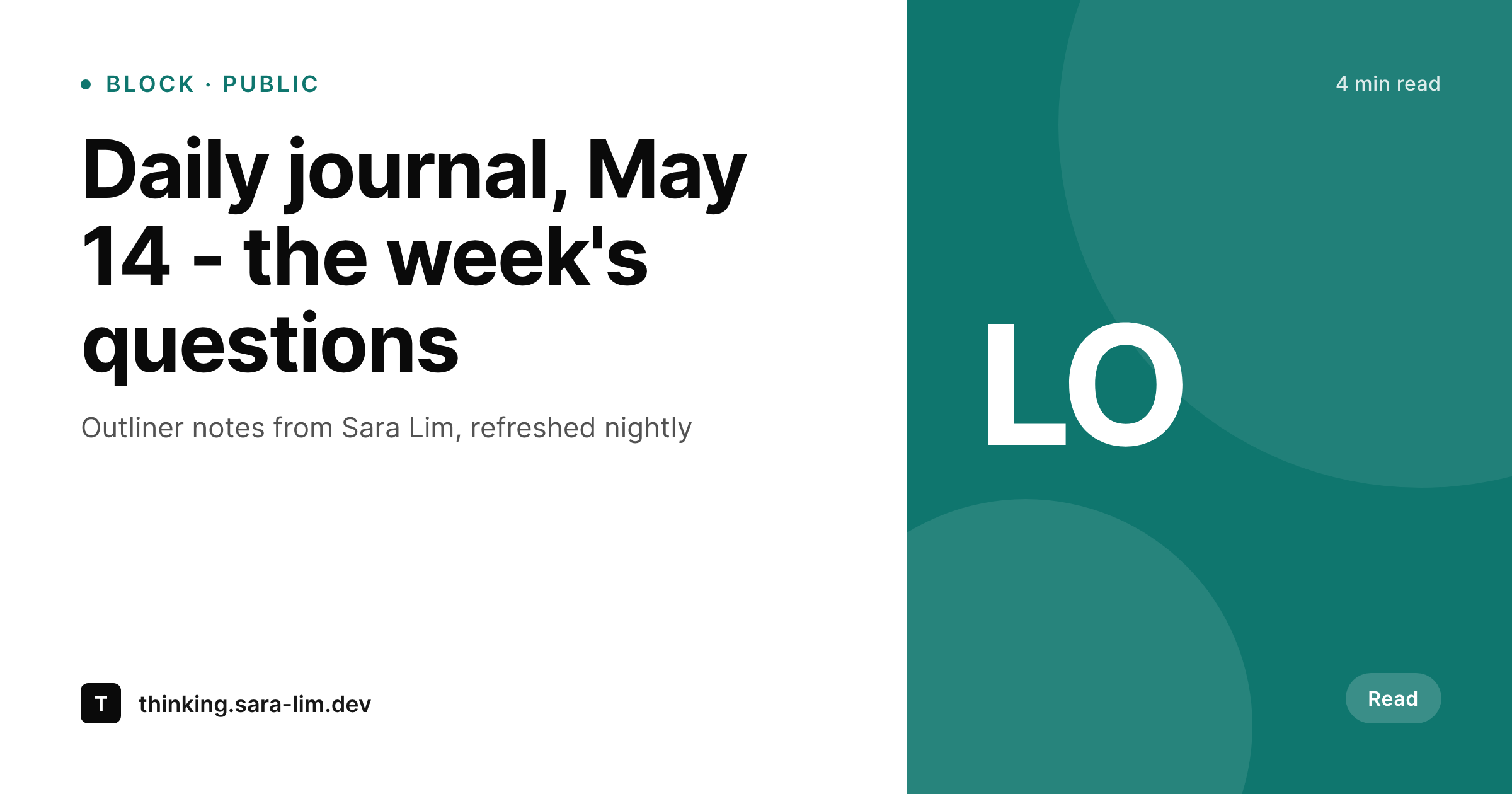
Sample Logseq page share card
A 1200 by 630 OG image rendered from a Logseq page published to WordPress: title, properties, tags and last update in your brand colors.
Comparison
Default site OG vs SleekPixel for Logseq
Default theme OG image
- Default OG falls back to the homepage banner for every Logseq page
- Block-level properties and tags never reach the share preview
- Daily journal pages share identically to evergreen pages
- Manual per-page art breaks down past a small number of public pages
- Brand updates require redoing card art for every existing page
SleekPixel
- Renders per-page share cards from synced Logseq fields
- Properties and tags bind into template slots automatically
- Daily-journal pages can use a date-aware template variant
- Bulk re-render every published page on template changes
- All rendering stays inside WordPress on your own domain
Features
What SleekPixel gives you for Logseq notes
Outliner-aware fields
Page title, properties, tags and last update come from synced Logseq pages and render into the template directly.
Journal-aware variants
Daily journal pages can render with date emphasis and a quiet treatment, while evergreen pages get full brand polish.
Tag context
Page tags render as pills on the card, signalling topics to readers before they click through to the full outline.
Use cases
Where Logseq writers use SleekPixel
Public daily journals
Daily journal pages shared publicly get cards with the date and topic tags, useful for readers who follow a journaling practice.
Topic pages and concept notes
Evergreen topic pages share with cards showing the topic name and last update, helpful for ongoing research notes.
Outliner-style essays
Essays that live as nested blocks share with cards that signal the structure and refresh as the essay grows.
The bigger picture
Why public Logseq pages benefit from real previews
Logseq writers tend to write more often than they polish. Daily journals, concept pages and project notes accumulate fast. Sharing one of those pages publicly is usually a quick decision: an interesting daily journal entry gets a link in a tweet, an evergreen topic page goes into a Slack thread, a project log gets a mention in a newsletter.
The share happens at the speed of the writing. SleekPixel makes the share image happen at that same speed, automatically. The writer does not stop to make a card; the card is already there.
Over months of public outlining the cumulative result is a public Logseq presence that looks intentional even though no individual page required a design decision. The second reason is the journal-as-content pattern. Many Logseq writers publish their daily journals on the public web, where each daily page becomes a post.
With per-page share cards, the daily practice shows up on social as a stream of differentiated cards - each day's topics visible at the share level - rather than a stream of identical homepage banners.
Questions
Common questions about SleekPixel for Logseq notes
Most setups use a markdown sync via Git, a custom export script or a workflow tool that copies published pages to WordPress posts. Logseq itself is local-first and does not push directly to WordPress.
Page-level properties sync as post meta and render on the card. Block-level properties are usually flattened to the page they belong to during sync. Per-block share cards would require a more granular sync.
Yes. Daily notes sync as dated posts, and the template can detect the date pattern to apply a journal-specific variant. The date renders as the primary element on those cards.
Queries are computed in Logseq at view time and do not survive the sync. The share card renders from the static post content and meta. Query results would need to be denormalized during sync if you want them on the card.
Yes, if the sync includes a backlink count or related-page count in post meta. The template renders the number as a context signal.
Logseq Publish is a separate publishing model. SleekPixel works on a WordPress mirror, not on Logseq Publish URLs directly. Most writers choose one publishing path.
Only the pages you publish to WordPress get share images. Private graphs that stay local are out of scope by design.
The WordPress mirror is independent once synced. Templates and rendered PNGs stay in place. Future edits would happen in the new outliner with a fresh sync setup.
Pricing
More than 1000+
happy customers
Explore our flexible licensing options tailored to your needs. Upgrade your license anytime to access more features, or opt for a lifetime license for ongoing value, including lifetime updates and lifetime support. Our hassle-free upgrade process ensures that our platform can grow with you, starting from whichever plan you choose.
Lifetime ♾️
Most popular
EUR
once
- Unlimited websites
- Lifetime updates
- Lifetime support
...or get the Bundle Deal
and save €250 🎁
💎 Want everything forever? The All Access Pass is going away on 01.08.2026.
The Bundle (unlimited sites)
Pay once, own it forever
Elevate your WordPress site with our exclusive plugin bundle that includes all of our premium plugins in one package. Enjoy lifetime updates and lifetime support. Save significantly compared to buying plugins individually.
What’s included
-
SleekAI
-
SleekByte
-
SleekMotion
-
SleekPixel
-
SleekRank
-
SleekView
€749
Continue to checkoutBrowse more
- podcast cover art
- LinkedIn banner images
- YouTube end cards
- Notion page covers
- Pinterest product pin covers
- LinkedIn event banners
- Weibo post images
- YouTube Shorts cover
- Bandcamp banner
- VK community cover photos
- Threads post cover
- Bluesky profile banners
- LinkedIn newsletter headers
- Amazon A+ content images
- Klaviyo email banner