






SleekPixel for consulting firm
Insights, white papers, and partner essays already have authors, sectors, and engagement counts on the post. SleekPixel renders LinkedIn-ready cards on save so partners can share their own work without filing a marketing ticket.
♾️ Lifetime License available
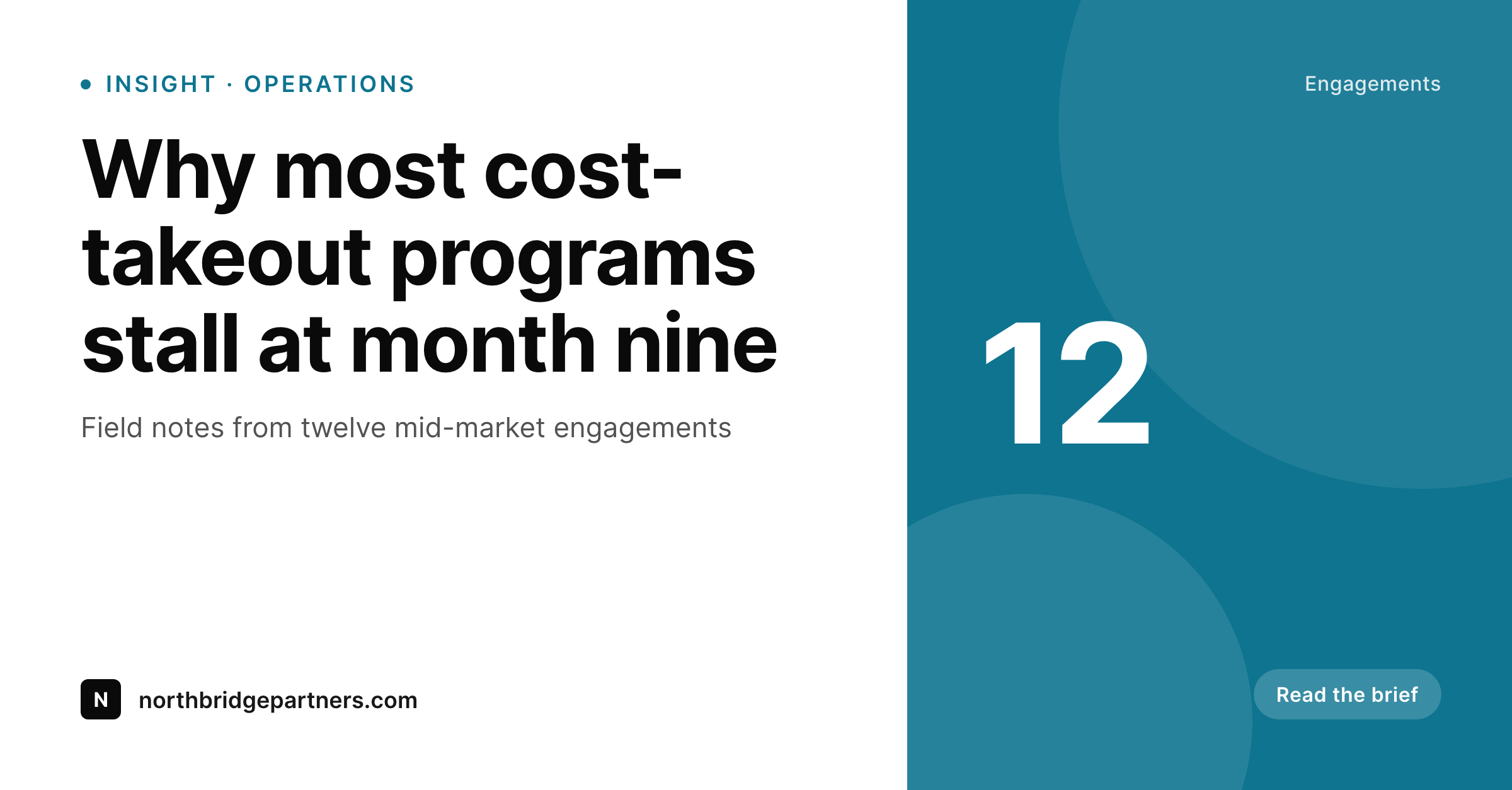
Consulting brand sits on whether partners actually share
Consulting is a partner-distribution business. The firm publishes thought leadership: an operating-model essay, a sector outlook, a field-note brief from twelve engagements. The work is genuine, written by senior partners, and edited through a knowledge management process. Then it goes live and the distribution depends on whether those partners actually share the post on LinkedIn. They will not, in practice, share a post when the link preview looks broken. Marketing knows this, partners know this, and the firm ends up paying for content that doesn't circulate.
The fix the firm tries first is a designer. Marketing opens a template, retypes the headline, swaps the partner photo, exports the PNG, uploads it as the featured image. Across a hundred insights a year and a partner roster of fifty senior people, the manual export queue becomes the rate limiter on the firm's voice. Knowledge management knows what should be published; design's calendar dictates what actually ships.
SleekPixel reads the post on save and renders the LinkedIn card from one branded template. The partner's name, the sector tag, the engagement count, the date, and the firm wordmark all pull from existing post fields. The card lands in uploads, the meta tags fire, and the partner can share the link from a phone in an airport without checking with marketing first. The firm's voice circulates at the speed of its partners.
Workflow
From partner draft to LinkedIn-ready
Set the firm template
Map insight post types
Save through KM review
Partners share
Output
What ships with every insight
A 1200 by 627 LinkedIn-ready card with headline, partner byline, sector tag, and firm wordmark, rendered live from the post.
Comparison
Marketing queue vs auto-rendered insight cards
Marketing / Designer queue
- Partners refuse to share posts with broken or missing previews
- Marketing becomes a render queue for every white paper and brief
- Sector-specific posts ship with no visible sector tag on the share
- Firm rebrand forces redoing the entire insights archive by hand
- Cross-office work loses jurisdiction or office attribution on shares
SleekPixel
- Insights, white papers, and partner essays render on save
- Partner byline, sector, and engagement count from existing fields
- Sector and practice variants for distinct visual treatment
- Bulk regenerate the archive on rebrand, no per-post work
- Phone-friendly share without marketing in the loop
Features
What SleekPixel gives you for consulting firm
Partner-led posts
Insights render with the partner's name, headshot, and office. The share preview reads as the partner's voice, not a generic firm post.
Sector-aware
Sector and practice taxonomies drive template variants. Healthcare insights look distinct from energy, while staying visually unified as one firm.
White papers and briefs
Long-form white papers and short briefs each get their own card variant. Both render automatically on save with the right visual weight.
Use cases
What consulting firms generate with SleekPixel
Sector insights
Senior partners publish quarterly sector outlooks. Each outlook ships with a card that signals practice area and partner authorship.
White papers
Long-form firm white papers render with title, lead author, and section count. Pitch teams send the link and the preview frames the work.
Partner essays
Partner-byline essays render with portrait, role, and office. LinkedIn distribution finally works because the share looks like the partner.
The bigger picture
Why partner-led distribution defines consulting brand
Consulting buying decisions are driven by senior-executive trust in specific partners more than by firm-level brand. A potential client sees a partner's LinkedIn post about a sector trend, recognizes the partner's name from a panel or a referral, and that share is the moment the consideration begins. The firm's brand sits underneath, but it's the partner's distribution that actually moves the funnel.
If partners don't share their own work, the funnel goes quiet, and the firm ends up paying for thought leadership that almost nobody outside the firm reads. Partners don't share posts with bad previews. They will tap share on a clean, partner-led card with the right sector signal and the firm wordmark visible; they will not tap share on a stretched homepage banner or a post with no card at all.
The threshold is real and it gates the firm's distribution. SleekPixel removes the threshold by rendering the card automatically on save. The partner sees a clean preview when the link is pasted, taps share, and the post moves.
Marketing stops being a render queue and gets back to editorial planning, partner support, and pitch work. Knowledge management's content actually circulates. The firm's voice ships at the speed of its partners, which is the only speed that matters in a partner-distribution business.
Questions
Common questions about SleekPixel for consulting firm
Yes. The template can include a footer slot for jurisdiction-specific disclaimers, professional-services compliance language, or copyright marks. The text is part of the rendered PNG, so it can't be cropped out by a screenshot, and marketing controls the language in one place.
Each post can carry an office or jurisdiction field, and the template can switch the wordmark variant or footer language based on that field. International firms use this to render London-office posts with London branding and Singapore-office posts with the regional lockup, while keeping the firm identity unified.
Yes. Render rules scope per post type, per category, and per visibility. Client memos, draft white papers, and internal partner communications can be excluded entirely while public insights and essays always render.
SleekPixel renders on save, and save fires after your editorial flow approves the post. Whether you use PublishPress, a custom KM workflow, or manual editorial review, rendering happens once the post is in its publish-ready state. KM and design rendering stay separate concerns.
Yes. Healthcare, energy, financial services, and operations practices can each have a template variant tied to the sector taxonomy. The variants share brand tokens for unity but carry per-sector accents that help readers parse the firm's surface.
Each WordPress user has a profile with photo, title, and office fields. The template reads the user record to render the partner byline with portrait, title, and office. When a partner updates their headshot, the next save re-renders posts authored by that partner.
If a white paper has multiple partner authors via Co-Authors Plus or a similar plugin, the template can render a co-byline slot with two or three names and headshots. The card frames the work as a multi-partner contribution, which is often the point.
Partners don't see the renderer at all. They see the LinkedIn share dialog and a clean preview when they paste the link. The training surface is zero. Marketing trains the editorial flow once with KM, and from that point partners share normally.
Pricing
More than 1000+
happy customers
Explore our flexible licensing options tailored to your needs. Upgrade your license anytime to access more features, or opt for a lifetime license for ongoing value, including lifetime updates and lifetime support. Our hassle-free upgrade process ensures that our platform can grow with you, starting from whichever plan you choose.
Lifetime ♾️
Most popular
EUR
once
- Unlimited websites
- Lifetime updates
- Lifetime support
...or get the Bundle Deal
and save €250 🎁
💎 Want everything forever? The All Access Pass is going away on 01.08.2026.
The Bundle (unlimited sites)
Pay once, own it forever
Elevate your WordPress site with our exclusive plugin bundle that includes all of our premium plugins in one package. Enjoy lifetime updates and lifetime support. Save significantly compared to buying plugins individually.
What’s included
-
SleekAI
-
SleekByte
-
SleekMotion
-
SleekPixel
-
SleekRank
-
SleekView
€749
Continue to checkoutBrowse more
- X community banners
- Audible audiobook cover
- YouTube playlist covers
- Pinterest pins
- YouTube Music cover art
- Twitch starting soon screen
- Substack post thumbnail
- Instagram Shop product images
- Patreon tier images
- Substack podcast cover
- Discord server icon
- Rumble thumbnails
- LinkedIn event banners
- Telegram channel cover images
- Stan Store cover