






SleekPixel for Rumble thumbnails
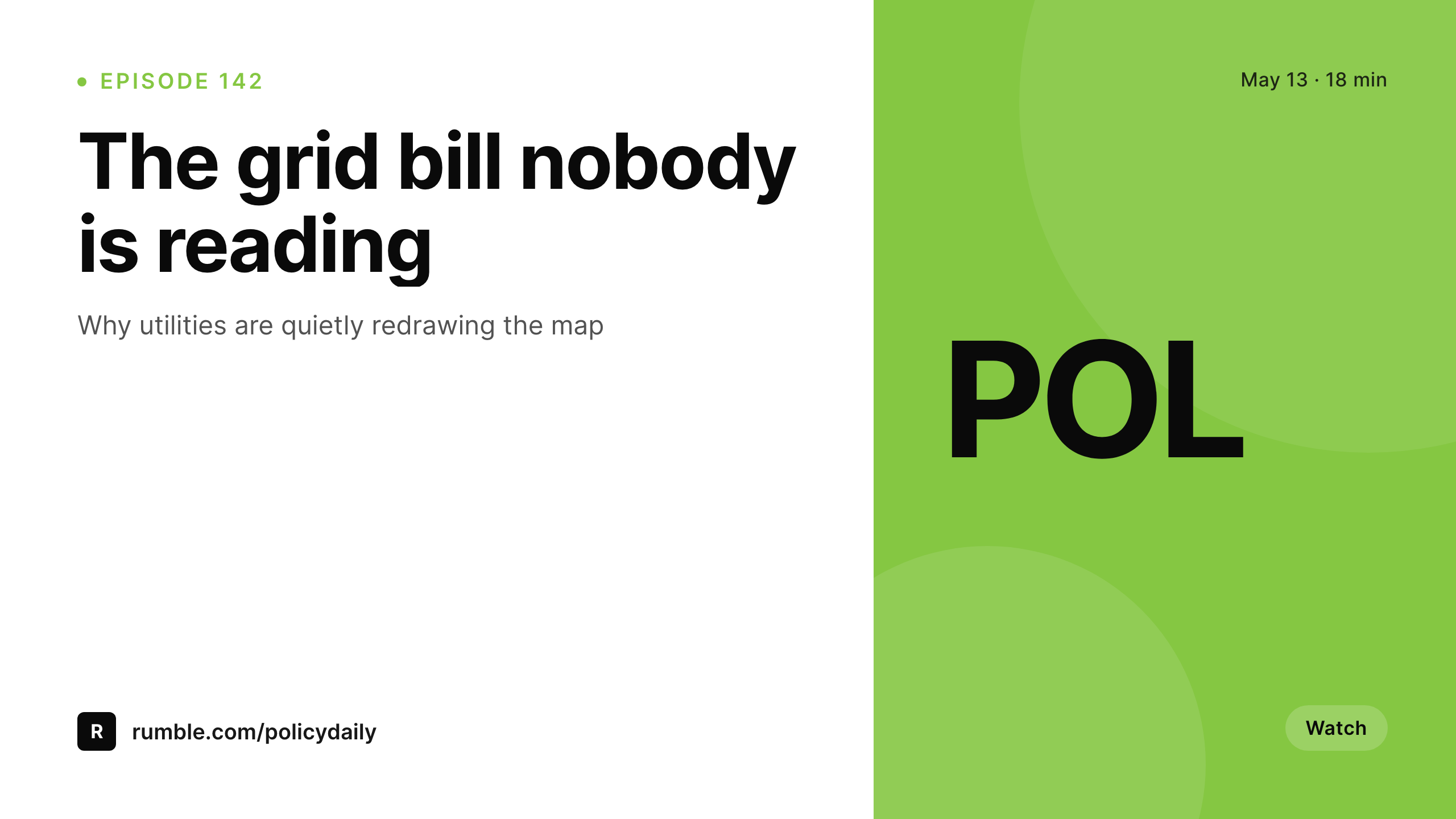
Templated 1280x720 video thumbnails generated from WordPress episode posts on save. Title, episode number, and runtime pulled from real fields, downloaded from the editor sidebar, ready for the Rumble upload form.
♾️ Lifetime License available
Rumble thumbnails read like YouTube thumbnails, with less help
Rumble's video grid is a wall of 1280x720 thumbnails, the same dimension YouTube uses. The grid is how organic viewers find a channel, and the thumbnail is the main click signal. Rumble has fewer third-party tools than YouTube, so most creators either reuse the YouTube thumbnail or upload an auto-generated frame. The result is a grid of slightly off-brand or low-readability covers.
SleekPixel binds the thumbnail to a WordPress episode post. Title, episode number, runtime, and brand mark live as fields. The template renders a 1280x720 PNG on save, sized for Rumble and YouTube both. The episode page on the brand site and the Rumble grid both pull from the same source of truth.
Rumble accepts the PNG as a thumbnail upload during the video upload step. SleekPixel exposes a sidebar download per episode post, so the creator drops the file into the Rumble upload form without leaving WordPress.
Workflow
From episode post to Rumble upload
Design the thumbnail
Set up episode posts
Save the episode post
Upload to Rumble
Output
What gets rendered per episode
A 1280x720 PNG with the episode title, number, runtime, and brand mark, sized for the Rumble video thumbnail upload.
Comparison
Auto-frame covers versus SleekPixel
Auto-frame or reused YouTube
- Rumble auto-frame grabs whatever frame the upload landed on
- Reusing the YouTube thumbnail leaves the Rumble grid feeling secondhand
- Title text on auto-frames is unreadable at grid size
- Brand mark missing, viewers cannot identify the channel from the wall
- Per-episode thumbnail work in Photoshop never scales
SleekPixel
- 1280x720 PNG rendered per episode post on save
- Title, episode number, and runtime pulled from real fields
- Layout legible at Rumble's grid thumbnail width
- Sidebar download per episode, ready for Rumble upload
- Same render works for the on-site post hero and Rumble cover
Features
What SleekPixel gives you for Rumble thumbnails
Grid-legible
The template keeps title and brand mark inside a layout that still reads at small grid size, where most Rumble click decisions happen.
Per-episode art
Each episode gets its own thumbnail with its own title and runtime, instead of an auto-frame from the upload.
Sidebar download
Open the episode post in Gutenberg, click download, and upload the PNG through the Rumble video upload form.
Use cases
Where Rumble thumbnails pay off
News and commentary
Daily news shows render with episode number, runtime, and the day's main angle, so the channel feed reads like a real publication.
Video podcasts
Video-first podcasts render with guest name and episode number on each thumbnail.
Channel networks
A network of Rumble channels can share one template family, so all video grids read as one brand.
The bigger picture
Why custom thumbnails move Rumble channel growth
Rumble's discovery grid behaves like YouTube's grid did before recommendation algorithms swamped the click decision. A clean, branded, on-message thumbnail still drives the share of clicks that turn into channel growth. Most Rumble creators ship auto-frames or reused YouTube thumbnails because the platform has fewer creator tools and per-episode design feels too expensive.
SleekPixel collapses the cost. The episode post holds the title. The template renders on save.
The creator downloads and uploads. The Rumble grid stops looking like a content dump and starts looking like a maintained channel. That difference shows up in subscribe rate within weeks.
Questions
Common questions about SleekPixel for Rumble thumbnails
No. Rumble accepts custom thumbnails through the upload form. SleekPixel renders the PNG and exposes a sidebar download. The creator uploads via the Rumble upload form.
1280x720 by default, which matches Rumble's recommendation and works equally for YouTube cross-posting.
Yes. Both platforms use 1280x720. One template renders one PNG, used as the Rumble cover and the YouTube thumbnail.
If past episodes have posts with the right fields, batch regenerate renders covers for the whole archive in one pass.
Yes. Runtime is a field on the episode post, and the template binds it into the cover layout.
Yes, including self-hosted brand fonts.
Files are named after the episode slug. The naming scheme is configurable in the SleekPixel settings.
In the WordPress uploads directory as real PNGs. They appear in the media library and are included in normal backups.
Pricing
More than 1000+
happy customers
Explore our flexible licensing options tailored to your needs. Upgrade your license anytime to access more features, or opt for a lifetime license for ongoing value, including lifetime updates and lifetime support. Our hassle-free upgrade process ensures that our platform can grow with you, starting from whichever plan you choose.
Lifetime ♾️
Most popular
EUR
once
- Unlimited websites
- Lifetime updates
- Lifetime support
...or get the Bundle Deal
and save €250 🎁
💎 Want everything forever? The All Access Pass is going away on 01.08.2026.
The Bundle (unlimited sites)
Pay once, own it forever
Elevate your WordPress site with our exclusive plugin bundle that includes all of our premium plugins in one package. Enjoy lifetime updates and lifetime support. Save significantly compared to buying plugins individually.
What’s included
-
SleekAI
-
SleekByte
-
SleekMotion
-
SleekPixel
-
SleekRank
-
SleekView
€749
Continue to checkoutBrowse more
- AppSumo launch card
- weekly recap cards
- domain launch card
- restock alert cards
- review cards
- speaker cards
- benchmark report cards
- podcast episode
- north star metric card
- team spotlight cards
- podcast guest cards
- case study banner
- sustainability report card
- newsletter cover cards
- contributor spotlight card
- Facebook Shop product images
- TikTok cover images
- Instagram ad images
- Facebook post images
- Lemon Squeezy product covers
- Stan Store cover
- LinkedIn showcase page banners
- Snapchat Discover tiles
- Instagram grid tiles
- Beacons.ai banner
- Pinterest board covers
- Snapchat Spotlight covers
- Dailymotion thumbnails
- YouTube community images
- Lemon8 post