






SleekPixel for private school
Division, program track, and tour date already live on the page. SleekPixel renders a 1200x630 OG image on save so shared links match the printed viewbook rather than the WordPress default.
♾️ Lifetime License available
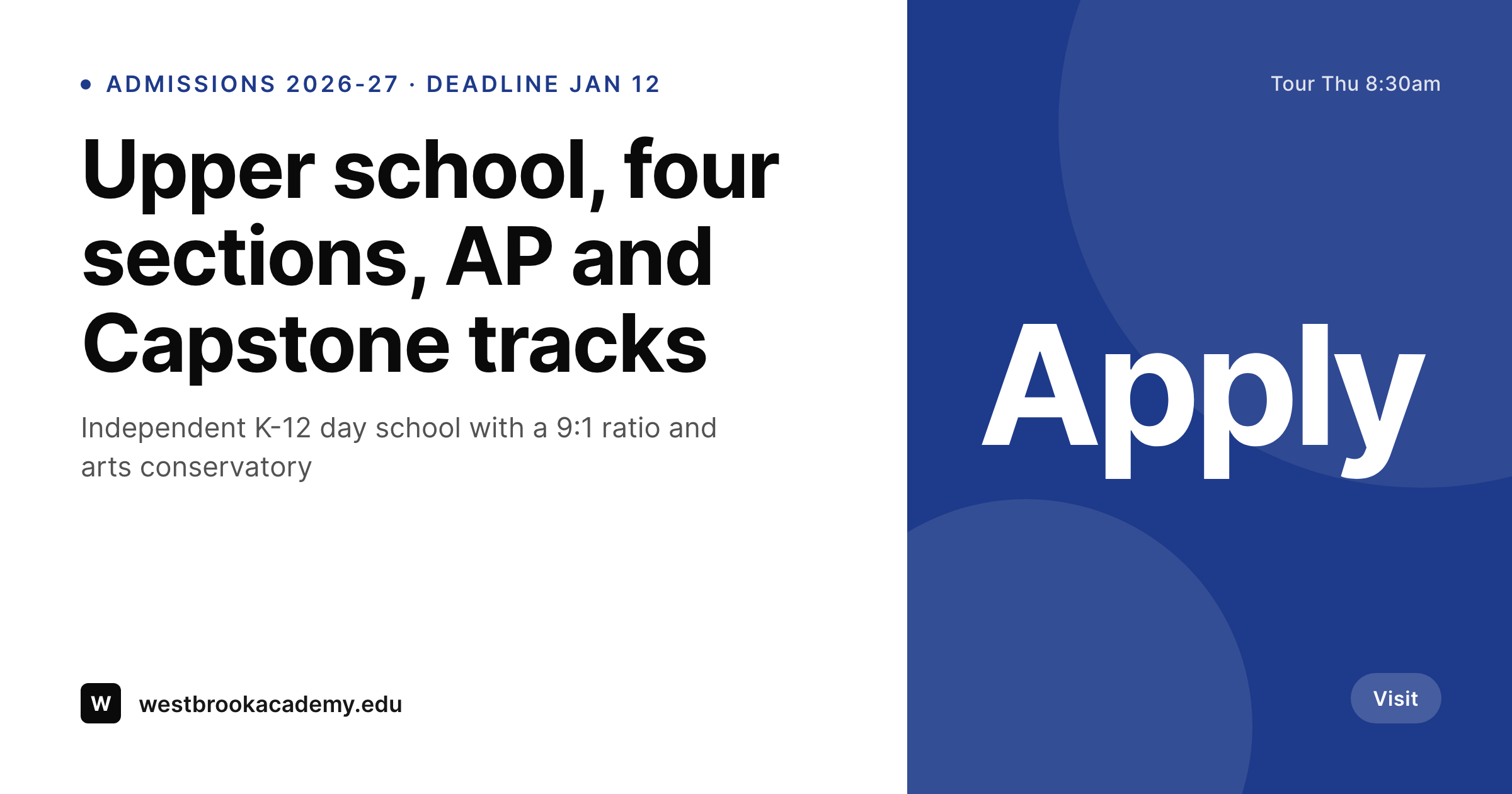
The shared-link problem at a private school
Private school admissions runs on referrals and shared links. A family at an open house texts the lower school page to a friend, a current parent forwards the financial aid post to a new family, an alum shares the upper school capstone announcement on LinkedIn. The link preview decides whether the next click happens. A WordPress default avatar against a stretched logo does not read like a school families pay tuition to attend.
The page content already lives on the site. Most private schools run pages for each division (lower, middle, upper), program tracks (AP, IB, Capstone, arts conservatory), athletics, and a steady cadence of admissions posts (deadlines, tour dates, financial aid info). Every OG image needs is already typed once on the page. What sits in the Featured Image field is often the homepage banner with a stretched logo on top.
The fix is to render the OG image the same moment the page saves. Update the upper school page with the new Capstone tracks, the 1200x630 PNG regenerates with the new title and tour date. The Featured Image, the og:image meta tag, and the Twitter card stay in sync, and the preview reads like the actual viewbook.
Workflow
From page edit to shared link
Map the page fields
Design one OG template
Update content
Families and alumni share
Output
What gets generated per page
A 1200x630 OG image with the page title, division, program track, and next tour date pulled live from the page or post meta.
Comparison
Generic Featured Image vs auto-rendered OG image
Default / Featured Image
- A single banner Featured Image carries every division page across the site
- Tour date changes and the OG preview still shows last semester's date
- LinkedIn alumni posts show a stretched logo over the WordPress avatar
- Each new program page needs a fresh Canva file or inherits the homepage banner
- Brand drift between the printed viewbook and the shared link preview
SleekPixel
- Every division page saves with a 1200x630 OG image rendered from the page
- Title, division, program track, tour date all pulled live from fields
- Twitter card and Featured Image stay in sync with one render
- Manual regenerate from the post sidebar after content updates
- Bulk regenerate when the school rebrands or launches a new program
Features
What SleekPixel gives you for private school
OG image per division
Each division (lower, middle, upper) and program page saves with a 1200x630 OG image. Tour dates and program tracks come from the page, not a Canva file.
Referral-ready
When parents and alumni share links in family groups or LinkedIn, the preview reads like the viewbook rather than a default avatar.
Brand-consistent across divisions
Lock the school's seal, type, and palette. Lower, middle, and upper school pages all render OG images that read as one institution.
Use cases
Where private school OG images get used
Alumni LinkedIn shares
Alumni posting about Capstone announcements, college acceptances, or athletic milestones link out, and the preview matches the school they attended.
Admissions email cadence
Application deadline reminders, financial aid posts, and tour invites each generate a fresh preview that matches the email's content.
Open house cycles
Open house and tour dates update on the page, the OG image re-renders, and shared links show the latest visit date automatically.
The bigger picture
Why private school admissions rely on shared previews
Private school admissions runs on a long funnel of referrals, tours, and applications. A family hears about the school at a community event, looks at the website, books a tour, and then talks to two or three current families before applying. The shared link is the version of the school that sits in those between-conversation moments, in a parent group, a forwarded email, or an alumni LinkedIn post.
A stretched logo on a homepage banner does not match a viewbook that the school spent months designing. Most private schools have a small communications team supporting admissions, athletics, advancement, and faculty content. That team cannot make a new OG image for every program page, deadline reminder, and Capstone announcement.
Treating the OG image as derived from the page content means the shared link matches the viewbook, and every preview reads as the institution families are paying tuition for.
Questions
Common questions about SleekPixel for private school
Yes. Pages, posts, and custom post types all map onto the template engine. Standard page title and content work out of the box. ACF, Meta Box, and Pods fields for division, program track, tour date, or faculty name are supported.
Yes. Templates can be conditional on category or taxonomy, so lower school can use one layout, middle school another, and upper school a third. All pull from the same page fields, just styled differently while keeping the school seal consistent.
Athletics game previews, arts performance posts, and Capstone announcements use the same template engine. Each gets an OG image generated from the post, with date and roster fields rendering as dynamic data.
Yes. The director edits the page (program description, deadline, tour date) and saves. SleekPixel re-renders the OG image. The next time a family or alum shares the link, the preview is up to date.
No. SleekPixel renders the image and saves it to uploads with og:image meta tags. The image appears in link previews whenever the page is shared. Posting independently of a shared link requires a separate scheduling tool.
The same 1200x630 image works as a LinkedIn preview. LinkedIn, Twitter, X, Facebook, and most other platforms read the og:image meta tag, so one render covers most platforms used by current parents and alumni.
No. Generation runs on save in the admin. Visitors reading program pages on the front end never trigger image rendering, they see the cached PNG. The og:image meta tag points at a static file, so link previews are instant.
No. SleekPixel renders static PNG and JPG only. Video tours, drone footage, and motion graphics are out of scope. The focus is on still images that match the viewbook and stay current with page content.
Pricing
More than 1000+
happy customers
Explore our flexible licensing options tailored to your needs. Upgrade your license anytime to access more features, or opt for a lifetime license for ongoing value, including lifetime updates and lifetime support. Our hassle-free upgrade process ensures that our platform can grow with you, starting from whichever plan you choose.
Lifetime ♾️
Most popular
EUR
once
- Unlimited websites
- Lifetime updates
- Lifetime support
...or get the Bundle Deal
and save €250 🎁
💎 Want everything forever? The All Access Pass is going away on 01.08.2026.
The Bundle (unlimited sites)
Pay once, own it forever
Elevate your WordPress site with our exclusive plugin bundle that includes all of our premium plugins in one package. Enjoy lifetime updates and lifetime support. Save significantly compared to buying plugins individually.
What’s included
-
SleekAI
-
SleekByte
-
SleekMotion
-
SleekPixel
-
SleekRank
-
SleekView
€749
Continue to checkout