






SleekPixel for Trello cards
Editorial and marketing teams on Trello often surface their calendar on a WordPress hub for stakeholders. SleekPixel reads Trello card data and renders square Instagram-sized share cards so calendar posts and status updates share with the team brand on every channel.
♾️ Lifetime License available
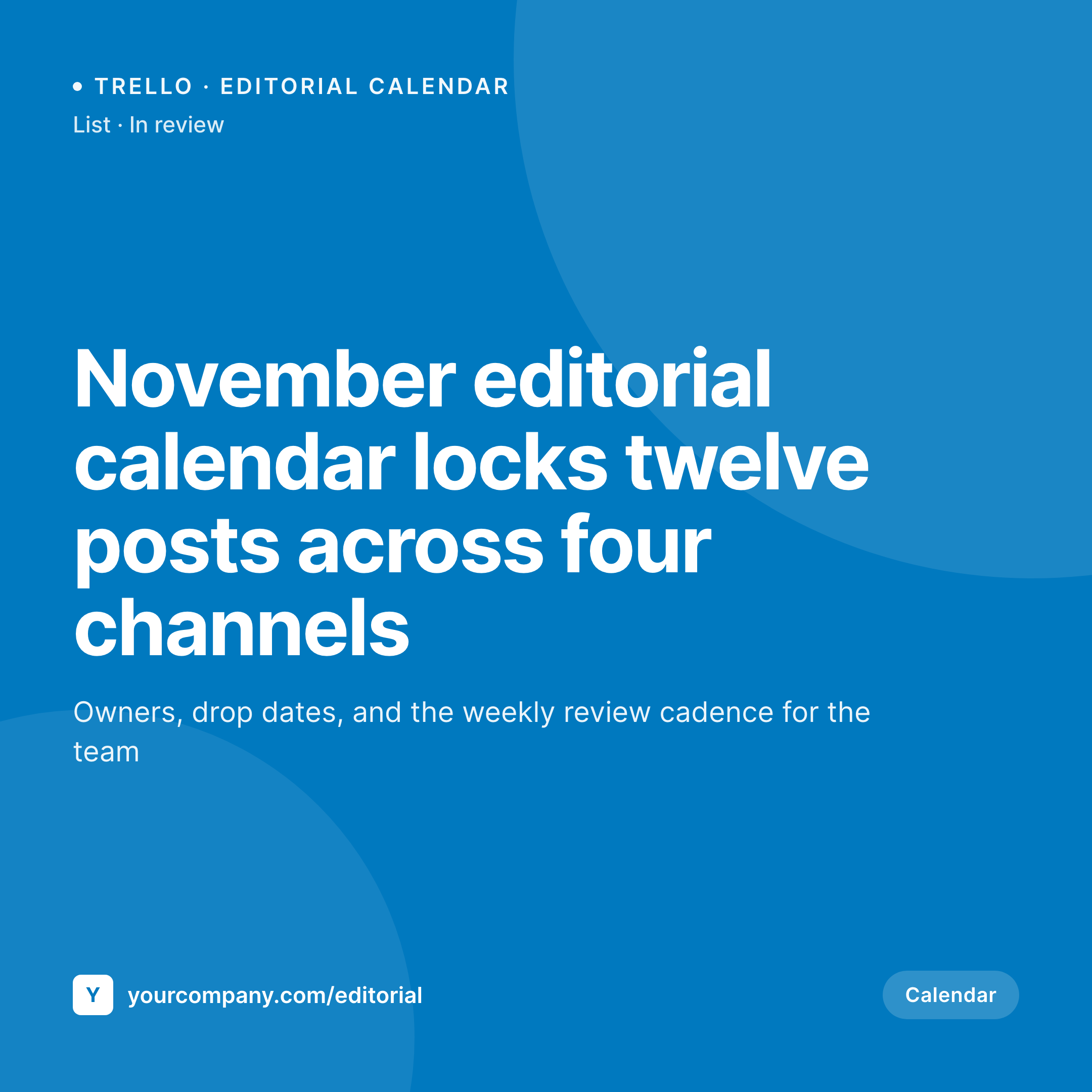
Editorial calendars need visual identity, not screenshots
Editorial and marketing teams that run on Trello use boards to plan posts, briefs, campaigns, and drops. The board is internal, but the calendar that stakeholders see usually lives on a WordPress hub: the marketing operations site, the internal company news page, or a customer-facing roadmap. When the team posts a calendar update or a campaign brief, the shared URL points to WordPress.
The share preview matters because editorial work is judged partly on its visual quality. A calendar update that shares with a default theme banner reads as a quick internal note. The same update shared with a real branded card showing the month, the campaign, and the team mark reads as an intentional editorial output. The audience is often other marketing teams, agency partners, and senior leadership. They notice the difference, especially in a function where craft is part of the deliverable.
SleekPixel pulls Trello card and list data through the API and renders a square 1080 by 1080 share card. Card title becomes the headline, list and label render as meta, and the team brand sits at the bottom. Editorial posts share to Instagram, X, and Slack with a card that matches the rest of the marketing surface, which keeps the editorial team's external brand consistent across every channel.
Workflow
From Trello card to editorial share card
Connect the Trello API
Build the editorial template
Save or sync
Share across editorial channels
Output
Sample Trello editorial card
A 1080x1080 Instagram-sized PNG: card title, list, label, and team brand, rendered from Trello API data into the WordPress editorial post on save.

Comparison
Default theme OG vs Trello-aware rendering
Default theme OG image
- Editorial calendar posts share with the corporate homepage banner
- Card titles and lists never appear on the share preview
- Instagram crops the default OG into an awkward square on every share
- Manual editorial graphics stop after the first content sprint
- Brand refreshes require redoing every past calendar card by hand
SleekPixel
- Pulls Trello card and list data via the API on sync or webhook
- Card title, list, label, and due date render automatically
- Editorial calendars, campaign briefs, and project boards share the same family
- Bulk re-render the back catalog after a brand refresh
- Leaves Trello workflows untouched, only WordPress changes
Features
What SleekPixel gives you for Trello cards
Card-title headlines
The Trello card title becomes the WordPress share card headline. The same title the editorial team uses internally lands on every external share of the calendar.
List meta
Current list name renders as meta: in review, scheduled, published. Stakeholders see status at a glance without opening Trello or the WordPress post.
Label badges
Card labels render as small badges. Editorial team uses labels for channel, content type, or campaign. The badge carries that taxonomy onto every share.
Use cases
What Trello-using teams generate with SleekPixel
Editorial calendar updates
Monthly and weekly calendar posts get their own WordPress update and card. Internal Slack drops and partner emails carry the month and channel mix on the share.
Campaign briefs
Each campaign brief lives on a WordPress page that links to the Trello board. The card shows the campaign name and the kickoff date, branded to the campaign palette.
Cross-team handoffs
Project handoff posts between marketing and design or marketing and sales render their own cards. The handoff URL carries the project context on every share.
The bigger picture
Why editorial-calendar shares carry the team's craft signal
Editorial and marketing teams are judged on craft, and the craft has to show in every artifact the team produces. The calendar update that shares to a partner agency, the campaign brief that lands in a senior marketing leader's inbox, the kickoff post that goes out to the whole company, all of these are visual artifacts as much as written ones. The share preview is the first thing the audience sees, and a default theme banner pulls the artifact down to the level of an offhand internal note.
A real branded card lifts the artifact to the level of a deliverable the team is proud to ship. Over a year of editorial outputs, that visual consistency becomes the team's external brand. Stakeholders learn to recognize the calendar at a glance, partners reference the brand colors in their own work, and senior leadership sees a marketing function that takes craft seriously across every surface.
SleekPixel binds the rendering to the post type, so every Trello-driven update inherits the same visual identity without anyone designing a card manually. The editorial team keeps moving in Trello; the public-facing share keeps pace automatically with the brand already established.
Questions
Common questions about SleekPixel for Trello cards
No. SleekPixel reads only the fields you choose to sync into WordPress. Private board data stays in Trello. The WordPress post holds the version the editorial lead approved for the audience that sees the share.
A Trello API key and token plus a sync job, usually via WP Cron or webhook. The sync writes card title, list, labels, and due date into custom fields. SleekPixel reads those fields when the post saves.
Yes. Trello checklists expose item counts and completed counts. A custom field can hold the percentage, and the template can render a small progress badge on the card. Useful for in-flight campaign briefs.
The next sync updates the list field on the WordPress post and re-renders the card. The card reflects current status: in review, scheduled, published. The historical URL stays the same and the preview refreshes to match the new state.
Power-Up data exposed through custom fields on the Trello card can sync into WordPress the same way. Common Power-Ups like custom fields, calendar, and votes all surface through the API and can render onto the share card.
Yes. A taxonomy on the WordPress post mapped to the Trello board picks the template variant. Editorial calendar cards can render with one accent, campaign briefs with another, and project boards with a third. The render picks the right variant at save time.
No. Most Trello-to-WordPress integrations handle the data sync, not the OG meta. SleekPixel manages the share card and the rendered PNG. The two run side by side and do not conflict.
The WordPress posts and rendered cards stay where they are. Swap the sync job to read from the new tool, keep the WordPress field names, and the templates render unchanged. URL-stable shares mean the editorial back catalog survives the platform change.
Pricing
More than 1000+
happy customers
Explore our flexible licensing options tailored to your needs. Upgrade your license anytime to access more features, or opt for a lifetime license for ongoing value, including lifetime updates and lifetime support. Our hassle-free upgrade process ensures that our platform can grow with you, starting from whichever plan you choose.
Lifetime ♾️
Most popular
EUR
once
- Unlimited websites
- Lifetime updates
- Lifetime support
...or get the Bundle Deal
and save €250 🎁
💎 Want everything forever? The All Access Pass is going away on 01.08.2026.
The Bundle (unlimited sites)
Pay once, own it forever
Elevate your WordPress site with our exclusive plugin bundle that includes all of our premium plugins in one package. Enjoy lifetime updates and lifetime support. Save significantly compared to buying plugins individually.
What’s included
-
SleekAI
-
SleekByte
-
SleekMotion
-
SleekPixel
-
SleekRank
-
SleekView
€749
Continue to checkoutBrowse more
- Ko-fi shop images
- Apple Podcasts covers
- Gumroad product covers
- Bluesky feed banner
- Ko-fi banners
- KDP paperback cover
- YouTube thumbnails
- Twitch overlay
- YouTube end screens
- Reddit subreddit banners
- VK community cover photos
- Twitch stream overlay images
- YouTube playlist covers
- Substack post thumbnail
- Farcaster cast images