






SleekPixel for Linear issues
Product teams on Linear often publish a customer-facing changelog on a WordPress site. SleekPixel reads issue metadata from Linear and renders LinkedIn-sized cards for each shipped issue so changelog posts share with real product context on every social channel.
♾️ Lifetime License available
Linear is internal, the changelog is the customer-facing version
Linear is the planning surface for product teams that want speed and clean state. Issues, cycles, projects, and roadmaps all live in Linear, behind authentication. What customers see is the changelog, which usually lives on a WordPress site as a public-facing version of selected shipped issues. Each entry summarizes a Linear issue or group of issues in customer-readable language, with links to the relevant product surface.
The changelog gets shared. Product marketing tweets a shipped feature, a customer success manager drops the URL in a Slack channel, a sales rep includes the link in a deal email. The share preview is the first impression. If that preview is a default WordPress theme banner, the changelog reads as an afterthought even when the underlying ship is significant. The Linear team built the feature, the marketing team wrote the changelog entry, and the social share undoes both at the preview stage.
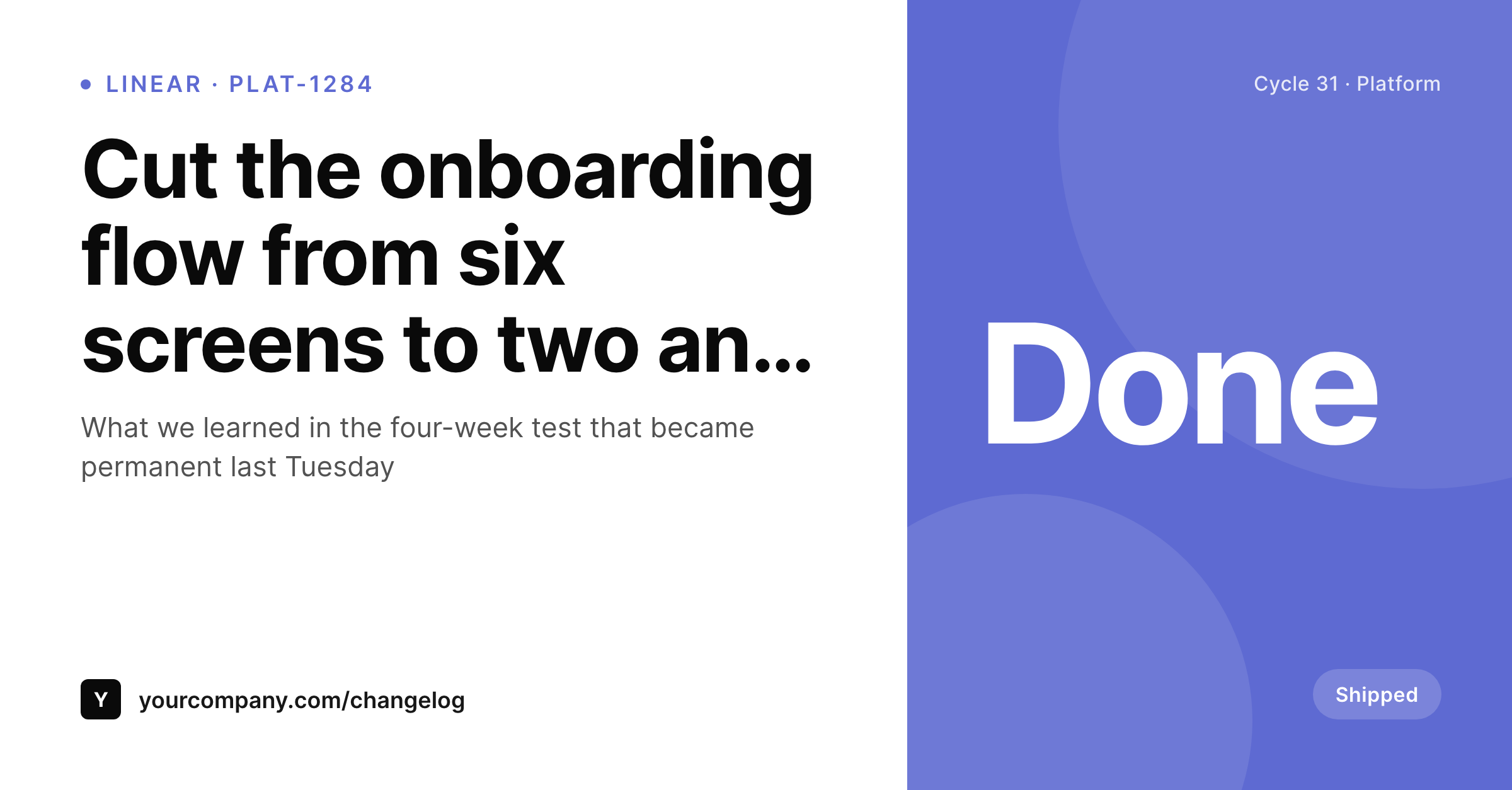
SleekPixel reads the Linear issue fields synced into WordPress and renders a LinkedIn-sized card per changelog entry. Issue title becomes the headline, cycle and team render as meta, status renders as a badge, and the company brand sits at the bottom. Each shipped issue shares with a real preview that matches the polish of the underlying work, which lifts engagement on every product update post.
Workflow
From Linear issue to changelog share card
Connect the Linear API
Build the changelog template
Sync on ship
Share with the team
Output
Sample Linear changelog card
A 1200x627 LinkedIn-sized PNG: issue title, cycle, team, status, and company brand, rendered from Linear API data into the WordPress changelog post on save.
Comparison
Default theme OG vs Linear-aware rendering
Default theme OG image
- Changelog posts share with the corporate homepage banner
- Issue titles and cycle numbers never appear on the share preview
- LinkedIn previews crop the image awkwardly for every product update
- Manual changelog graphics stop after the first quarter of launches
- Brand updates require redoing every past entry's preview by hand
SleekPixel
- Pulls Linear issue metadata via the API on a schedule or webhook
- Issue title, cycle, team, and status render automatically on the card
- Major launches, weekly ships, and roadmap posts share the same family
- Bulk re-render the back catalog after a brand or template refresh
- Leaves the Linear hosted workspace untouched, only WordPress changes
Features
What SleekPixel gives you for Linear issues
Shipped-issue headlines
The customer-readable title of each shipped issue becomes the card headline. The line product marketing wrote does the work on every share of the changelog.
Cycle and team meta
Current cycle number and team name render as small meta. Readers see which team shipped what and when, without scanning the post body.
Status badges
Status renders as a badge: shipped, in beta, or generally available. Customers and prospects know exactly what stage the feature is at from the preview.
Use cases
What Linear-using product teams generate with SleekPixel
Major feature launches
Each major launch carries its own changelog entry and card. Launch tweets and LinkedIn posts share with a real preview of the feature and team.
Weekly ship roundups
End-of-week ship summaries pull multiple Linear issues into one card. Product teams share the week's wins with a single branded image.
Quarterly roadmap reviews
Quarter-in-review posts list shipped projects from Linear and render a quarter-specific card. Investors and customers see the cadence at a glance.
The bigger picture
Why product-update shares carry real revenue impact
Product teams measure shipped features, but the value of those features only materializes when customers and prospects know they exist. The changelog is the slowest possible communication channel for that, sales emails and account-management touches are the fastest, and social posts sit in between. The social post that announces a shipped feature reaches existing customers, prospects in the late funnel, and competitors who quietly monitor the space.
The preview is what most of them see. A real card showing the feature title and the team that shipped it tells the audience that the product is moving forward. A blank theme banner tells nobody anything.
Across a year of shipped features, the difference between branded and unbranded share previews shows up in expansion revenue, in renewal sentiment, and in win rates on deals where the prospect was watching the cadence of the product to decide. SleekPixel binds the changelog card to the post type, so every Linear issue that ships and gets a public entry shares with the same polish. The product team keeps moving fast in Linear; the customer-facing change-impression keeps pace automatically.
Questions
Common questions about SleekPixel for Linear issues
No. SleekPixel reads only the fields you choose to sync. Internal-only fields stay in Linear. The WordPress changelog post holds the customer-readable version that product marketing already approved for public consumption.
A Linear webhook on issue status change plus a custom WordPress endpoint that writes the synced fields. Alternatively a scheduled poll via the Linear GraphQL API. SleekPixel reads whatever fields end up on the post.
Yes if you bind those fields. Most teams expose only customer-friendly metadata: title, cycle, status, team. Internal priority and estimates usually stay out of the public card, but the template can render them if you decide differently.
The card renders the most recent cycle. A custom field can override that for posts where a single date matters more than a cycle, useful for retrospective posts that summarize a multi-quarter project.
Yes. Each workspace gets its own API key and webhook target. The WordPress side can host changelogs for multiple products from multiple workspaces, with one template family per product if the brand requires it.
Yes. A 'release note' field on the changelog post overrides the Linear issue title when present. Product marketing writes the customer-readable line, and the card uses that line on the share.
No. Rendering happens on save or on webhook receipt, not on every page view. The site serves a static PNG from uploads on every share. No render cost on visitor traffic.
The next sync updates the team field on the WordPress post and re-renders the card with the correct team brand. The historical post URL stays the same; only the card and metadata refresh to reflect the new ownership.
Pricing
More than 1000+
happy customers
Explore our flexible licensing options tailored to your needs. Upgrade your license anytime to access more features, or opt for a lifetime license for ongoing value, including lifetime updates and lifetime support. Our hassle-free upgrade process ensures that our platform can grow with you, starting from whichever plan you choose.
Lifetime ♾️
Most popular
EUR
once
- Unlimited websites
- Lifetime updates
- Lifetime support
...or get the Bundle Deal
and save €250 🎁
💎 Want everything forever? The All Access Pass is going away on 01.08.2026.
The Bundle (unlimited sites)
Pay once, own it forever
Elevate your WordPress site with our exclusive plugin bundle that includes all of our premium plugins in one package. Enjoy lifetime updates and lifetime support. Save significantly compared to buying plugins individually.
What’s included
-
SleekAI
-
SleekByte
-
SleekMotion
-
SleekPixel
-
SleekRank
-
SleekView
€749
Continue to checkoutBrowse more
- Facebook Shop product images
- Audible audiobook cover
- Patreon cover images
- Facebook event covers
- Spotify podcast covers
- Behance project covers
- Farcaster cast images
- Kick channel banners
- Pinterest shop banners
- Etsy shop banners
- Substack podcast cover
- TikTok cover images
- Twitch camera frame
- YouTube banner art
- YouTube Music cover art