






SleekPixel for beehiiv newsletters
beehiiv carries the email, the archive, and the referral program. SleekPixel adds the missing piece on the WordPress side: real share images for issues that get republished to a WordPress archive, so cross-posted links land with a branded card.
♾️ Lifetime License available
beehiiv archives need OG control that beehiiv does not offer
beehiiv ships a fast email tool, a clean reader experience, and a referral program that has driven real growth for the newsletter operators using it. The piece that lags is custom OG control for individual issues when those issues get cross-posted to a WordPress archive. Many beehiiv operators run a WordPress site alongside the newsletter for sponsorship landing pages, lead magnets, and an archive that they control end to end. The cross-posted issues sit on WordPress, but the share previews fall back to whatever the theme provides.
The data is right there. Each archive post has the issue subject, the issue number, the original send date, the canonical beehiiv URL, the reading time. A real share card uses those fields. A default theme OG uses none of them, so every cross-post share looks like a generic blog post with no issue context.
SleekPixel runs on the WordPress side and renders the share image from the archive post fields. The subject line becomes the headline. The issue number, send date, and reading time render as meta. The brand wordmark, the newsletter name, the publication of the issue all live on the card. Forwarded URLs land with real previews. The beehiiv operator keeps everything in beehiiv except the share image on WordPress, which beehiiv was never going to render anyway.
Workflow
From beehiiv issue to WordPress card in one save
Cross-post to WordPress
Build the archive template
Save the archive post
Share from anywhere
Output
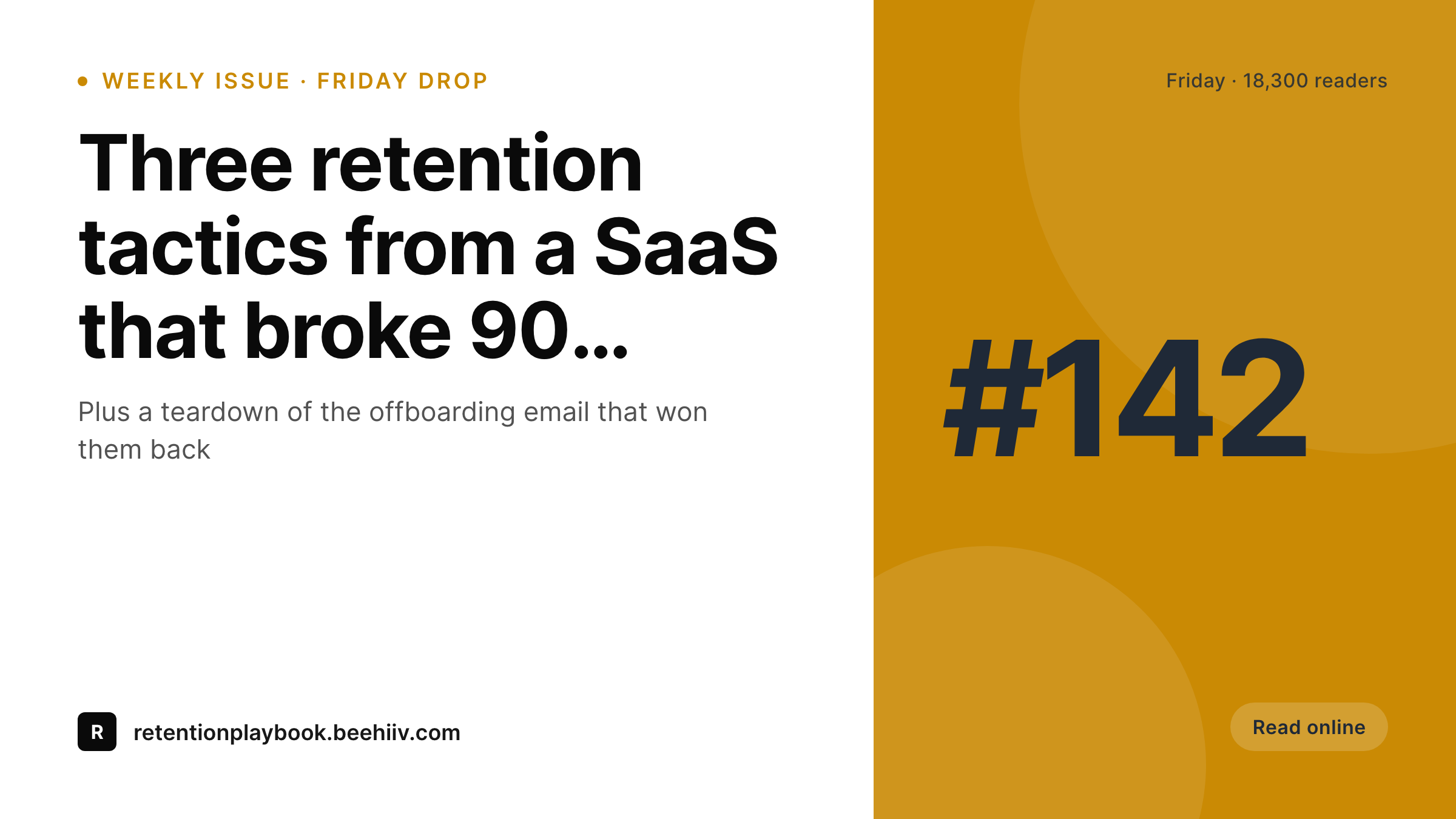
Sample beehiiv issue Twitter card
A 1200x675 Twitter card: issue subject, issue number, send date, reading time, and newsletter wordmark, rendered from the WordPress archive post on save.
Comparison
Default theme OG vs beehiiv-aware rendering
Default theme OG image
- Cross-posted issues on WordPress share with the homepage banner
- Issue numbers and original send dates never reach the share preview
- Twitter previews crop the feature image awkwardly on every issue
- Sponsorship landing pages and archive issues use mismatched visuals
- Brand updates require redoing every past issue's preview by hand
SleekPixel
- Reads the WordPress archive post for every issue you cross-post
- Subject, issue number, and send date render onto the share card
- Sponsorship pages and archive issues share the same template family
- Bulk re-render the back catalog after a rebrand or template change
- Leaves the beehiiv hosted experience untouched, only WordPress changes
Features
What SleekPixel gives you for beehiiv newsletters
Per-issue subject lines
The subject line you tested in beehiiv becomes the card headline on the WordPress archive. No retyping, no second copywriting pass.
Original send date
Cross-posted issues often go live on WordPress a day or two after the email send. The card shows the original send date, not the WordPress publish date.
Canonical-aware
If the canonical points back to beehiiv, the card still renders cleanly for the WordPress URL while the canonical tells search engines where the original lives.
Use cases
What beehiiv newsletters generate with SleekPixel
Cross-posted issues
Every issue republished to the WordPress archive renders with a real card. Tweets and Slack forwards land with subject and issue number visible.
Sponsorship landing pages
Each sponsor's landing page gets a card showing the sponsor brand, the issue it appeared in, and the audience size. Sales decks open with branded previews.
Referral program pages
If the referral milestones page lives on WordPress, each tier card carries reward art, current standings, and brand colors that match the email itself.
The bigger picture
Why beehiiv operators care about WordPress share previews
beehiiv handles the email side cleanly, but the WordPress side is where sponsorship pages, lead magnets, and the archive that survives a tool change live. Issues cross-posted to WordPress are the long-term asset that earns search traffic months and years after the email goes out. Those archive pages get shared on Twitter, in newsletter roundups, in Slack communities, and on industry blogs that link out to source material.
Every one of those shares pulls the WordPress OG image. If that image is the default theme banner, the share preview leaks brand value every time it appears. The second reason is sponsorship sales.
Most sponsorship pitches include a link to a sample issue, and the screenshot in the pitch deck is whatever Twitter generates when the sales lead pastes the URL into a draft tweet. If that screenshot is a real branded card with the subject, issue number, and reader count, the pitch lands better than if it is the homepage banner. SleekPixel turns the WordPress archive into the polished public face that beehiiv operators want their newsletter to have, without forcing them to leave the beehiiv hosted email tool they already pay for.
Questions
Common questions about SleekPixel for beehiiv newsletters
beehiiv provides OG control for the beehiiv-hosted version of each issue, which is fine if you only share the beehiiv URL. Many operators run a parallel WordPress archive for SEO, sponsorship pages, and lead magnets. SleekPixel covers the WordPress side, which beehiiv does not touch.
A webhook on issue send, a sync plugin, or a manual paste. SleekPixel does not handle the data move; it renders the share image once the archive post exists in WordPress. Most operators use a Make or Zapier flow that creates the archive post automatically.
Technically you can upload the SleekPixel-rendered PNG to beehiiv's OG settings for each issue if you want pixel-perfect parity. Most operators do not bother; they accept that the beehiiv hosted version uses beehiiv's defaults and the WordPress version uses the SleekPixel card.
If the referral milestones page lives on WordPress, you can render a tier-specific card showing the tier name, the rewards, and the current subscriber's standing if you want it personalized. Most operators ship a static tier card per milestone and let WordPress serve it as a normal share image.
Yes. SleekPixel runs wherever WordPress runs. If your archive is at archive.yourdomain.com or yourdomain.com/newsletter, the rendered images land in that install's uploads and the og:image tags resolve correctly on those URLs.
Yes, if you bind a sponsor field to the archive post. The template can render a small 'sponsored by X' badge next to the issue subject. Useful for sponsor reporting where you want to show that every sponsored issue's share card carried the sponsor brand.
Rendering happens on save, not on every page view. The site serves a static PNG from uploads for every share. No render cost on visitor traffic. The save itself takes about a second longer than a normal save while the render runs.
The WordPress archive and its rendered images stay where they are. URL-stable share previews mean every past issue keeps its working preview even if the email tool changes. You only need to update the archive ingestion pipeline to point at the new sender.
Pricing
More than 1000+
happy customers
Explore our flexible licensing options tailored to your needs. Upgrade your license anytime to access more features, or opt for a lifetime license for ongoing value, including lifetime updates and lifetime support. Our hassle-free upgrade process ensures that our platform can grow with you, starting from whichever plan you choose.
Lifetime ♾️
Most popular
EUR
once
- Unlimited websites
- Lifetime updates
- Lifetime support
...or get the Bundle Deal
and save €250 🎁
💎 Want everything forever? The All Access Pass is going away on 01.08.2026.
The Bundle (unlimited sites)
Pay once, own it forever
Elevate your WordPress site with our exclusive plugin bundle that includes all of our premium plugins in one package. Enjoy lifetime updates and lifetime support. Save significantly compared to buying plugins individually.
What’s included
-
SleekAI
-
SleekByte
-
SleekMotion
-
SleekPixel
-
SleekRank
-
SleekView
€749
Continue to checkoutBrowse more
- Facebook post images
- Rednote (Xiaohongshu) post
- Threads post images
- Slack channel headers
- Twitch offline banners
- X social cards
- Threads social images
- GitHub README banners
- podcast cover art
- WhatsApp status images
- Mastodon link previews
- Warpcast frame images
- Lemon8 post
- LinkedIn carousel slides
- VSCO cover