






SleekPixel for Threads post images
Threads lets a post carry up to four images. Render the lead card from your WordPress post so a thread that opens with a link does not look like every other text-only post in the feed.
♾️ Lifetime License available
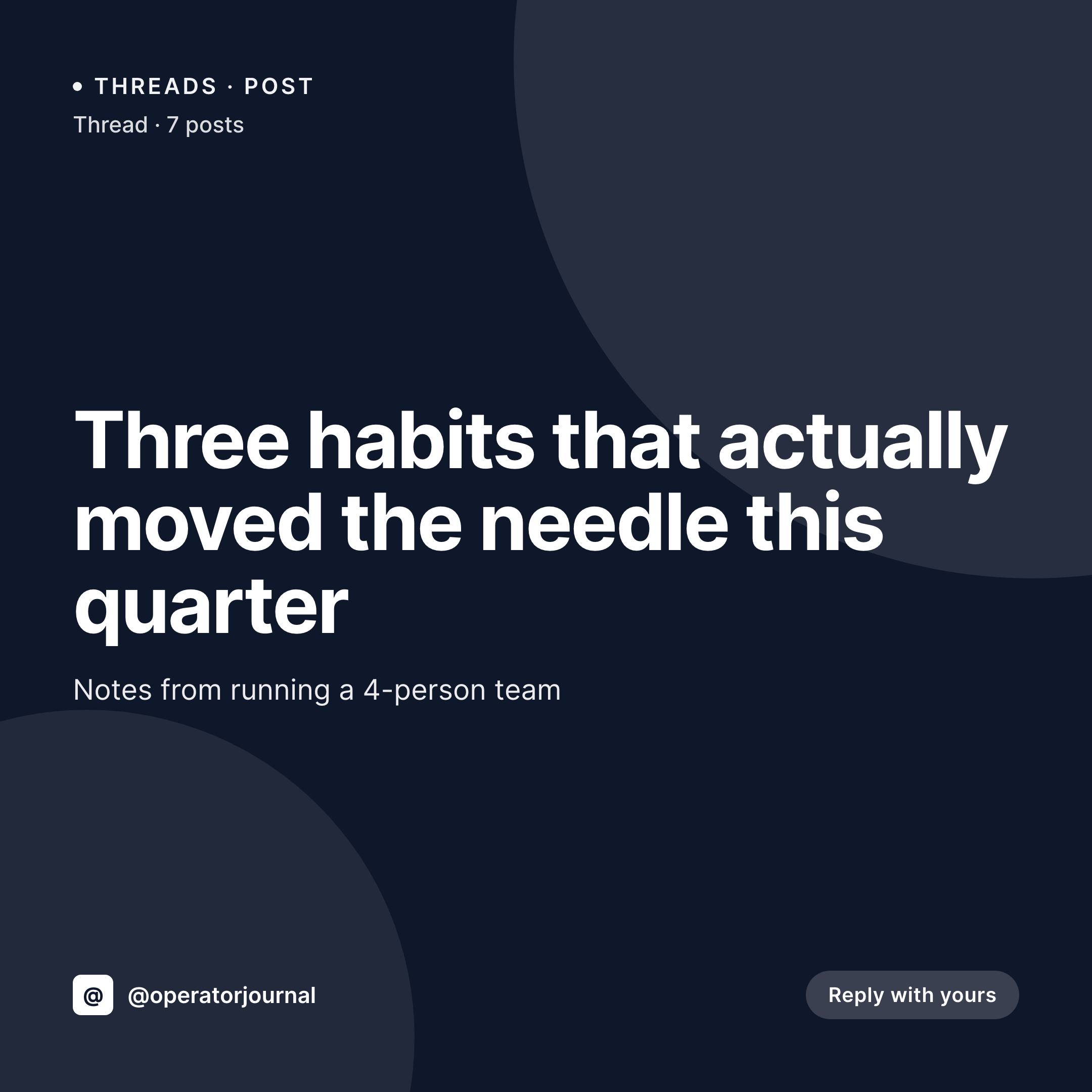
Threads rewards posts that look like they belong
Threads sits between Twitter's terse format and Instagram's visual feed. Posts can run long, but the ones that perform usually open with an image that signals what the thread is about. Text-only posts get scrolled past unless the author has an established audience that knows to slow down.
Most independent publishers do not have a workflow for Threads-specific images. The blog post already exists in WordPress, the cover image already lives in the media library, but pulling them into a Threads-ready square means either screenshotting the article header or opening Canva and starting from a template that nobody updates.
SleekPixel renders a 1080x1080 image per WordPress post and stores it in uploads. The Threads workflow is: open the post, download the image from the SleekPixel sidebar, attach it to a Threads post on the phone or desktop. The image looks like the WordPress site because it came from the WordPress site, which is exactly the brand consistency text-only Threads posts cannot deliver.
Workflow
From WordPress post to a Threads-ready lead image
Design the square template
Bind to the right post types
Save the post
Attach to the Threads post
Output
What attaches to a Threads post
A square 1080x1080 PNG built from the WordPress post title, brand, and accent. Sized to load inline in the Threads feed.

Comparison
Screenshot of article vs SleekPixel for Threads
Screenshot the article header
- Screenshots have browser chrome, scrollbars, and arbitrary crops
- Article headers were not designed for a 1:1 ratio
- Every screenshot looks slightly different depending on screen size
- No way to bake the post title cleanly into a feed-ready image
- Brand colors and fonts get lost the moment the image leaves the article
SleekPixel
- 1080x1080 PNG rendered per post on save
- Same template as Instagram feed posts, so the visual identity matches
- Editor downloads the image from the WordPress sidebar with one click
- No screenshot tool, no Canva, no second app on the phone
- Template change re-renders the catalog for the next batch of threads
Features
What SleekPixel gives you for Threads post images
Native Threads ratio
Threads displays attached images at near-square aspect ratios. The 1080x1080 template loads inline without cropping the title or the brand mark.
Brand-true colors
The template uses your real brand fonts and accent colors so the post in the Threads feed visually matches the WordPress site it links to.
One-click sidebar download
Open the post in the editor, click download in the SleekPixel sidebar, attach the PNG to the Threads post via the desktop site or the mobile app.
Use cases
Who posts threads with images from a blog
Editorial sites
Every published article becomes the opening image of a Threads recap, with the headline and category baked into the artwork.
Newsletter authors
Issue summaries posted as Threads carry an opening card with the issue number and tagline, recognizable from the feed.
Indie product accounts
Build-in-public threads start with a card carrying the version number or feature name, ready to be replied to with screenshots.
The bigger picture
Why opening images change the math on Threads
Threads is a feed-driven platform where the first frame decides whether a user keeps reading. A text-only opener works for accounts with a strong audience that already opts in to anything they post; for everyone else, the opening image carries the recognition. A reader scrolling past dozens of posts is more likely to slow down on a card that looks designed than a wall of text.
The trick is that designing those cards by hand for every thread is exactly the kind of work that gets dropped after the first month of trying. Tying the image to the WordPress post that already exists eliminates the workflow problem. Editors do not need to remember to make a card; the card is already in the uploads directory the moment the post is published.
The Threads thread that goes out an hour later can use it without anyone opening a design tool. The same image works as the OG card for the article link, the Instagram feed post for the recap, and the Threads opener. One render, three platforms.
Questions
Common questions about SleekPixel for Threads post images
Threads displays a basic link preview when a URL is included in a post, but the inline images attached to a thread are uploaded separately. The og:image and the attached lead image are two different surfaces; SleekPixel covers both.
Yes. The PNG lives in the WordPress uploads directory. Attach it to as many Threads posts as you like; Threads uploads its own copy each time, so there is no shared cache to worry about.
Threads renders inline images cropped to roughly square. The 1080x1080 template fits without losing the focal area, which is the title and the brand mark.
No. Threads does not have a public publishing API broad enough for third-party schedulers in most regions. SleekPixel produces the image; the upload is manual via Threads' app or web client.
Yes. The 1080x1080 ratio fits both the Instagram feed and the Threads opener. Many sites bind a single template to both surfaces and reuse the image.
Threads compresses uploads, but the typography in a SleekPixel render survives because text is rasterized at the full 1080 width before upload. Heavy compression artifacts are rare on platform-resized PNGs.
Threads supports vertical images too. Clone the template, change the canvas to 1080x1920, and SleekPixel renders a portrait version. The choice depends on whether the thread is more feed-first or share-first.
Threads has rolled out ActivityPub federation in stages. SleekPixel produces the image; how that image is federated is decided by Threads' federation settings on the account in question.
Pricing
More than 1000+
happy customers
Explore our flexible licensing options tailored to your needs. Upgrade your license anytime to access more features, or opt for a lifetime license for ongoing value, including lifetime updates and lifetime support. Our hassle-free upgrade process ensures that our platform can grow with you, starting from whichever plan you choose.
Lifetime ♾️
Most popular
EUR
once
- Unlimited websites
- Lifetime updates
- Lifetime support
...or get the Bundle Deal
and save €250 🎁
💎 Want everything forever? The All Access Pass is going away on 01.08.2026.
The Bundle (unlimited sites)
Pay once, own it forever
Elevate your WordPress site with our exclusive plugin bundle that includes all of our premium plugins in one package. Enjoy lifetime updates and lifetime support. Save significantly compared to buying plugins individually.
What’s included
-
SleekAI
-
SleekByte
-
SleekMotion
-
SleekPixel
-
SleekRank
-
SleekView
€749
Continue to checkoutBrowse more
- Substack post thumbnail
- X ad images
- YouTube playlist covers
- Threads profile banners
- Discord server banners
- Ghost feature images
- Twitch overlay
- Warpcast frame images
- LinkedIn newsletter headers
- Mastodon profile banners
- Facebook Shop product images
- Instagram Reels covers
- TikTok shop images
- WeChat Moments images
- Bandcamp banner