






SleekPixel for Mastodon profile banners
Mastodon profiles open with a header banner above the avatar. SleekPixel renders that banner from your WordPress data so a federated account on any instance carries the same visual identity as the site behind it.
♾️ Lifetime License available
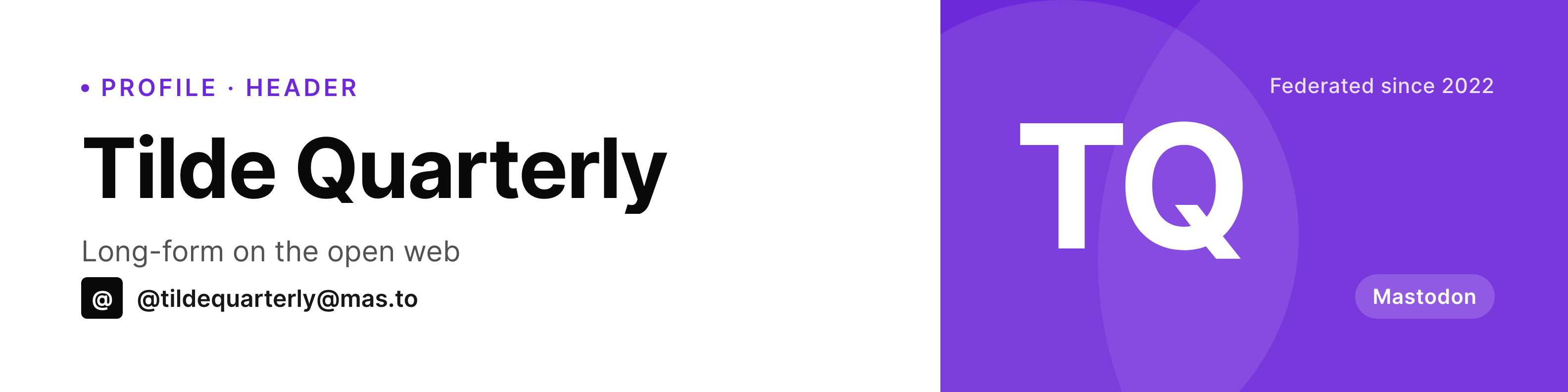
The Mastodon header is the only branded surface on the profile
Mastodon profiles are deliberately spartan. Display name, fediverse handle, short bio, follower and following counts, and the header image. The header is one of the few pieces of art the account controls and one of the only places where visual identity carries any weight.
Most federated accounts leave the banner on the instance default or upload a screenshot that ages out within months. The result is a profile that looks identical to the next ten accounts on the same instance, which is exactly the recognition gap a serious account wants to avoid on the fediverse.
SleekPixel renders the banner from WordPress at the right ratio. The handle, tagline, instance name, and any campaign data bind to fields, which means updates are a field edit and a regenerate rather than a Figma session. The render is a real PNG in uploads; the upload to Mastodon happens once through the instance settings page.
Workflow
From a WordPress field to a Mastodon header
Design the banner
Bind to a source
Render the image
Upload to Mastodon
Output
What a Mastodon banner shows
A wide banner sized for the Mastodon profile header. Display name, handle, instance, and a small badge bound to WordPress fields.
Comparison
Instance default vs SleekPixel for Mastodon
Instance default header
- Default instance banners look identical across thousands of accounts
- Random screenshots do not communicate the account's actual focus
- Figma exports stop happening after the initial setup
- Resizing for Mastodon's header ratio involves trial and error
- Brand refreshes leave the banner stale for months
SleekPixel
- Banner rendered at the Mastodon profile header ratio
- Handle, tagline, instance, and any campaign data bind to WordPress
- On-demand or scheduled regeneration
- Same pipeline as Bluesky, Threads, and the rest of the federated stack
- Template change re-renders without opening a design tool
Features
What SleekPixel gives you for Mastodon profile banners
Right ratio for Mastodon
The SleekPixel canvas matches the Mastodon profile header so the focal area sits cleanly within the visible region across the web client and the major mobile apps.
Federation-aware fields
Handle and instance name are first-class fields. Federated identity stays consistent in the artwork without retyping the same string.
Refresh on schedule
Hook the regeneration into a campaign action or a weekly cron. The banner keeps pace with what the account is actually doing.
Use cases
Who keeps a Mastodon banner current
Federated publications
Magazines and journals on Mastodon refresh the banner with the current issue or feature, regenerated from WordPress on publication.
Open source projects
Project Mastodon accounts use the banner to surface the current release tag and a short tagline. Updates are field edits in WordPress.
Instance administrators
Admins running their own Mastodon instances put community stats and the next meetup date into the banner via WordPress fields.
The bigger picture
Why a real Mastodon banner matters for federated reach
Mastodon's user base is composed of accounts that pay attention to the open web. Visitors clicking through to a profile from a boosted post tend to scan the header before reading the bio, and a banner that looks like it was made for the account signals seriousness. A default instance banner signals an account that has not invested in its own presence, which on Mastodon translates to fewer follows and fewer boosts.
Tying the banner to WordPress fields collapses the cost of keeping it current. A publication can show the issue number; a project can show the version tag; an admin can show the next community event. None of this requires opening a design tool because the template lives in the SleekPixel admin and renders through the same engine that produces the rest of the brand's social art.
Federated audiences notice the difference, and once an account establishes a consistent banner pattern, the recognition compounds across every instance that sees a boost.
Questions
Common questions about SleekPixel for Mastodon profile banners
Mastodon recommends roughly 1500x500 pixels but accepts a range. Rendering at 1584x396 fits the visible focal area on the web client and major mobile apps without cropping critical elements.
Any instance running stock Mastodon supports custom header images. Forks like Hometown and Glitch generally use the same upload field, so the same banner works there too.
Mastodon does have an API to update profile media, but most users prefer the manual upload through instance settings to keep auth tokens local. SleekPixel renders the file; the upload step is intentionally manual.
When a Mastodon user migrates to a new instance, the banner does not transfer automatically. Re-upload through the new instance settings. The SleekPixel render lives in WordPress regardless of which instance is currently primary.
Yes, if the value is synced into WordPress. Use a scheduled job to pull follower count via the Mastodon API into a custom field, and the banner picks it up at the next render.
Mastodon allows alt text on the profile header. The text is set in the instance settings when uploading, not in the PNG file itself. SleekPixel produces the image; alt text is a step in the upload.
Yes. The header is part of the ActivityPub actor object that other clients fetch. Pleroma, Misskey, and other federation-compatible clients display the same banner when they render the profile.
Yes. Each render writes to a configurable filename, so older banners stay in uploads. Bind a campaign post, regenerate during the campaign, swap back when the campaign ends.
Pricing
More than 1000+
happy customers
Explore our flexible licensing options tailored to your needs. Upgrade your license anytime to access more features, or opt for a lifetime license for ongoing value, including lifetime updates and lifetime support. Our hassle-free upgrade process ensures that our platform can grow with you, starting from whichever plan you choose.
Lifetime ♾️
Most popular
EUR
once
- Unlimited websites
- Lifetime updates
- Lifetime support
...or get the Bundle Deal
and save €250 🎁
💎 Want everything forever? The All Access Pass is going away on 01.08.2026.
The Bundle (unlimited sites)
Pay once, own it forever
Elevate your WordPress site with our exclusive plugin bundle that includes all of our premium plugins in one package. Enjoy lifetime updates and lifetime support. Save significantly compared to buying plugins individually.
What’s included
-
SleekAI
-
SleekByte
-
SleekMotion
-
SleekPixel
-
SleekRank
-
SleekView
€749
Continue to checkoutBrowse more
- KDP hardcover cover
- X ad images
- Tidal cover art
- Twitch profile banner
- Apple Music cover art
- Apple Podcasts covers
- Amazon A+ content images
- Facebook post images
- Twitch camera frame
- Audible audiobook cover
- X Space banners
- Mailchimp email banner
- Lemmy post images
- Telegram channel banner
- Substack post thumbnail