






SleekPixel for Amazon A+ content images
Render A+ content modules from WordPress product fields. Comparison tables, feature blocks, and headline images stay consistent across every listing in your seller account.
♾️ Lifetime License available
Amazon A+ content lifts conversion, but only when the modules look like one brand
Amazon A+ content modules sit on the listing page below the buy box and can lift conversion by a meaningful percentage when the modules carry clear visual hierarchy. The catch is that A+ uses fixed module sizes, each with its own dimensions and safe zones, and the modules drift visually when each is designed by a different freelancer.
SleekPixel renders A+ images from a WordPress product source. Product title, feature list, comparison values, and hero asset live in product fields. The template knows the A+ module sizes Amazon expects and outputs the right PNG for each slot.
The result is a brand that reads as one across every ASIN, with refresh costs measured in template edits rather than designer hours per listing.
Workflow
From product fields to A+ module image
Create a product source
Bind module templates
Save the product
Upload via Seller Central
Output
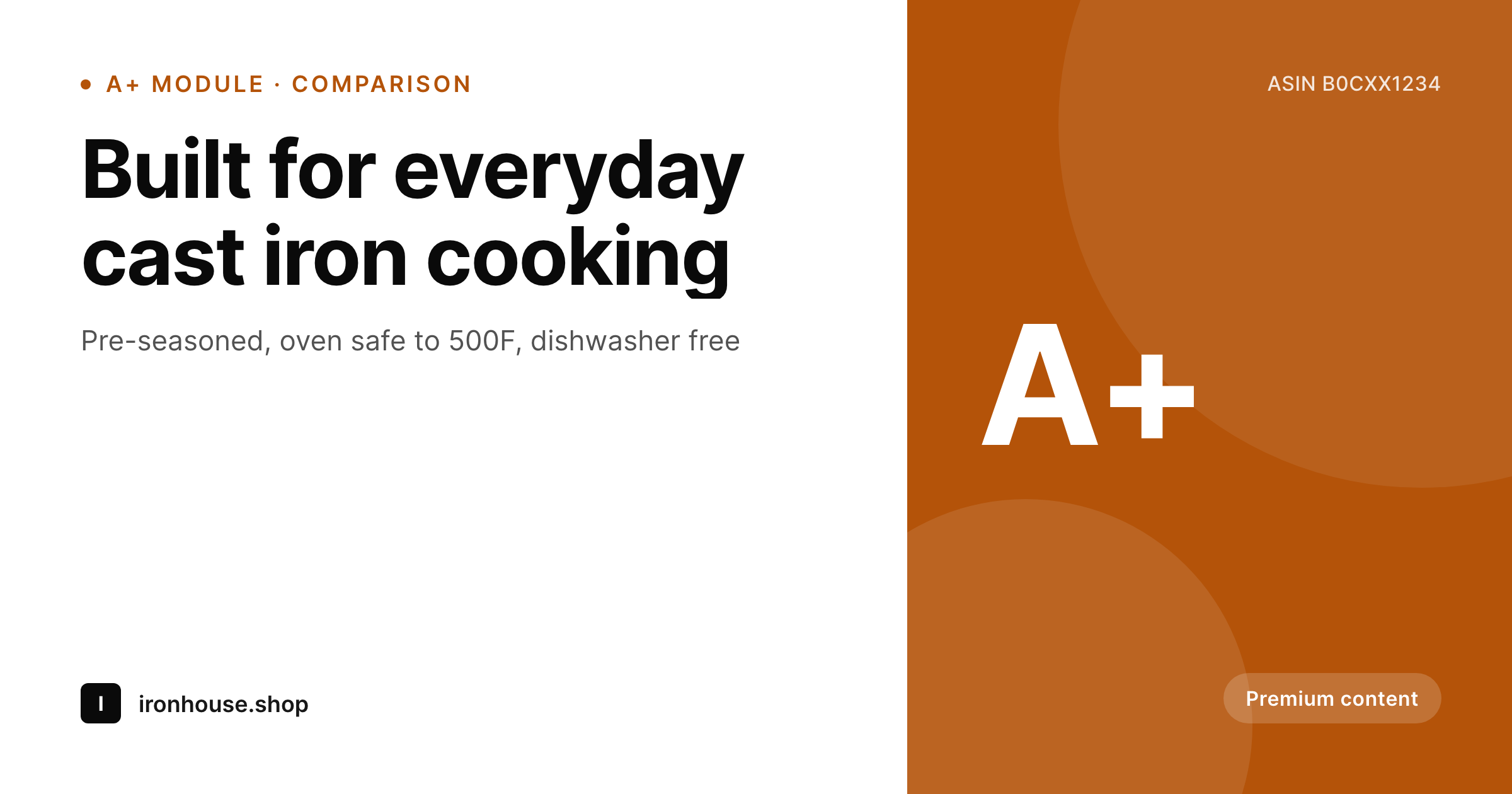
Sample Amazon A+ content image
1200x630 PNG sized for the headline A+ module, with safe-zone padding for Amazon's mobile crop.
Comparison
Per-ASIN freelance A+ vs SleekPixel templated A+
Freelance A+ design per ASIN
- Each ASIN's A+ content is briefed and designed separately
- Typography, color, and tone drift between modules across listings
- Comparison tables in A+ are rebuilt from scratch per product
- Refresh requires re-briefing the entire catalog through an agency
- Brand updates leave older listings looking inconsistent for months
SleekPixel
- Template per A+ module type, sized to Amazon's exact dimensions
- Product features and comparison values pulled from WordPress fields
- Brand mark, accent, and typography consistent across every ASIN
- Mobile-safe layout matches Amazon's responsive crops
- Batch regenerate refreshes the whole catalog from one template family
Features
What SleekPixel gives you for Amazon A+ content images
Module sizes built in
The template family covers the A+ module sizes Amazon uses, from the full-width hero to the comparison table tiles, with the right safe zones for each.
Comparison fields
Comparison module reads from product fields, so a feature added to one ASIN can be shared into the table without re-cutting the module image.
Mobile-safe layout
Headlines and feature copy sit inside Amazon's mobile-safe area so the modules render cleanly on the Amazon app, not just desktop.
Use cases
Where templated A+ images change unit economics
Multi-ASIN private label
Sellers with dozens of ASINs in one category, where consistent A+ content across the catalog signals brand stability to Amazon shoppers.
Comparison-heavy categories
Categories like kitchen, fitness, and electronics where comparison modules with feature checkmarks decide the sale on the listing page.
Brand refreshes
Established sellers updating brand voice or palette across hundreds of ASINs without paying per listing for new A+ modules.
The bigger picture
Why templated A+ content holds the line on Amazon
Amazon shoppers compare A+ content sections more than they admit, especially in categories where feature parity is the buying decision. A listing whose A+ modules look like one brand reads as a real company, while inconsistent modules read as a reseller. Templating A+ from product fields rather than reshooting design per ASIN keeps the brand stable across the catalog and frees the team to focus on copy and product positioning.
The bonus is that the same product source can also produce the storefront banner, the Shopify product image, and the Pinterest pin, so the A+ work pays off across every channel.
Questions
Common questions about SleekPixel for Amazon A+ content images
No. A+ modules have fixed dimensions per module type, and Amazon rejects images that fall outside them. SleekPixel's template family is sized to those dimensions to avoid the back-and-forth.
Yes. The comparison module renders as a single PNG with the table baked in. Some sellers prefer Amazon's native A+ comparison block instead, in which case SleekPixel renders only the supporting modules.
Premium modules have larger sizes and animation slots. SleekPixel handles the static modules. Premium video modules need a separate video asset.
Amazon crops A+ images for the mobile app. The template uses safe-zone padding so the headline and feature copy stay visible on both desktop and the app.
Yes. The product source can also produce a Shopify image, a Pinterest pin, and an OG image. One product, every channel.
Yes. Vendor Central uses the same A+ module sizes. The render is the same, the upload path differs slightly.
Each language version is a WordPress post in that language. SleekPixel renders the A+ modules per language so the brand stays consistent across marketplaces.
Yes. Batch regenerate from the admin re-renders every A+ module with the current template. Upload via Seller Central in batches as the new modules go live.
Pricing
More than 1000+
happy customers
Explore our flexible licensing options tailored to your needs. Upgrade your license anytime to access more features, or opt for a lifetime license for ongoing value, including lifetime updates and lifetime support. Our hassle-free upgrade process ensures that our platform can grow with you, starting from whichever plan you choose.
Lifetime ♾️
Most popular
EUR
once
- Unlimited websites
- Lifetime updates
- Lifetime support
...or get the Bundle Deal
and save €250 🎁
💎 Want everything forever? The All Access Pass is going away on 01.08.2026.
The Bundle (unlimited sites)
Pay once, own it forever
Elevate your WordPress site with our exclusive plugin bundle that includes all of our premium plugins in one package. Enjoy lifetime updates and lifetime support. Save significantly compared to buying plugins individually.
What’s included
-
SleekAI
-
SleekByte
-
SleekMotion
-
SleekPixel
-
SleekRank
-
SleekView
€749
Continue to checkoutBrowse more
- YouTube ad thumbnails
- Twitch panel images
- Bluesky link cards
- Xiaohongshu cover images
- Signal sticker pack
- Odnoklassniki banners
- Facebook cover photos
- TikTok profile banners
- Substack podcast cover
- Mastodon profile header
- Behance banner
- podcast cover art
- Passes page banner
- VSCO cover
- Threads profile banner