






SleekPixel for Amazon Storefront banners
Render hero tiles, category headers, and subpage banners from WordPress brand data. The Amazon Storefront stays on-brand without freelance design per page.
♾️ Lifetime License available
Amazon Storefronts are the brand surface, but most stay default
An Amazon Storefront is the rare Amazon page a brand fully controls. The hero tile, category headers, and subpages all support banner imagery. In practice, most storefronts use one banner uploaded at launch and never refresh, because every subpage banner is another freelance brief.
SleekPixel renders banners per storefront section from a WordPress source. Brand title, tagline, accent, hero asset, and section count live in collection or page posts. The output is a banner PNG sized for the Amazon Storefront page or tile.
Refreshing the storefront becomes a template update plus a batch render. New product categories get a banner the day they launch.
Workflow
From brand post to Amazon Storefront banner
Map brand data
Bind storefront templates
Save the post
Upload via Storefront editor
Output
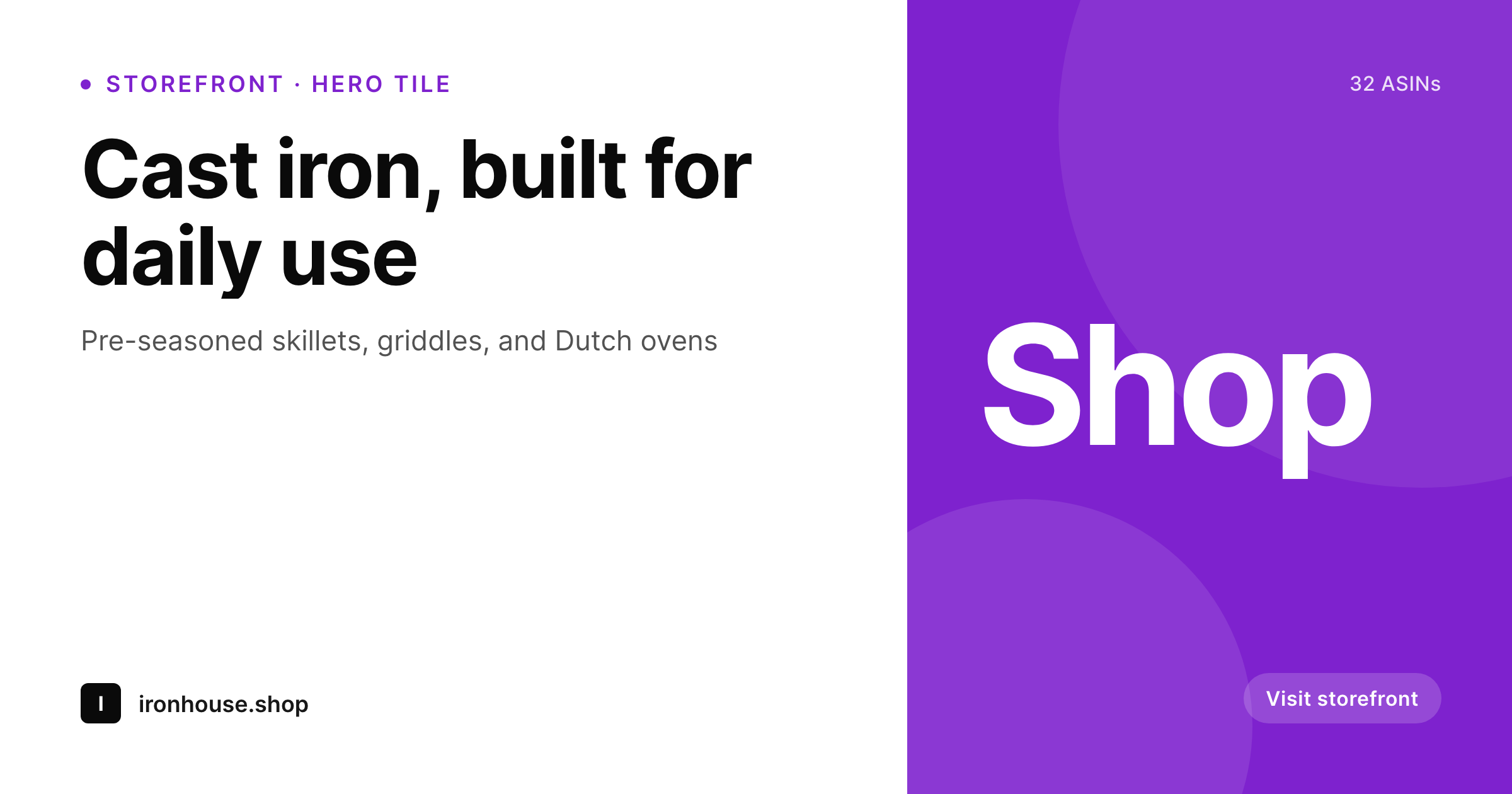
Sample Amazon Storefront banner
1200x630 hero banner PNG with brand title, tagline, and a section cue, sized for Amazon Storefront hero tiles.
Comparison
Launch-day banner vs SleekPixel per section
Single launch-day banner reused everywhere
- One banner used across every storefront page
- No banner per category, so subpages feel like default Amazon
- Refresh skipped because a designer is needed per banner
- Storefront drifts from the rest of the brand over time
- Seasonal campaigns never reach the Amazon surface
SleekPixel
- Banner per storefront page, generated from WordPress brand data
- Hero tile, category headers, and subpage banners covered by one template family
- Section accent and tagline stay consistent across the storefront
- Brand refresh re-renders every storefront banner in one batch
- Real PNGs in WordPress uploads, ready to upload via Storefront editor
Features
What SleekPixel gives you for Amazon Storefront banners
Brand template family
The hero tile, category headers, and subpage banners share one template family so every page on the storefront reads as one brand.
Section fields
Section title, tagline, and ASIN count render in template fields so every page tells the shopper what they are browsing before the products load.
Hero asset region
Each banner places a featured asset as the hero with title and tagline overlaid in a safe zone for the Amazon Storefront tile crop.
Use cases
Where Amazon Storefront banners earn their click
Private-label brands
Brands with multiple categories under one Amazon Storefront where each category needs its own banner to feel curated.
Seasonal campaigns
Holiday and seasonal pushes that need banner refresh across the storefront without paying for design per page.
Gift guides
Gift guide pages with their own banner per occasion, refreshing across the storefront with the same template family.
The bigger picture
Why a templated Amazon Storefront beats a default one
An Amazon Storefront is the only part of Amazon where the brand controls the page layout, the colors, and the imagery. A default storefront with a single launch banner gives that opportunity back to Amazon, while a storefront with a banner per category reads as a real brand on a real channel. Templating the banners means a small team can keep the storefront fresh through every campaign, every season, and every category expansion.
The cost is a template edit, not a designer brief per banner. The storefront becomes a brand asset that earns the click into product pages rather than a default page nobody refreshes.
Questions
Common questions about SleekPixel for Amazon Storefront banners
Amazon's Storefront builder uses specific tile sizes per module. SleekPixel's template family covers the common hero, category, and subpage banner dimensions with safe-zone padding.
Yes. Each WordPress brand post can map to a storefront page, and the banner field renders the right PNG for that page.
Amazon crops storefront tiles for mobile differently than desktop. The template uses safe-zone padding so the title and tagline remain readable on both.
Yes. Edit the template once, then batch regenerate. Every banner refreshes for the new season while keeping its title and tagline.
Yes. Each language version of the brand post produces a localised banner. The template stays the same, the strings change per market.
Yes. The same WordPress source can fan the brand template out to Shopify collections, Pinterest pins, and OG images, so the brand stays consistent across channels.
Yes. Every render is a real PNG in uploads, accessible from the brand post editor and backed up with the rest of the media.
No. Amazon Storefront uploads happen manually via the Storefront builder. SleekPixel handles the render, the upload is a Seller Central step.
Pricing
More than 1000+
happy customers
Explore our flexible licensing options tailored to your needs. Upgrade your license anytime to access more features, or opt for a lifetime license for ongoing value, including lifetime updates and lifetime support. Our hassle-free upgrade process ensures that our platform can grow with you, starting from whichever plan you choose.
Lifetime ♾️
Most popular
EUR
once
- Unlimited websites
- Lifetime updates
- Lifetime support
...or get the Bundle Deal
and save €250 🎁
💎 Want everything forever? The All Access Pass is going away on 01.08.2026.
The Bundle (unlimited sites)
Pay once, own it forever
Elevate your WordPress site with our exclusive plugin bundle that includes all of our premium plugins in one package. Enjoy lifetime updates and lifetime support. Save significantly compared to buying plugins individually.
What’s included
-
SleekAI
-
SleekByte
-
SleekMotion
-
SleekPixel
-
SleekRank
-
SleekView
€749
Continue to checkoutBrowse more
- Telegram channel banner
- Dailymotion thumbnails
- YouTube thumbnails
- Lens Protocol posts
- podcast cover art
- X ad images
- Stan Store cover
- Twitch overlay
- Instagram highlight covers
- Slack channel headers
- YouTube end cards
- Rednote (Xiaohongshu) post
- Depop listing images
- Medium article headers
- Pinterest product pin covers