






SleekPixel for Douyin thumbnails
Douyin videos live or die on the cover thumbnail. SleekPixel renders the vertical 9:16 cover from your WordPress post data so the title, episode number, and brand mark match the artwork on every other surface.
♾️ Lifetime License available
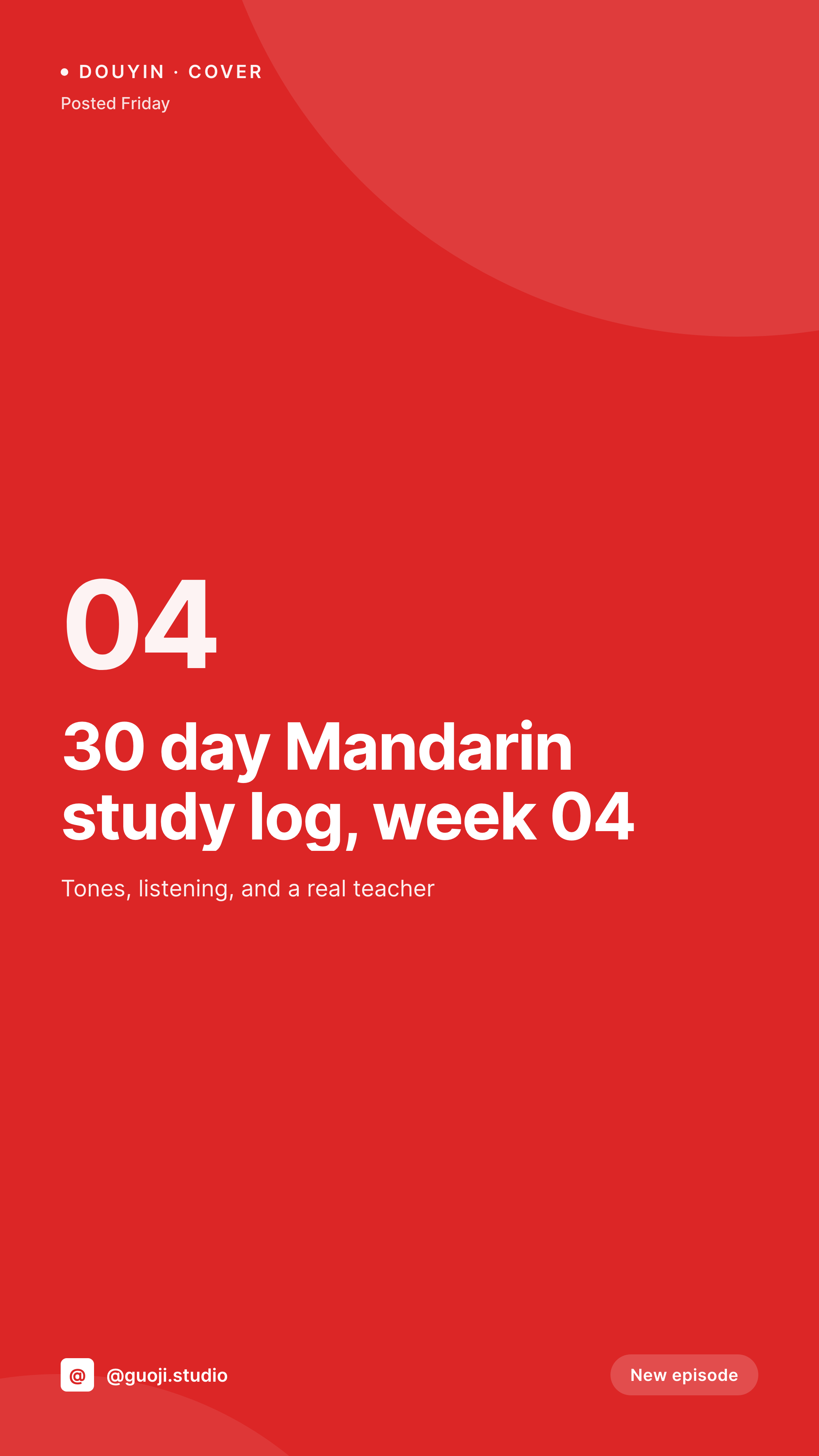
Douyin is a thumbnail-first feed, and the first frame is rarely good enough
Douyin's For You feed is a vertical scroll of 9:16 video covers, and the cover is the only frame the algorithm shows before a tap. The auto-selected first frame of a video is almost never the strongest hook. Most accounts either accept the auto frame or open a phone app to draw text on top, which produces a different look for every video.
SleekPixel renders the cover as a separate asset in WordPress. The video title, episode label, and brand mark are bound to fields on a WordPress post, so the cover always carries the same typography and accent as the rest of the show's artwork. The PNG gets downloaded from the editor and uploaded to Douyin Creator Center as the custom cover.
Because Douyin Creator Center allows a custom cover per upload, the WordPress render is the canonical source. The same PNG also doubles as the cover image in the show's WordPress archive, so the website and the Douyin feed stay visually identical.
Workflow
From WordPress post to Douyin custom cover
Design the 9:16 cover template
Bind to the post type
Save the post
Upload as custom cover
Output
What goes on a Douyin cover
A vertical 1080x1920 PNG built from WordPress fields. Title, episode number, brand handle, and a small badge live in the same slots on every cover.
Comparison
Auto first-frame vs SleekPixel Douyin cover
Auto first frame from the video
- Auto first frames rarely show a strong hook or readable title
- Drawing text on the cover in a phone app produces a new style each time
- No way to bake the episode number into the cover from a CMS
- Brand fonts and accent colors do not survive phone-app text tools
- Re-shooting a cover after a brand refresh means re-touching every video
SleekPixel
- Vertical 1080x1920 cover rendered per WordPress post
- Title, episode number, and brand mark bind to post fields
- Same template pipeline as the rest of the show's art
- Editor downloads the PNG with one click for Douyin upload
- Template change re-renders the catalog for the next batch
Features
What SleekPixel gives you for Douyin thumbnails
Vertical 9:16 by default
Douyin renders covers at 9:16 in the feed. The SleekPixel template canvas matches that ratio so the title and the badge sit inside the visible region without cropping.
Brand-true typography
The cover uses your real show fonts and accent colors. Episode after episode, the feed reads as the same show rather than a series of unrelated uploads.
One-click sidebar download
Open the WordPress post that maps to the Douyin video, click download in the SleekPixel sidebar, set the PNG as the custom cover in Douyin Creator Center.
Use cases
Who renders Douyin covers from WordPress
Language teachers
A Mandarin or Cantonese teacher running a study log series binds the lesson number and topic to every cover, so the feed reads as a numbered course.
Food creators
Recipe accounts publish a WordPress recipe and a Douyin clip in tandem. The cover carries the dish name and cook time, mirrored from the recipe schema.
Coaches and consultants
Business coaches use the cover to show the lesson title and episode count, which builds a recognizable series across the For You page.
The bigger picture
Why a consistent Douyin cover compounds over months
The Douyin For You feed shows roughly five covers per swipe on a typical phone, and the brain pattern-matches across that vertical strip in under a second. A series whose covers all share the same accent color, the same handle position, and the same numbered badge becomes recognizable on the second or third appearance, which is exactly the kind of repeat exposure the recommendation system rewards. Most independent creators try to do this manually and abandon it after the first month, because exporting a phone-app cover for every video is the kind of work that gets dropped when posting cadence picks up.
Binding the cover to a WordPress post means the cover is already in the uploads directory the moment the post saves, and the only manual step is uploading the file as a custom cover in Creator Center. Over six months of weekly episodes, that is twenty-four covers that all match, which is the recognition floor most channels never clear.
Questions
Common questions about SleekPixel for Douyin thumbnails
No. Douyin does not expose a broad public publishing API for cover uploads from third-party WordPress plugins. SleekPixel produces the PNG; uploading the custom cover happens in Douyin Creator Center on the web or in the app.
Yes. TikTok and Douyin share the same vertical canvas, so a single SleekPixel template at 1080x1920 produces a cover that fits both. Many creators publish to both platforms with the same PNG.
Douyin previews crop slightly on certain screen sizes. The SleekPixel template positions the title and the badge in the center vertical band so the focal area survives the worst crops on both Android and iOS clients.
Yes. SleekPixel renders text with whatever font you choose, including Simplified or Traditional Chinese fonts. The text is rasterized at the full 1080 width before upload, so character spacing stays crisp.
Yes. The cover is independent of video length. Both short clips and longer Douyin uploads use the same 9:16 cover slot, so one SleekPixel render handles both formats.
Live stream covers use the same vertical canvas. Clone the SleekPixel template and bind it to a Live post type or option set, and use the rendered PNG for the live cover in Creator Center.
Yes. Edit the template and run batch regenerate in SleekPixel. Every existing WordPress post writes a new cover at the same URL. You still need to update the custom cover for older Douyin videos manually if you want them to reflect the new brand.
You need a working Douyin Creator Center account to set custom covers. SleekPixel runs entirely inside WordPress and does not interact with Douyin authentication, so the account requirement is the same as for any other custom cover workflow.
Pricing
More than 1000+
happy customers
Explore our flexible licensing options tailored to your needs. Upgrade your license anytime to access more features, or opt for a lifetime license for ongoing value, including lifetime updates and lifetime support. Our hassle-free upgrade process ensures that our platform can grow with you, starting from whichever plan you choose.
Lifetime ♾️
Most popular
EUR
once
- Unlimited websites
- Lifetime updates
- Lifetime support
...or get the Bundle Deal
and save €250 🎁
💎 Want everything forever? The All Access Pass is going away on 01.08.2026.
The Bundle (unlimited sites)
Pay once, own it forever
Elevate your WordPress site with our exclusive plugin bundle that includes all of our premium plugins in one package. Enjoy lifetime updates and lifetime support. Save significantly compared to buying plugins individually.
What’s included
-
SleekAI
-
SleekByte
-
SleekMotion
-
SleekPixel
-
SleekRank
-
SleekView
€749
Continue to checkoutBrowse more
- Threads profile banner
- Dailymotion thumbnails
- Telegram bot avatar
- Pinterest video pin covers
- Snapchat ad images
- Bandcamp banner
- Telegram channel images
- Passes page banner
- Open Graph images
- Discord event cover
- Substack post headers
- Twitch alert
- Discord stage banner
- YouTube Music cover art
- Nostr note images