






SleekPixel for KakaoTalk channel banners
KakaoTalk channels carry a wide banner across the top of the channel page. SleekPixel renders that banner from your WordPress data so the brand on Kakao matches the brand on the website.
♾️ Lifetime License available
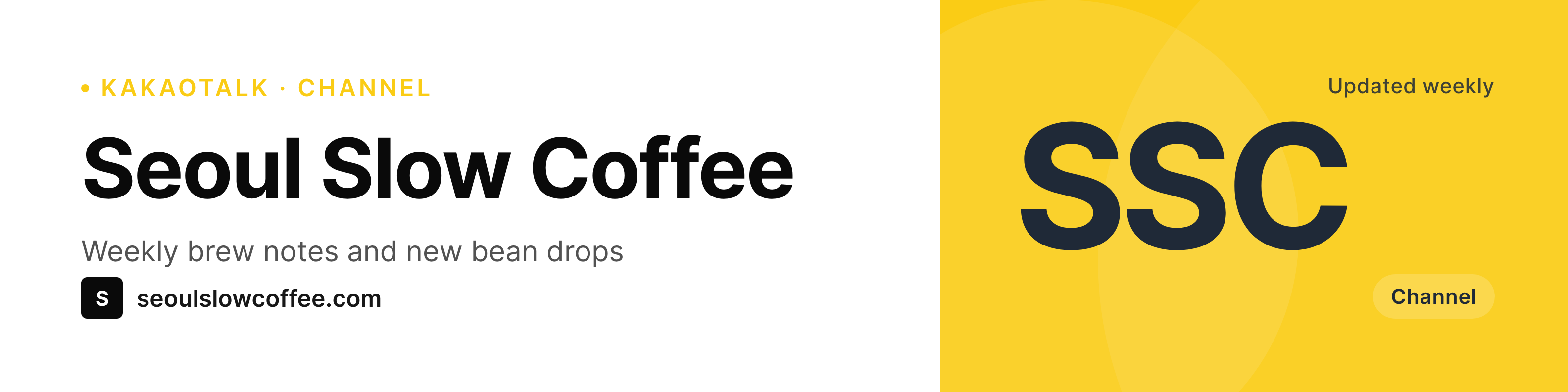
Kakao channels treat the banner as the brand's front door
For most Korean audiences, a KakaoTalk channel is the closest thing to a follow on a Western social platform. Subscribers see channel posts in their Kakao feed, and the channel page itself opens with a wide banner that introduces the brand. A blank or placeholder banner makes the channel feel abandoned before the first message even loads.
The banner is rarely updated because updating it usually means opening a design tool, exporting, and uploading through Kakao Business Manager. Most channels settle on a banner during launch week and never touch it again.
SleekPixel renders the banner from WordPress with the right ratio and the brand typography. The tagline, the campaign label, and any small badge live as WordPress options or fields, so updating the banner is a matter of editing a value and regenerating. The upload to Kakao Business Manager is manual, but the heavy lift of design and resizing is done.
Workflow
From WordPress option to Kakao channel banner
Design the banner template
Bind to a source
Trigger a render
Upload to Kakao Business Manager
Output
What a KakaoTalk channel banner shows
A wide banner sized for the Kakao channel header. Brand name, tagline, and a small campaign badge are rendered from WordPress fields.
Comparison
Default channel banner vs SleekPixel for Kakao
Default or one-off banner
- Default Kakao banners signal an unfinished channel page
- Banners designed once during launch rarely get refreshed afterward
- No way to bind the banner to a WordPress campaign or release field
- Resizing for Kakao's specific ratio is trial and error in Figma
- Brand refresh leaves the channel header several iterations behind
SleekPixel
- Banner rendered at the Kakao channel header ratio
- Tagline and campaign data bind to WordPress fields or options
- On-demand or scheduled regeneration, no per-post triggers needed
- Same template pipeline as the rest of the brand's social art
- Template change re-renders the banner from one source
Features
What SleekPixel gives you for KakaoTalk channel banners
Right ratio for the channel header
The SleekPixel template canvas matches the Kakao channel banner ratio so the brand name and tagline sit inside the visible region without cropping on web or in the Kakao app.
Bound to WordPress fields
Tagline, campaign label, and any small ribbon of metadata live as WordPress options. Edit the value, regenerate, upload to Kakao Business Manager.
Refresh on schedule
Trigger the banner render on a weekly cron, or on a custom action when a new campaign launches. The header stays current without manual nudging.
Use cases
Who refreshes a KakaoTalk channel banner
Korean and cross-border ecommerce
Shops running Kakao channels show the current promotion in the header. The banner regenerates when the campaign field on WordPress is updated.
Newsletter and editorial
Newsletter authors with a Kakao channel show the current issue and tagline in the banner. New issues trigger a regenerate.
Coaches and educators
Korean coaches running a Kakao channel show the current cohort or course term in the banner. Cohort dates are fields, regenerate when the date moves.
The bigger picture
Why a current Kakao channel banner matters in the Korean market
KakaoTalk is the default messenger for the Korean market, and a Kakao channel sits in the same app where subscribers spend the bulk of their messaging time. Opening the channel page is a casual gesture, and the banner is the first impression that sticks. A banner that mentions the current promotion or the current issue tells the subscriber the channel is live; a banner that has not changed in a year reads as inactive even when the channel is posting regularly.
Most channels settle for a stale banner because updating it requires opening a design tool, which is the kind of friction that drops to the bottom of the operator's list. Tying the banner to a WordPress field reduces that friction to editing a value, which means the banner can stay current alongside the rest of the website's content. The same brand identity that appears on the homepage, in the OG cards, and on Instagram now appears in the Kakao channel header, and the visual story stays consistent across every surface the brand controls.
Questions
Common questions about SleekPixel for KakaoTalk channel banners
Kakao channel banners are wide headers. The 1584x396 SleekPixel canvas fits cleanly; Kakao Business Manager downscales the upload to the displayed size on both web and the Kakao mobile app.
No. Kakao Business Manager does not expose a public API broad enough for third-party WordPress plugins to update channel artwork. SleekPixel produces the PNG; the upload itself is manual.
Kakao channels are primarily a Korean market product, but the banner mechanics are the same regardless of where the channel admin is based. The SleekPixel render is a PNG; Kakao decides how to display it.
Yes. SleekPixel renders text with whatever font is installed in the template, including Korean fonts like Pretendard or Noto Sans KR. Hangul rasterizes at the full canvas width so character spacing stays correct.
Kakao channel posts can include images. Clone the SleekPixel template, adjust the canvas to the post image size, and bind it to the post type that maps to your Kakao posts. The banner template handles only the channel header.
Yes. The banner is bound to a WordPress field or option, so editing the promotion value and regenerating produces a new banner. Upload the new file to Kakao Business Manager when the campaign turns over.
No. The channel profile image, often a square avatar, is a separate asset uploaded in Kakao Business Manager. SleekPixel can render that avatar from a separate template if you want both surfaces in one pipeline.
If Kakao adjusts the channel banner dimensions, update the SleekPixel template canvas to the new size and run a regenerate. The bound fields keep working; only the canvas changes.
Pricing
More than 1000+
happy customers
Explore our flexible licensing options tailored to your needs. Upgrade your license anytime to access more features, or opt for a lifetime license for ongoing value, including lifetime updates and lifetime support. Our hassle-free upgrade process ensures that our platform can grow with you, starting from whichever plan you choose.
Lifetime ♾️
Most popular
EUR
once
- Unlimited websites
- Lifetime updates
- Lifetime support
...or get the Bundle Deal
and save €250 🎁
💎 Want everything forever? The All Access Pass is going away on 01.08.2026.
The Bundle (unlimited sites)
Pay once, own it forever
Elevate your WordPress site with our exclusive plugin bundle that includes all of our premium plugins in one package. Enjoy lifetime updates and lifetime support. Save significantly compared to buying plugins individually.
What’s included
-
SleekAI
-
SleekByte
-
SleekMotion
-
SleekPixel
-
SleekRank
-
SleekView
€749
Continue to checkoutBrowse more
- event
- research report images
- benchmark report cards
- rating cards
- did-you-know card
- template download card
- employee spotlight card
- product launch cards
- dashboard screenshot cards
- open-source launch card
- podcast quote cards
- certification badges
- LinkedIn update cards
- transparency report card
- early bird banners
- Twitch panel images
- Lemon8 post
- Behance project covers
- Threads social images
- Beacons.ai banner
- Amazon A+ content images
- Threads profile banners
- Dribbble shot covers
- Mastodon link previews
- LinkedIn ad images
- Telegram bot avatar
- Pinterest pins
- Substack post thumbnail
- Nostr note images
- Depop listing images