






SleekPixel for webinar
SleekPixel renders a branded banner for every webinar post on save, pulling speaker name, date, time, and topic straight from the post fields. Reschedule the event and the image refreshes with it. No re-export, no broken share cards.
♾️ Lifetime License available
Webinar promotion is a content treadmill
A single webinar generates a registration page, an OG card for the share link, a LinkedIn post, a reminder email header, and a thumbnail for the on-demand replay. Five graphics minimum, before you count the speaker swap that happens two days before the event. Every one of them needs the same speaker headshot, the same date, the same topic, and they all have to match the rest of the brand. Doing this in Figma for every webinar means a designer becomes a bottleneck for a marketing calendar.
SleekPixel turns the webinar post itself into the source of truth. The template reads the title, speaker name, headshot, date, and timezone from your post fields or ACF, and renders a PNG to /uploads on save. Update the start time and the image regenerates. Add a co-host and the layout adjusts. The og:image meta tag is rewritten so LinkedIn, Twitter, and Slack pick up the new card the moment you re-share the URL.
The same template can output an OG card, a LinkedIn share, and a vertical reminder graphic by registering multiple sizes. The Gutenberg sidebar exposes a download button so the events team can grab the latest version for an email blast without asking the design team to re-export anything. Speaker bios, sponsor logos, and on-demand badges are all just fields on the post.
Workflow
From event post to share-ready card
Design the template
Publish the webinar post
Share and reshare
Switch to on-demand
Output
What lands when someone shares the webinar URL
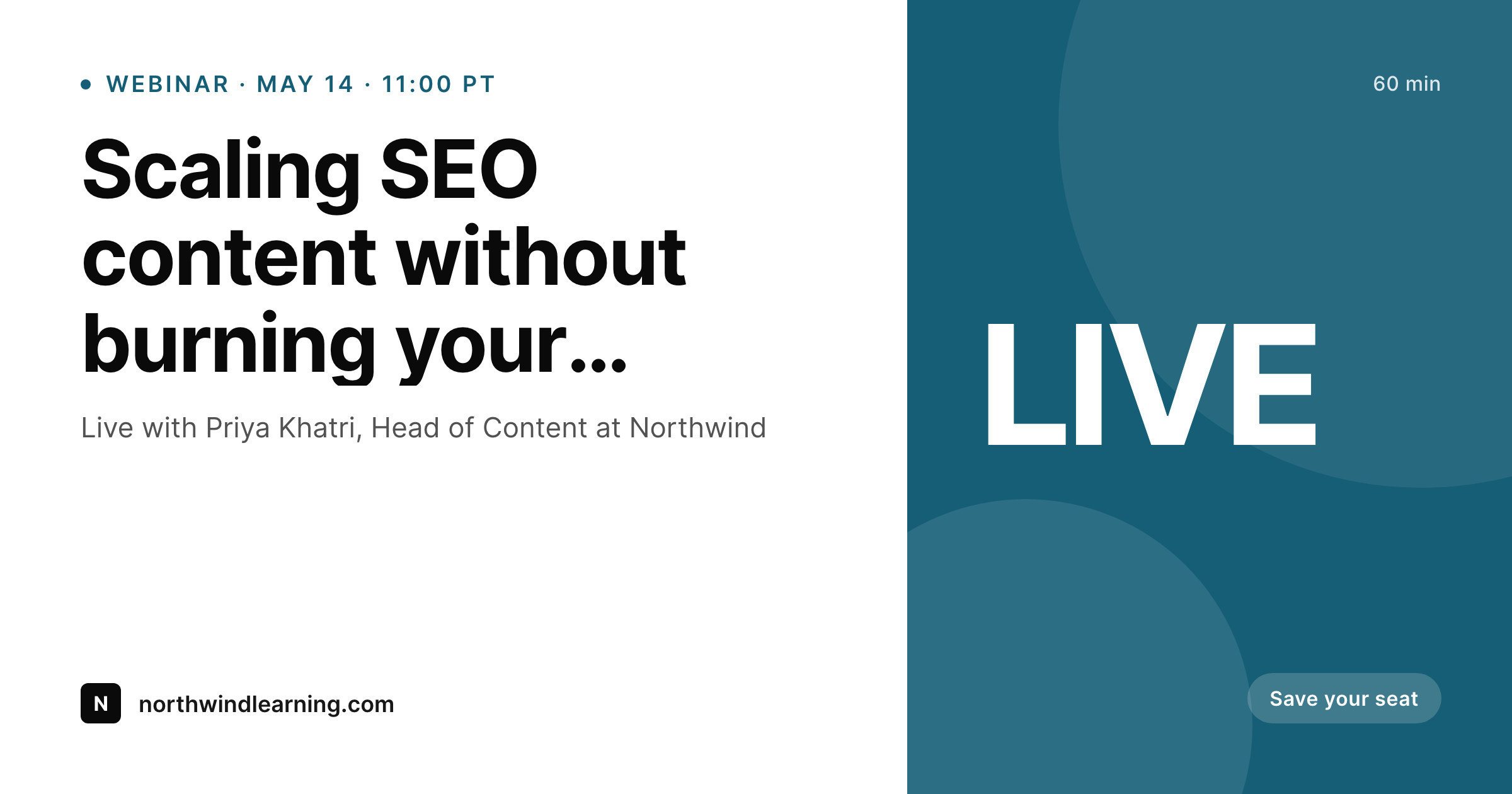
An OG card pulled from the webinar post: speaker, topic, date, registration prompt, all rendered the moment the event was published.
Comparison
Manual webinar graphics vs auto-rendered cards
Figma + manual export
- Designer re-exports the banner every time the speaker or time changes
- Five sizes per webinar: OG, LinkedIn, email header, reminder, replay
- Speaker headshots have to be cropped and uploaded by hand
- Reschedules orphan the old image and break LinkedIn previews
- On-demand replay needs its own pass after the event
SleekPixel
- Banner regenerates from post fields when you save the event
- OG, LinkedIn, and reminder sizes from one shared template
- Speaker headshot pulled from a featured image or ACF field
- Date and timezone formatted automatically per locale
- Replay variant swaps in once the post is marked on-demand
Features
What SleekPixel gives you for webinar
Date-aware
Pulls the event datetime from your post and renders it in the right timezone. Reschedule and the banner updates without touching design.
Speaker fields
Speaker name, title, and headshot map to ACF or Meta Box fields. Co-hosts and panels render from a repeater.
Live to on-demand
A status field swaps the LIVE badge for an on-demand label after the event. Same URL, same image slot, new state.
Use cases
Webinar formats this template covers
Single-speaker session
Topic, headshot, and date for a 30-minute talk. The card stays clean even with long speaker titles.
Panel discussion
Multiple headshots laid out from an ACF repeater. Add a panelist and the layout rebalances.
Webinar series
Episode number, season, and series logo render as a strip. Each event in the series reuses the same template.
The bigger picture
Why webinars need image automation
Webinar marketing has a high graphic-to-event ratio. A single 60-minute session needs at least an OG card, a LinkedIn share, an email header, a reminder graphic, and a replay thumbnail. Multiply that by ten webinars a quarter and a content team is producing fifty graphics that all say the same five things.
The work is not creative, it is logistical: get the headshot, format the date, set the timezone, swap the badge from registration to on-demand. The content of a webinar banner is structured data. Speaker, topic, time, host.
There is no reason a human should be hand-placing those values in Figma. SleekPixel treats the post as the source of truth and the image as a derived artifact. When the event reschedules, the image follows.
When a co-host gets added a day before, the banner adjusts. When the live session ends, the replay variant takes over without a single re-export. The marketing calendar moves at the speed of writing, not the speed of design.
Questions
Common questions about SleekPixel for webinar
Yes. Map the placeholder in your template to any post field, ACF field, or Meta Box field. The renderer formats the datetime per locale and timezone, so a webinar at 11:00 PT shows as 11:00 PT in the image, not as a raw timestamp.
Save the post with the new date and the image regenerates. The same /uploads URL is reused, so already-shared links update on next crawl. LinkedIn and Slack pick up the new card the moment they refresh the OG cache for that URL.
Yes. Register an OG size, a LinkedIn share size, and a vertical reminder size on the same template. Each one renders to its own file in /uploads when the post is saved, and the Gutenberg sidebar exposes a download button per size.
Yes. If you store panelists in an ACF or Meta Box repeater, the template can iterate over them and lay out multiple headshots. The layout rebalances when you add or remove a panelist.
Yes. Add a status field on the post — for example, live or on-demand. The template uses that field to swap the badge and the call-to-action copy. Same banner, new state.
Yes. Every webinar post has a Gutenberg sidebar panel with download buttons for each registered size. The events team can pull the latest PNG for an email blast without opening Figma.
SleekPixel writes the og:image and twitter:image tags into the post head and points them at the rendered file. When the post is re-saved and the image regenerates, the meta tags continue to point at the same file path, so social platforms pick up the new artwork on their next crawl.
Yes. Add a sponsor field or repeater to the post type and reference the logo URL in the template. Sponsorship can be conditional, so non-sponsored webinars render without the strip.
Pricing
More than 1000+
happy customers
Explore our flexible licensing options tailored to your needs. Upgrade your license anytime to access more features, or opt for a lifetime license for ongoing value, including lifetime updates and lifetime support. Our hassle-free upgrade process ensures that our platform can grow with you, starting from whichever plan you choose.
Lifetime ♾️
Most popular
EUR
once
- Unlimited websites
- Lifetime updates
- Lifetime support
...or get the Bundle Deal
and save €250 🎁
💎 Want everything forever? The All Access Pass is going away on 01.08.2026.
The Bundle (unlimited sites)
Pay once, own it forever
Elevate your WordPress site with our exclusive plugin bundle that includes all of our premium plugins in one package. Enjoy lifetime updates and lifetime support. Save significantly compared to buying plugins individually.
What’s included
-
SleekAI
-
SleekByte
-
SleekMotion
-
SleekPixel
-
SleekRank
-
SleekView
€749
Continue to checkoutBrowse more
- LinkedIn carousel slides
- YouTube community images
- Kick channel banners
- YouTube Shorts cover
- Pinterest pins
- Spotify podcast covers
- Mastodon profile banners
- Substack post headers
- eBay listing images
- Ko-fi shop images
- Rednote (Xiaohongshu) post
- Bandcamp banner
- Klaviyo email headers
- Lemon8 post
- Discord server icon