






SleekPixel for job posting
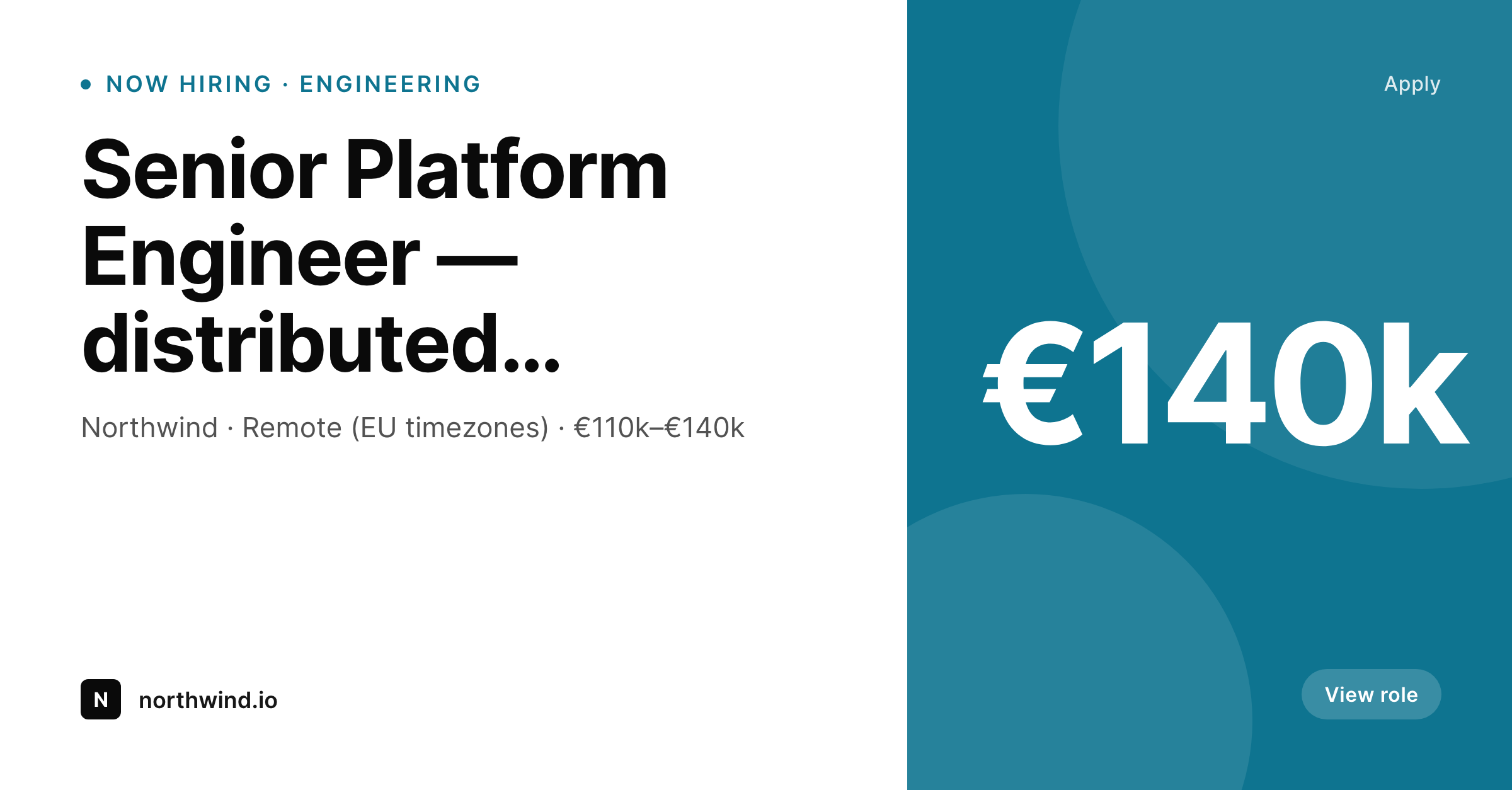
SleekPixel renders a LinkedIn-ready card for every job posting on save: role title, team, location, and salary band laid out and ready to share. Open roles always look like they belong to the same company, even across dozens of postings.
♾️ Lifetime License available
Recruiting graphics shouldn't slow hiring
Open roles ship in waves. A team gets headcount approval, the careers page sprouts six new postings in a week, and the recruiting team needs share-ready images for LinkedIn, Slack referral channels, and an internal #now-hiring digest. Without a system, hiring managers improvise. Some postings get a custom card from the recruiting designer. Others go out as a plain text LinkedIn post. The result is an inconsistent hiring presence at exactly the moment the company is trying to project momentum.
SleekPixel makes the card a property of the job post. Role title, team, location, salary band, and employment type are fields. The template renders a LinkedIn-share-sized card on save, with the right information in the right slots. Salary bands format consistently — €110k–€140k, £85k–£105k, $140k–$170k — without anyone re-keying numbers across roles. Remote vs hybrid vs onsite pulls from a field, not from a manual badge in Figma.
For employer brand teams, the consistency is the whole point. Candidates who follow the company on LinkedIn for a month see eight role posts that read as one cohesive program. Hiring managers can grab the rendered card directly from the job post in WordPress and post to LinkedIn without a recruiting designer in the loop. The cost of an additional posting drops from a design ticket to a save.
Workflow
From open headcount to ready-to-share card
Define the hiring template
Map careers post fields
Publish a role
Close the role cleanly
Output
What the rendered job card shows
A LinkedIn-share-sized card with the role title, team, location, and salary band laid out from the careers post.
Comparison
Manual job graphics vs rendered cards
Recruiting designer per role
- Some postings get a custom card; most go without
- Salary bands are typed by hand and drift between role and card
- Remote/hybrid/onsite gets misrepresented across postings
- When a role closes, the card stays live and stale
- Brand refresh requires redoing the entire careers archive
SleekPixel
- Card renders for every role on save, including back-catalogue
- Salary band, location, and remote-or-not from real fields
- Closed roles can switch to a 'role closed' state automatically
- Bulk regenerate refreshes every card after a brand update
- Hiring managers download the latest PNG from the post sidebar
Features
What SleekPixel gives you for job posting
Role-aware
Pulls role title, team, location, and salary band from your careers post type. Every open role renders to the same layout primitives without manual cards.
Open and closed
A status field flips the card between hiring and role-closed states. The image stays in sync with the post even when the role is no longer open.
Recruiter-friendly
Each posting's Gutenberg sidebar exposes a download button for the LinkedIn-share PNG. Recruiters and hiring managers grab the latest version directly.
Use cases
Hiring scenarios this template covers
Engineering roles
Senior, staff, and IC roles across stacks. Stack name and seniority render as part of the title or a meta line.
GTM and ops
Sales, marketing, and operations roles. Team and territory render in the meta strip; quota or budget can replace the salary slot.
Bulk hiring waves
When a team adds six roles at once, the cards render automatically. The wave reads as one program rather than six disconnected posts.
The bigger picture
Why hiring needs an image pipeline
Recruiting moves in bursts. A funding round closes, six teams open headcount in a week, and the recruiting org has to project momentum across LinkedIn, Slack channels, alumni networks, and the careers site simultaneously. The default failure mode is graphic chaos: some postings get a designer-built card, most go out as a text LinkedIn post, and a candidate following the company sees an incoherent stream that does not signal organization.
SleekPixel turns the careers post into the source of truth for the hiring card. The role title, the team, the location, the salary band, the seniority — these already live as fields on the post for the careers page. Adding a render template ties the social card to the same fields, so the moment a posting goes live, the card exists and reads as part of one program.
When the wave is done and roles close, a status flip handles the cleanup. The recruiting brand stops being something a designer manages and becomes a side effect of how postings are written.
Questions
Common questions about SleekPixel for job posting
Yes. Salary fields on the post drive the band rendered on the card. Edit the band and re-save and the card regenerates. The card and the role description cannot drift, because they read from the same field.
Add a status field on the careers post type. The template uses that field to swap the badge from now-hiring to role-closed and adjust the call-to-action copy. The same URL keeps working with the right state.
No. SleekPixel renders the LinkedIn-share PNG and exposes it as the og:image and a sidebar download. Posting to LinkedIn still happens through your usual tool or a manual share. The asset is ready, the social step is yours.
Yes. Each careers post has a Gutenberg sidebar with download buttons for every registered size. Recruiters can pull the LinkedIn-share PNG directly from the post without going through a designer.
Filter rendering by post status, taxonomy, or a custom field. Confidential or executive roles can be excluded from the render pipeline so no card is produced for them, while the public listing still works on the careers page if you want it visible.
Yes. Register a brand field on the post type and use it to switch templates or accent colors. A holding company hiring under multiple brands can have one careers post type with brand-correct cards per role.
Yes. Per-locale fields or per-language posts both work. The template reads whatever fields you provide. Cards for German-language roles can render German-language copy without a separate template, just a different field set.
Run a bulk regenerate against the careers post type and every existing posting receives a card. New postings continue to render automatically. Hiring archive and live roles share the same visual treatment.
Pricing
More than 1000+
happy customers
Explore our flexible licensing options tailored to your needs. Upgrade your license anytime to access more features, or opt for a lifetime license for ongoing value, including lifetime updates and lifetime support. Our hassle-free upgrade process ensures that our platform can grow with you, starting from whichever plan you choose.
Lifetime ♾️
Most popular
EUR
once
- Unlimited websites
- Lifetime updates
- Lifetime support
...or get the Bundle Deal
and save €250 🎁
💎 Want everything forever? The All Access Pass is going away on 01.08.2026.
The Bundle (unlimited sites)
Pay once, own it forever
Elevate your WordPress site with our exclusive plugin bundle that includes all of our premium plugins in one package. Enjoy lifetime updates and lifetime support. Save significantly compared to buying plugins individually.
What’s included
-
SleekAI
-
SleekByte
-
SleekMotion
-
SleekPixel
-
SleekRank
-
SleekView
€749
Continue to checkoutBrowse more
- YouTube end screens
- Kick channel banners
- Twitter/X header
- Apple Podcasts covers
- SoundCloud banner
- LINE official account banners
- Substack post thumbnail
- Behance banner
- Passes page banner
- Twitch schedule banners
- eBay listing images
- Warpcast frame images
- Bluesky profile banner
- TikTok ad images
- Discord server icon