






SleekPixel for daycare center
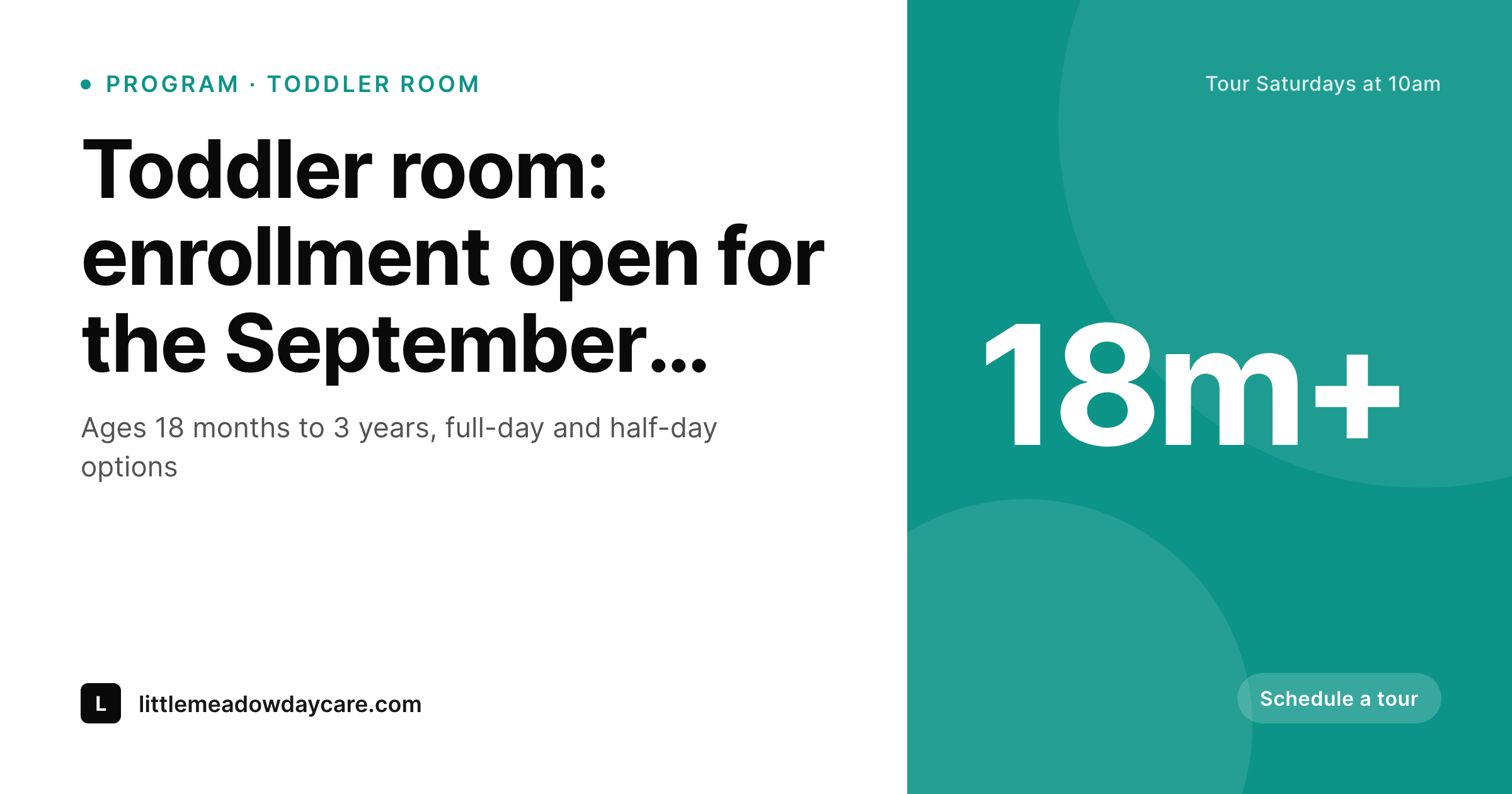
Age range, schedule, capacity, and lead teacher live as fields on each program post. SleekPixel renders a 1200x630 share card on save, so parent referrals always open with current info and the center's brand.
♾️ Lifetime License available
Daycare enrollment runs on parent referrals
Daycare enrollment is one of the most word-of-mouth-driven services there is. A parent finds a center, vets it, signs up their child, and within months three other parents in their orbit ask for the link. The link gets pasted into mom group chats, neighborhood Facebook pages, and new-parent text threads. The OG card on that link is doing more work than anyone realizes, because the receiving parent is forming an impression of the center before they even click.
The data needed for a great share card already lives on the daycare's site. Programs (infant, toddler, preschool) have age range, schedule, capacity, and lead teacher. Tour pages have date, time, and ages welcome. Special events (parent night, summer camp open house) have date and venue. Most centers still hand-build flyers in Canva when the director has time, which means half the website's pages share with a stretched homepage logo and the other half with last fall's outdated dates.
SleekPixel ties the share card to the post itself. One template per program type, one for tours, one for events: each reads the existing fields and renders a branded 1200x630 PNG on save. Update the September session start date, the OG card refreshes. Add a new toddler classroom, the program page gets art the same day. The center's online presence finally matches the care it actually provides, without the director becoming the part-time graphic designer.
Workflow
From program update to branded share card
Map daycare post types
Design templates per program
Publish normally
Bulk regenerate per session
Output
What gets generated per page
A 1200x630 OG image with program name, age range, schedule, and the center's brand mark, all pulled from the page's own fields.
Comparison
Canva flyers vs auto-rendered program cards
Canva / Manual export
- Director makes program flyers in Canva on personal time after pickup
- Schedule changes between sessions leave the OG card showing old hours
- New classroom or program ships without share art for weeks
- Tour pages share with the homepage banner instead of the actual tour info
- Center rebrand stalls referrals while every flyer gets redone manually
SleekPixel
- Each program, tour, and event post saves with its own branded card
- Age range, schedule, capacity, and lead teacher pulled from WordPress fields
- Bulk regenerate when sessions change or the center rebrands
- 1200x630 PNG stored in uploads, wired into og:image and twitter:image
- Manual download from the Gutenberg sidebar for parent emails and bulletin boards
Features
What SleekPixel gives you for daycare center
Program cards
Each program (infant, toddler, preschool, pre-K) saves with age range, schedule, and capacity on a branded card. Parent referrals open with proper preview.
Tour scheduling
Tour pages render with date, time, and what to expect on the share card. The link to a tour signup looks as professional as the center itself.
Events and open houses
Open house, parent night, summer camp posts each render with their own template. Forwarded emails and Facebook shares carry the right info.
Use cases
Where daycare share cards earn their tour
Mom group chats
When a parent forwards your program page to a friend's group chat, the preview shows program name, age range, and brand mark, not a generic logo.
Neighborhood Facebook groups
Tour signup pages shared into local groups render with current dates and the center's brand, lifting tour bookings from community shares.
New-parent emails
Welcome emails and waitlist updates link with proper preview cards, so parents on the waitlist see consistent, professional branding.
The bigger picture
Why share cards matter for daycare centers
Daycare is the most consequential service most parents will buy in a year, and the decision is made under time pressure with strong word-of-mouth signals. The OG card on a forwarded program link is one of those signals. A polished card with the program name, age range, and the center's brand reads as a real, established institution.
A blank or stretched preview reads as a side operation, even when the care is excellent. Enrollment outcomes track those first-impression signals more than directors usually expect, especially in markets where parents are choosing among three or four centers within walking distance. The second factor is the operational reality of running a daycare.
The director, who is also often the lead teacher, the licensing liaison, and the parent communications point of contact, has approximately zero hours per week for design work. Most centers update the website once a season, which means the marketing surface always looks one session behind. SleekPixel fixes that by binding the share card to the post itself.
The director updates the program post once, every link share refreshes, and the website finally moves at the speed the center actually operates at. Hours go back into care, and the marketing visuals catch up automatically.
Questions
Common questions about SleekPixel for daycare center
Yes. Add a 'spots remaining' custom field to the program post and bind it to the template. Update the field as enrollment fills, save the post, and the card regenerates with 'Toddler room, 2 spots open for September'. Update once, the share card stays current.
Yes. SleekPixel reads the WordPress user profile photo or any custom avatar field. Program templates render the lead teacher's headshot alongside the room name, so each program card feels personal and parents recognize their child's teacher in shares.
Yes. Templates can be conditional on age range or program taxonomy. Infant program cards render in soft, calm tones, pre-K cards in brighter, school-readiness tones. Both pull from the same field structure so updates stay simple.
SleekPixel renders the share card for the WordPress program page that links to your enrollment system. Whether enrollment runs through Brightwheel, Procare, or a custom form, the WordPress page is what gets shared. The enrollment system handles its own portal previews.
Family-facing events (parent-teacher conferences, holiday celebrations, fundraisers) get the same template treatment. Each event post renders with date and venue on the share card, so parent emails and the school portal share with proper preview.
SleekPixel can render printable PNGs at higher resolutions. Add an 11x17 print format to the template and download from the sidebar. Same source data drives the website share card and the printed flyer for the lobby bulletin board.
Yes. Add a location taxonomy and bind it to the template. Program cards render with the specific location name and address. Each location can have its own accent while sharing the master template, so the brand stays cohesive across locations.
Generation runs on save, not on page load, so the public site stays fast. Rendered PNGs live in standard WordPress uploads. For a typical center with programs, tours, and events, the storage footprint is small even over years of operation.
Pricing
More than 1000+
happy customers
Explore our flexible licensing options tailored to your needs. Upgrade your license anytime to access more features, or opt for a lifetime license for ongoing value, including lifetime updates and lifetime support. Our hassle-free upgrade process ensures that our platform can grow with you, starting from whichever plan you choose.
Lifetime ♾️
Most popular
EUR
once
- Unlimited websites
- Lifetime updates
- Lifetime support
...or get the Bundle Deal
and save €250 🎁
💎 Want everything forever? The All Access Pass is going away on 01.08.2026.
The Bundle (unlimited sites)
Pay once, own it forever
Elevate your WordPress site with our exclusive plugin bundle that includes all of our premium plugins in one package. Enjoy lifetime updates and lifetime support. Save significantly compared to buying plugins individually.
What’s included
-
SleekAI
-
SleekByte
-
SleekMotion
-
SleekPixel
-
SleekRank
-
SleekView
€749
Continue to checkoutBrowse more
- LinkedIn post images
- TikTok shop images
- eBay listing images
- Telegram bot avatar
- KDP paperback cover
- Bluesky profile banner
- Twitter/X header
- Warpcast frame images
- Substack post thumbnail
- Nostr note images
- X community banners
- Passes page banner
- Twitch starting soon screen
- Twitch profile banner
- Notion page covers