






SleekPixel for summer camp
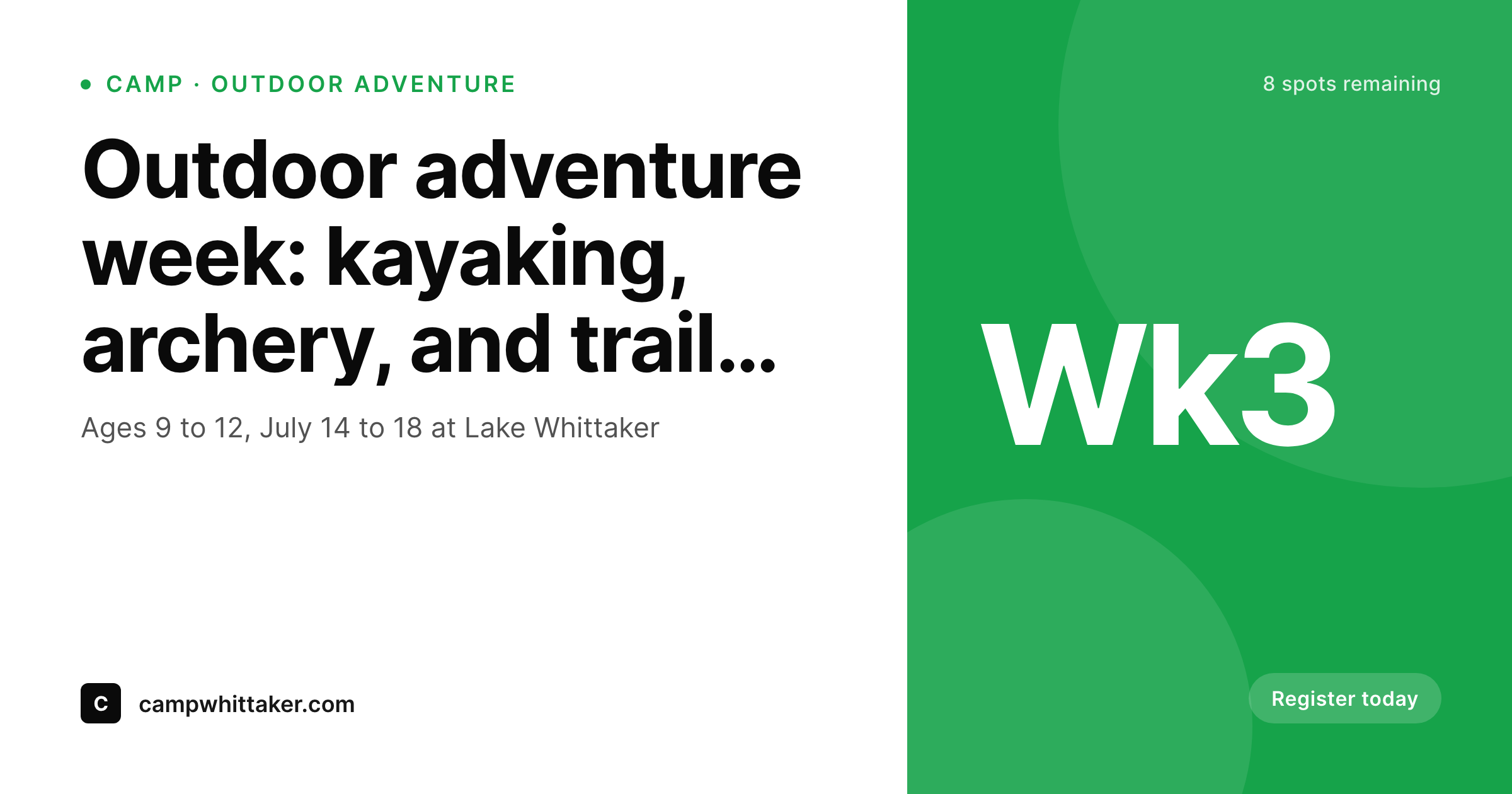
Age range, theme, dates, counselors, and spots remaining live as fields on each session post. SleekPixel renders a 1200x630 share card on save, so registration links always preview with current info.
♾️ Lifetime License available
Summer camps fill in March, share in July
Summer camp registration is a strange dual-cycle business. Most spots fill in February and March when parents lock in summer plans, but the marketing keeps running through July as friends mention the camp to other families and counselors share session links during the week. The OG card on every session link gets passed around dozens of times across that arc, and a generic homepage thumbnail on those shares is a quiet leak on the most word-of-mouth-heavy enrollment funnel in childcare.
The session data is structured. Each week of camp has age range, theme, dates, lead counselor, capacity, and spots remaining. Counselor profiles have name, headshot, and specialty. Parent events (open house, alumni reunion, camp fair) have date and venue. All of it should drive the share card automatically, but at most camps it still gets hand-built in Canva by an overworked office manager between phone calls.
SleekPixel does the wiring. One template per session type (sports, arts, outdoor, day camp), one for counselor profiles, one for events: each reads the existing fields and renders a branded 1200x630 PNG on save. Update the spots-remaining field, the OG card refreshes. Switch the lead counselor for week three, the card refreshes. The camp's online presence stays current with the calendar, and the office manager stops working evenings on flyers.
Workflow
From session draft to share-ready in one save
Map camp post types
Design templates per session
Publish normally
Bulk regenerate per season
Output
What gets generated per session
A 1200x630 OG image with session name, age range, dates, and spots remaining, all pulled from the session post fields.
Comparison
Canva flyers vs auto-rendered session cards
Canva / Manual export
- Office manager makes session flyers in Canva between registration calls
- Spots-remaining updates daily but the OG card stays frozen at last week's count
- New counselor onboarding waits weeks for a designer to make their card
- Sports week, arts week, outdoor week all need separate hand-built exports
- Camp rebrand stalls registration while every session flyer gets redone
SleekPixel
- Each session, counselor, and event post saves with its own branded card
- Age range, theme, dates, and spots remaining pulled from WordPress fields
- Bulk regenerate when seasonal sessions launch or the camp rebrands
- 1200x630 PNG stored in uploads, wired into og:image and twitter:image
- Manual download from the Gutenberg sidebar for parent emails and Stories
Features
What SleekPixel gives you for summer camp
Session cards
Each week of camp saves with age range, theme, dates, and spots remaining on a branded card. Parent referrals open with proper preview every time.
Counselor profiles
Counselor name, specialty, and headshot render onto a branded profile card. New hires get share-ready art before their first day on site.
Parent events
Open house, camp fair, alumni reunion: each event post renders with its own template. Forwarded invites carry date, venue, and brand.
Use cases
Where camp share cards drive registration
Parent referrals
When a parent forwards a session link to a friend, the preview shows session theme, ages, and dates. Referral conversion lifts because the card does the work.
Camp Instagram
Story-version cards downloaded from the sidebar power the camp's Instagram during the week. Each session week posts with on-brand content.
Alumni emails
Alumni newsletters announcing next summer's sessions link with proper preview cards, lifting early-bird registration from the alumni community.
The bigger picture
Why share cards matter for summer camps
Camp registration is decided by referrals more than ads, and the link preview is what greets the receiving parent before they ever click. A share card that shows the session theme, ages, and dates clearly converts at a meaningfully higher rate than a generic preview, simply because the receiving parent does not have to click through to learn whether the session is a fit. Across a registration cycle that may involve thousands of forwarded links, the cumulative impact compounds into measurable enrollment differences.
Camps that treat the OG card as part of the registration funnel see it. The second factor is the operational reality of camp staffing. Most camps have a small year-round team handling everything from licensing to marketing, and the office manager is the de facto designer between phone calls.
Hand-building flyers eats hours that should go to counselor training and parent communication. SleekPixel collapses the design step into the publishing step. The team updates the session post, the card exists, and the camp's marketing surface stays current with the calendar.
Registration confidence stays high, and the team works fewer evening shifts on Canva.
Questions
Common questions about SleekPixel for summer camp
Yes, with one note. Bind a 'spots remaining' custom field to a slot on the session template. Update the field as registrations come in (manually or via your registration system's webhook), save the post, and the card regenerates. Per-second live updates are not in scope; per-save updates are.
SleekPixel renders the share card for the WordPress session page that links to your registration system. Whether registration runs through CampMinder, Active, or a custom form, the WordPress page is what gets shared. The registration system handles its own checkout previews.
Yes. Map session theme as a taxonomy and bind a per-term accent color and icon to template slots. Outdoor weeks render in greens, arts weeks in warm yellows, sports weeks in stronger contrasts. The camp brand stays unified across all themes.
Yes. SleekPixel reads the WordPress user profile photo or any custom avatar field. Counselor profile templates render the headshot alongside the name and specialty, so each counselor's card feels personal without manual photo handling per save.
Yes. Add a 1080x1920 Story format to the session template and SleekPixel renders both the OG card and the vertical Story image on save. Download Stories from the Gutenberg sidebar to post throughout the week from the field.
Add a 'sold out' field to the session post and bind it to a conditional slot on the template. Toggle the field on, save, and the card regenerates with a 'Sold out, join the waitlist' badge. No re-export, no Canva pass mid-season.
Yes. Add a package post type for multi-week deals and bind weeks-included, total-price, and savings to template slots. Package pages share with the same polish as individual session pages.
Generation runs on save, not on page load, so the public site stays fast. Rendered PNGs live in standard WordPress uploads. For a typical camp with sessions, counselors, and events, the storage footprint is small even after several seasons.
Pricing
More than 1000+
happy customers
Explore our flexible licensing options tailored to your needs. Upgrade your license anytime to access more features, or opt for a lifetime license for ongoing value, including lifetime updates and lifetime support. Our hassle-free upgrade process ensures that our platform can grow with you, starting from whichever plan you choose.
Lifetime ♾️
Most popular
EUR
once
- Unlimited websites
- Lifetime updates
- Lifetime support
...or get the Bundle Deal
and save €250 🎁
💎 Want everything forever? The All Access Pass is going away on 01.08.2026.
The Bundle (unlimited sites)
Pay once, own it forever
Elevate your WordPress site with our exclusive plugin bundle that includes all of our premium plugins in one package. Enjoy lifetime updates and lifetime support. Save significantly compared to buying plugins individually.
What’s included
-
SleekAI
-
SleekByte
-
SleekMotion
-
SleekPixel
-
SleekRank
-
SleekView
€749
Continue to checkoutBrowse more
- Amazon A+ content images
- Spotify podcast covers
- YouTube Shorts cover
- Kindle book cover
- LinkedIn article covers
- Rumble thumbnails
- Twitch camera frame
- LinkedIn newsletter headers
- Odnoklassniki banners
- WeChat Moments images
- Telegram channel cover images
- X social cards
- KDP hardcover cover
- Kick channel banners
- Depop listing images