






SleekPixel for iA Writer drafts
Writers who draft in iA Writer and publish to WordPress through Markdown export get one extra asset per save: a clean OG share card rendered from the post itself, no detour into Canva.
♾️ Lifetime License available
iA Writer is the typing surface, WordPress is the public address
iA Writer treats Markdown as the source of truth. Drafts live as plain text files, syntax control gives writers a way to inspect prose, and content blocks let images and tables live as separate files referenced inline. None of this is built for the web specifically, but it is built for writers who eventually ship to the web, and a large group of those writers ship to WordPress through some flavour of Markdown import.
The handoff is where the workflow has historically frayed. A clean Markdown file lands in WordPress, the post body looks great, but the share image is missing. The site either falls back to the theme default or a featured image that was framed for the in-article hero, not the unfurl. SleekPixel resolves the missing layer. When the post saves in WordPress, it reads the title, the reading time if available, the category, and renders a 1200 by 630 PNG. The og:image meta tag updates, and the share preview matches the calm aesthetic of an iA-authored post.
Composition matters here because iA writers tend to be careful about typography. Default share-card generators often pick the worst font choices and the loudest colour combinations, which clashes hard with a writing aesthetic centred on quiet, monospaced restraint. SleekPixel ships templates tuned for serious writing, generous whitespace, readable type, a single accent for the badge, and no decoration for its own sake. The card sits comfortably next to the writing it represents.
Workflow
From iA draft to WordPress share-ready
Draft in iA Writer
Import to WordPress
Save in WordPress
Share with confidence
Output
What gets generated per Markdown import
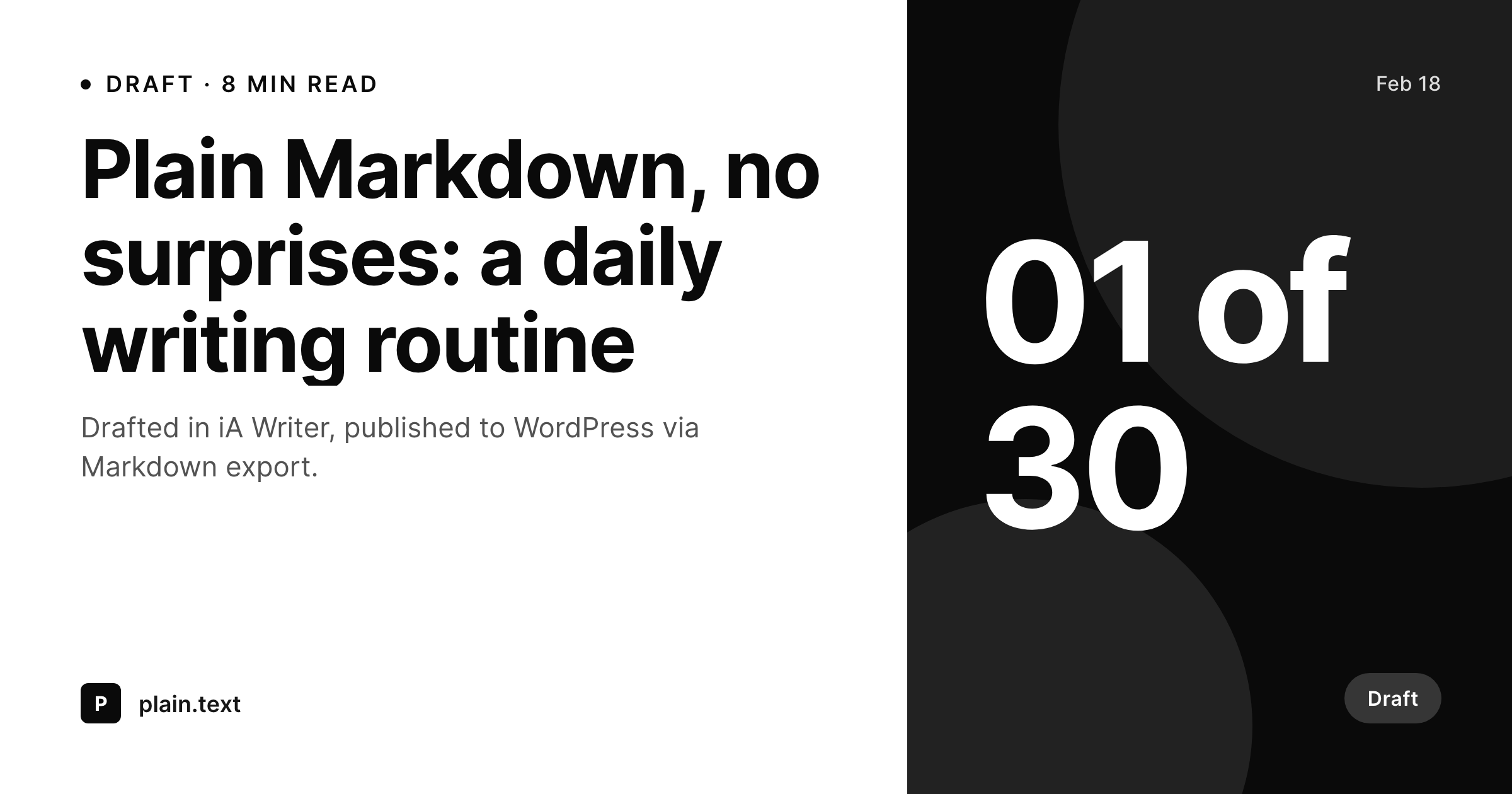
A 1200 by 630 OG and Twitter card with the post title, an optional series counter, the category as a small badge, and reading time anchored to the bottom corner.
Comparison
Markdown import alone versus SleekPixel
Markdown to WordPress default
- Markdown import sends body and frontmatter but no rendered share image
- WordPress unfurls the post with a generic theme image or no image at all
- Writers detour into Canva to keep the share preview consistent
- Frontmatter values like series counters get lost on the unfurled link
- Bulk archive of past iA drafts has no consistent visual share layer
SleekPixel
- Renders the card from the WordPress post on save, no iA Writer plugin needed
- Frontmatter values like series counters can flow into the template corner
- Reading time anchors bottom-left when computed by a reading-time plugin
- Layout respects calm typography norms favoured by iA users
- Bulk regenerate covers an archive of imported Markdown drafts
Features
What SleekPixel gives you for iA Writer drafts
Markdown-friendly
Renders from post-level fields populated by Markdown import. No special export setup, no iA Writer plugin, no custom workflow.
Series counter
Frontmatter values like '01 of 30' map to a custom field and surface in the template corner. Daily-writing challenges and ordered series carry the counter on every share card.
Calm composition
Templates tuned for serious writing: generous spacing, restrained colour, readable type. Matches the iA aesthetic instead of clashing with it.
Use cases
Where iA Writer + WordPress users benefit
Daily writing challenges
Writers running a 100-day or 30-day daily writing project ship one post per day from iA Writer. Every post gets a share card with the day counter visible on the unfurl.
Essay journals
Slow essay sites that publish a few times a month gain a consistent visual share layer without taking the writer out of iA Writer.
Serialised long form
Multi-part essays or chaptered work picks up the part number in the share card so readers see Chapter 4 of 12 on the unfurl, not just a stand-alone title.
The bigger picture
Why Markdown writers care about share images
Markdown culture often treats Markdown as the entire artifact, and there is a real charm to a workflow where text files are the source of truth. The web does not entirely cooperate with that model. The moment a post has a public URL, the unfurled card on Twitter, LinkedIn, Mastodon, and Bluesky becomes the thumbnail every reader sees before they read a word.
A missing card hurts the click rate even on excellent writing, and a generic theme fallback looks careless next to careful prose. The second reality is identity. Writers who publish for years build a recognisable visual signature on their share previews, and that signature is part of how readers find them in feeds dense with everything else.
SleekPixel resolves the share layer once, then renders the right card on every save, while iA Writer remains the calm writing surface it was chosen for. No design tool gets added to the publishing path. The card just arrives, post after post, with the same composition the writer would have chosen themselves.
Questions
Common questions about SleekPixel for iA Writer drafts
No. SleekPixel runs inside WordPress. Whatever path you use to get iA Writer drafts into WordPress, Markdown plugin, script, paste, the rendering kicks in when the WordPress post saves.
Yes, if the Markdown import maps frontmatter into WordPress post meta. SleekPixel reads any meta key by name and can render the value in the template corner or elsewhere.
Content blocks are an iA Writer authoring feature. After import, image references resolve to normal WordPress media library URLs. SleekPixel composes from post-level fields, not from body images, so content blocks do not affect the share card.
Wiki links live inside post bodies and resolve at import time. They have no effect on the share card, which is composed from title, category, and post meta. The card stays consistent regardless of body link style.
Yes. Featured images are unchanged. SleekPixel writes a separate share card that the og:image tag points at, while the featured image remains the in-article hero. The two assets can be entirely different.
The template uses auto-fit logic to scale long titles down to a readable size, with a sensible minimum. Titles over about 90 characters look cramped in any composition, so most writers keep them shorter, but SleekPixel handles long ones gracefully.
iA Writer's preview templates are local HTML styling for the editor preview. They do not cross over to WordPress and do not interact with SleekPixel. The share card is rendered server-side from WordPress post data.
Yes. The bulk regenerate WP-CLI command walks every post and renders a fresh card with the current template. Useful after a brand refresh or when migrating an archive of iA-authored posts onto SleekPixel.
Pricing
More than 1000+
happy customers
Explore our flexible licensing options tailored to your needs. Upgrade your license anytime to access more features, or opt for a lifetime license for ongoing value, including lifetime updates and lifetime support. Our hassle-free upgrade process ensures that our platform can grow with you, starting from whichever plan you choose.
Lifetime ♾️
Most popular
EUR
once
- Unlimited websites
- Lifetime updates
- Lifetime support
...or get the Bundle Deal
and save €250 🎁
💎 Want everything forever? The All Access Pass is going away on 01.08.2026.
The Bundle (unlimited sites)
Pay once, own it forever
Elevate your WordPress site with our exclusive plugin bundle that includes all of our premium plugins in one package. Enjoy lifetime updates and lifetime support. Save significantly compared to buying plugins individually.
What’s included
-
SleekAI
-
SleekByte
-
SleekMotion
-
SleekPixel
-
SleekRank
-
SleekView
€749
Continue to checkoutBrowse more
- Trustpilot review cards
- growth experiment card
- founder story cards
- myth vs fact cards
- case study quote cards
- milestone celebration cards
- indie hacker cards
- principle cards
- metric spotlight cards
- year in review cards
- values card
- deal of the day banners
- salary report cards
- OKR recap card
- experiment recap card