






SleekPixel for mental health clinics
SleekPixel reads each post's title, the clinician, the modality, and your clinic colors, then generates a custom OG image on save. Consistent, calm cards across every share, with no design step.
♾️ Lifetime License available
Stop sharing clinic content with a generic clinic logo
Mental health clinics publish steadily across a few content patterns. Modality overview pages on CBT, DBT, EMDR, and ACT, first-appointment resources, fee and insurance pages, clinician intros, and the occasional category piece for prospective clients trying to figure out which kind of clinic fits. Each piece is meant to feel like the clinic, calm and plain-language. The shares rarely feel that way: a prospective client texts the link to themselves to come back to in the morning, and the preview that loads is the clinic wordmark on a flat background, identical to every other link from the site.
SleekPixel handles this without disrupting how the clinic publishes. You build one card template in the admin that reflects how the clinic presents itself with a calm color palette, the clinic mark, a clinician slot, and a topic line, using fields like {post_title}, {author_name}, {category}, and {modality}. Every time a post is saved, SleekPixel renders that template with the actual data and writes the result into the og:image meta tag.
Edit the template once and every modality page, fee page, and clinician intro picks up the same considered look. Clinician headshots can be merged in per author so different modality resources feel rooted in the clinic but distinctly attributable. The intake coordinator stops being asked for new graphics, and the clinic's voice stays uniform from a Google search to a friend's text.
Workflow
From draft to client-ready share in one save
Design the template
Connect to post type
Save the page
Share anywhere
Output
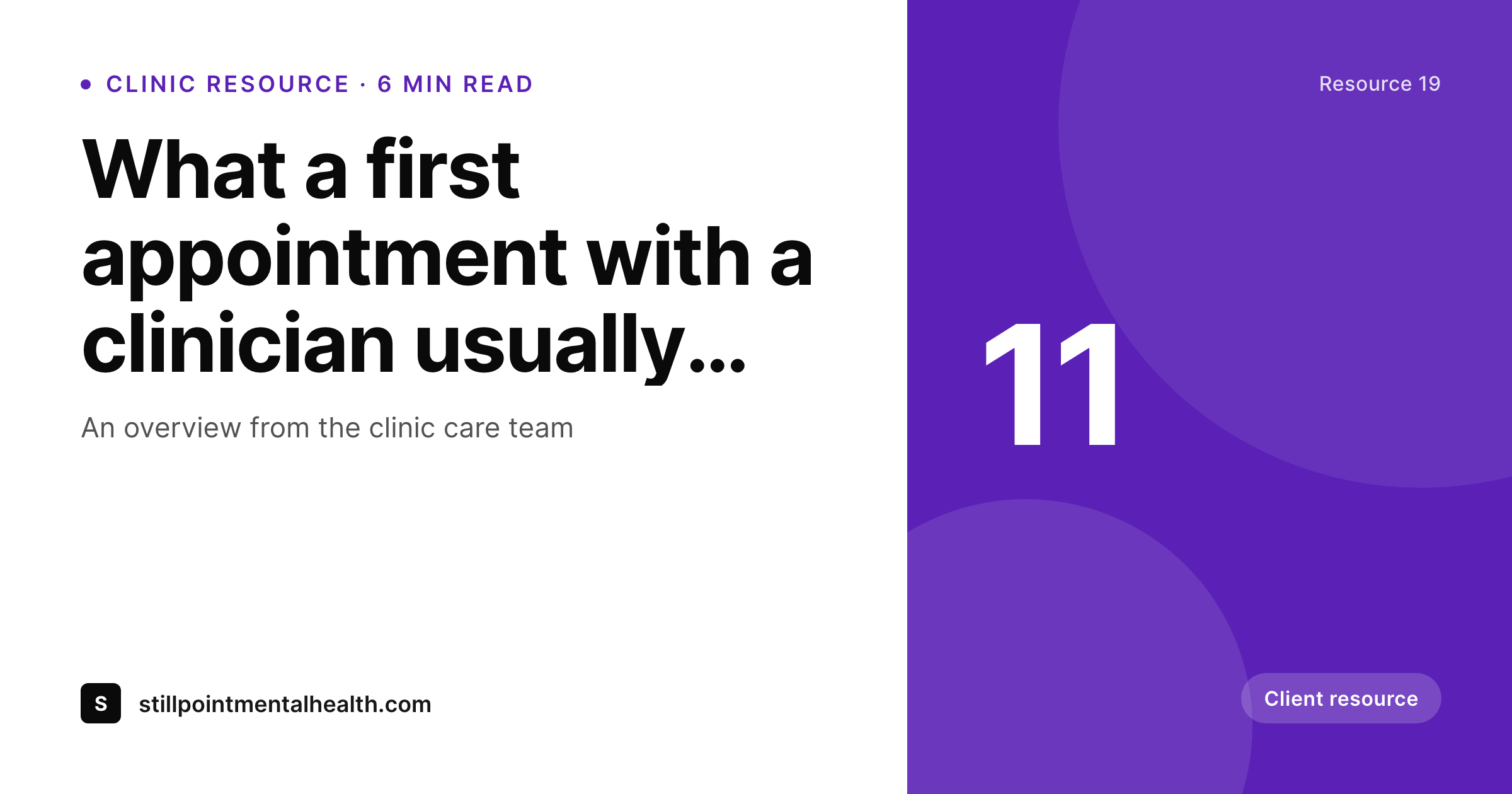
Sample social card from a clinic resource
This card was rendered from a resource's title, the clinician, the modality, and a calm accent color. Same template, every resource.
Comparison
Hand-made graphics vs SleekPixel
Manual graphics per post
- Intake coordinator queue means new resources wait days for a graphic
- Same clinic-logo card on every share, regardless of topic
- Stock photos clash with the clinic's careful tone
- A rebrand means re-exporting every legacy modality page by hand
- No automation, someone has to remember every time content goes live
SleekPixel
- Auto-generated OG image per post on save, every time
- Per-post variables: title, clinician, modality, publish date
- One template equals one consistent clinic identity across every page
- Edit the template once and every page's card refreshes
- Falls back gracefully if a clinician headshot or modality field is missing
Features
What SleekPixel gives you for mental health clinics
Template-driven
Design the card layout once with the clinic mark, the clinician slot, and the topic line. Every page inherits it on the next save.
OG + Twitter meta
SleekPixel writes og:image, twitter:image, and twitter:image:alt directly on each post, no theme code, no extra effort from the intake team.
Clinician-aware cards
The template merges in the clinician's headshot per author so each provider's resources carry their face without anyone editing slides one at a time.
Use cases
Where this fits best
Modality pages
Each modality overview gets a card tied to the modality and clinician, not a flat clinic logo. Useful for organic search shares and direct referrals.
Multi-clinician clinics
Clinician name and headshot pulled per page so prospective clients see who runs which modality straight from the share preview.
Intake and fee resources
Each resource page gets its own card so a referral text and an organic search visitor both see something tailored to the page they're about to read.
The bigger picture
Why a consistent social card matters for mental health clinics
Mental health care is a high-trust decision, and the link preview is often the first impression. A prospective client googles for a first-appointment overview at 11pm, lands on the clinic's resource, then texts the link to themselves so they can come back to it. What the lock-screen preview looks like quietly shapes whether they actually return.
Generic clinic-logo cards feel anonymous. Stock-photo headers feel like sales material. Bespoke per-article designs are unrealistic when the intake team is also fielding initial calls.
The middle path, a template that adapts to each piece automatically, keeps the clinic's tone consistent, makes clinician attribution clear, and lets the visual identity carry from a Google result to a friend's text. SleekPixel brings that to WordPress without sending data anywhere external and without forcing the clinic to retain a designer for an ongoing graphics queue.
Questions
Common questions about SleekPixel for mental health clinics
No. The image is rendered on your own WordPress server and stored locally in the uploads folder. No client information passes through an external service.
Yes. SleekPixel writes og:image with high priority, it overrides Yoast, Rank Math, and AIOSEO fallbacks cleanly without disabling the rest of the plugin's work.
Yes. The admin has a one-click bulk regeneration that re-renders every post's image. One click brings the entire archive in line after a brand refresh.
No. The image is rendered once at save time and stored as a static PNG. Visitors load a regular image URL, no rendering happens on each page view.
Yes. SleekPixel supports per-category, per-tag, and per-CPT templates. Routing rules pick the right card so a modality page and an intake landing page can each have a tailored design.
The featured image stays in its theme role on the post itself. The social card is a separate piece of metadata SleekPixel manages. They don't conflict.
Yes, both read og:image on first share. The Facebook Sharing Debugger lets you clear cache if you're testing a URL that's already been shared once.
Stores. Each generated image is a real PNG saved to the WordPress uploads folder, so it survives plugin deactivation and pages stay fast under any share spike.
Pricing
More than 1000+
happy customers
Explore our flexible licensing options tailored to your needs. Upgrade your license anytime to access more features, or opt for a lifetime license for ongoing value, including lifetime updates and lifetime support. Our hassle-free upgrade process ensures that our platform can grow with you, starting from whichever plan you choose.
Lifetime ♾️
Most popular
EUR
once
- Unlimited websites
- Lifetime updates
- Lifetime support
...or get the Bundle Deal
and save €250 🎁
💎 Want everything forever? The All Access Pass is going away on 01.08.2026.
The Bundle (unlimited sites)
Pay once, own it forever
Elevate your WordPress site with our exclusive plugin bundle that includes all of our premium plugins in one package. Enjoy lifetime updates and lifetime support. Save significantly compared to buying plugins individually.
What’s included
-
SleekAI
-
SleekByte
-
SleekMotion
-
SleekPixel
-
SleekRank
-
SleekView
€749
Continue to checkoutBrowse more
- Etsy shop banners
- Patreon post thumbnails
- Twitch offline banners
- Shopify collection banners
- Notion page covers
- Twitch starting soon screen
- Depop listing images
- Patreon cover images
- GitHub README banners
- KakaoTalk channel banners
- YouTube banner art
- KDP paperback cover
- Lemmy post images
- Ko-fi banners
- Linktree banner image