






SleekPixel for Bunny Stream
Bunny Stream delivers HLS video from Bunny's global CDN. Most WordPress sites wrap each Bunny Stream video in a post with title, library reference and chapter data. SleekPixel reads those fields and renders branded OG cards and thumbnails per video, so the share preview matches the brand instead of a default frame.
♾️ Lifetime License available
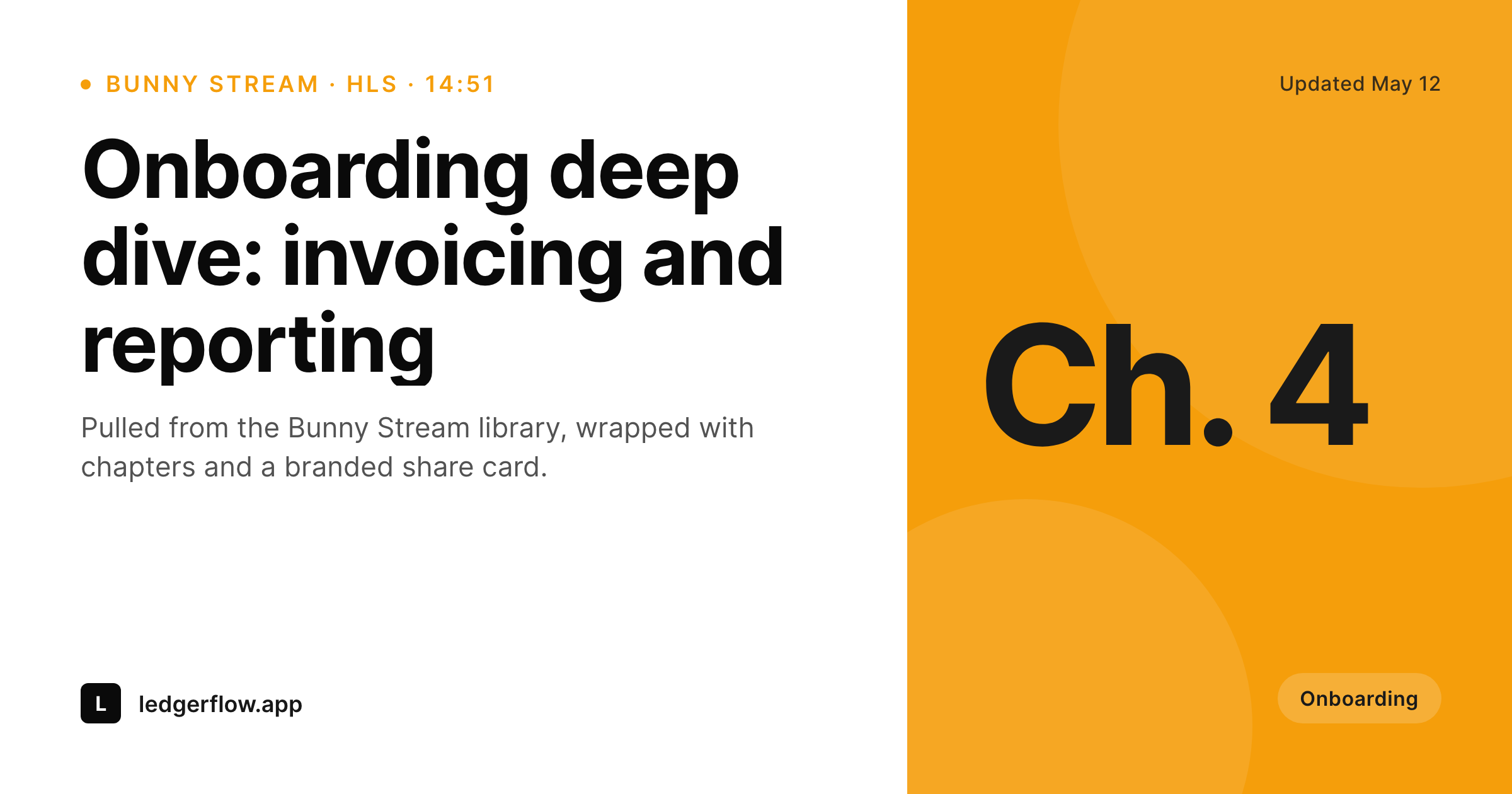
Bunny streams the video, the share card is still default
Bunny Stream is the streaming product from Bunny that handles HLS delivery, encoding, captions and a fast worldwide CDN. Teams that pick it tend to do so for the price-to-performance and the willingness to stay outside the YouTube algorithm. On WordPress, Bunny Stream videos are usually wrapped in a post or page, with the video reference, the library ID, chapter info and metadata stored as post meta and consumed by whichever player block or shortcode is in use.
The post itself is where the share opportunity lives. A new onboarding video, a chapter of a customer education series, a webinar replay, all of them are pages people share. The share preview almost always falls back to a generic site banner or a default thumbnail from Bunny that does not carry the brand, the chapter context, or the duration in a way that signals 'this is worth watching.' The investment in Bunny is real; the share preview drops the ball.
SleekPixel runs on the WordPress side and reads the post fields surrounding the Bunny Stream embed. On save it renders a 1200 by 630 OG card and (optionally) a 1280 by 720 catalog thumbnail per video, with title, chapter or episode tag, duration and brand wordmark. The OG card sits in uploads and gets set on the post, so every share carries the right preview.
Workflow
From Bunny Stream video to branded card
Videos already in Bunny
Build OG and thumbnail templates
Render on save
Share with confidence
Output
What renders per Bunny Stream video post
A 1200 by 630 OG card with video title, chapter tag, duration, and brand wordmark. Optional matching 1280 by 720 catalog thumbnail from the same template family.
Comparison
Default Bunny share vs SleekPixel
Default frame thumbnail
- Default frame-grab thumbnails land on awkward still frames
- Brand identity is absent from the share preview
- Chapter, duration and series tags never reach the card
- Manual social art per video lags the publishing cadence
- Brand updates do not propagate through old streamed videos
SleekPixel
- Reads WordPress post fields wrapping each Bunny Stream embed
- Per-video OG and thumbnail templates, rendered on save
- Supports chapter and series taxonomy slots
- Bulk re-render across the catalog on brand updates
- Self-hosted PNG output, no per-pageview render
Features
What SleekPixel gives you for Bunny Stream
Stream-aware slots
Library reference, video title, chapter and duration come from the post meta surrounding the Bunny Stream embed.
OG plus thumbnail
One template family covers a 1200 by 630 OG card and a 1280 by 720 catalog thumbnail, both rendered from the same source fields.
No render on each view
PNGs render on save and serve from uploads via Bunny CDN if the site is fronted by Bunny Pull Zones.
Use cases
Where Bunny Stream sites need real cards
Customer education libraries
Onboarding and feature deep-dive videos share with the chapter and title on a branded card per video, instead of default frame-grabs.
Webinar replays
Replay pages share with the talk title and speaker as the share preview, refreshed on save.
Community video hubs
Members-only or community video sites get branded share cards per video without leaking Bunny library URLs.
The bigger picture
Why streamed video pages deserve real cards
Teams that go to Bunny Stream do so because they care about how the video performs and how it gets delivered globally. The share preview is the missing piece in that posture. A customer education video shared with a chapter tag and the brand wordmark on the card reads as a piece of curated content, while a default frame-grab reads as a forgotten upload.
SleekPixel reads the post fields the Bunny embed already references, renders the card on save, and writes the og:image so every share looks like the rest of the brand. If the WordPress site is fronted by a Bunny Pull Zone, the PNGs even serve from the same CDN as the video. Customer education libraries, webinar replays and community video hubs get consistent share cards across hundreds of videos without a design team manually exporting per-episode art.
Questions
Common questions about SleekPixel for Bunny Stream
No. SleekPixel reads WordPress post meta. Whichever sync wrote the Bunny library reference into post meta (a Bunny WordPress plugin, a custom hook, manual entry) is fine.
Yes if the site is fronted by a Bunny Pull Zone. The PNG lives in uploads, which the pull zone caches like any other media file.
Chapter data stored on the WordPress post side binds to template slots. SleekPixel does not call Bunny's chapter API directly; the data needs to be on the post.
Yes. Duration is typically saved as post meta when the Bunny video is referenced. A small duration mark on the card is a popular choice.
Signed URLs are about playback authorization, not share previews. The og:image is set on the WordPress post URL and works whether or not the video itself is gated.
A bulk regeneration job renders cards for thousands of videos in the background. Steady-state renders are one PNG per post save.
Yes. Each video post can carry its own library reference and render with its own template variant if the brand differs per library.
No. SleekPixel does not run during playback. The player calls Bunny directly as configured.
Pricing
More than 1000+
happy customers
Explore our flexible licensing options tailored to your needs. Upgrade your license anytime to access more features, or opt for a lifetime license for ongoing value, including lifetime updates and lifetime support. Our hassle-free upgrade process ensures that our platform can grow with you, starting from whichever plan you choose.
Lifetime ♾️
Most popular
EUR
once
- Unlimited websites
- Lifetime updates
- Lifetime support
...or get the Bundle Deal
and save €250 🎁
💎 Want everything forever? The All Access Pass is going away on 01.08.2026.
The Bundle (unlimited sites)
Pay once, own it forever
Elevate your WordPress site with our exclusive plugin bundle that includes all of our premium plugins in one package. Enjoy lifetime updates and lifetime support. Save significantly compared to buying plugins individually.
What’s included
-
SleekAI
-
SleekByte
-
SleekMotion
-
SleekPixel
-
SleekRank
-
SleekView
€749
Continue to checkoutBrowse more
- Spotify Canvas
- X ad images
- Klaviyo email banner
- Spotify playlist cover
- Signal sticker pack
- KDP hardcover cover
- Instagram feed posts
- LinkedIn company banners
- YouTube thumbnails
- Bluesky profile banners
- Instagram highlight covers
- Telegram channel cover images
- Facebook ad images
- SoundCloud track art
- Threads story-style images