






SleekPixel for Threads story-style images
Templated 1080x1920 vertical images generated from WordPress posts. Drop them into a Threads post for a story-style visual, or use them as a Stories asset on Instagram with the same source data.
♾️ Lifetime License available
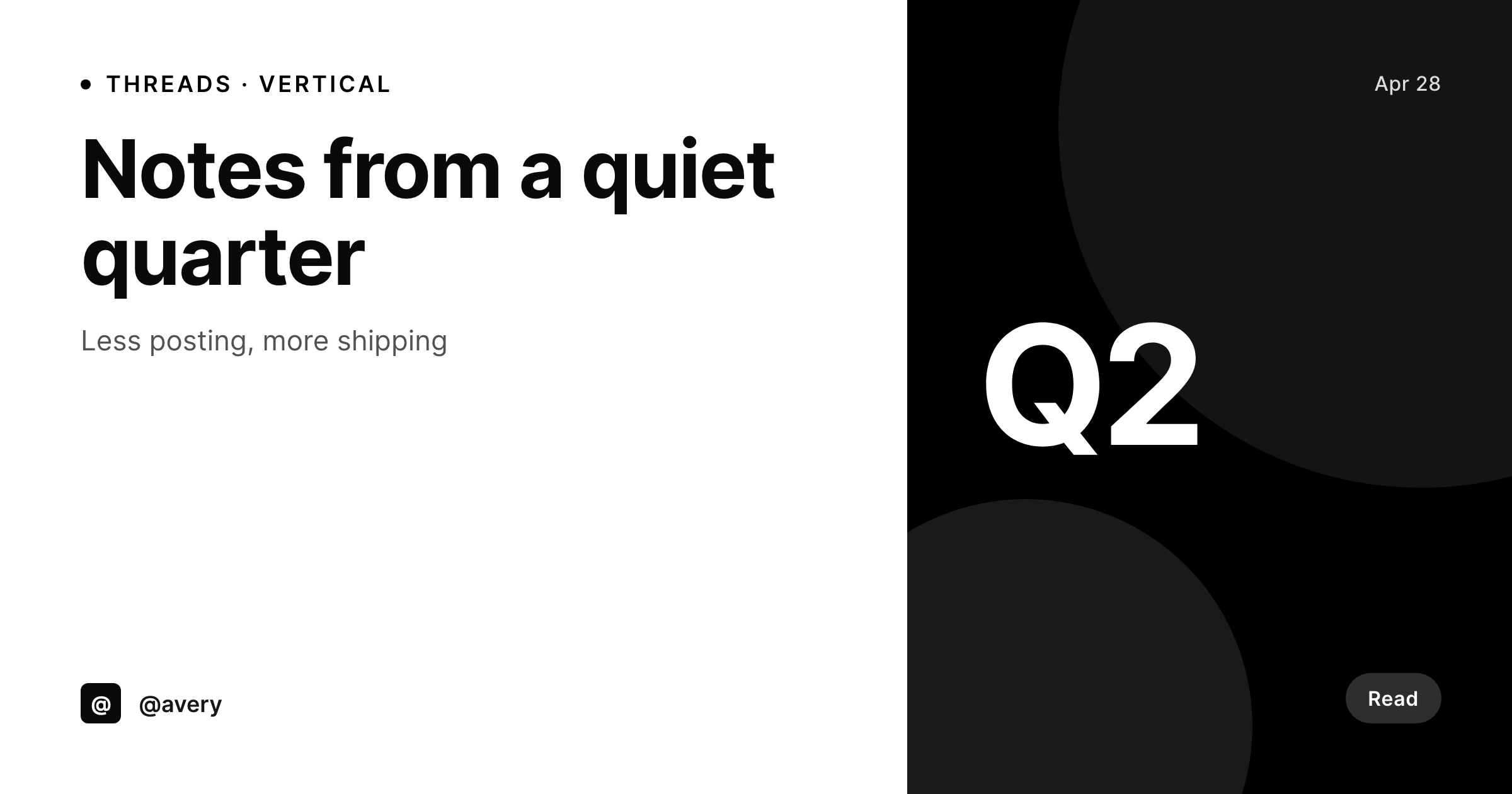
Threads is a feed, but vertical visuals still pull more attention
Threads is text-first, but vertical images attached to a post outperform plain text on the feed. The shape that performs is closer to a Stories canvas than a square: 1080x1920, with the headline near the top and the brand mark in a corner. Most accounts that try to attach an image fall back to whatever is in their camera roll or a square Canva export, and the result is a feed full of off-brand vertical images and stretched squares.
SleekPixel renders the vertical image from a WordPress post on save. The fields are real: post title, author, brand mark, optional hook line. The template is HTML and CSS, locked to the brand fonts and colors, and the result is a 1080x1920 PNG in the uploads directory. The editor downloads it from the sidebar and attaches it to a Threads post directly, or schedules through Meta Business Suite when a Threads channel is connected.
The same render covers Instagram Stories, Reels covers, and any other 9:16 surface where the brand needs a vertical asset. One template, one save, one consistent vertical visual across vertical-format channels.
Workflow
From post save to Threads-ready vertical
Design the vertical
Bind the fields
Save the post
Attach to Threads
Output
What gets generated per post
A 1080x1920 vertical PNG with the post title, author handle, and brand mark, sized for the Threads feed and Stories canvases.
Comparison
Manual Threads visuals versus SleekPixel
Camera roll / Canva 9:16
- Camera roll grabs feel ad-hoc and break the brand identity
- Canva 9:16 templates drift between team members and across drops
- Square images get stretched or letterboxed on Threads
- A title rewrite means re-exporting the vertical from Canva manually
- Brand refresh leaves dozens of visuals across the archive looking stale
SleekPixel
- 1080x1920 vertical PNG rendered from a WordPress post on save
- Real brand fonts and colors, locked to a single template
- Same render covers Threads, Instagram Stories, and Reels covers
- Re-renders on title or field changes
- Sidebar download per post, ready for the Threads attach dialog
Features
What SleekPixel gives you for Threads story-style images
Vertical native
Templates default to 1080x1920 with safe areas defined for the title and brand mark. The image fits the Threads feed without cropping.
Brand-locked
Real brand fonts and colors, not Canva approximations. The vertical visual matches the brand on the website without manual reconciliation.
Sidebar download
Open the post, click download, attach the PNG to the Threads post or schedule through Meta Business Suite.
Use cases
Where vertical Threads visuals work hardest
Long-form announcements
Announce a long-form post on Threads with a vertical visual that surfaces the title and the read time, instead of a plain link.
Founder posts
Founder Threads posts attach a vertical image that carries the personal brand, so the feed reads like a series instead of unrelated posts.
Cross-format reuse
The same render serves Threads, Instagram Stories, and Reels covers, so one save touches every vertical-format channel the brand uses.
The bigger picture
Why vertical visuals carry the Threads feed
Threads is a text-first product, but the feed rewards posts with attached vertical visuals because the visual takes more screen real estate and stops the scroll. Brands that want to grow on Threads need vertical assets per post, and the easiest way to lose that battle is to fall back on the camera roll for every post. SleekPixel removes the design overhead by rendering the vertical from a WordPress post.
The post is already where the title and the hook live for most brands. Binding those fields to a vertical template means the visual ships at the same time the post does. Branding refreshes propagate by re-rendering.
The same template covers Threads, Instagram Stories, and Reels covers, so the cost of a clean vertical pays off across multiple channels. The brand reads consistently, the feed gets visual posts instead of plain text, and the design work stops being a bottleneck on Threads growth.
Questions
Common questions about SleekPixel for Threads story-style images
SleekPixel renders the PNG and provides a download button. Posting to Threads happens through the official Threads app, the website, or Meta Business Suite when a Threads channel is connected. The plugin does not call the Threads API itself.
1080x1920 (9:16 vertical), the same shape as Instagram Stories and Reels covers. The dimension is configurable if your brand uses a different standard.
Yes. The 1080x1920 PNG fits the Stories canvas. Download the same file from the sidebar and upload it as a Story, or schedule through Meta Business Suite alongside the Threads post.
Threads also reads og:image for link previews in posts. SleekPixel writes a separate 1200x630 OG image in the post head, so a link to the post unfurls with a real card alongside the optional vertical attachment.
Yes. If a featured image is uploaded, the template can use it as a background or thumbnail. The visual does not require a photo, since title and author often carry the design on their own.
Yes. The SleekPixel admin batch regenerate rebuilds visuals for every matching post. The PNGs land in uploads ready for download.
In the WordPress uploads directory, served from your own domain. It is a real PNG, in your media library, and included in normal backups.
No. The render runs once on save and the result is a static file. There is no per-render API cost or rate limit.
Pricing
More than 1000+
happy customers
Explore our flexible licensing options tailored to your needs. Upgrade your license anytime to access more features, or opt for a lifetime license for ongoing value, including lifetime updates and lifetime support. Our hassle-free upgrade process ensures that our platform can grow with you, starting from whichever plan you choose.
Lifetime ♾️
Most popular
EUR
once
- Unlimited websites
- Lifetime updates
- Lifetime support
...or get the Bundle Deal
and save €250 🎁
💎 Want everything forever? The All Access Pass is going away on 01.08.2026.
The Bundle (unlimited sites)
Pay once, own it forever
Elevate your WordPress site with our exclusive plugin bundle that includes all of our premium plugins in one package. Enjoy lifetime updates and lifetime support. Save significantly compared to buying plugins individually.
What’s included
-
SleekAI
-
SleekByte
-
SleekMotion
-
SleekPixel
-
SleekRank
-
SleekView
€749
Continue to checkout