






SleekPixel for Pinterest Idea Pins
Templated 1080x1920 covers generated from WordPress posts or product pages. Idea Pin covers stay on brand without rebuilding the layout in the Pinterest mobile editor every time.
♾️ Lifetime License available
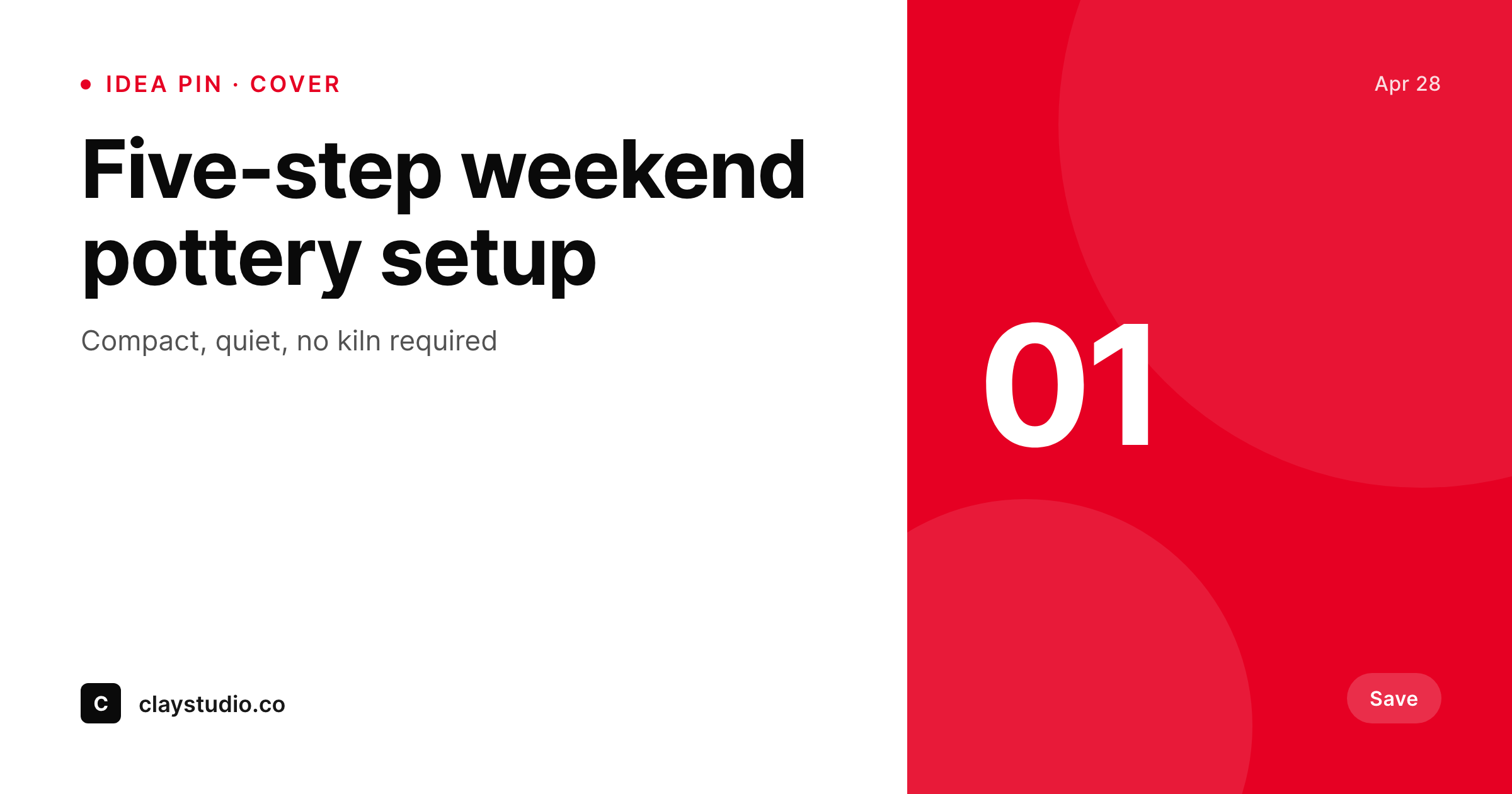
Pinterest rewards consistent vertical covers
Pinterest's Idea Pin format is a vertical 1080x1920 canvas built for step-by-step content, looks, recipes, and tutorials. The cover is the first slide and the surface that decides whether a user taps. Brands that perform on Pinterest have a recognizable visual system across their pin covers: the same fonts, the same color block, the same brand mark in the same corner. Brands that lose on Pinterest design covers in the mobile editor on the way to the post button, and the result is a board of covers that look unrelated.
SleekPixel renders the cover from a WordPress post on save. If the brand already publishes recipe posts, tutorial posts, or product pages, the cover can be derived from that post directly. The template binds slots to the post title, the step number, the category badge, and the brand mark. The 1080x1920 PNG lands in the uploads directory and downloads from the editor sidebar, ready to upload as the cover slide of an Idea Pin in Pinterest's web or mobile editor.
Branding refreshes propagate by re-rendering. The board of covers stays consistent because every cover comes out of the same template, not the mobile editor's last-minute typography choices.
Workflow
From post save to Pinterest-ready cover
Design the cover template
Bind the fields
Save the post
Upload to Pinterest
Output
What gets generated per post
A 1080x1920 vertical PNG with the post title, step or pin number, and brand mark, sized for the Pinterest Idea Pin cover slide.
Comparison
Mobile-editor pins versus SleekPixel
Pinterest mobile editor
- Pinterest mobile editor produces covers that drift across uploads
- Typography choices change per session, so the board reads as unrelated pins
- Brand mark gets cropped or resized awkwardly because the editor has no template lock
- Re-pinning later means a fresh design pass, not a re-render
- Brand refresh leaves the board with hundreds of stale covers across the archive
SleekPixel
- 1080x1920 vertical PNG rendered from WordPress posts on save
- Step number, title, and category bound to real post fields
- Real brand fonts and colors, locked to a single template
- Re-renders on title or field changes
- Sidebar download per post, ready for the Pinterest Idea Pin editor
Features
What SleekPixel gives you for Pinterest Idea Pins
Vertical native
Templates default to 1080x1920 with safe areas for the title and brand mark. The cover fits the Pinterest player without cropping.
Board-coherent
Every cover comes out of the same template. The board reads as a series instead of a pile of unrelated pins.
Step-aware
Templates can read the step number and total count, so the cover surfaces 'Step 1 of 5' or 'Pin 03' without manual layout work.
Use cases
Where Pinterest covers earn the save
Recipe posts
A new recipe post renders a vertical cover with the dish name, time, and servings, ready to upload as a recipe Idea Pin.
Product looks
A product page renders a cover with the product title, color, and price, suitable for shoppable Idea Pins.
Tutorial series
A multi-step tutorial series renders a cover per step, numbered and titled, so the board reads as a coherent how-to.
The bigger picture
Why Pinterest is a long-tail compounding channel
Pinterest is one of the few platforms where a pin can keep getting saves and clicks for years after publication. The board is a stable surface and the cover is what decides whether a pin gets the save in month one and month thirty-six. Brands that get cover consistency right compound their reach because every new pin reinforces the visual system, and existing pins stay on brand because re-rendering the template propagates the new design across the archive.
Brands that design pins in the mobile editor lose this advantage, because covers drift visibly between uploads and the board never reads as a coherent system. SleekPixel removes the cost of cover consistency by rendering covers from posts on save. Every recipe, tutorial, and product page produces a cover from the same template.
Branding refreshes propagate via batch regenerate. The board stays clean because the renderer is enforcing the visual system, not the editor's discipline. Long-tail compounding becomes a property of the renderer, not a property of the design team.
Questions
Common questions about SleekPixel for Pinterest Idea Pins
No. Pinterest's API is restrictive for third-party publishing of Idea Pins. SleekPixel renders the cover and provides a download button. The editor uploads the cover slide into the Pinterest Idea Pin editor and adds the rest of the slides there.
1080x1920 (9:16 vertical) matches the Idea Pin player. SleekPixel defaults to that canvas. The dimension is configurable if your brand uses a different standard.
Yes. If a featured image is uploaded, the template can use it as a background or thumbnail. The cover does not require a photo, since title and step number often carry the design on their own.
Yes. The template can read the step number and total count from the post. A five-step tutorial renders five covers, each surfacing 'Step X of 5', so the board reads as a coherent series.
Yes. The SleekPixel admin batch regenerate rebuilds covers for every matching post. The PNGs land in uploads ready for download.
Regular Pins use a 1000x1500 (2:3) canvas. SleekPixel can render both formats with separate templates, so the same WordPress post can produce a 2:3 regular Pin and a 9:16 Idea Pin cover from one save.
In the WordPress uploads directory, served from your own domain. It is a real PNG, in your media library, and included in normal backups.
No. The render runs once on save and the result is a static file. There is no per-render API cost or rate limit.
Pricing
More than 1000+
happy customers
Explore our flexible licensing options tailored to your needs. Upgrade your license anytime to access more features, or opt for a lifetime license for ongoing value, including lifetime updates and lifetime support. Our hassle-free upgrade process ensures that our platform can grow with you, starting from whichever plan you choose.
Lifetime ♾️
Most popular
EUR
once
- Unlimited websites
- Lifetime updates
- Lifetime support
...or get the Bundle Deal
and save €250 🎁
💎 Want everything forever? The All Access Pass is going away on 01.08.2026.
The Bundle (unlimited sites)
Pay once, own it forever
Elevate your WordPress site with our exclusive plugin bundle that includes all of our premium plugins in one package. Enjoy lifetime updates and lifetime support. Save significantly compared to buying plugins individually.
What’s included
-
SleekAI
-
SleekByte
-
SleekMotion
-
SleekPixel
-
SleekRank
-
SleekView
€749
Continue to checkoutBrowse more
- X Space banners
- Audible audiobook cover
- Passes page banner
- Signal sticker pack
- TikTok cover images
- Twitch profile banner
- YouTube Shorts cover
- Douyin cover
- KDP hardcover cover
- Etsy listing images
- Bluesky profile banner
- Discord event cover
- Bluesky link cards
- LINE official account banners
- YouTube Shorts thumbnails