






SleekPixel for math tutor
Related rates on Monday, geometry proofs on Tuesday, GRE quant on Saturday. Each topic post renders a 1080x1080 tile with the course, the topic, the rate, and the exam window already baked in.
♾️ Lifetime License available
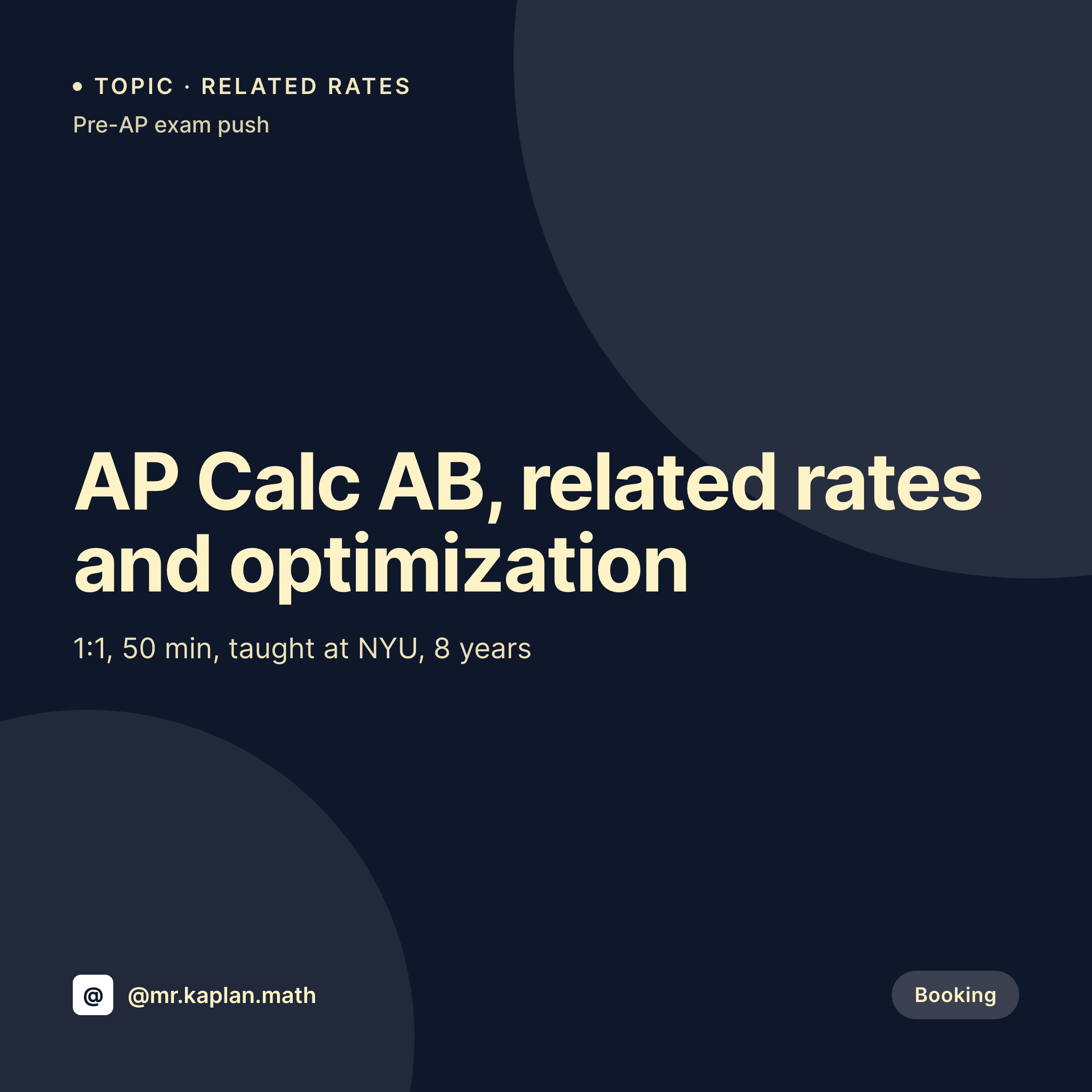
Math tutoring grids look identical because topic and course are missing
The default math tutoring tile says 'Math tutoring available.' That tile gets posted on a Sunday, sits at the top of the grid all week, and tells a student studying for the AP Calc exam nothing about whether the tutor has covered related rates or optimization in the last month. The booking that should have happened goes to a tutor whose grid is granular enough to read as a syllabus.
The data is already on the WordPress site. Most math tutors run a service CPT or a course CPT with fields for course, topic, exam target, level, and rate. Related rates is its own post, geometry proofs is its own post, GRE quant is its own post. The booking page is granular. The grid is not.
SleekPixel renders the tile from the same fields. The course, the topic, the exam target, and the rate land on a 1080x1080 image when the post saves, so the grid reads as a real practice rather than a generic tutoring ad.
Workflow
From topic post to topic tile
Map the math fields
Design one tile template
Publish a topic post
Post the tile
Output
What gets generated per topic
A 1080x1080 Instagram tile with the course, the topic, the exam target, the level, and the rate pulled from the topic post.


Comparison
Default math tutor image vs SleekPixel
Default math tutor image
- Every tile says 'Math tutoring available' with no course or topic
- AP Calc tile and GRE quant tile look identical and target nobody specific
- Pre-exam push posts get rebuilt every spring in Canva from scratch
- Rate on the tile says one thing, the booking page says another
- Topic posts on the site never become tiles, so the grid hides the depth
SleekPixel
- Topic and course render on every tile, so the grid reads as a syllabus
- Exam window (May AP, October PSAT, summer GRE push) renders from a field
- Rate stays in sync with the booking page because the field is shared
- OG image for the topic page renders alongside, so search links share clean
- Bulk regenerate before each exam window updates every topic tile at once
Features
What SleekPixel gives you for math tutor
Topic-level granularity
Related rates, geometry proofs, linear algebra each get their own tile rendered from their own topic post.
Exam window labeled
May AP exams, October PSAT, summer GRE push. The exam window renders on the tile so the grid times itself to the calendar.
Course on the image
AP Calc AB, IB Math AA, Algebra 2 honors. The course label is rendered from the topic post field so the grid reads at a glance.
Use cases
Who uses SleekPixel for math tutors
Solo math tutors
One-person practices covering AP Calc, SAT math, and GRE quant render a tile per topic, so the grid documents what they actually teach.
Small math tutoring practices
Two to five tutors splitting algebra, geometry, and calculus each tag their topics, and tiles render with the right tutor's headshot.
Competition math coaches
AMC, AIME, and Putnam prep tutors render tiles per topic and contest window, so the grid mirrors the competition calendar.
The bigger picture
Why generic math tutoring tiles lose to topic tiles
A student studying for AP Calc next May does not search for 'math tutoring.' They search for 'related rates explained' and 'optimization word problems.' A tile that says 'Math tutoring available' loses every time to a tile that says 'AP Calc AB, related rates, May exam window.' The depth of the practice is real, it is already in the WordPress topic posts, and it should be visible on the grid without the tutor opening a design tool every Sunday night. SleekPixel makes the grid match the syllabus. Course, topic, level, and exam window render on every tile because they are fields on the post.
The booking page and the grid agree on rate because the rate is one field, not two. A student scrolling the grid sees a practice that maps to what they are studying tonight, taps through, and books a slot the tutor's calendar actually has open.
Questions
Common questions about SleekPixel for math tutor
Yes. Custom post types and ACF fields are the most common setup for math tutors with granular topic posts. Meta Box and Pods are also supported.
Yes. Templates can be conditional on category or taxonomy, so AP Calc tiles can use one layout, SAT math another, and GRE quant a third, all pulling from the same fields.
Yes. Editing the exam-window field on the topic post re-renders the tile with the new dates. Bulk regenerate covers the case where every topic moves at once.
Limited. Simple math characters render fine, but full LaTeX is not supported. Most math tutors keep the headline plain English (related rates, optimization, integration by parts) and skip notation on the tile.
Yes. LearnDash courses and lessons are post types with fields, so course and topic render onto the tile the same way a custom CPT would.
No. SleekPixel renders the image and saves it to uploads. Posting is a manual step from the Instagram app or a scheduling tool.
The same topic post can render a second template aimed at parents, with the level, exam window, and rate emphasized. Conditional templates handle the variant.
No. SleekPixel renders static PNG and JPG only. Animated explainers and video clips are out of scope.
Pricing
More than 1000+
happy customers
Explore our flexible licensing options tailored to your needs. Upgrade your license anytime to access more features, or opt for a lifetime license for ongoing value, including lifetime updates and lifetime support. Our hassle-free upgrade process ensures that our platform can grow with you, starting from whichever plan you choose.
Lifetime ♾️
Most popular
EUR
once
- Unlimited websites
- Lifetime updates
- Lifetime support
...or get the Bundle Deal
and save €250 🎁
💎 Want everything forever? The All Access Pass is going away on 01.08.2026.
The Bundle (unlimited sites)
Pay once, own it forever
Elevate your WordPress site with our exclusive plugin bundle that includes all of our premium plugins in one package. Enjoy lifetime updates and lifetime support. Save significantly compared to buying plugins individually.
What’s included
-
SleekAI
-
SleekByte
-
SleekMotion
-
SleekPixel
-
SleekRank
-
SleekView
€749
Continue to checkoutBrowse more
- return to office card
- merger card
- good vs bad cards
- employee spotlight card
- infographic card snippets
- panel discussion card
- did-you-know card
- waitlist closing card
- newsletter cover cards
- word of the day cards
- year in numbers cards
- listicle thumbnail
- framework cards
- quarterly update cards
- status update cards
- eBay listing images
- GitHub social preview images
- Twitter card images
- Gumroad product covers
- Fanvue page banner
- X ad images
- Snapchat snap images
- Instagram feed posts
- LinkedIn banner images
- YouTube Shorts thumbnails
- Ghost feature images
- Mastodon link previews
- Twitch stream overlay images
- Twitch panel images
- kbin post images