






SleekPixel for essay coach
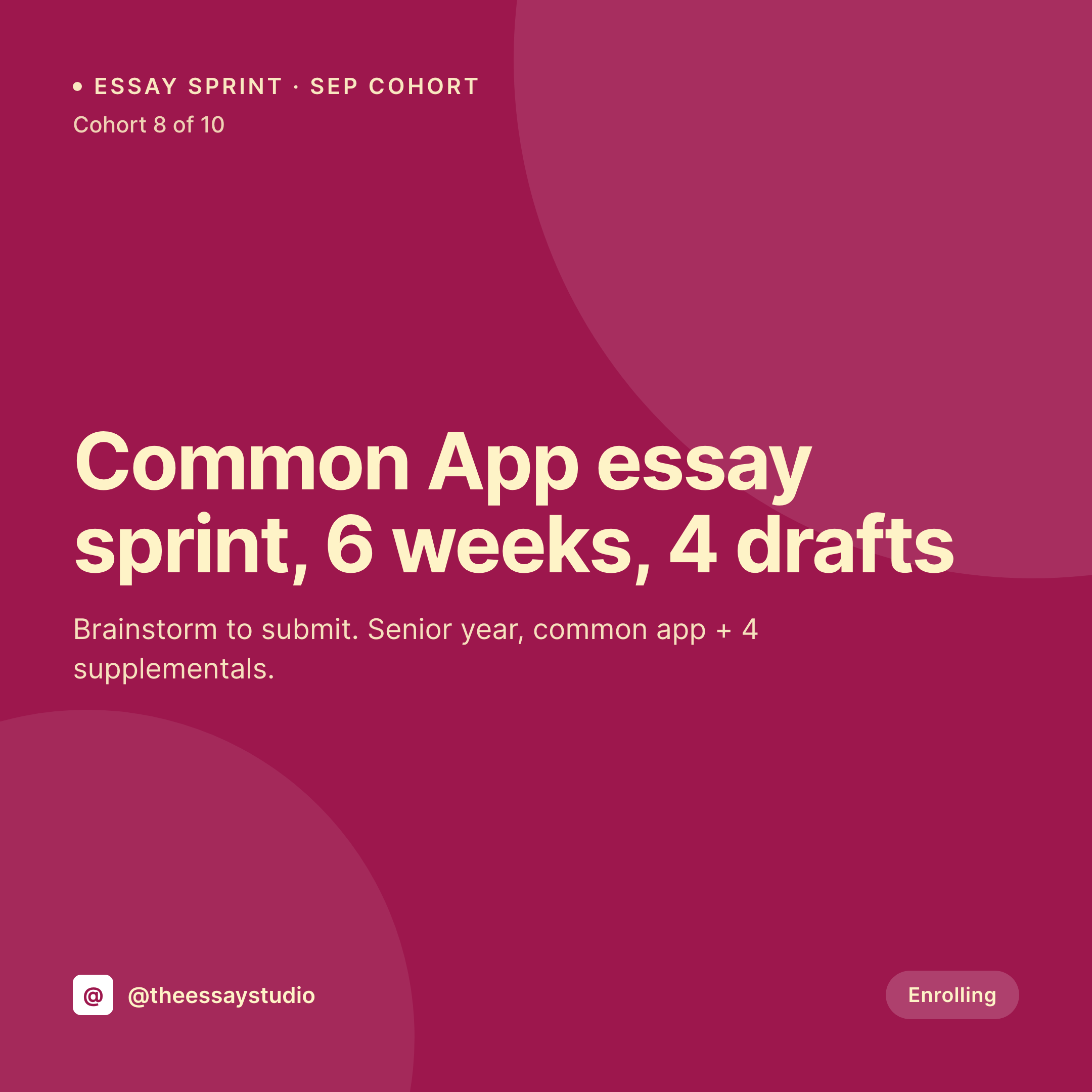
Common App sprint, supplemental boot, transfer essay package. Each cohort post renders a 1080x1080 Instagram tile with the cohort window, draft count, supplemental count, and price baked in, so the grid mirrors the application calendar.
♾️ Lifetime License available
Essay coaching enrollment runs on a tight calendar
Essay coaching has a sharp seasonal curve. Common App opens August 1, early decision deadlines hit November 1, regular decision lands in January, transfer applications run a different cycle. Students and parents move through the year in waves, and a coach's grid either tracks that calendar or it disappears. The default approach is to post a Canva tile in late July saying enrollment is open and let the rest of the year drift.
The cohort data is already on the WordPress site. Most essay coaches run a service CPT or a cohort CPT with fields for cohort window, draft count, supplemental count, deadline target, and price. The booking page captures the specifics. The Instagram grid does not, because the tiles are built once and never re-rendered when a cohort fills or a new sprint opens.
SleekPixel renders the tile from the cohort fields. The cohort post saves with seats remaining, and the 1080x1080 image lands in uploads with the draft count, the supplemental count, and the deadline window on the image. The grid stays tied to the application calendar without the coach opening a design tool.
Workflow
From cohort planning to grid tile
Map the cohort fields
Design one tile template
Publish or update a cohort
Post to the grid
Output
What gets generated per cohort
A 1080x1080 Instagram tile with cohort name, draft count, supplemental count, deadline window, and price from the cohort post.


Comparison
Default essay coach image vs SleekPixel
Default essay coach image
- One generic 'essay coaching available' tile across the application year
- Draft count (3 drafts, 5 drafts) never visible on the grid
- Supplemental count (4 supplementals, unlimited) hidden in the page body
- ED, RD, and transfer cohorts share the same tile
- Cohort window (September, November, January) absent from the grid
SleekPixel
- Draft count rendered per cohort (3 drafts, 4 drafts, unlimited)
- Supplemental count on the tile so families self-select by school list size
- Deadline window (ED, RD, transfer) labeled prominently
- Same template across all cohorts so the grid reads as one practice
- OG image for the cohort page renders alongside for clean parent reshares
Features
What SleekPixel gives you for essay coach
Draft count on the tile
Three drafts, four drafts, unlimited. The draft-count field renders so the grid captures the work each cohort actually covers.
Supplemental count labeled
Four supplementals, unlimited supplementals. Families with long school lists self-select before booking.
Deadline window
ED November 1, RD January, transfer March. The deadline-window field renders so the cohort tile times itself to the calendar.
Use cases
Who uses SleekPixel for essay coaches
Solo essay coaches
One-person practices serving 20 to 40 students per cycle render a tile per cohort and a tile per package, with the Common App calendar baked in.
Essay coaching collectives
Two to five coaches sharing a brand each get a coach profile, and each cohort under that profile renders with the right coach's photo.
Graduate essay coaches
MBA, law, and medical school personal statement coaches use the same template engine with program-target and deadline fields swapped in.
The bigger picture
Why essay coach grids drift out of the application calendar
Application timing is the entire game for essay coaches. A senior who is two weeks out from ED with no draft is a different customer from a junior planning ahead for the regular decision cycle, and the cohort that helps each one is different. The Instagram grid is where most parents and students surface the coach, and a grid that says only 'now booking' fails both audiences.
The fix is to make the grid mirror the cohort plan. Cohort window, draft count, supplemental count, deadline target, and price live in the cohort post on WordPress already. SleekPixel renders the tile from those fields on save, so the grid is always current, the cohort framing is always specific, and the parent scrolling on a Sunday night sees a practice that matches where their student is in the application year.
Questions
Common questions about SleekPixel for essay coach
Yes. Custom cohort CPTs with ACF fields are the most common setup for essay coaches, and SleekPixel reads all standard ACF field types onto the template.
Yes. Templates can be conditional on category, so ED cohorts can use one layout, transfer another, and graduate essays a third.
Yes. Editing the seats field on the cohort post re-renders the tile with a sold-out variant if the template includes one. The grid stays accurate without manual edits.
Yes. WooCommerce products with custom fields and inventory drive the template the same way a custom CPT does.
Yes. Coach profile posts get their own OG card with name, photo, and specialization rendered from the profile fields.
No. SleekPixel renders the image and saves it to uploads. Posting is a manual step.
No. SleekPixel renders static PNG and JPG only. Animated content and video clips are out of scope.
A short text field can render onto the tile, so coaches who include a sample line do so by storing it on the cohort post. Full essay text would be too long for the format.
Pricing
More than 1000+
happy customers
Explore our flexible licensing options tailored to your needs. Upgrade your license anytime to access more features, or opt for a lifetime license for ongoing value, including lifetime updates and lifetime support. Our hassle-free upgrade process ensures that our platform can grow with you, starting from whichever plan you choose.
Lifetime ♾️
Most popular
EUR
once
- Unlimited websites
- Lifetime updates
- Lifetime support
...or get the Bundle Deal
and save €250 🎁
💎 Want everything forever? The All Access Pass is going away on 01.08.2026.
The Bundle (unlimited sites)
Pay once, own it forever
Elevate your WordPress site with our exclusive plugin bundle that includes all of our premium plugins in one package. Enjoy lifetime updates and lifetime support. Save significantly compared to buying plugins individually.
What’s included
-
SleekAI
-
SleekByte
-
SleekMotion
-
SleekPixel
-
SleekRank
-
SleekView
€749
Continue to checkoutBrowse more
- Pinterest board covers
- Fansly banner
- Instagram grid tiles
- Rumble thumbnails
- Bluesky profile banners
- Signal sticker pack
- X list banners
- Rednote (Xiaohongshu) post
- Twitch alert
- Buy Me a Coffee banners
- LinkedIn event banners
- Notion page covers
- Lemmy post images
- YouTube ad thumbnails
- Mastodon link previews