






SleekPixel for occupational therapist
Pediatric OT, hand therapy, sensory integration, and adult rehab pages each render an OG image with the service name, the clinic, and the city baked in. Saving the page in WordPress saves the link preview a referring pediatrician or family will see.
♾️ Lifetime License available
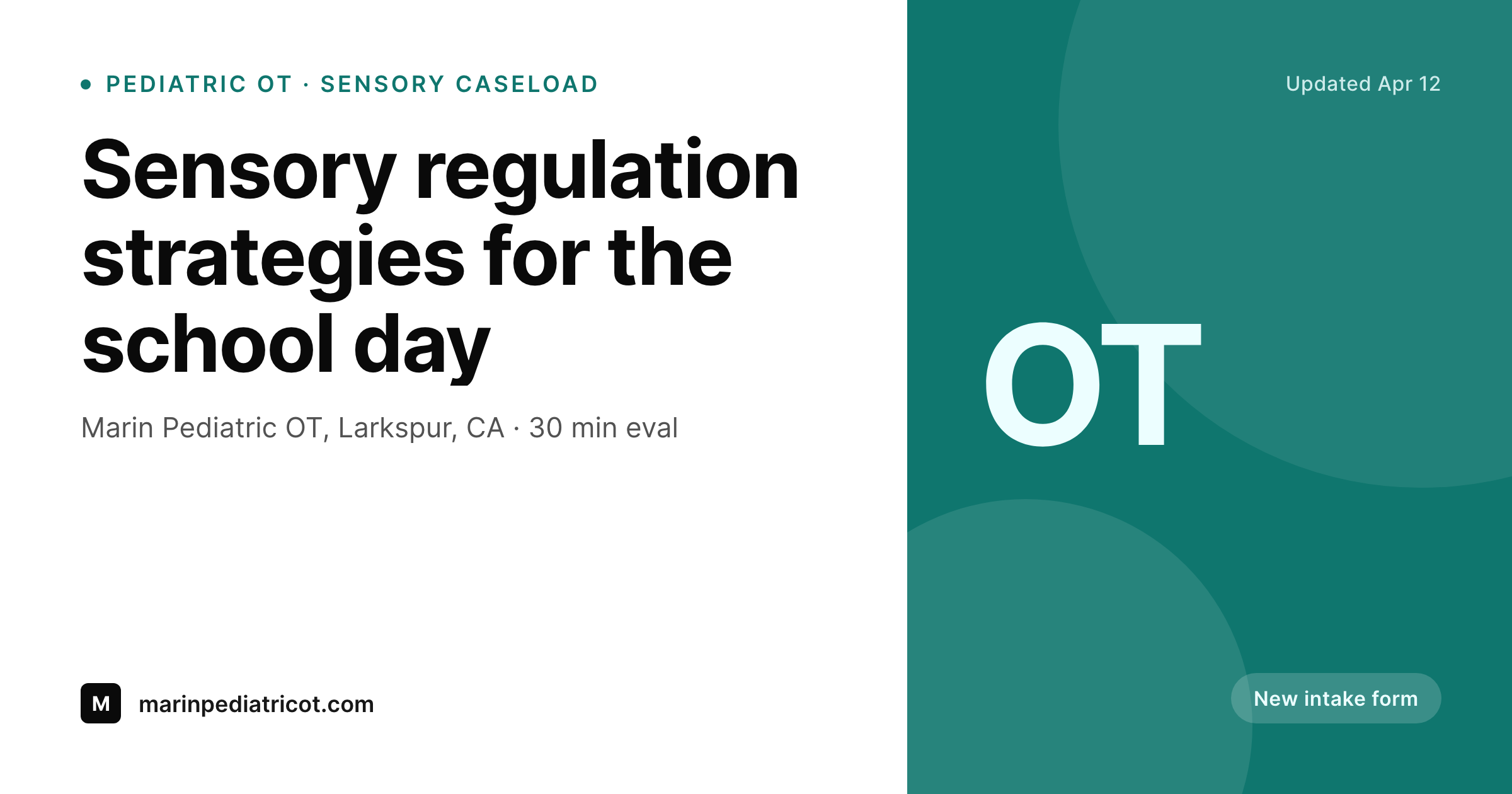
Referrals start with a link, the card carries the clinic
An occupational therapy clinic gets referrals through pediatricians, schools, early intervention programs, and direct parent search. The site lists services by population and specialty: pediatric OT, sensory integration, hand therapy, feeding, handwriting, adult neuro rehab. Each service page lives or dies on whether a referring provider can paste the link into a chart note and have the recipient see something credible in the preview.
The default WordPress preview rarely cooperates. It often picks a stock photo of hands or a generic clinic banner, leaves the service name out, and reads as marketing rather than clinical. Parents glance and scroll, pediatricians stop forwarding, and the clinic ends up relying on word-of-mouth alone for a population that is already searching online before they pick up the phone.
SleekPixel attaches a real OG image to each service page. The specialty, the population, the clinic name, and the city render onto a calm, professional card. Saving the page in WordPress saves the preview. The card a referring provider sees in a chat thread looks like the same clinic the parent will eventually walk into.
Workflow
From service page to link preview
Map service page fields
Design one calm template
Save the service page
Referral shares the link
Output
What gets generated per service page
A 1200x630 OG image with the service, the population, the clinic name, and the city. Pulled from the page fields so the card matches the visit a referral will lead to.
Comparison
Default occupational therapist image vs SleekPixel
Default occupational therapist image
- WordPress preview pulls a stock hand-therapy photo with no clinic name
- Pediatric OT, hand therapy, and adult rehab pages all share the same banner
- Service name and city only show up in the URL, not the preview card
- Pediatricians forwarding a link see a generic preview, not the clinic
- Parent shares the link in a moms group and the card reads as random marketing
SleekPixel
- Save the service page, the OG card lands in uploads
- Specialty, population, and city pulled live from page fields
- Calm, clinical palette so the card reads as a clinic, not a campaign
- Same render powers OG, Twitter, and link previews
- One template across pediatric, hand, sensory, and adult rehab pages
Features
What SleekPixel gives you for occupational therapist
Card per service
Pediatric OT, hand therapy, sensory integration, feeding, and adult rehab each render a card with the service name and population locked to the page.
Clinic and city on the preview
The clinic name and city render small on every card so a referring pediatrician forwarding the link sees the practice, not a stock image.
OG, Twitter, link preview unified
The same render is wired to OG and Twitter tags, so the preview is consistent whether the link gets pasted in chart software or a parent text thread.
Use cases
Who uses SleekPixel for occupational therapists
Pediatric OT clinics
Sensory integration, handwriting, feeding, and motor planning service pages each render their own card with the population pulled from the page.
Hand therapy practices
Post-surgical rehab, splinting, and chronic condition pages render with the referring surgical group or condition on the card.
Adult neuro rehab clinics
Stroke, TBI, and Parkinson rehab pages share with the clinical population on the card, not a generic stock photo.
The bigger picture
Why OT clinics lose referrals in the link preview gap
An occupational therapy practice has the harder version of a referral problem. Pediatricians, schools, and early intervention coordinators are sharing links in chart software, email, and parent group chats all day. The clinic doesn't get to control where the link lands or who clicks first, but it does get to control what shows up under the URL.
A clinic that lets WordPress auto-pick a stock hand photo is letting the most-shared surface of the practice read as generic clinical marketing. A clinic that pins the specialty, the population, and the city to every card gets the opposite. The pediatrician forwarding the link sees a clinic.
The parent sees a practice that takes its specialties seriously. The card does the same work a brochure used to do in the waiting room, except it ships with every share instead of every visit.
Questions
Common questions about SleekPixel for occupational therapist
Yes. The service post can carry the specialty as a field or in the title, and the render pulls that text onto the card. Pediatric OT, hand therapy, and adult rehab each get a distinct card while sharing one template.
Yes. The age range, diagnosis category, or population block on the service page maps to the card. Pages that target sensory integration and pages that target post-surgical hand therapy render different population text without separate templates.
The card is built from public service-page content, not from a patient record. Clinic name, city, specialty, and population. There is no patient information, photo, or identifier on the render unless the page itself shows it.
Yes. The city or location block is a field on the page, so a Larkspur location page and a San Anselmo location page each render with the matching city on the card.
Yes. A landing page for pediatrician partners or for a school district can carry the referring partner name as a field and render that onto the card. Many clinics keep that page unlisted from search but linked from outreach emails.
Yes. A new service page added in WordPress renders its own card on save. The template stays the same, the new specialty and population render in.
No. SleekPixel renders text-driven cards from the page fields and the clinic mark. Therapist headshots and treatment photos stay in the page body where they belong, not on the card.
The card is a PNG, so it can be embedded in a printed referral packet, but SleekPixel is designed for digital previews on social, email, and chart software, not print layout.
Pricing
More than 1000+
happy customers
Explore our flexible licensing options tailored to your needs. Upgrade your license anytime to access more features, or opt for a lifetime license for ongoing value, including lifetime updates and lifetime support. Our hassle-free upgrade process ensures that our platform can grow with you, starting from whichever plan you choose.
Lifetime ♾️
Most popular
EUR
once
- Unlimited websites
- Lifetime updates
- Lifetime support
...or get the Bundle Deal
and save €250 🎁
💎 Want everything forever? The All Access Pass is going away on 01.08.2026.
The Bundle (unlimited sites)
Pay once, own it forever
Elevate your WordPress site with our exclusive plugin bundle that includes all of our premium plugins in one package. Enjoy lifetime updates and lifetime support. Save significantly compared to buying plugins individually.
What’s included
-
SleekAI
-
SleekByte
-
SleekMotion
-
SleekPixel
-
SleekRank
-
SleekView
€749
Continue to checkoutBrowse more
- Instagram ad images
- Buy Me a Coffee banners
- Patreon cover images
- YouTube Shorts cover
- Instagram Reels covers
- Stan Store cover
- Etsy listing images
- LinkedIn banner images
- KDP paperback cover
- Etsy cover photos
- SoundCloud track art
- Facebook ad images
- Medium article headers
- Mailchimp email headers
- Warpcast frame images