






SleekPixel for ClickUp tasks
ClickUp runs the sprint, but the LinkedIn recap of what shipped this week usually looks like a cropped list view. SleekPixel reads tasks synced into WordPress and renders 1200 by 627 LinkedIn cards per task, with status, assignee and sprint pulled from ClickUp.
♾️ Lifetime License available
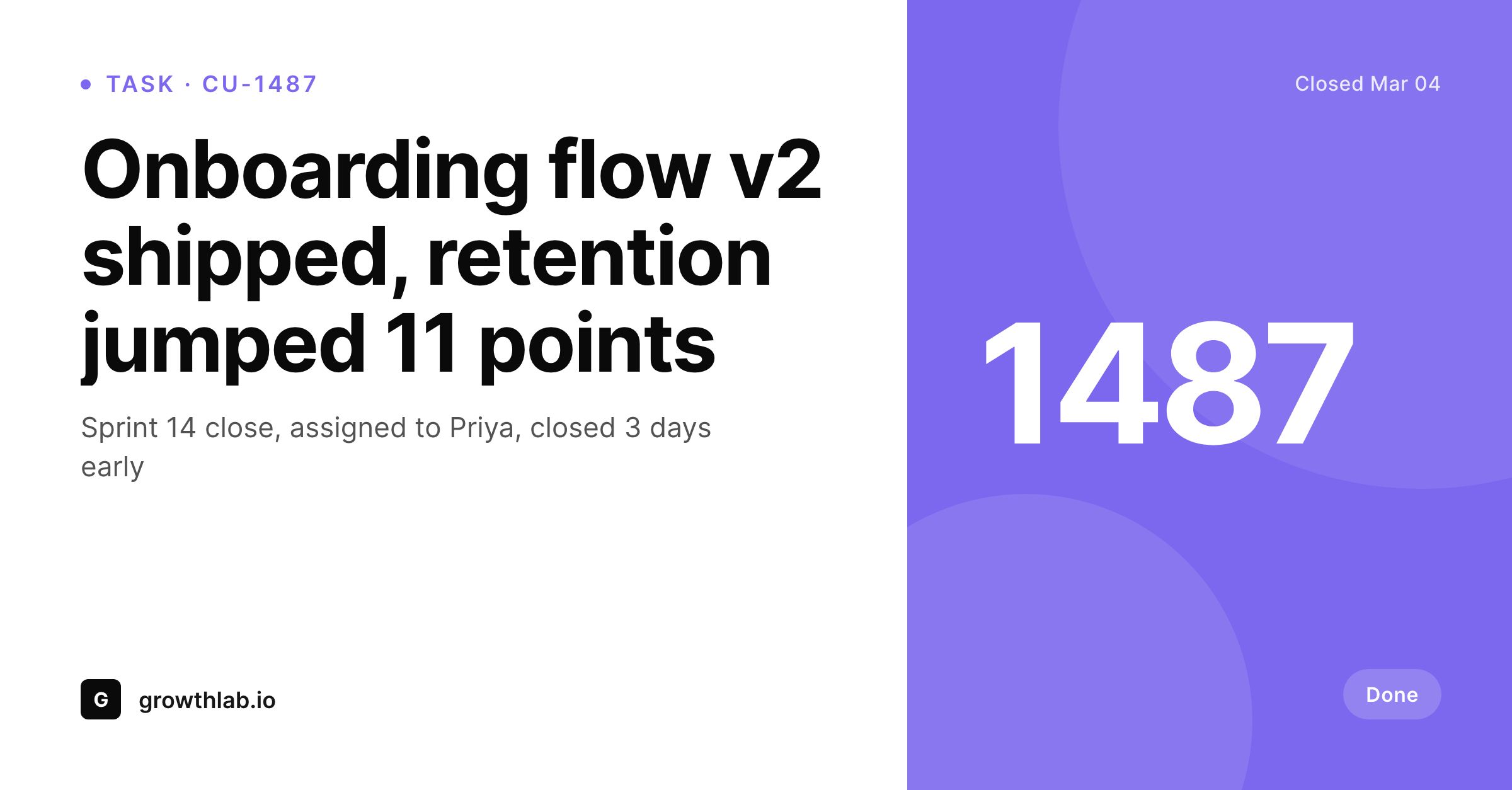
ClickUp views do not translate to LinkedIn
ClickUp is dense by design. The list view, the gantt, the board, the calendar, all carry a lot of information per task. That density is exactly what a product team needs internally and exactly what a LinkedIn audience does not want to see. When a milestone task closes and someone wants to celebrate it externally, the workflow is the same predictable scramble: open ClickUp, find the task, screenshot the card, crop the irrelevant columns, paste it into a draft post.
The result is a screenshot that shows internal field names, owner avatars at the wrong size, a status pill in ClickUp colors that may not match the brand, and a layout that was never designed for a feed. The post that should have read like a team achievement reads like a workflow leak.
SleekPixel sits on the WordPress side of a ClickUp sync. Tasks tagged for public sharing get pushed into a WordPress custom post type by Zapier, Make or the ClickUp webhook. Each task becomes a post with status, assignee, sprint and tags as fields. SleekPixel renders a 1200 by 627 LinkedIn card from those fields, with one headline number or status, the task name, and the team wordmark. The win ships as a real share, not a cropped task view.
Workflow
From ClickUp task to LinkedIn card
Pipe ClickUp tasks into WordPress
Lay out the task card template
Render on update
Share the WordPress URL
Output
Sample ClickUp task LinkedIn card
A 1200 by 627 LinkedIn-ready PNG: task name, status pill, assignee slot, sprint tag and brand wordmark, rendered from the synced WordPress post.
Comparison
ClickUp screenshot vs SleekPixel card
ClickUp task screenshot
- ClickUp screenshots include internal field names and irrelevant columns
- Status pill colors from ClickUp rarely match the company brand palette
- Avatar sizes from the task view look pixelated at LinkedIn dimensions
- Cropping out internal context takes minutes per share
- Stale screenshots remain in old posts after the task is renamed or reassigned
SleekPixel
- Reads WordPress fields synced from ClickUp tasks via Zapier or webhooks
- 1200 by 627 PNG sized for LinkedIn posts and most blog covers
- Status, assignee, sprint and priority bind to template slots
- Re-renders on the next save when a synced task updates
- Bulk re-render the back catalog after a template change
Features
What SleekPixel gives you for ClickUp tasks
Closed-task celebrations
When a task moves to Done and re-syncs, the card auto-renders with a closed-state style. Team wins ship as cards without anyone opening a design tool.
Sprint badges
Sprint name and number render as a small badge so a viewer can see which iteration the work shipped in. Useful for product changelogs and weekly recaps.
Assignee credits
Each card slots in the assignee name and avatar so credit is built into the share. Founders posting team wins do not have to retype who shipped what.
Use cases
Who shares ClickUp tasks as branded cards
Product launch posts
Every shipped feature task auto-generates a LinkedIn card. The launch announcement carries the actual feature name, sprint and ship date from ClickUp.
Team win recaps
Friday end-of-week posts pull the tasks closed in the last sprint and ship one card per win. The team sees their work credited consistently.
Founder build-in-public
Solo founders running ClickUp for personal tasks share weekly progress cards with their public audience. Each milestone has a real visual, no design work.
The bigger picture
Why product teams undersell their wins
Product teams ship more than they get credit for, partly because the celebration step always falls to the engineer or PM who just spent two weeks on the work and has the least energy left for a design exercise. The path of least resistance is a screenshot of the closed ClickUp task, which is exactly the kind of visual that a feed scrolls past. SleekPixel removes the design step from the celebration loop.
The data that already exists in ClickUp (task name, sprint, assignee, ship date) becomes the card automatically. Across a year of weekly closes, the recap posts compound into a consistent product narrative on LinkedIn, in the changelog and in the company newsletter. The team gets credited week after week without anyone running a Figma file on a Friday afternoon.
The bridge through WordPress is intentional: it keeps the ClickUp workspace clean, it gives the marketing team control over what reaches the public surface, and it adds the brand layer at the moment when the work crosses from internal to external.
Questions
Common questions about SleekPixel for ClickUp tasks
No. SleekPixel renders cards on the WordPress side. Tasks need to reach WordPress as posts first, typically through Zapier, Make or the ClickUp webhook hitting your WordPress REST API. Once a task is a post, SleekPixel renders from the fields.
Filter on the sync side. A common pattern is a custom field 'Share publicly' on the task, and only tasks with that field set sync to WordPress. Another pattern is to sync only tasks in a specific list, status or with a specific tag.
Yes. A task type field or category taxonomy selects the right template variant. Bug fix cards can use a calmer style, feature ship cards can carry a launch accent. The template selection happens at render time based on bound fields.
Custom fields sync as post meta. The template can bind to any of them, so a 'shipped to %' field or a 'customer impact' note can render onto the card alongside the standard task fields.
The avatar URL syncs as a field and the template renders it. Some teams prefer to map ClickUp assignees to WordPress users instead and use the WordPress avatar, which gives more control over public-facing imagery.
The next sync updates the WordPress field, the post save triggers a re-render, and the card reflects the new assignee. Existing shares on LinkedIn keep their original card, future shares pick up the updated one.
Yes, because nothing reaches WordPress unless your sync rule pushes it. Most teams sync only marketing, content and launch tasks. Engineering implementation tickets stay in ClickUp. The card render only sees what was deliberately pushed.
No. ClickUp public sharing exposes the full task view to anyone with the link, which is useful for collaboration but produces a generic share preview. SleekPixel adds branded OG cards for tasks republished to WordPress, which is a different goal.
Pricing
More than 1000+
happy customers
Explore our flexible licensing options tailored to your needs. Upgrade your license anytime to access more features, or opt for a lifetime license for ongoing value, including lifetime updates and lifetime support. Our hassle-free upgrade process ensures that our platform can grow with you, starting from whichever plan you choose.
Lifetime ♾️
Most popular
EUR
once
- Unlimited websites
- Lifetime updates
- Lifetime support
...or get the Bundle Deal
and save €250 🎁
💎 Want everything forever? The All Access Pass is going away on 01.08.2026.
The Bundle (unlimited sites)
Pay once, own it forever
Elevate your WordPress site with our exclusive plugin bundle that includes all of our premium plugins in one package. Enjoy lifetime updates and lifetime support. Save significantly compared to buying plugins individually.
What’s included
-
SleekAI
-
SleekByte
-
SleekMotion
-
SleekPixel
-
SleekRank
-
SleekView
€749
Continue to checkoutBrowse more
- Twitch stream overlay images
- Mastodon profile header
- Snapchat Discover tiles
- Patreon tier images
- Spotify podcast covers
- Discord event cover
- Twitter header banners
- Apple Podcasts covers
- Rumble thumbnails
- Douyin thumbnails
- Facebook Marketplace images
- Spotify Canvas
- Stan Store cover
- KakaoTalk channel banners
- TikTok shop images