






SleekPixel for wpForo forums
wpForo runs on its own data tables rather than the WordPress post tables. SleekPixel reads wpForo topics through its API and renders branded OG cards per topic, so every shared thread carries title, forum and reply count into the unfurl.
♾️ Lifetime License available
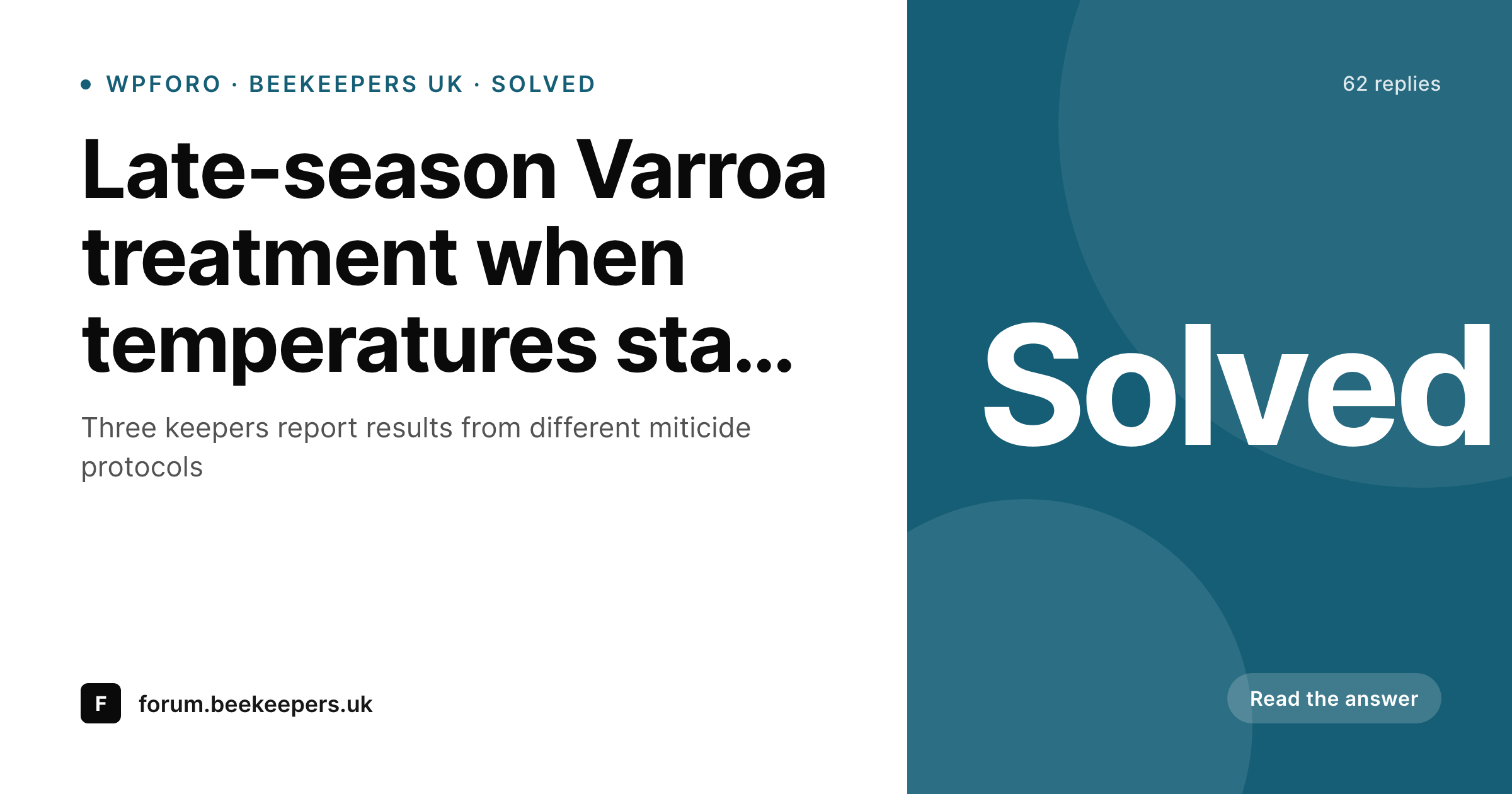
wpForo lives outside the post tables, the share layer does not
wpForo is the most-installed alternative to bbPress for WordPress forums, and it makes a different architectural choice: forums, topics and posts live in custom database tables rather than the wp_posts table. The forum performance benefits from that choice, especially at high topic counts, but the trade-off is that anything WordPress-side that expects posts (caching plugins, SEO plugins, OG plugins) has to be wpForo-aware to actually see the content.
Most OG plugins are not wpForo-aware. They write meta tags for wp_posts entries and miss the wpForo URLs entirely. The result is that the forum site has perfectly good OG meta on its WordPress pages and a completely generic fallback on every forum topic URL. The bigger the forum gets, the more shares miss the share-card layer.
SleekPixel reads wpForo data directly through wpForo's public functions and hooks. Each topic save triggers a render against the topic's fields: title, forum name, reply count, status (open, solved, closed, sticky), author and last-activity stamp. The OG card lives on the forum topic URL with the forum's brand wrapped around it. The shared thread shows up in Slack and Twitter with all the context the reader needs.
Workflow
From wpForo topic to share image
Enable the wpForo bridge
Build the topic template
Trigger renders on save and reply
Topic URLs unfurl with cards
Output
Card for a wpForo topic share
A 1200 by 630 OG card with the topic title, forum name, reply count and solved status, rendered from wpForo topic data on save and on reply.
Comparison
Default wpForo share vs SleekPixel topic card
Default site OG
- Most OG plugins do not see wpForo topics because they are not wp_posts
- Topic titles and forum names never reach the share preview
- Solved badges and reply counts only show inside the forum
- Updates to a topic do not refresh the share image
- Forum-side activity stays invisible to outside readers before the click
SleekPixel
- Reads wpForo data through its public API and hooks
- Per-topic OG image with title, forum, replies, status and author
- Re-renders on reply, status change and topic edit
- Solved-status badge variant for the most useful threads
- Works across wpForo Free and Pro feature sets
Features
What SleekPixel gives you for wpForo forums
wpForo-aware slots
Topic title, forum, reply count, status and author bind to template slots through wpForo's data layer, not the wp_posts table.
Solved-status emphasis
Topics marked solved render with a status badge so prospective readers know the thread has a working answer at a glance.
Re-renders on activity
Each new reply and each status change triggers a render. The card carries the up-to-date reply count and the latest status.
Use cases
Where wpForo communities benefit most
Hobby and craft forums
Beekeeping, gardening, woodworking communities running on wpForo benefit from share cards naming the topic and the seasonal context.
Technical Q&A forums
Engineering, gaming and DIY forums share answered threads. Solved badges on the card help readers spot the most useful links.
Course community forums
Course platforms with wpForo for student discussions share study-thread links with per-thread cards that name the lecture or module.
The bigger picture
Why wpForo needs a dedicated share-card path
wpForo's architecture choice (custom tables instead of wp_posts) buys forum performance and costs WordPress-plugin compatibility. The trade-off makes sense for the data layer and breaks the assumption many OG plugins make about how WordPress content looks. Forums on wpForo can have tens of thousands of topics, all of them shareable, and a generic OG fallback on every one of them is a tax on the forum's reach.
SleekPixel solves this by being wpForo-aware up front, hooking the right wpForo events and reading the right wpForo data. The community on the other side of a topic share gets a card that says what the topic is about, how active it is and whether the question got an answer. The forum keeps the performance benefit of the wpForo data layer and gains the share-preview benefit that most other plugins assumed.
Questions
Common questions about SleekPixel for wpForo forums
No. SleekPixel reads wpForo data through its public functions and hooks. The wpForo tables stay untouched. The rendered PNGs and meta tag overrides live on the SleekPixel side.
Topic creation, topic edits, new replies, status changes (open, solved, closed, sticky) and topic moves between forums. Each event re-renders the topic's card with the current state.
Yes. Pro features like polls, attachments and reactions are accessible to the template if they expose data through wpForo's standard hooks. The template can show attachment counts and poll status as badges.
Forum and category pages can also have cards, separate from topic-level ones. The template family can include forum-list cards alongside topic cards.
Topic author avatars from wpForo profiles are composited into the card when the template includes them. Local avatars and Gravatars both work.
Yes. SleekPixel only writes og:image and twitter:image meta tags. og:title and og:description meta from a SEO plugin's wpForo integration (or wpForo's own SEO settings) keep working alongside.
Private forums can opt out of card rendering. Restricted topics (paid membership, role-gated) can render generic cards that do not expose content, or skip rendering entirely. The setting is per-forum.
No. Render runs in a few hundred milliseconds and can be queued to background workers in high-traffic mode. Topic save itself returns immediately; the render completes asynchronously.
Pricing
More than 1000+
happy customers
Explore our flexible licensing options tailored to your needs. Upgrade your license anytime to access more features, or opt for a lifetime license for ongoing value, including lifetime updates and lifetime support. Our hassle-free upgrade process ensures that our platform can grow with you, starting from whichever plan you choose.
Lifetime ♾️
Most popular
EUR
once
- Unlimited websites
- Lifetime updates
- Lifetime support
...or get the Bundle Deal
and save €250 🎁
💎 Want everything forever? The All Access Pass is going away on 01.08.2026.
The Bundle (unlimited sites)
Pay once, own it forever
Elevate your WordPress site with our exclusive plugin bundle that includes all of our premium plugins in one package. Enjoy lifetime updates and lifetime support. Save significantly compared to buying plugins individually.
What’s included
-
SleekAI
-
SleekByte
-
SleekMotion
-
SleekPixel
-
SleekRank
-
SleekView
€749
Continue to checkoutBrowse more
- weekend project card
- case study quote cards
- founder story cards
- free resource card
- release note cards
- lifetime deal card
- before-after comparison images
- conference recap card
- ISO certification card
- infographic headers
- shipping update cards
- deal of the day banners
- testimonial cards
- patch note cards
- KPI cards
- SoundCloud track art
- Passes page banner
- LinkedIn ad images
- Dailymotion thumbnails
- X community banners
- Snapchat Discover tiles
- Threads post cover
- Reddit subreddit banners
- Etsy shop banners
- Ghost feature images
- Linktree banner image
- Instagram bio link banners
- Threads social images
- Behance project covers
- Facebook cover photos