






SleekPixel for EventOn events
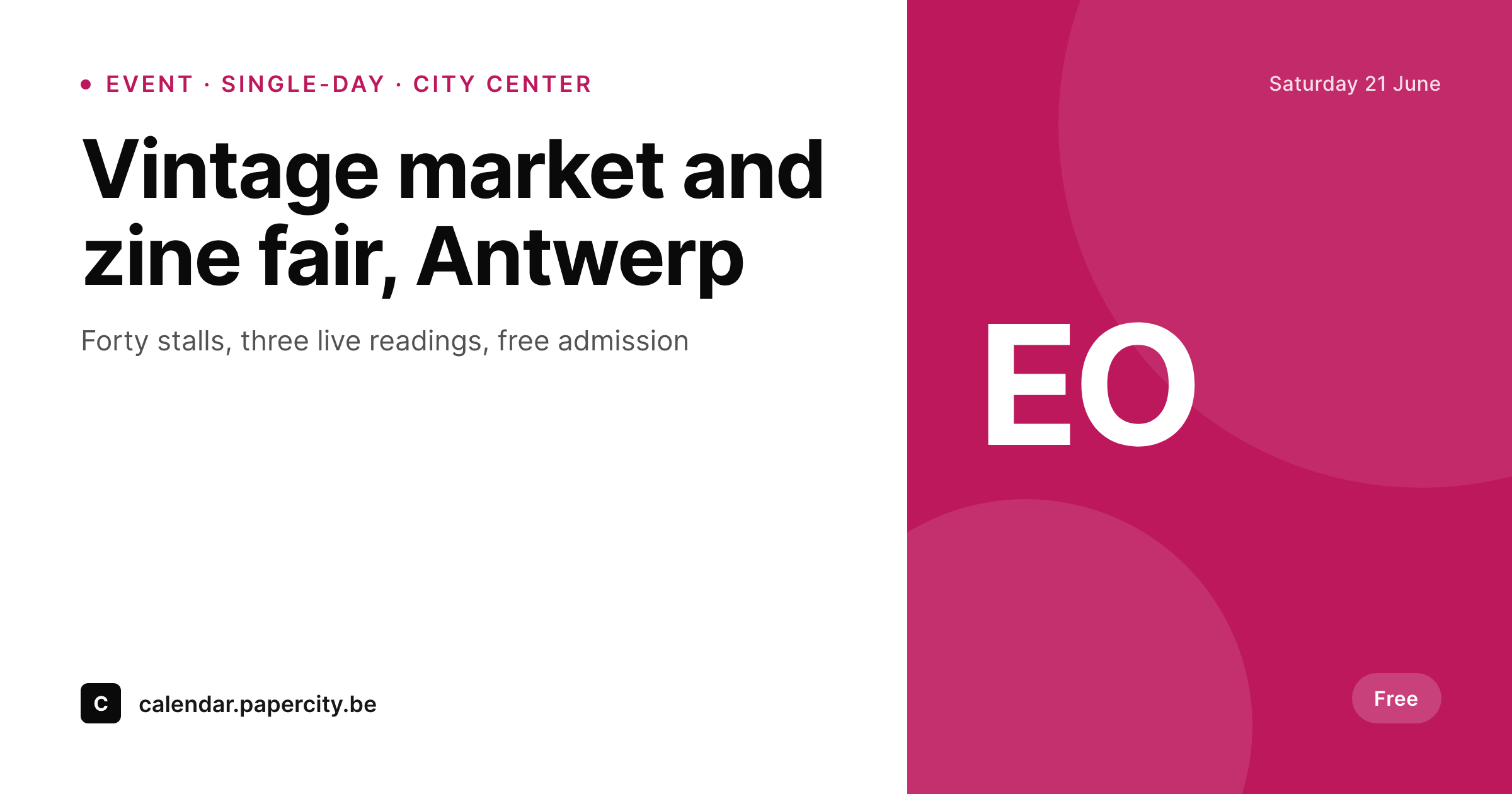
EventOn powers calendar widgets across thousands of WordPress sites but leaves the social preview to the theme. SleekPixel reads the event fields and renders a 1200 by 630 OG card per event, with date, venue and event color label visible.
♾️ Lifetime License available
EventOn looks great on the page, plain in the feed
EventOn is one of the most polished events calendars on WordPress in terms of in-page presentation. Its accordion-style calendar widgets are widely used by cultural venues, civic calendars and community boards. The widget is well-designed; the social-preview layer that ships when an event URL leaves the site is not.
The default behavior is a generic OG image set by the theme or by an SEO plugin. Date, venue, event color label and organizer, all already structured in EventOn, never reach the card. A reader scrolling past the share sees a theme banner where an event-specific image should be.
SleekPixel reads EventOn's event fields (title, start datetime, venue, location, organizer, event color, event type) and renders a per-event 1200 by 630 OG card. The template handles single-day, multi-day and recurring events from one design, the EventOn color label binds to the card accent, and an entire season ships with one consistent visual standard.
Workflow
From EventOn event to branded share card
List the EventOn fields
Build the event template
Render on save
Share the event URL
Output
What ships for every EventOn event
A 1200 by 630 OG-sized PNG: event title, date, venue, location, color label, organizer name and a brand wordmark, rendered from EventOn fields.
Comparison
Default EventOn share vs SleekPixel card
Default EventOn share
- Default EventOn does not ship a per-event social card
- Most installs use the theme's OG image as fallback
- Date and venue never reach the social preview
- EventOn color labels per event do not surface on the share
- Single-day, multi-day and recurring events look identical in feeds
SleekPixel
- Reads EventOn event fields directly
- Per-event 1200 by 630 PNG sized for OG and Twitter
- Date, venue and event color label bind to slots
- Different variants for single-day, multi-day and recurring events
- Re-renders when events update
Features
What SleekPixel gives you for EventOn events
Color-label binding
EventOn's per-event color label binds to the card accent, so the same template renders a workshop in one color and a public market in another.
Date variants
Single-day events get a bold date headline; multi-day events get a range; recurring events show the next session. One template, three visual variants.
Location slot
Venue name and location bind to dedicated slots. Readers see the city before they click, which matters for any calendar spanning multiple locations.
Use cases
Who renders EventOn events as branded cards
Markets and fairs
Vintage markets, zine fairs and craft markets ship per-edition cards with the date and the city, ready for each market's social channels.
Cultural venues
Independent cinemas, concert rooms and cultural centers ship per-show cards that respect each event's color label.
Civic calendars
Public libraries, museums and community centers share monthly programs with branded individual event cards from one EventOn template.
The bigger picture
Why color-labeled events deserve color-labeled cards
EventOn made a deliberate design choice when it added per-event color labels to its calendar widget: a reader scanning the calendar should be able to tell categories apart at a glance. That choice never reaches the social-preview layer because the og:image is one image per site, not one image per event. SleekPixel honors EventOn's own design intent by carrying the color label all the way through to the share card.
A workshop is one color in the calendar and the same color in the social feed; a public market is its own color in both. SleekPixel does not replace EventOn and does not touch its calendar widget, its accordion view, or its event editor. It only handles the visual layer that ships when an event URL leaves the site, so the on-page consistency EventOn already provides finally extends to where the click decision actually gets made.
Questions
Common questions about SleekPixel for EventOn events
Yes. The core event, venue and organizer fields exist in the free version. SleekPixel binds to whatever fields the install has, so paid add-ons are not required for a clean per-event card.
The color value is stored as a custom field on the event. The template binds the card accent slot to that value, so each event's card uses its own color cue without manual selection.
Multi-day events have a start and an end. The template renders a date range and a small 'over N days' helper line below the headline date. Single-day events skip the helper line.
EventOn supports repeating events. The card can render against the master event with a 'next session' helper, or each occurrence can render its own card if surfaced as a separate URL.
Templates can branch on the end datetime and render a 'past event' variant after the date passes, or the og:image can swap to a recap card pointing readers to the next session.
No. SleekPixel only sets the og:image meta tag. Event schema and JSON-LD output by EventOn and SEO plugins is untouched.
Yes. EventOn stores venue name and location address as separate fields. The card can show just the venue, just the city, or both, depending on how the template is configured.
No. Rendering happens on save and runs in well under a second on most hosts. The event creation flow inside EventOn is unchanged.
Pricing
More than 1000+
happy customers
Explore our flexible licensing options tailored to your needs. Upgrade your license anytime to access more features, or opt for a lifetime license for ongoing value, including lifetime updates and lifetime support. Our hassle-free upgrade process ensures that our platform can grow with you, starting from whichever plan you choose.
Lifetime ♾️
Most popular
EUR
once
- Unlimited websites
- Lifetime updates
- Lifetime support
...or get the Bundle Deal
and save €250 🎁
💎 Want everything forever? The All Access Pass is going away on 01.08.2026.
The Bundle (unlimited sites)
Pay once, own it forever
Elevate your WordPress site with our exclusive plugin bundle that includes all of our premium plugins in one package. Enjoy lifetime updates and lifetime support. Save significantly compared to buying plugins individually.
What’s included
-
SleekAI
-
SleekByte
-
SleekMotion
-
SleekPixel
-
SleekRank
-
SleekView
€749
Continue to checkoutBrowse more
- LinkedIn showcase page banners
- Snapchat ad images
- Shopify collection banners
- Fansly banner
- LinkedIn document post covers
- Etsy listing images
- LinkedIn event banners
- Gumroad product covers
- Twitter card images
- LinkedIn banner images
- Facebook event covers
- Bluesky profile banner
- YouTube end cards
- LinkedIn company banners
- Ko-fi banners