






SleekPixel for Modern Events Calendar events
Modern Events Calendar (MEC) handles complex schedules, recurring events and bookings, but the social preview is whatever the theme's OG image is. SleekPixel renders a 1200 by 630 card per event with the date, venue and category readable from the feed.
♾️ Lifetime License available
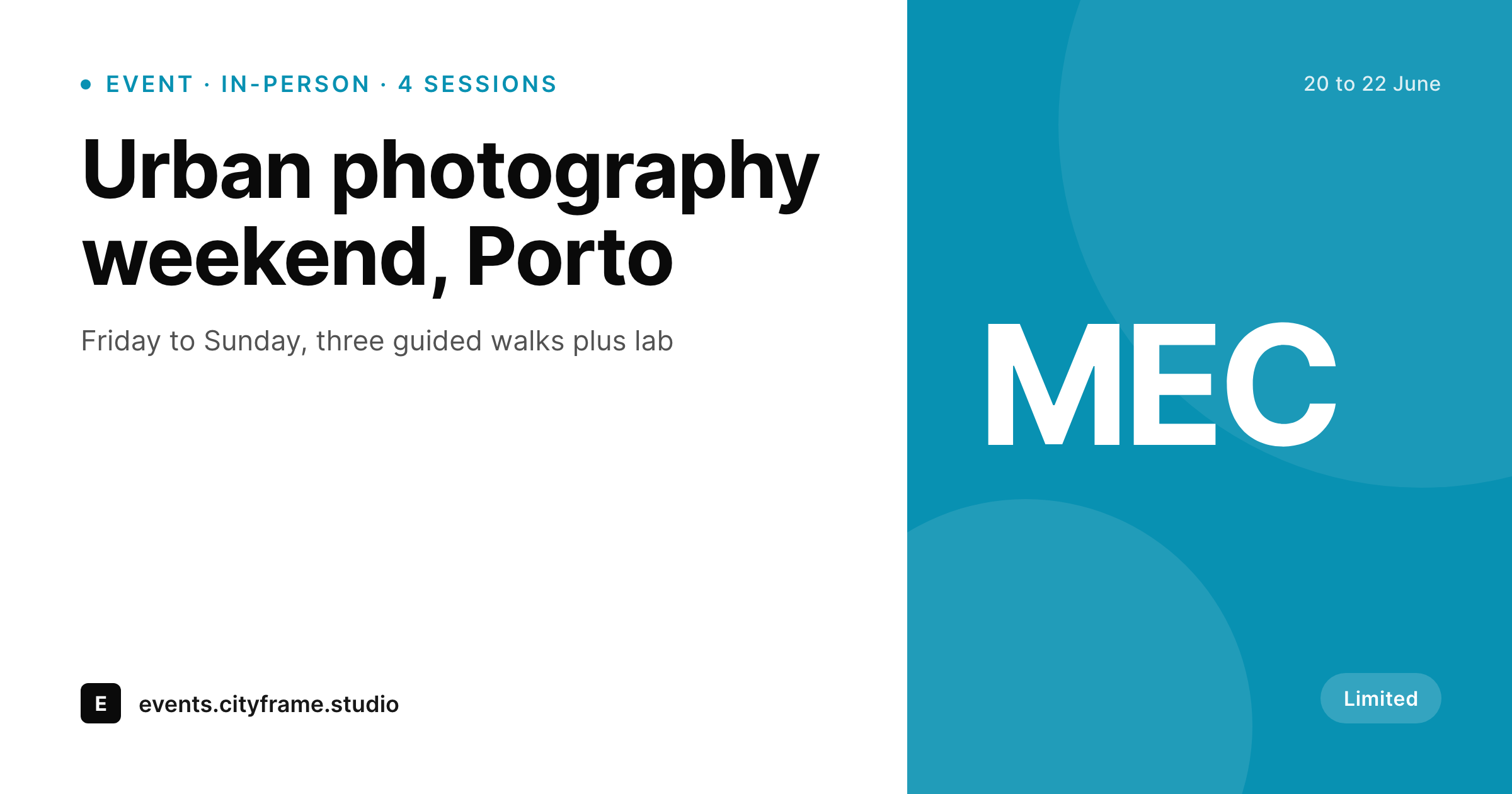
MEC carries the schedule, the share carries the brand
Modern Events Calendar is a full-feature events plugin: recurring sessions, booking flows, organizer profiles, multiple calendar layouts, time-zone handling. Sites that pick MEC usually run real event programs: workshop series, cultural calendars, tour operators, fitness studios with weekly schedules.
The default social-preview behavior is the same as the rest of the WordPress ecosystem. The theme's OG image or the page-builder's fallback shows up when an event URL is pasted into LinkedIn or shared in a customer email. Date, venue and category are invisible at the moment they would do the most for the click rate.
SleekPixel reads MEC's event fields (title, start datetime, venue, organizer, category, color label) and renders a per-event 1200 by 630 OG card. Recurring sessions, single-day events and multi-day programs all use the same template with different variants, so a year-round calendar ships with one consistent visual standard.
Workflow
From MEC event to branded share card
List the MEC fields
Build the event template
Render on save
Share the event URL
Output
What ships for every MEC event
A 1200 by 630 OG-sized PNG: event title, date range, venue, category pill, organizer name and a brand wordmark, rendered from Modern Events Calendar fields.
Comparison
Default MEC share vs SleekPixel card
Default MEC share
- Default MEC does not ship its own per-event social card
- Most sites fall back to a theme-wide OG image
- Event date and venue never reach the social preview
- MEC's color labels per category do not surface on the share
- Recurring events all read identically in social feeds
SleekPixel
- Reads MEC event fields directly
- Per-event 1200 by 630 PNG sized for OG and Twitter
- Date range, venue and category color bind to slots
- Different variants for single-day, multi-day and recurring events
- Re-renders when MEC events update
Features
What SleekPixel gives you for Modern Events Calendar events
Date range slot
Single dates render as one slot; multi-day events render as a range with proper typography. Recurring events show the next upcoming session below the headline.
Category color binding
MEC category color values bind to the card accent, so a workshop, a tour and an evening lecture each render with their MEC category's visual cue.
Organizer slot
MEC organizer profiles carry a name and an avatar. Both bind to slots, so events from different organizers in the same calendar still feel attributable.
Use cases
Who renders MEC events as branded cards
Cultural and creative programs
Photo walks, craft workshops and cultural tours ship branded cards that match the program's design language across a full season.
Fitness and wellness studios
Recurring class schedules render per-session cards with the instructor and the studio location, ready for the studio's social channels.
Tour operators
Day tours and multi-day trips ship cards that show the route, the date range and the meeting point at a glance.
The bigger picture
Why event programs need a card per session
An events program lives or dies by the click rate on individual sessions. Programs that run sixty sessions a year cannot afford a designer rebuilding sixty social images by hand, and they cannot afford for sixty sessions to share the same generic banner either. Modern Events Calendar already carries every field the social card needs.
The card template is the missing piece. SleekPixel does not replace MEC and does not touch the booking flow, the recurring engine or the calendar layouts. It only handles the visual layer that ships when the event URL leaves the site.
A studio with a year-round schedule, a tour operator with weekly departures and a cultural venue with a full season all get the same outcome: consistent, branded previews on every event share, with no extra design work per session.
Questions
Common questions about SleekPixel for Modern Events Calendar events
Yes. Booking-enabled events carry availability data. The template can render a 'spots left' slot or a 'fully booked' variant based on that data, so the social card reflects the live status.
Events with multiple organizers can render the first two organizer names side by side, or a compact 'plus 2 more' line below the lead organizer. The template handles both layouts.
Recurring events have a parent event and dynamic occurrences. The card can render against the parent with a 'next session' helper, or each occurrence can render its own card if MEC exposes them as separate URLs.
Yes. MEC category color values bind to the card's accent slot, so the same template renders a workshop in one color, a tour in another and a lecture in a third.
The template can branch on the end datetime and render a 'past event' variant after the date passes. Or the og:image can swap to a generic recap card pointing readers to the next session.
No. SleekPixel only sets the og:image meta tag. Event schema and JSON-LD output by MEC and SEO plugins are untouched.
Yes. The template uses whatever locale the post is in. Date formatting respects WordPress locale settings, and category labels render from the MEC values, which can be translated through WPML or Polylang.
No. Rendering happens on save and runs in well under a second on most hosts. The organizer's editing flow is unchanged.
Pricing
More than 1000+
happy customers
Explore our flexible licensing options tailored to your needs. Upgrade your license anytime to access more features, or opt for a lifetime license for ongoing value, including lifetime updates and lifetime support. Our hassle-free upgrade process ensures that our platform can grow with you, starting from whichever plan you choose.
Lifetime ♾️
Most popular
EUR
once
- Unlimited websites
- Lifetime updates
- Lifetime support
...or get the Bundle Deal
and save €250 🎁
💎 Want everything forever? The All Access Pass is going away on 01.08.2026.
The Bundle (unlimited sites)
Pay once, own it forever
Elevate your WordPress site with our exclusive plugin bundle that includes all of our premium plugins in one package. Enjoy lifetime updates and lifetime support. Save significantly compared to buying plugins individually.
What’s included
-
SleekAI
-
SleekByte
-
SleekMotion
-
SleekPixel
-
SleekRank
-
SleekView
€749
Continue to checkoutBrowse more
- Twitch stream overlay images
- Lemon Squeezy product covers
- Threads profile banner
- SoundCloud banner
- TikTok shop images
- Stan Store cover
- Instagram Reels covers
- YouTube Shorts thumbnails
- Depop listing images
- Discord server banners
- LinkedIn event banners
- LinkedIn company banners
- LinkedIn banner images
- YouTube end screens
- Odnoklassniki banners