






SleekPixel for The Events Calendar events
The Events Calendar (TEC) is the most-used events plugin on WordPress, but its default social preview is the theme's OG image. SleekPixel reads the event fields and renders a 1200 by 630 card per event, with date, venue and category visible from the feed.
♾️ Lifetime License available
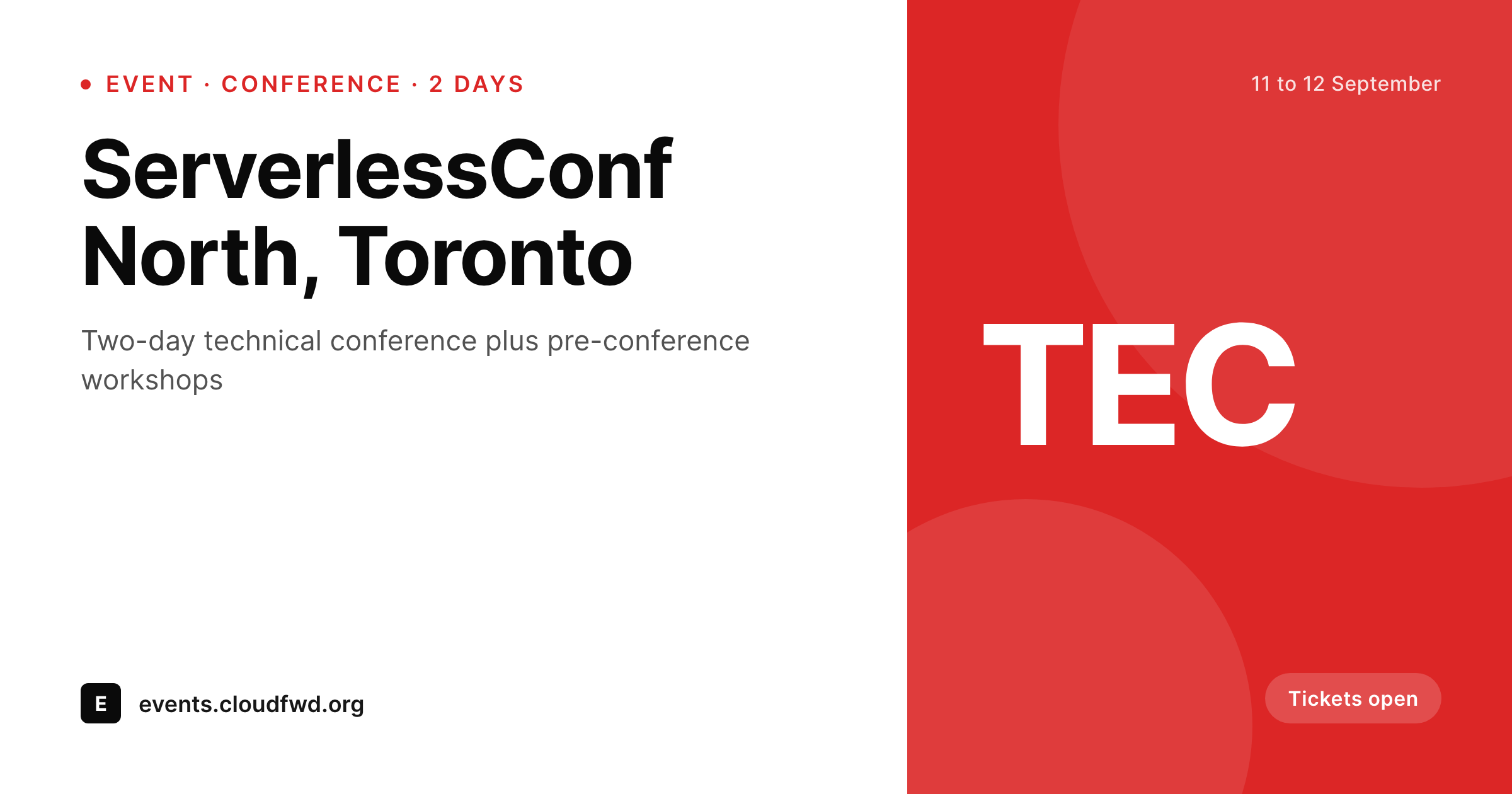
TEC carries the calendar, the social card carries the click
The Events Calendar from StellarWP is the most installed events plugin on WordPress. Many of the world's universities, festivals, civic calendars and small conferences run on it. The plugin handles the model well: events as a custom post type, venues and organizers as their own taxonomies, recurring events, categories, tags and multiple calendar views.
What it does not handle, out of the box, is the moment the event URL leaves the site. The social preview falls back to the theme's OG image or to a sitewide default the SEO plugin holds. Date, venue and category, all already structured in TEC, do not reach the card. A reader scrolling a LinkedIn feed sees a generic brand banner where an event-specific share should be.
SleekPixel reads TEC's event, venue and organizer fields and renders a per-event 1200 by 630 OG card. The template handles single-day, multi-day and recurring events from one design, the data binds cleanly to slots, and a full calendar year of events ships with one consistent visual standard.
Workflow
From TEC event to branded share card
List the TEC fields
Build the event template
Render on save
Share the event URL
Output
What ships for every TEC event
A 1200 by 630 OG-sized PNG: event title, date range, venue name and city, category pill, organizer name and a brand wordmark, rendered from The Events Calendar fields.
Comparison
Default TEC share vs SleekPixel card
Default TEC share
- The Events Calendar does not ship a per-event social card by default
- Most installs use the SEO plugin's site-wide OG image as fallback
- Event date and venue do not reach the social preview
- Event categories, even with their own color labels, are invisible pre-click
- Recurring events and one-off events look identical in social feeds
SleekPixel
- Reads TEC event, venue and organizer fields directly
- Per-event 1200 by 630 PNG sized for OG and Twitter
- Date range, venue and event category bind to slots
- Different variants for single-day, multi-day and virtual events
- Re-renders when events, venues or organizers update
Features
What SleekPixel gives you for The Events Calendar events
Date and venue slots
Start and end dates, plus venue name and city, bind to dedicated slots. Multi-day events render as a range; single-day events get a more prominent date headline.
Virtual event variant
Events tagged as virtual through TEC's Virtual Events add-on can render a different variant with an online cue and the platform name, instead of a venue pin.
Category color binding
Event category color values defined in TEC bind to the card accent, so the same template can render a lecture, a workshop and a social event with three distinct color cues.
Use cases
Who renders TEC events as branded cards
Universities and civic calendars
University event calendars and city civic calendars ship branded cards per event across hundreds of small events a month, with one template.
Festivals and arts programs
Multi-stage festivals ship a card per session with the stage, date and time, ready for each artist's own social channels.
Small conferences and trade shows
Independent conferences using TEC ship the keynote, the workshops and the social events as branded individual cards from the same template.
The bigger picture
Why TEC events deserve a per-event card
The Events Calendar is the default events plugin precisely because it handles edge cases well: recurring sessions, multi-day programs, virtual events, multi-organizer schedules. The same edge cases make the missing social-preview layer more visible. A university calendar with two hundred small events a month cannot afford a designer per share, and the academic communications team cannot afford for those two hundred events to look generic either.
SleekPixel does not replace The Events Calendar and does not touch its schedule engine, ticketing or category model. It only handles the visual layer that ships when an event URL leaves the site. The plugin reads what TEC already structures, renders a clean PNG, sets the og:image, and the rest of the site continues working exactly as it did.
Questions
Common questions about SleekPixel for The Events Calendar events
Yes. Ticketing add-ons add fields to the event post (price, availability, capacity). Those fields can bind to extra slots on the card. A 'sold out' variant is a common pattern when availability reaches zero.
Recurring events from Events Calendar Pro have a parent and child structure. The card can render against the parent with a 'next session' helper, or each instance can render its own card. The choice is template-level.
TEC's Virtual Events add-on flags events as online and stores the platform. The template can branch on that flag and render a virtual variant with a video icon and the platform name in place of the venue pin.
Yes. TEC category colors bind to the card's accent slot. A 'Workshop' category renders in its color; a 'Lecture' category renders in its color. One template, many visual variants.
Yes. SleekPixel sets the og:image on the event post and respects WordPress filter priorities. SEO plugins normally fall back gracefully when another plugin has already provided the og:image tag.
Calendar grid views are unchanged. SleekPixel only affects what appears when an event URL is shared. The list and month views inside The Events Calendar continue to render exactly as TEC defines them.
Yes. The template can branch on a 'has ticket' flag from Event Tickets. Free events render with an 'open to all' pill; paid events render with the lowest ticket price slotted onto the card.
Rendering happens once on save and finishes in well under a second on most hosts. The editor flow inside TEC is unchanged. Organizers write the event, save the post, and a branded card is ready.
Pricing
More than 1000+
happy customers
Explore our flexible licensing options tailored to your needs. Upgrade your license anytime to access more features, or opt for a lifetime license for ongoing value, including lifetime updates and lifetime support. Our hassle-free upgrade process ensures that our platform can grow with you, starting from whichever plan you choose.
Lifetime ♾️
Most popular
EUR
once
- Unlimited websites
- Lifetime updates
- Lifetime support
...or get the Bundle Deal
and save €250 🎁
💎 Want everything forever? The All Access Pass is going away on 01.08.2026.
The Bundle (unlimited sites)
Pay once, own it forever
Elevate your WordPress site with our exclusive plugin bundle that includes all of our premium plugins in one package. Enjoy lifetime updates and lifetime support. Save significantly compared to buying plugins individually.
What’s included
-
SleekAI
-
SleekByte
-
SleekMotion
-
SleekPixel
-
SleekRank
-
SleekView
€749
Continue to checkoutBrowse more
- Twitter card images
- Pinterest product pin covers
- Facebook event covers
- Nostr note images
- Facebook cover photos
- Vimeo thumbnails
- kbin post images
- Xiaohongshu cover images
- Kindle book cover
- Discord server icon
- Beacons.ai banner
- Pinterest board covers
- TikTok cover images
- YouTube Shorts covers
- Spotify Canvas