






SleekPixel for WP Job Manager listings
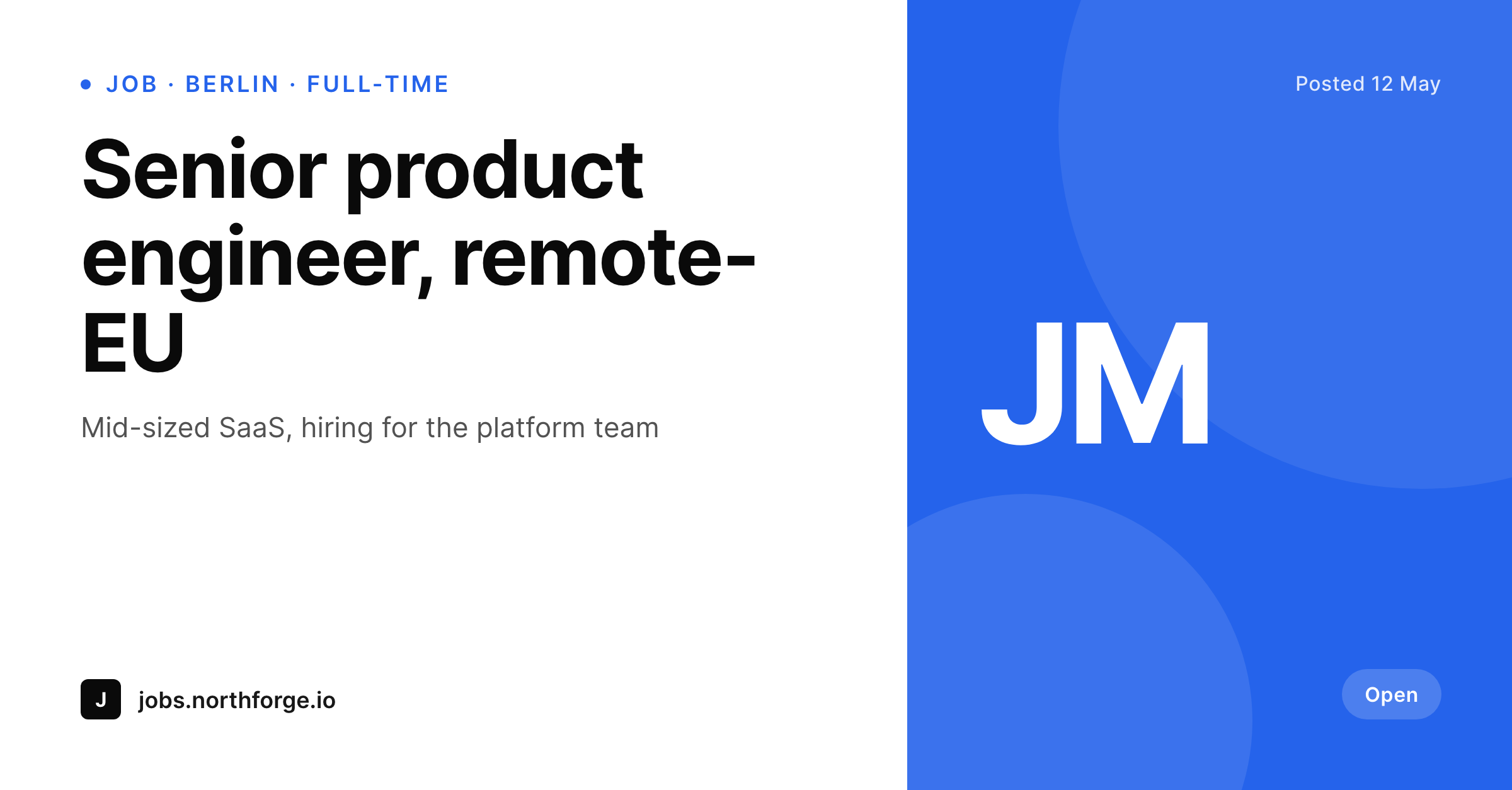
Job boards on WordPress lean on WP Job Manager but ship plain or missing OG images. SleekPixel reads the role title, location, type and employer logo from each listing's fields and renders a 1200 by 627 card sized for LinkedIn and most blog covers.
♾️ Lifetime License available
Job listings deserve more than a stock cover
WP Job Manager is the default way to run a job board on WordPress. It handles role custom post types, application flows, employer accounts and listing categories. What it does not handle, by default, is making each listing presentable when its URL is shared on LinkedIn, in a Slack channel or in a hiring newsletter.
The fallback is usually a board-wide stock image or whatever the WordPress theme picks as the default OG image. A reader scrolling a LinkedIn feed sees no role title, no location, no employer brand. Boards that have invested in employer branding lose the chance to show it at the exact moment a candidate decides whether to click.
SleekPixel reads the WP Job Manager listing fields (role title, location, job type, salary range, employer name and employer logo) and renders a per-listing 1200 by 627 PNG sized for LinkedIn posts and most blog covers. The card looks the same across every role, with the listing data binding cleanly to slots, so a hundred new roles a month keep a consistent brand surface without anyone designing a new image.
Workflow
From WP Job Manager listing to LinkedIn-ready card
Identify the listing fields
Build the listing template
Render on save
Share the listing
Output
What ships for every WP Job Manager listing
A 1200 by 627 PNG: role title, location, job type, employer name and employer logo, rendered from the WP Job Manager listing fields. Sized for LinkedIn posts and common blog cover slots.
Comparison
Default WP Job Manager share vs SleekPixel card
Default WP Job Manager share
- Default WP Job Manager has no built-in social card system
- Most boards fall back to a board-wide image set in the theme
- Role title, location and type never reach the social preview
- Employer logos uploaded to the listing do not surface on the card
- Boards with hundreds of listings ship hundreds of identical previews
SleekPixel
- Reads WP Job Manager listing fields directly
- Per-listing 1200 by 627 PNG sized for LinkedIn and blog covers
- Location, type, salary and employer logo bind to slots
- Different template variants for full-time, part-time, contract and remote
- Re-renders when listings update or expire
Features
What SleekPixel gives you for WP Job Manager listings
Employer logo slot
Logos uploaded to the employer profile bind to a logo slot on the card. The employer brand shows up alongside the board brand on every share.
Location and type slots
Location and job type appear in dedicated slots, so remote, hybrid and onsite roles read clearly before the click.
Expiry-aware variants
Listings approaching their expiry date can render a 'closing soon' variant. Expired listings can render a muted variant or return a placeholder.
Use cases
Who renders job listings as branded cards
Niche job boards
Industry-specific boards (design, engineering, climate) ship branded role cards that reinforce the board's identity on every LinkedIn share.
In-house careers pages
Company careers pages built on WP Job Manager render a per-role card with the role title, team and location, ready for the recruiter's LinkedIn post.
Recruitment agencies
Agencies publishing client roles render cards that carry both the agency brand and the role detail without revealing the client when needed.
The bigger picture
Why each role deserves its own card
The first 200 pixels of a job ad on LinkedIn do more work than any sentence in the listing's body. A reader makes the click-or-skip call in under a second, and the call is mostly visual. A board that ships a board-wide stock image to every role loses that second on every share.
A board that renders a per-listing card with role title, location, employer logo and job type wins the same second instead. Across a year and a thousand listings, the compounded difference is significant. SleekPixel does not replace WP Job Manager and does not change how listings are entered, paid for or managed.
The plugin only handles the visual layer that ships when the listing URL leaves the site. Employers and recruiters get branded social cards as a side effect of posting, with no extra step in their workflow.
Questions
Common questions about SleekPixel for WP Job Manager listings
Yes. The standard fields (role title, company name, company logo, location, job type, posted date, expiry date) are enough for a clean card. Custom fields added by add-ons can bind to extra slots if needed.
Resume Manager listings are a separate post type with their own fields (candidate name, skills, location). The same approach applies: SleekPixel reads the post fields and renders a candidate card, with the candidate's permission, where the listing is public.
Yes. Templates can branch on a 'show salary' flag. If salary is empty or marked private, the salary slot is dropped from the card entirely and the layout reflows.
Expired listings can render a muted variant of the card, or the og:image can be swapped to a generic 'this role has closed' card. Both approaches are template flags, not separate plugins.
The logo slot supports a centered max-height fit so wide and tall logos both sit nicely. A light or dark slot background can be chosen per template variant to keep contrast right against any logo color.
No. SleekPixel only sets the og:image meta tag. JobPosting schema generated by WP Job Manager (or by an SEO plugin) is untouched. Search results and rich snippets continue to work the same way.
Yes. A second template variant at 1200 by 600 (close to the LinkedIn dimension but acceptable to Twitter) covers both. Or two separate templates can render two PNGs and the og:image plus twitter:image tags point at the respective files.
Rendering happens once on save and runs in well under a second on most hosts. The submission flow itself is unchanged from the employer's perspective.
Pricing
More than 1000+
happy customers
Explore our flexible licensing options tailored to your needs. Upgrade your license anytime to access more features, or opt for a lifetime license for ongoing value, including lifetime updates and lifetime support. Our hassle-free upgrade process ensures that our platform can grow with you, starting from whichever plan you choose.
Lifetime ♾️
Most popular
EUR
once
- Unlimited websites
- Lifetime updates
- Lifetime support
...or get the Bundle Deal
and save €250 🎁
💎 Want everything forever? The All Access Pass is going away on 01.08.2026.
The Bundle (unlimited sites)
Pay once, own it forever
Elevate your WordPress site with our exclusive plugin bundle that includes all of our premium plugins in one package. Enjoy lifetime updates and lifetime support. Save significantly compared to buying plugins individually.
What’s included
-
SleekAI
-
SleekByte
-
SleekMotion
-
SleekPixel
-
SleekRank
-
SleekView
€749
Continue to checkoutBrowse more
- chart of the week cards
- CCPA update card
- workshop cards
- investor update card
- state of industry cards
- coming soon cards
- case study cards
- compliance update cards
- behind the scenes cards
- changelog cards
- weekly recap banner
- quarterly update cards
- case study quote cards
- founder letter card
- course module cards
- Spotify podcast covers
- LinkedIn event banners
- Mastodon profile banners
- Behance banner
- Bluesky link cards
- KakaoTalk channel banners
- Threads profile banner
- TikTok profile banners
- Twitch alert
- Telegram channel banner
- kbin post images
- Instagram bio link banners
- LinkedIn showcase page banners
- Behance project covers
- LinkedIn post images