






SleekPixel for Facebook ad images
Generate 1200x630 ad images per product, promo, or post on save. Update the template once, refresh every creative in the campaign in one batch.
♾️ Lifetime License available
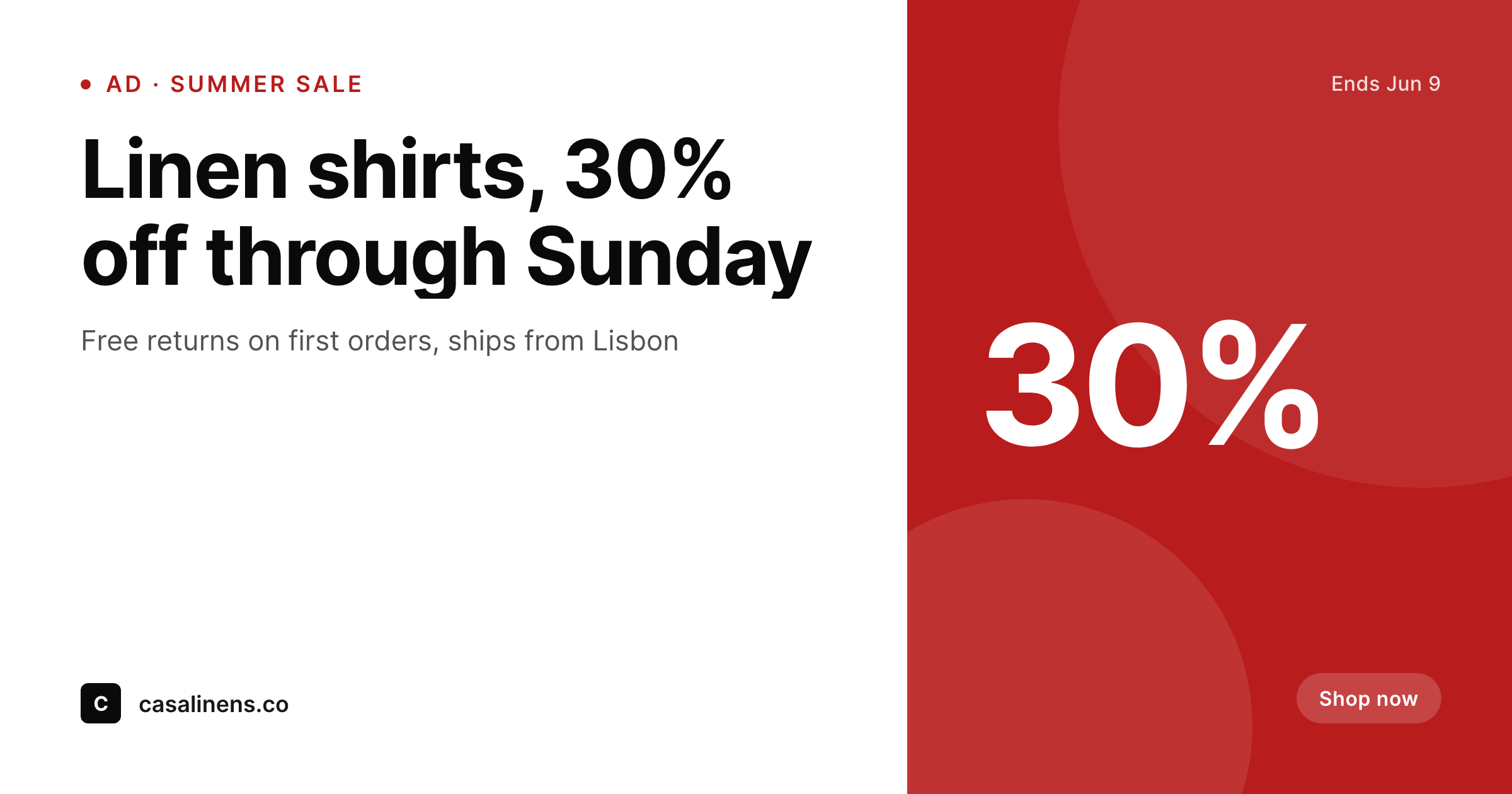
Ad creative is a content problem, not a design problem
Facebook ad accounts that ship more than a handful of creatives per month spend most of their design time on small variations: a different price, a different CTA, a different product photo. Each variation tends to be a fresh Canva or Figma export, manually named, manually uploaded into the ad library, manually matched to the campaign. The cost is high, the throughput is low, and the visual consistency drifts as different team members make small changes.
SleekPixel renders the ad creative from a WordPress post. The product or promo lives as a post with real fields: title, current price, discount, CTA copy, hero image. The ad PNG re-renders on save and lands in uploads at a stable URL.
You still build the campaign inside Facebook Ads Manager and pick which creative to attach, but the creative production stops being a design bottleneck. Editors update fields, save the post, and download the new PNG.
Workflow
Ad creatives that ship at WordPress speed
Design the ad template
Bind product fields
Save the post
Attach in Ads Manager
Output
What renders per ad variant
A 1200x630 PNG with the product, promo, price, and CTA baked in, sized for the standard Facebook ad image slot.
Comparison
Canva-per-creative vs SleekPixel for Facebook ad images
Canva / Figma per ad
- Each ad variant is a fresh Canva file with manual export
- Creative library balloons with near-duplicates that drift over time
- Brand refreshes mean reopening every Canva file in the ad account
- Pricing or promo changes never make it back to the creative
- Designer in the loop for every new product launch
SleekPixel
- 1200x630 ad PNG rendered per post on save
- Product title, price, promo, and CTA pulled from real WordPress fields
- Brand refresh re-renders every ad in the campaign in one batch
- Stable PNG URL in uploads for direct download or programmatic pickup
- Editors ship new creatives by editing post fields
Features
What SleekPixel gives you for Facebook ad images
Live pricing and promos
Current price, sale price, and discount badges render only when the relevant field is set. No manual conditional design work.
Campaign palettes
Map each campaign or category to its own accent palette. Different campaigns surface with their own visual cue automatically.
Variants per post
Multiple creative variants per post via template variants. Different CTAs or accent treatments for the same product or promo.
Use cases
Where Facebook ad teams move fastest
Ecommerce catalogs
Every product becomes its own ad creative with real price, stock, and badge data. New SKU on Tuesday means a new ad creative on Tuesday.
SaaS lifecycle
Onboarding, retention, and win-back campaigns each get their own template variant rendered from a campaign post.
Seasonal promos
Holiday and seasonal promos swap a single accent and badge in the template. The whole creative library refreshes at once.
The bigger picture
Why ad creative pipelines determine ad spend ROI
Facebook ad performance is mostly a function of creative throughput and creative quality. Accounts that test more variants find winners faster, and accounts whose creatives match the post-click landing page convert better because the visual continuity holds. Manual Canva pipelines cap the variant count to whatever the designer can ship in a week, which usually means the same handful of creatives running until they fatigue.
SleekPixel resets the cost curve by rendering each variant from a WordPress post. Editors and growth marketers ship new creatives by editing copy and saving, the design stays consistent because every variant comes from the same template engine, and a brand refresh re-renders the entire creative inventory in one batch.
Questions
Common questions about SleekPixel for Facebook ad images
No, SleekPixel renders the PNG and provides a download. Uploading to Ads Manager and attaching the creative to an ad set is done in Facebook. Programmatic upload requires Facebook Marketing API integration and is out of scope.
1200x630 by default, which fits the standard Facebook ad single-image format. Square 1080x1080 and vertical 1080x1350 variants can be added as template variants for placements that need them.
Yes, define multiple template variants and pick which to render per post. Different CTAs, copy, or accent treatments coexist for the same product.
Yes, WooCommerce products are first-class. Map product fields directly into the ad template. Other store plugins exposing product meta are also supported.
Facebook officially removed the strict 20% text limit a few years ago, but heavy text still reduces delivery quality. SleekPixel renders whatever copy you put in the fields; staying within the spirit of the guideline is on you as the editor.
Yes, batch regenerate runs the current ad template over every selected post. The whole creative inventory refreshes to match the new brand in one pass.
Each save replaces the current PNG at the same path. If you want to keep historical versions, archive the old PNG outside uploads before re-rendering, or use a versioned filename pattern in the template.
In the WordPress uploads directory as real PNGs, in your media library, downloadable from the post sidebar.
Pricing
More than 1000+
happy customers
Explore our flexible licensing options tailored to your needs. Upgrade your license anytime to access more features, or opt for a lifetime license for ongoing value, including lifetime updates and lifetime support. Our hassle-free upgrade process ensures that our platform can grow with you, starting from whichever plan you choose.
Lifetime ♾️
Most popular
EUR
once
- Unlimited websites
- Lifetime updates
- Lifetime support
...or get the Bundle Deal
and save €250 🎁
💎 Want everything forever? The All Access Pass is going away on 01.08.2026.
The Bundle (unlimited sites)
Pay once, own it forever
Elevate your WordPress site with our exclusive plugin bundle that includes all of our premium plugins in one package. Enjoy lifetime updates and lifetime support. Save significantly compared to buying plugins individually.
What’s included
-
SleekAI
-
SleekByte
-
SleekMotion
-
SleekPixel
-
SleekRank
-
SleekView
€749
Continue to checkoutBrowse more
- developer tool card
- checklist download card
- values card
- security report card
- security advisory cards
- LinkedIn thread card
- investor update card
- customer spotlight cards
- order confirmation cards
- year in review cards
- waitlist open card
- case study banner
- webinar replay card
- release roadmap card
- lifetime deal card
- Facebook Shop product images
- LinkedIn document post covers
- Signal sticker pack
- Depop listing images
- Open Graph images
- Instagram bio link banners
- Klaviyo email headers
- Facebook cover photos
- Facebook event covers
- YouTube Shorts cover
- Pinterest pins
- Kick stream thumbnails
- WhatsApp status images
- Mastodon profile banners
- Douyin thumbnails