






SleekPixel for Facebook Shop product images
Pull WooCommerce product data into a branded 1080x1080 Shop image. Title, price, badge, and stock status render from real fields, on every save.
♾️ Lifetime License available
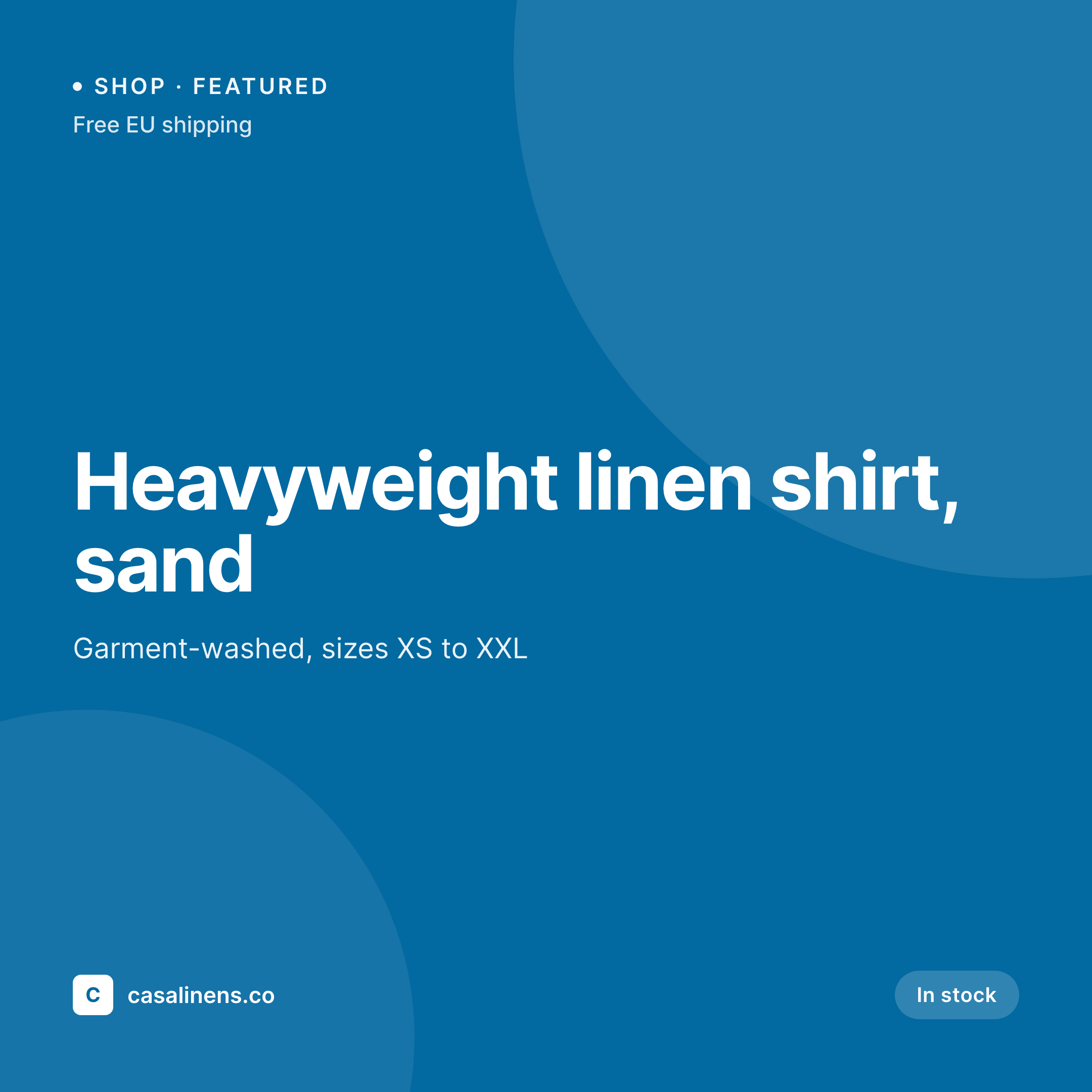
Facebook Shop is judged on the catalog grid
Facebook Shops surface products in a grid that mirrors what an Instagram shopper sees. The grid is consistent at the platform level: square photos, price under each tile, simple typography. What is not consistent is what individual sellers ship. A store that sends product photos straight from WooCommerce often surfaces a plain product cutout on a white background, with nothing tying the grid together visually. Across hundreds of SKUs, that grid reads as a flat catalog rather than a brand.
SleekPixel renders a 1080x1080 Shop image per product from WooCommerce or any custom product post type. The product photo composites into a branded layout with price, badges, and an optional shop mark. The PNG goes into the WordPress media library, ready to attach to the Shop product via the Facebook catalog feed.
The result is a Shop grid that reads as a curated store: same frame around every product, prices and badges baked in, brand recognisable at a glance.
Workflow
From WooCommerce to Facebook Shop grid
Design the Shop image template
Bind WooCommerce fields
Save the product
Sync to the Facebook catalog
Output
What renders per shop product
A 1080x1080 square PNG with product photo, price, badges, and shop mark, sized for the Facebook Shop grid.


Comparison
Default catalog photos vs SleekPixel for Facebook Shop product images
Default WooCommerce photo
- Plain cutout photos make the Shop grid look generic
- Sale badges and stock cues only appear on the website, not in Shop
- Brand mark missing across hundreds of Shop tiles
- Photo backgrounds drift across SKUs because they came from different shoots
- Brand refreshes mean reshooting or redoing photo edits
SleekPixel
- 1080x1080 Shop image per WooCommerce product
- Price, sale badge, and stock status rendered into the image
- Real product photo composited into a branded frame
- Same template across every SKU for a coherent Shop grid
- Re-render the entire catalog on a brand refresh
Features
What SleekPixel gives you for Facebook Shop product images
Catalog-aware
Pulls title, price, sale flag, and stock status straight from WooCommerce. Sale badges render only on sale products.
Product photo framed
Composites the featured image into a branded layout with consistent padding. Cutout, lifestyle, or studio photos all sit in the same frame.
Per-collection palettes
Map collection or category to its own accent. Different collections read distinctly on the Shop grid without manual design.
Use cases
Where Facebook Shop tiles win attention
Fashion and apparel
Catalogs over 100 SKUs ship with a coherent visual frame across every product.
Homeware and lifestyle
Different photo styles per shoot sit in the same branded frame, so the catalog reads as one store.
Gift and seasonal lines
Seasonal collections refresh the accent and badge in one template change. The whole collection updates on the Shop grid at once.
The bigger picture
Why per-SKU Shop images carry the brand on Facebook
Facebook Shop is a content commerce surface, and content commerce is judged on grid quality. A scrolling shopper makes follow-up taps based on the visual coherence of the grid more than the merit of any individual product. Default WooCommerce photos surfaced into Shop produce a grid that depends on the consistency of the original shoot, which for most stores is uneven across collections.
A branded frame around every photo absorbs the inconsistency. Price and badge baked into the image add a content layer that makes the grid feel curated. The cost is paid once per template, the throughput is per save, and a rebrand refreshes the entire Shop in one batch.
The Shop grid stops looking like a feed and starts looking like a store.
Questions
Common questions about SleekPixel for Facebook Shop product images
No, the Shop is populated by your catalog feed, typically through a WooCommerce-to-Facebook bridge plugin. SleekPixel renders the image URL the catalog feed references as the primary product photo.
Yes, Facebook Shop accepts square product images up to large sizes. 1080x1080 is well within the supported range and renders cleanly in the Shop grid.
Yes, scope the template to product variations. Each variation gets its own PNG so red, blue, and green variants surface as separate Shop tiles.
Sale badges render only when the product is on sale. Out-of-stock tiles can render a 'Sold out' state automatically based on the stock field.
No, the Shop template is a separate template. The same product can render an OG image for social shares and a Shop image for the Facebook catalog, both from SleekPixel.
Yes, batch regenerate runs the current template over every WooCommerce product. The whole Shop catalog refreshes in one pass.
Map the localized title and price per language. Different language posts render their own Shop image. WPML and Polylang are both supported.
In the WordPress uploads directory, served at stable URLs that your Facebook catalog feed references.
Pricing
More than 1000+
happy customers
Explore our flexible licensing options tailored to your needs. Upgrade your license anytime to access more features, or opt for a lifetime license for ongoing value, including lifetime updates and lifetime support. Our hassle-free upgrade process ensures that our platform can grow with you, starting from whichever plan you choose.
Lifetime ♾️
Most popular
EUR
once
- Unlimited websites
- Lifetime updates
- Lifetime support
...or get the Bundle Deal
and save €250 🎁
💎 Want everything forever? The All Access Pass is going away on 01.08.2026.
The Bundle (unlimited sites)
Pay once, own it forever
Elevate your WordPress site with our exclusive plugin bundle that includes all of our premium plugins in one package. Enjoy lifetime updates and lifetime support. Save significantly compared to buying plugins individually.
What’s included
-
SleekAI
-
SleekByte
-
SleekMotion
-
SleekPixel
-
SleekRank
-
SleekView
€749
Continue to checkoutBrowse more
- reading list cards
- interview card
- research report images
- certification announcement cards
- growth experiment card
- company update card
- roadmap update cards
- feature comparison cards
- cheat sheet card
- conference banner cards
- library of the week card
- album release cards
- ship it card
- doors closing card
- LinkedIn thread card
- Klaviyo email headers
- Mastodon profile banners
- Apple Podcasts covers
- Klaviyo email banner
- Twitch starting soon screen
- Discord stage banner
- Beacons.ai banner
- Audible audiobook cover
- X community banners
- Twitter/X header
- Telegram channel banner
- Spotify Canvas
- Fansly banner
- Facebook cover photos
- Douyin cover