






SleekPixel for Pinterest product pin covers
1000x1500 PNG covers rendered per product with title, price, stock state, and brand mark. New SKU on Tuesday means a new Pinterest cover ready Tuesday afternoon.
♾️ Lifetime License available
Product pins fall flat when every cover is the catalog photo by itself
Pinterest product pins drive long-tail discovery for ecommerce, but the default move is to upload the product photo straight from the catalog. Without a title, a price, or a brand mark, the pin reads like a stock image. Saves go down and click-throughs are weaker than a clearly labelled vertical cover.
SleekPixel pulls the product photo, title, price, sale flag, and stock state from WooCommerce or Shopify and composes them into a 1000x1500 vertical cover. The product image becomes a hero region. The price renders with the right currency. The sale badge appears only when the product is on sale.
Per-product covers refresh on save and propagate brand changes across the entire catalog with a batch run.
Workflow
From product save to Pinterest-ready cover
Map product fields
Scope the template
Edit any product
Upload to Pinterest
Output
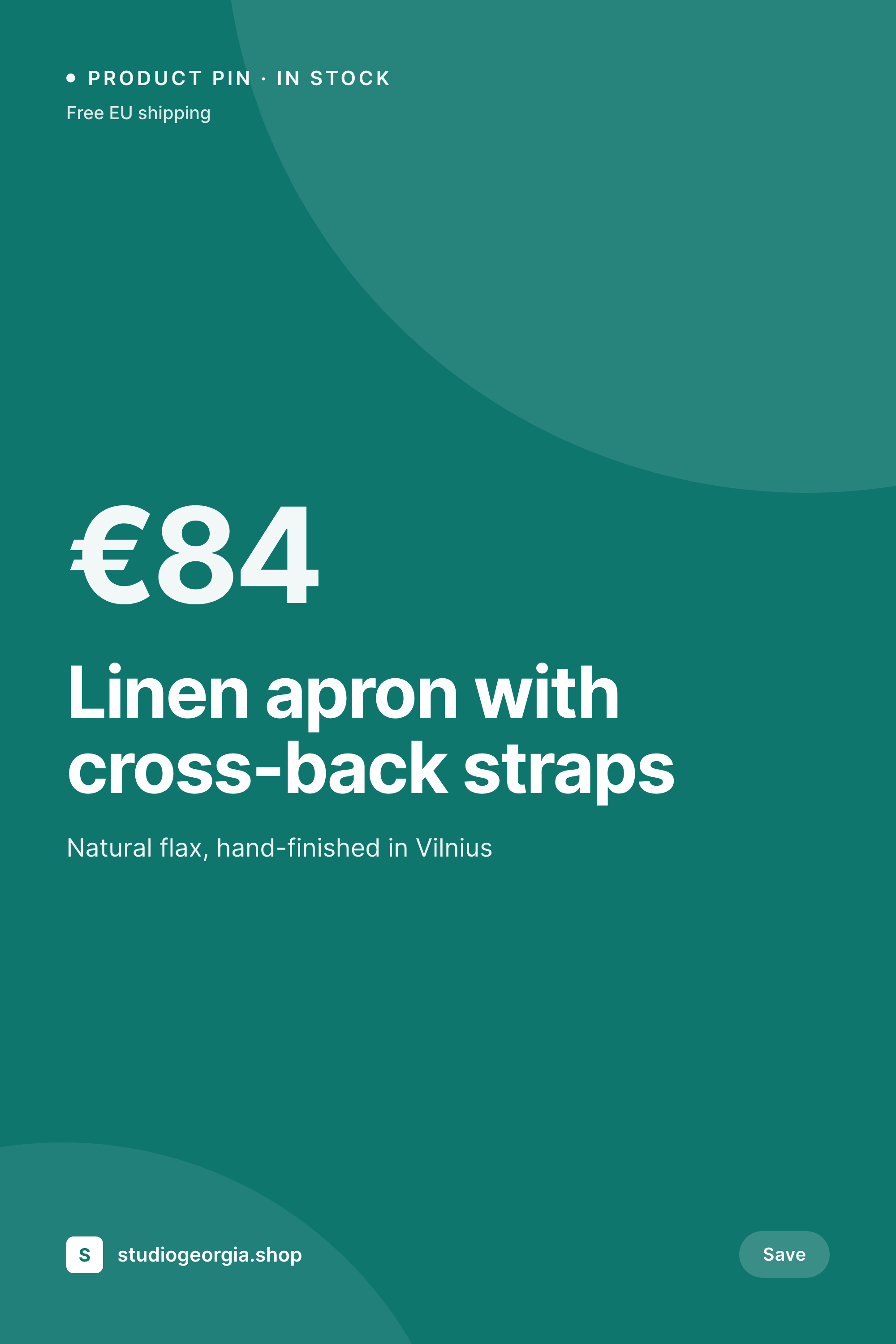
Sample Pinterest product pin cover
1000x1500 vertical PNG with title, price, stock cue, and brand mark on top of the product photo.


Comparison
Raw catalog photo vs SleekPixel product pin
Raw catalog photo upload
- Catalog photo without title or price reads as stock to Pinterest users
- No vertical framing, so 4:5 photos get cropped awkwardly
- No sale or stock cue carried into the pin
- Manual Canva edits per SKU stop at the top 50 products
- Brand refresh leaves the older catalog pins inconsistent
SleekPixel
- 1000x1500 vertical PNG per SKU, generated from catalog data
- Product photo composited into the cover with safe-zone padding
- Live price with currency, decimals, and sale handling
- Stock state rendered as a tag with its own visual treatment
- Batch re-render covers when the brand or template shifts
Features
What SleekPixel gives you for Pinterest product pin covers
Currency and sale aware
Price renders with the store's currency format and respects tax display rules. Sale prices strike through the regular price.
Stock state cues
Out-of-stock, low stock, pre-order, and back-in-stock states render as different tag treatments on the cover.
Hero photo composite
The product image becomes a hero region with title and price overlaid on a safe zone, keeping the photo readable at thumbnail.
Use cases
Where product pin covers earn their click
Apparel and home goods
Categories where Pinterest is the dominant discovery channel and the title plus price decide saves and clicks.
Seasonal collections
Limited drops where a sale flag and a stock cue carried into the pin pull users into the product page before the run sells out.
Niche craft stores
Studios with a few hundred SKUs that need every product on Pinterest, not just the top 50.
The bigger picture
Why product pin covers convert more than raw catalog photos
Pinterest is shopping at low intent. Users scroll boards and home feeds, save things that look like they belong on their wishlist, and click through later. The cover has to carry enough context to earn the save, because the click is often days away.
A raw catalog photo without a title or a price gives the user nothing to remember. A vertical cover with the title, the price, and a brand mark gives them three things to recognise later. Templating the cover from the WordPress catalog means every SKU gets the same treatment, including the long tail that a manual Canva workflow ignores.
The cost is the price of the plugin once, not the cost of a designer per SKU.
Questions
Common questions about SleekPixel for Pinterest product pin covers
Yes. SleekPixel renders covers per variation if you want size or color SKUs to have their own pins. Most stores stick to one cover per parent product to avoid clutter on Pinterest boards.
Yes. If you use WordPress as your content layer with Shopify as the catalog, SleekPixel can pull product fields via the Shopify API or via a feed plugin and render the cover from that data.
The template can show regular and sale prices together with a strike-through on the regular price, plus an optional discount percentage. The sale block only renders when the product is on sale.
Yes. Use conditional blocks to render an out-of-stock state, a low-stock tag, or a back-in-stock badge based on the product meta.
Yes. Each is a real PNG in WordPress uploads, backed up with the rest of the media and downloadable from the product editor sidebar.
It re-renders automatically on product save. If you change the source asset directly in the media library, run batch regenerate to update all covers using that asset.
Yes. Scope by category, tag, or an exclusion list. Excluded products fall back to the raw photo or your theme's OG image.
No. Pinning is manual or via a scheduling tool. SleekPixel renders the PNG and stores it in uploads. Some stores plug the rendered images into a Pinterest product feed for automatic catalog pins.
Pricing
More than 1000+
happy customers
Explore our flexible licensing options tailored to your needs. Upgrade your license anytime to access more features, or opt for a lifetime license for ongoing value, including lifetime updates and lifetime support. Our hassle-free upgrade process ensures that our platform can grow with you, starting from whichever plan you choose.
Lifetime ♾️
Most popular
EUR
once
- Unlimited websites
- Lifetime updates
- Lifetime support
...or get the Bundle Deal
and save €250 🎁
💎 Want everything forever? The All Access Pass is going away on 01.08.2026.
The Bundle (unlimited sites)
Pay once, own it forever
Elevate your WordPress site with our exclusive plugin bundle that includes all of our premium plugins in one package. Enjoy lifetime updates and lifetime support. Save significantly compared to buying plugins individually.
What’s included
-
SleekAI
-
SleekByte
-
SleekMotion
-
SleekPixel
-
SleekRank
-
SleekView
€749
Continue to checkoutBrowse more
- SoundCloud track art
- KDP paperback cover
- Instagram highlight covers
- Warpcast frame images
- Lemon Squeezy product covers
- Dribbble shot covers
- Passes page banner
- Lemon8 post
- Discord server icon
- YouTube end cards
- Apple Podcasts covers
- Mastodon link previews
- Twitch stream overlay images
- TikTok ad images
- Telegram channel cover images