






SleekPixel for bbPress forums
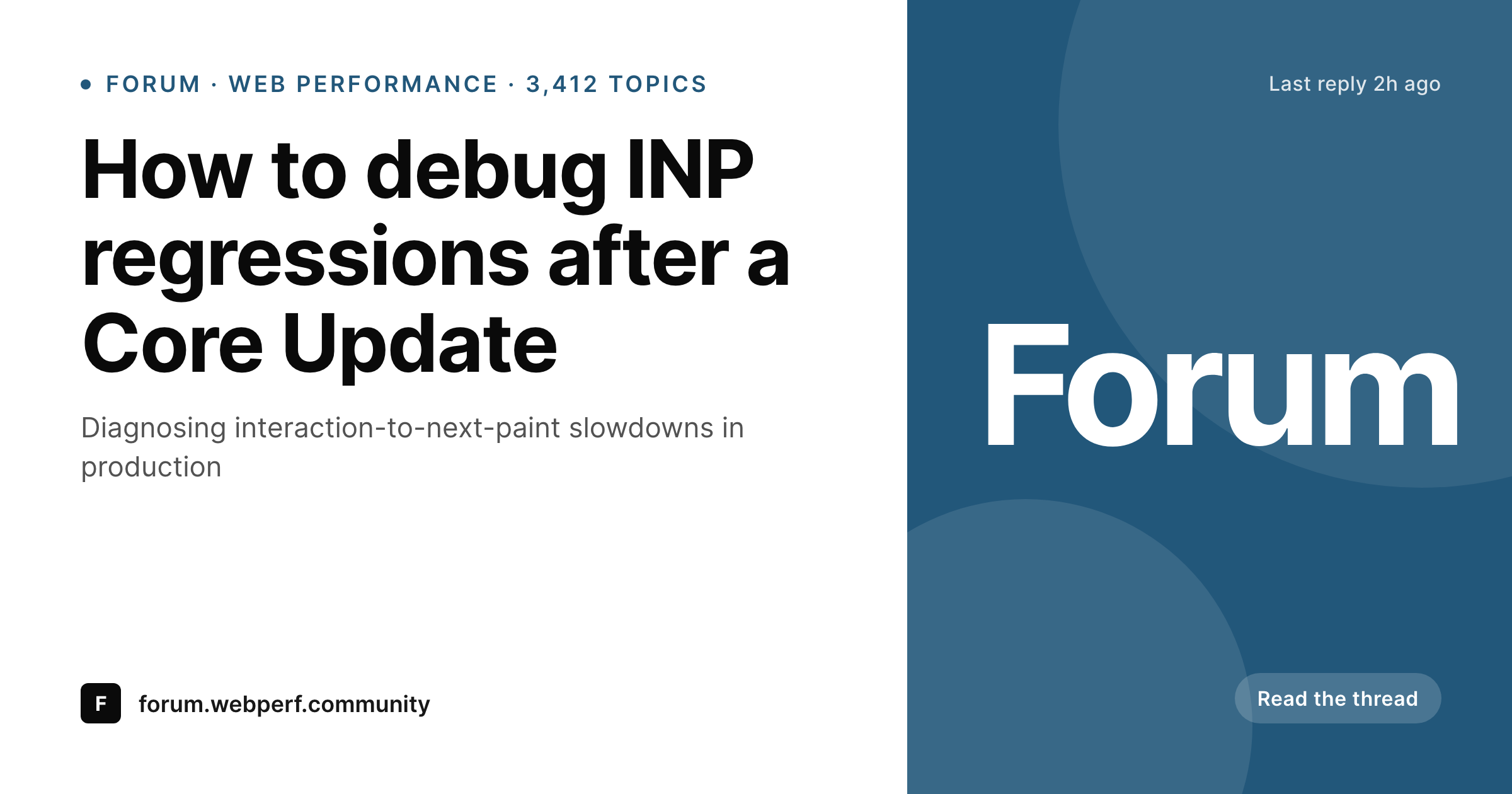
Forum threads get linked into Slack, Twitter and Discord constantly. SleekPixel renders a per-topic OG card with the title, forum name, reply count and last-activity stamp, so the unfurl tells the lurker what to expect inside.
♾️ Lifetime License available
Forum threads share constantly, with no preview
bbPress is the longest-running forum option for WordPress, and the threads it hosts live across the internet through links. A useful answer in a forum thread gets shared into a Slack channel where someone else had the same question. A tutorial-style topic gets pasted into a Twitter thread as a reference. A product support thread gets emailed to a customer who hit the same bug. The forum URL is the medium of all that knowledge transfer.
What ships in the share preview, though, is whatever the WordPress theme decides to do for the bbPress topic URL, and most themes do nothing special. The og:image meta falls back to the site default, which means every shared thread looks like every other thread. The audience reading the Slack channel cannot tell at a glance whether the link points at a question, a solved answer or a long discussion.
SleekPixel reads bbPress topic data: topic title, forum name, reply count, last reply date, topic status (open, closed, resolved). The OG card renders on topic creation, on reply, and on status change. The shared link unfurls with the topic title front and center, the forum context underneath, and the reply count showing the audience that the thread has activity. The forum's own brand color and logo wrap the card.
Workflow
From bbPress topic to share image
Enable the topic post type
Build the topic template
Trigger renders on save and reply
Forum URLs unfurl with topic cards
Output
Card for a bbPress topic share
A 1200 by 630 OG card with the topic title, forum name, reply count and last-activity stamp, rendered from bbPress topic data on save and on reply.
Comparison
Default forum share vs SleekPixel topic card
Default theme OG
- Every topic URL unfurls with the same site-wide OG image
- Topic title and forum context never reach the share preview
- Reply counts and activity recency only show on the forum page
- Solved or closed status invisible in the share
- Manually designing share art per topic is unrealistic at forum volume
SleekPixel
- Reads bbPress topic, forum and reply meta directly
- Per-topic OG image with title, forum, reply count and status
- Re-renders on new replies, status changes and topic edits
- Different templates for question, discussion and announcement topics
- Caches efficiently for read-heavy forum traffic patterns
Features
What SleekPixel gives you for bbPress forums
Topic-aware slots
Title, forum, reply count, last reply date and status bind to template slots. Each topic's share card describes that specific thread.
Status-aware rendering
Solved topics show a checkmark badge. Closed topics show a lock. Stickied topics show a pin. Each status changes the card without designer work.
Re-renders on reply
When a new reply lands, the reply count updates and the card re-renders. The share preview stays as fresh as the thread.
Use cases
Where bbPress forums benefit most
Developer support forums
Plugin and theme support forums share threads into Twitter and Slack constantly. Per-topic cards help triage helps from noise at a glance.
Documentation Q&A
Doc-supplement forums where users ask questions about a product link out with cards that name the specific feature being discussed.
Community discussion boards
Long-running community forums benefit from per-topic share cards that signal which threads have new activity and which are settled.
The bigger picture
Why forum shares deserve a topic-aware card
Forums earn their value by being searchable, and they earn their reach by being shareable. A single useful thread can be shared dozens of times across years, picked up by Google, reposted to community channels, referenced in product documentation. Each of those shares lands in front of an audience deciding whether the link is worth clicking, and the og:image meta is the headline of that decision.
A forum running per-topic share cards signals to every reader that the thread on the other side is worth time to read. Reply counts say the conversation went somewhere. Solved badges say the question got an answer.
Forum names say which community context applies. None of that takes manual work past the initial template, and the forum's reach goes up with no extra effort from the moderators.
Questions
Common questions about SleekPixel for bbPress forums
Both. bbPress is back under active maintenance and ships standard topic and reply post types. SleekPixel hooks those post types, so the standard bbPress, recent forks and child-themed installs all work the same.
Replies under a topic typically share through the topic URL with a hash anchor. SleekPixel renders one card per topic; the same card applies regardless of which reply the share URL anchors at.
Stickied topics can render with a different template or a sticky badge. The bbPress sticky meta is exposed to SleekPixel's template engine.
Each new reply triggers a render. For very high-traffic forums, the queue mode batches renders so the database is not hit repeatedly. The card stays within minutes of the actual count.
Yes. Author username and avatar are template slots. Last-replier display name is also available. Both can render onto the card.
Yes, as long as the extensions store data in standard bbPress meta. Custom topic types added by extensions are accessible through the template's field picker.
It does not change indexing. The og:image meta is for social platforms and Slack-style unfurls. Search engines treat the forum page the same way before and after.
Closed forums (where new topics are disabled but existing topics remain readable) continue to render cards on the existing topics. Hidden forums can opt out of card rendering at the forum level.
Pricing
More than 1000+
happy customers
Explore our flexible licensing options tailored to your needs. Upgrade your license anytime to access more features, or opt for a lifetime license for ongoing value, including lifetime updates and lifetime support. Our hassle-free upgrade process ensures that our platform can grow with you, starting from whichever plan you choose.
Lifetime ♾️
Most popular
EUR
once
- Unlimited websites
- Lifetime updates
- Lifetime support
...or get the Bundle Deal
and save €250 🎁
💎 Want everything forever? The All Access Pass is going away on 01.08.2026.
The Bundle (unlimited sites)
Pay once, own it forever
Elevate your WordPress site with our exclusive plugin bundle that includes all of our premium plugins in one package. Enjoy lifetime updates and lifetime support. Save significantly compared to buying plugins individually.
What’s included
-
SleekAI
-
SleekByte
-
SleekMotion
-
SleekPixel
-
SleekRank
-
SleekView
€749
Continue to checkoutBrowse more
- Lens Protocol posts
- YouTube end screens
- Weibo post images
- TikTok shop images
- Depop listing images
- eBay listing images
- Mastodon link previews
- Ko-fi banners
- Odnoklassniki banners
- Instagram grid tiles
- Threads story-style images
- Medium article headers
- Facebook cover photos
- Bluesky profile banners
- Instagram ad images