






SleekPixel for pest control company
Treatment recaps, service-area pages, and seasonal pest posts already store pest type, square footage, technician, and date. SleekPixel renders a 1200x630 OG image on save so every share looks like the company, not a stock spider.
♾️ Lifetime License available
Pest control marketing leans on stock spider photos
Search the same metro for pest control and three companies will show the identical close-up of a German cockroach on tile. The image is licensed by every pest-control marketing vendor in the country and resold to local franchises and independents alike. Service-area pages all run the same warehouse-grade hero. Seasonal-pest blog posts (the spring termite swarm, the summer ant trail, the fall rodent intrusion) recycle a handful of stock images that prospects have already seen on competitors' sites that morning.
The actual data, the part that would differentiate the company, lives in the field service software. ServSuite, FieldRoutes, GorillaDesk, or PestPac all track per-visit notes: pest identified, treatment applied, technician name, follow-up date. Most companies also have technicians taking phone photos of nest sites, monitoring stations, and treated perimeters. None of that signal makes it onto the website because the gap between the service software and the WordPress site is bridged by a marketing intern with a Canva queue.
SleekPixel closes that gap. A treatment-recap post or a service-area page becomes the source of truth. Pest type, treatment method, square footage, technician, and the field photo render into a 1200x630 OG image on save. Facebook, Google Business Profile, and Nextdoor stop showing the licensed cockroach and start showing the actual technician at the actual property. The company's brand surfaces in every share instead of getting absorbed into the same stock library every competitor draws from.
Workflow
From technician visit to shareable recap
Map the visit-recap fields
Build one branded template
Save the recap
Post and share
Output
What ships per treatment recap
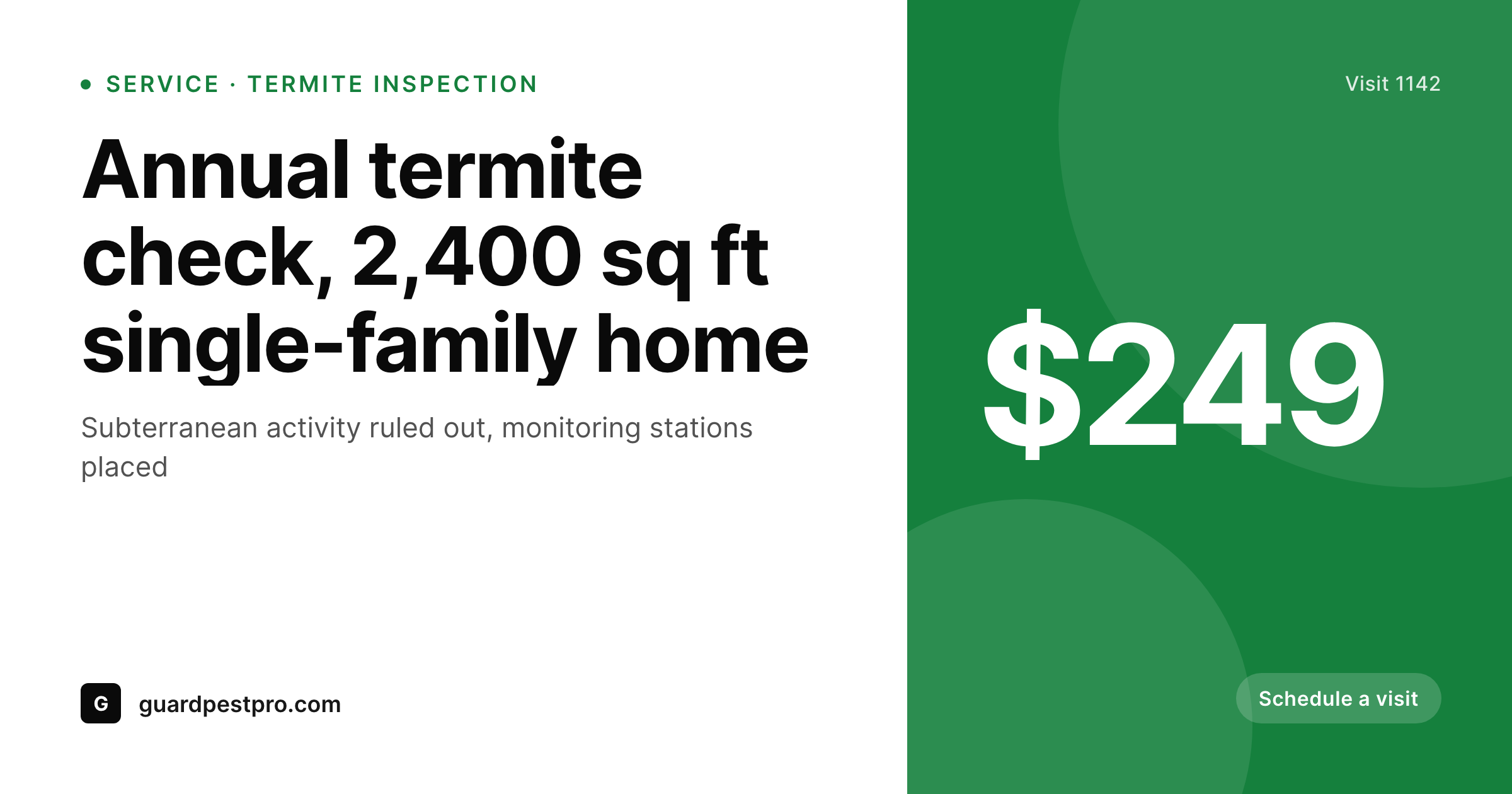
A 1200x630 OG image with pest type, treatment method, property size, technician name, and visit date rendered over the field photo of the day.
Comparison
Stock spider photos vs auto-rendered treatment recaps
Stock photos / Canva
- Three pest companies in town all share the same licensed cockroach photo
- Treatment recaps live in field-service software and never reach the website
- Service-area pages share with a generic warehouse shot per neighborhood
- Seasonal pest posts (termites, ants, rodents) recycle stock from the same vendor
- Brand drift across franchises because each location designs cards differently
SleekPixel
- Pest type, treatment, square footage, and technician pull from recap post fields
- Service-area pages render a city-specific OG image per neighborhood served
- Field photos from technicians slot into the template, not stock spiders
- 1200x630 baked in for Facebook, Nextdoor, and Google Business Profile
- Seasonal pest posts get distinct branded cards per species and season
Features
What SleekPixel gives you for pest control company
Per-treatment cards
Every recap post saves with a branded share image. Pest, treatment, and technician render straight from the visit fields.
Service-area pages
Each neighborhood landing page gets a unique OG image with the city name and local imagery, not a stock warehouse shot.
Seasonal pest posts
Spring termite, summer ant, fall rodent posts each render a distinct branded card matched to the species and the season.
Use cases
Where pest control share images get used
Facebook neighborhood groups
Posting a termite-swarm warning into a local group shows the company's branded card with the pest, the season, and the service area.
Google Business posts
Weekly GBP updates about active pest pressure, treatment promotions, and service availability share with images that match the brand.
Nextdoor recommendations
Customer referrals on Nextdoor open with a clean preview showing the actual company instead of a stretched homepage banner.
The bigger picture
Why pest control brands lose the share step to stock vendors
Pest control is a trust-driven local service. Customers invite a technician into their home, often around children or pets, and want signal that the company is real, local, and competent. The website should be the strongest source of that signal.
Instead, most pest-control sites read as templates assembled by the same handful of marketing vendors, with the same stock cockroach, the same warehouse hero, and the same generic service-area copy. A prospect comparing three companies struggles to tell them apart on the share preview alone. The companies that win local searches treat their actual visits as content.
The technician's photo of a treated perimeter, the office's note about a termite swarm in a specific subdivision, the seasonal alert about deer mice moving indoors in October. Each of those is a piece of differentiation if it surfaces on social. SleekPixel closes the loop between the field-service software and the website by rendering a branded card on save.
The marketing intern stops being a Canva queue, the technician's photo finally reaches the share preview, and the company's identity replaces the stock spider in every Facebook and Nextdoor link. The brand surface starts to look like the operation, which is the entire point of local marketing.
Questions
Common questions about SleekPixel for pest control company
SleekPixel reads WordPress post fields. If the field-service software pushes completed visits into a CPT through Zapier, Make, or a custom API, the share image renders on save. ServSuite, FieldRoutes, GorillaDesk, and PestPac all expose webhooks or API endpoints that can populate WordPress posts.
Yes. The template can branch on a pest taxonomy or a custom field, so termite recaps render with one accent palette, rodent recaps with another, and mosquito treatments with a third. All variants share the brand wordmark and type stack to stay unified.
Service-area pages are typically a CPT or pages tagged with a city. SleekPixel reads the city field and renders a per-neighborhood OG image. Forty service-area pages get forty distinct branded share images, each with its own local hero and city name.
Yes, if WordPress is set up with an upload form (Gravity Forms, WPForms, or Frontend Submissions). The technician completes a quick mobile form after the visit, the post saves, SleekPixel renders the image. Many companies use this pattern as a daily reporting flow.
If a tool like Surfer Local or a custom Make scenario reads the WordPress RSS or webhook and posts to GBP, SleekPixel just needs to render the image to uploads, which it does on save. The GBP tool grabs the OG image and posts the branded card.
Not for branded shares. The template renders text and brand elements over the field photo from the visit. If the visit photo is missing, a fallback can use a brand pattern or a stock library image, but the typical case is a real technician photo.
Yes. The price slot is conditional on a custom field. Residential recaps can show a price band, commercial recaps can hide pricing entirely, and quote-only services can render the card without any price reference. The same template handles all cases.
Recap posts can carry multiple photo fields. The template can render a split layout with the infestation site before treatment and the cleared area after, or just the post-treatment hero. Variants per pest category make this flexible without separate templates.
Pricing
More than 1000+
happy customers
Explore our flexible licensing options tailored to your needs. Upgrade your license anytime to access more features, or opt for a lifetime license for ongoing value, including lifetime updates and lifetime support. Our hassle-free upgrade process ensures that our platform can grow with you, starting from whichever plan you choose.
Lifetime ♾️
Most popular
EUR
once
- Unlimited websites
- Lifetime updates
- Lifetime support
...or get the Bundle Deal
and save €250 🎁
💎 Want everything forever? The All Access Pass is going away on 01.08.2026.
The Bundle (unlimited sites)
Pay once, own it forever
Elevate your WordPress site with our exclusive plugin bundle that includes all of our premium plugins in one package. Enjoy lifetime updates and lifetime support. Save significantly compared to buying plugins individually.
What’s included
-
SleekAI
-
SleekByte
-
SleekMotion
-
SleekPixel
-
SleekRank
-
SleekView
€749
Continue to checkout