






SleekPixel for dispensary
SleekPixel reads each post's title, the strain, lab numbers, and your store palette, then renders an OG image on save. Age cue locked into the template, no design step.
♾️ Lifetime License available
Every strain page deserves more than a default storefront photo
A dispensary publishes more than most retail. A weekly menu update, a strain spotlight, a new vendor profile, a budtender's note on a terp profile, and the occasional educational piece on dosing or first-time use. Each piece is supposed to feel like the store, calm and informed, but the share previews almost always default to the same storefront photo. A customer texts a strain link to a friend and the preview that loads tells them nothing about the strain itself.
SleekPixel closes that gap inside WordPress. You build one card template in the admin that fits your store's voice, with a calm palette, a small mark, a strain slot, and the lab-relevant fields, using {post_title}, {strain_name}, {thc_percent}, and {batch_date}. Every time a post is saved, SleekPixel renders that template with the actual data and writes the result into og:image.
Edit the template once and every strain page, weekly menu, and education post picks up the same look. The 21+ or state-specific age cue lives in a reserved zone, kept consistent across every card. The marketing manager stops being asked for one-off graphics, and the voice stays uniform from a Google result to a friend's text.
Workflow
From draft to compliant share in one save
Design the template
Connect to post type
Save the post
Share anywhere
Output
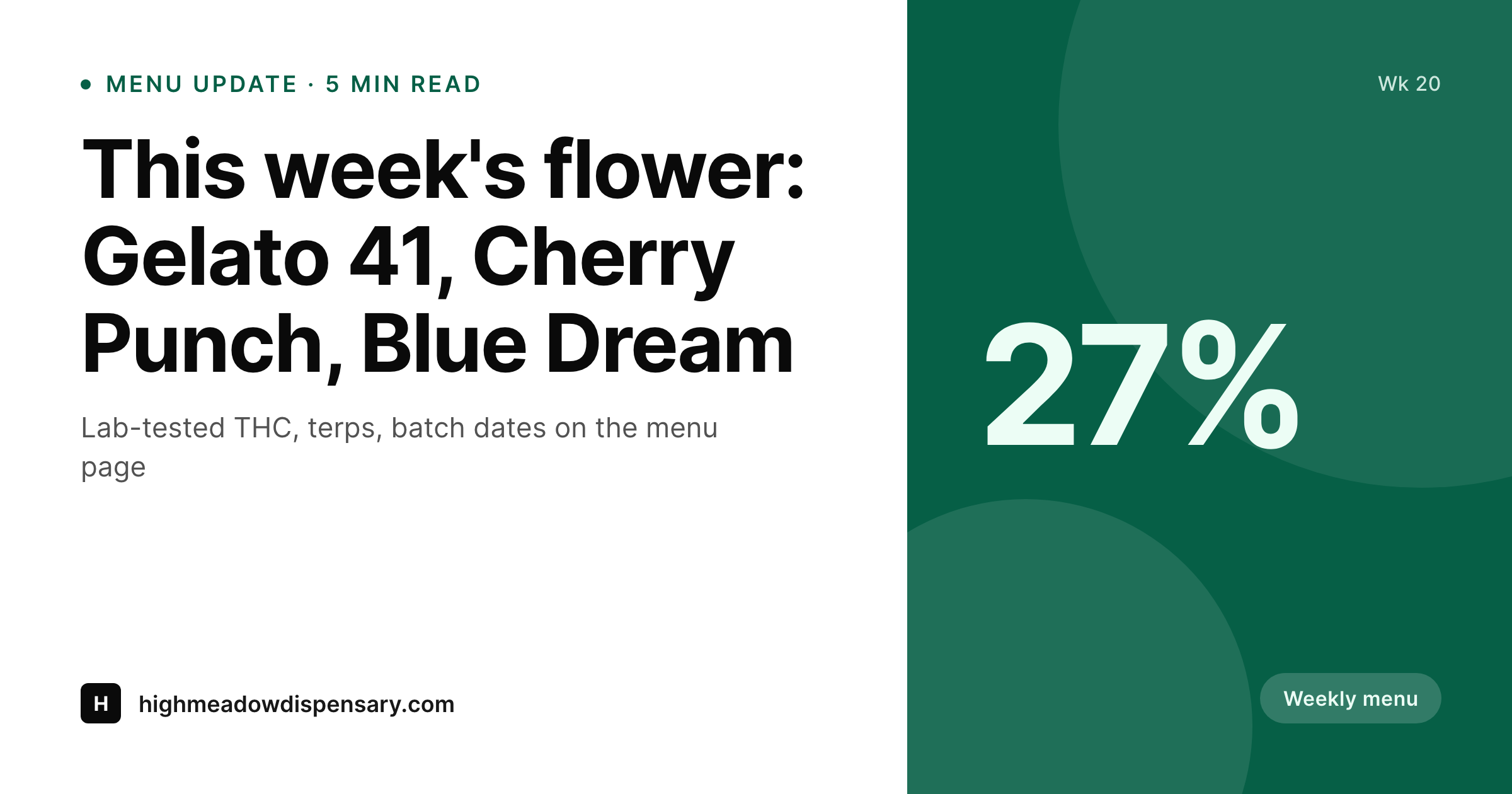
Sample social card from a strain page
This card was rendered from a post's title, strain, THC percent, and batch date, with the age cue locked into a safe zone. Same template, every page.
Comparison
Default dispensary image vs SleekPixel
Default dispensary image
- Same storefront photo shared on every strain page and menu update
- Strain name and THC percent retyped in graphics, mistakes common
- Age cue placed inconsistently across cards
- Weekly menu posts share a generic logo, no signal of what's actually new
- A rebrand means re-exporting every legacy post's image by hand
SleekPixel
- Auto-generated OG image per post on save, every time
- Per-post variables: title, strain, THC percent, batch date
- 21+ cue locked into a reserved safe zone, every card, every time
- Edit the template once and every page's card refreshes
- Falls back gracefully if a strain or batch field is missing
Features
What SleekPixel gives you for dispensary
Template-driven
Design the card layout once with the store mark, a strain slot, and a lab-fields row. Every menu and strain page inherits it on save.
Age cue locked in
The state-specific age marker sits in a reserved safe zone, kept consistent across every card, every region, every campaign.
Regenerate on demand
Refreshed the store palette or onboarded a new strain line? Bulk-regenerate every post's image from the admin in a single click.
Use cases
Where this fits best for dispensaries
Strain spotlight pages
Each strain page gets a card tied to the strain, THC, and terp profile, not the default storefront photo.
Weekly menu updates
The weekly menu post gets a card showing the lineup for the week, generated from the strains currently flagged in the menu.
Education posts
Dosing primers, first-time visit guides, and terp education each get a card tailored to the topic and clearly attributed to the budtender or educator.
The bigger picture
Why a consistent social card matters for dispensaries
Cannabis is a category where customer trust is built across many small signals: how the menu reads, how the budtender talks, how the share preview looks when a friend texts a link to another friend. Generic storefront cards leave that signal on the floor. Bespoke per-strain graphics aren't realistic when the menu changes weekly.
A templated card that adapts to each piece automatically keeps the store's tone consistent, makes strain and lab data visible at a glance, and lets the visual identity carry from a search result to a shared link. SleekPixel brings that to WordPress without sending data anywhere external and without forcing the team to retain a designer for an ongoing graphics queue.
Questions
Common questions about SleekPixel for dispensary
No. The image is rendered on your own WordPress server and stored locally in the uploads folder. No menu or customer information passes through an external service.
Yes. SleekPixel writes og:image with high priority, so it overrides Yoast, Rank Math, and AIOSEO fallbacks cleanly.
Yes. The admin has a one-click bulk regeneration that re-renders every post's image. One pass brings the entire archive in line after a brand update.
Yes. Both read og:image on first share. The Facebook Sharing Debugger lets you clear cache if you're testing a URL that has already been shared once.
Yes. The age marker is template content. Different stores or sites can have different templates with different age text and still share the same design system.
It pulls from whatever WordPress fields you map. If the menu plugin exposes those values as post meta or a CPT field, SleekPixel reads them.
No. The image is rendered once at save time and stored as a static PNG. Pages load it the same way they load any other image.
The featured image stays in its theme role on the post itself. The social card is a separate piece of metadata SleekPixel manages. They don't conflict.
Pricing
More than 1000+
happy customers
Explore our flexible licensing options tailored to your needs. Upgrade your license anytime to access more features, or opt for a lifetime license for ongoing value, including lifetime updates and lifetime support. Our hassle-free upgrade process ensures that our platform can grow with you, starting from whichever plan you choose.
Lifetime ♾️
Most popular
EUR
once
- Unlimited websites
- Lifetime updates
- Lifetime support
...or get the Bundle Deal
and save €250 🎁
💎 Want everything forever? The All Access Pass is going away on 01.08.2026.
The Bundle (unlimited sites)
Pay once, own it forever
Elevate your WordPress site with our exclusive plugin bundle that includes all of our premium plugins in one package. Enjoy lifetime updates and lifetime support. Save significantly compared to buying plugins individually.
What’s included
-
SleekAI
-
SleekByte
-
SleekMotion
-
SleekPixel
-
SleekRank
-
SleekView
€749
Continue to checkoutBrowse more
- Product Hunt launch card
- speaking gig card
- office hours card
- logo reveal card
- newsletter issue card
- return to office card
- tech stack card
- metric spotlight cards
- this not that cards
- how-many card
- podcast clip cards
- launched card
- Stripe Atlas card
- shareholder letter card
- fundraising announcement cards
- YouTube end screens
- Audible audiobook cover
- TikTok profile banners
- Mastodon profile banners
- Medium article headers
- Buy Me a Coffee banners
- KDP paperback cover
- Ghost feature images
- Shopify product images
- Facebook Marketplace images
- Lens Protocol posts
- LinkedIn document post covers
- Patreon cover images
- Amazon A+ content images
- Apple Podcasts covers