






SleekPixel for cannabis delivery service
Delivery moves on Story cadence. SleekPixel renders 1080 by 1920 cards from each strain and delivery zone, with cutoff times, minimums, and a 21+ ID cue composed in.
♾️ Lifetime License available
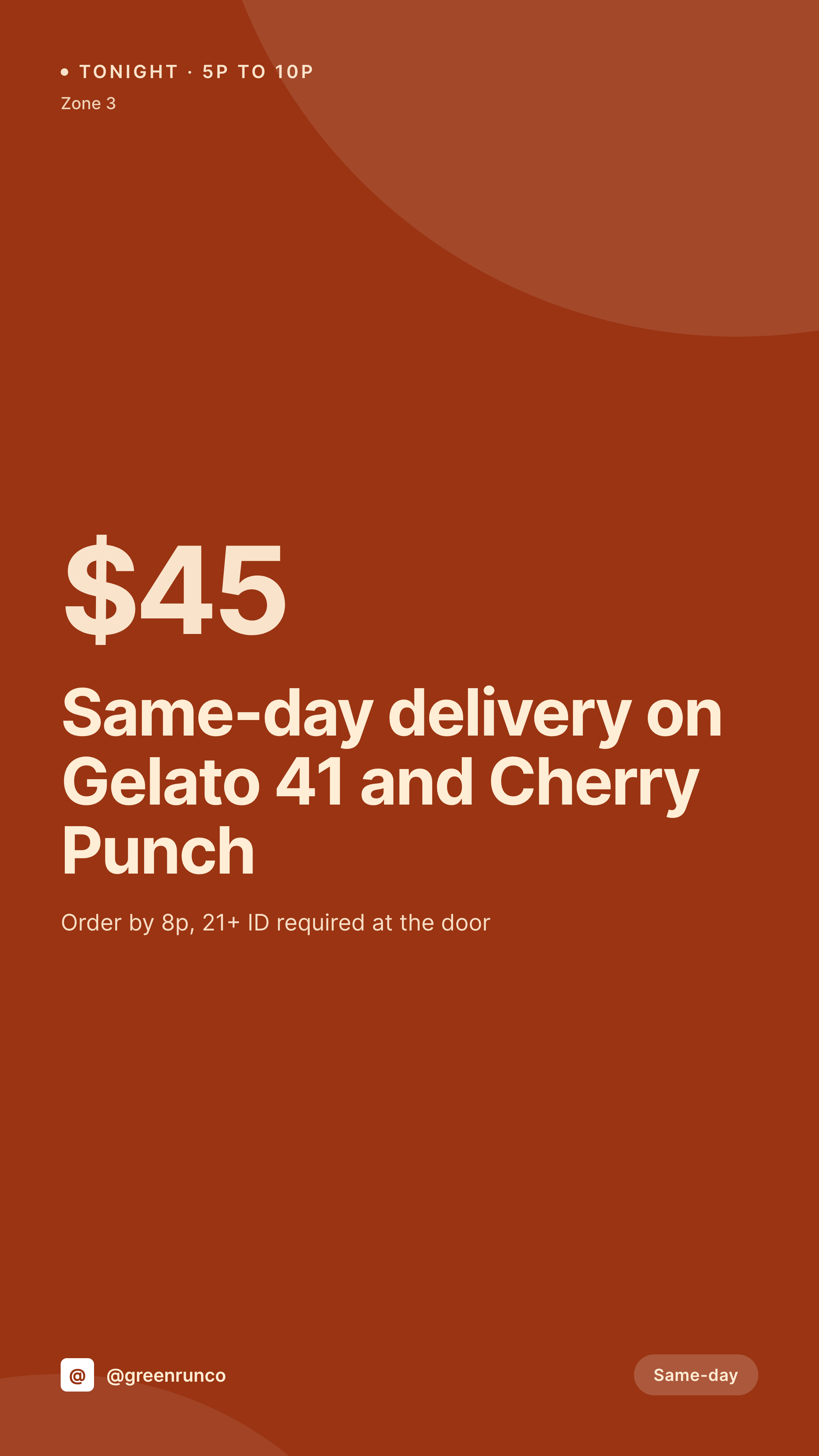
Same-day cannabis delivery runs on minute-by-minute cadence
A delivery service lives or dies on the next 90 minutes. Orders need to come in before the cutoff, drivers need a clean run, and the customers waiting in zone 3 need to see a Story telling them what's available tonight, with a clear cutoff and the right zone fee. Most services post a phone photo with a time typed over it, which works for one window and falls apart by the next zone.
SleekPixel turns each strain and each delivery zone into a renderable Story card. Strain name, THC, zone, minimum order, cutoff time, and 21+ cue live as fields on the post. The template pulls those fields, composes them into a 1080 by 1920 layout with safe zones for the order sticker, and saves a PNG ready to upload before the window opens.
The same menu page drives the launch Story for tonight, the cutoff reminder at 7pm, and the closed-out variant at 8pm without re-design. Dispatch updates the strain or zone, the cards regenerate, and the social shift becomes a four-tap workflow instead of a 20-minute Canva session at the start of every window.
Workflow
From dispatch update to Story card
Model the menu and zones
Design the template family
Map the fields
Post the window
Output
Sample tonight's window card
1080 by 1920 vertical card composed from a strain post and a zone field: strain, THC, zone, cutoff time, minimum order, and a 21+ ID cue.

Comparison
Phone-typed window vs SleekPixel for cannabis delivery
Phone-typed window
- Time and zone typed over a phone photo, different layout every night
- Cutoff missed in the post, customers order after the window closes
- Zone fees and minimums hidden in DMs instead of on the card
- Age and ID cue placed inconsistently across windows
- Sold-out Stories rarely posted, drivers waste a stop
SleekPixel
- 1080 by 1920 cards per strain, zone, and same-day window
- Zone, cutoff, and minimum order pulled from the post fields
- 21+ and ID cue locked into a reserved safe zone
- Bulk regenerate the menu after a brand or zone-fee refresh
- Safe zone reserved for the order sticker and link in bio cue
Features
What SleekPixel gives you for cannabis delivery service
Per-window templates
Different layouts for launch, cutoff reminder, and closed-out variants. SleekPixel routes by window state so the visual hierarchy fits each moment.
Zone fields baked in
Zone name, minimum order, cutoff time, and delivery fee pull from the zone post. No retyping per Story, no missed cutoffs.
Age and ID cue locked in
The 21+ and ID-required markers sit in a reserved safe zone, kept consistent across every card and every region.
Use cases
Where delivery services use it
Same-day windows
Tonight's lineup goes live the moment dispatch updates the strain post, with the right cutoff and the right zone fee.
Multi-zone fleets
Three or four zones share a strain catalog but differ on fees and cutoffs. The same template handles per-zone fields without re-design.
Dispatch posting
Dispatch can post tonight's window without opening Canva. The strain post is the source, the Story card is the result.
The bigger picture
Why delivery services live or die on window cadence
Delivery customers are creatures of habit. The customer in zone 3 who sees a clean cutoff Story at 7pm three nights running orders by 7:55 on the fourth night without thinking. The service that builds that habit doesn't have the cheapest fees, it has the most reliable Story cadence.
Templated cards remove the friction that kills cadence, so the launch Story ships at open, the cutoff reminder ships at 7, and the closed-out flip lands at 8pm sharp. The visual identity compounds across the week, the month, and the year, which is exactly the surface where delivery loyalty is built.
Questions
Common questions about SleekPixel for cannabis delivery service
Yes. Strains can live in any CPT or menu plugin. SleekPixel reads whichever fields you map, so the current catalog stays where it is.
Yes. The 21+ ID-required marker sits in a reserved safe zone of the template and stays on every card without anyone retyping it.
Model zones as a separate CPT with the fee, minimum, and cutoff as fields. The card pulls the right zone fields when a strain post is tied to a zone.
Yes. The same 1080 by 1920 template family covers Story, Reels cover, and TikTok cover. Render once, post across surfaces.
Yes. SleekPixel's bulk regenerate runs from the admin, which works on tablets. Useful at the start of each window when zone cutoffs change.
Yes, with WPML or Polylang. The strain has a translation per language and SleekPixel renders one card per locale.
No. The image is rendered once on save and saved as a static PNG. Menu pages load it the same way they load any other image.
Edit the template, run a bulk regenerate against the zone post type, and every strain and window inherits the new look without anyone retyping a single Story.
Pricing
More than 1000+
happy customers
Explore our flexible licensing options tailored to your needs. Upgrade your license anytime to access more features, or opt for a lifetime license for ongoing value, including lifetime updates and lifetime support. Our hassle-free upgrade process ensures that our platform can grow with you, starting from whichever plan you choose.
Lifetime ♾️
Most popular
EUR
once
- Unlimited websites
- Lifetime updates
- Lifetime support
...or get the Bundle Deal
and save €250 🎁
💎 Want everything forever? The All Access Pass is going away on 01.08.2026.
The Bundle (unlimited sites)
Pay once, own it forever
Elevate your WordPress site with our exclusive plugin bundle that includes all of our premium plugins in one package. Enjoy lifetime updates and lifetime support. Save significantly compared to buying plugins individually.
What’s included
-
SleekAI
-
SleekByte
-
SleekMotion
-
SleekPixel
-
SleekRank
-
SleekView
€749
Continue to checkoutBrowse more
- LinkedIn document post covers
- LinkedIn ad images
- GitHub social preview images
- X Space banners
- LINE official account banners
- Mastodon profile banners
- Weibo post images
- YouTube community images
- Twitch schedule banners
- Mailchimp email banner
- Ghost feature images
- YouTube banner art
- Lemmy post images
- Snapchat Discover tiles
- Threads social images