






SleekPixel for hydroponic farms
Cycle number, head count, days to harvest, bay or tower ID. The data your hydroponic operation already tracks becomes a square card, a story vertical, and a buyer-facing report, all rendered from the post.
♾️ Lifetime License available
From cycle log to investor-grade visuals, automatically
Hydroponic farms generate more numbers per square foot than almost any other kind of agriculture. Days to harvest, heads per tower, EC, pH, light hours, water reuse, kilowatt hours per pound. The data lives in spreadsheets, in farm management dashboards, and in the heads of two or three operators. None of it becomes a story unless someone reformats it for the public.
SleekPixel reads from the cycle log post in WordPress. Cycle number, crop, head count, days to harvest, tower or bay ID all live as custom fields on a per-cycle post type. The template family pulls those fields and renders a square card for the feed, a vertical for the story, and an OG image for the cycle archive on the site.
Buyers see a steady run of yield evidence, investors and grant reviewers get an archive that reads like an operation, and the operator never has to leave the existing workflow to keep the public side fed.
Workflow
From cycle log to cycle card, on every harvest
Define the cycle post type
Design the template family
Map cycle fields
Close the cycle
Output
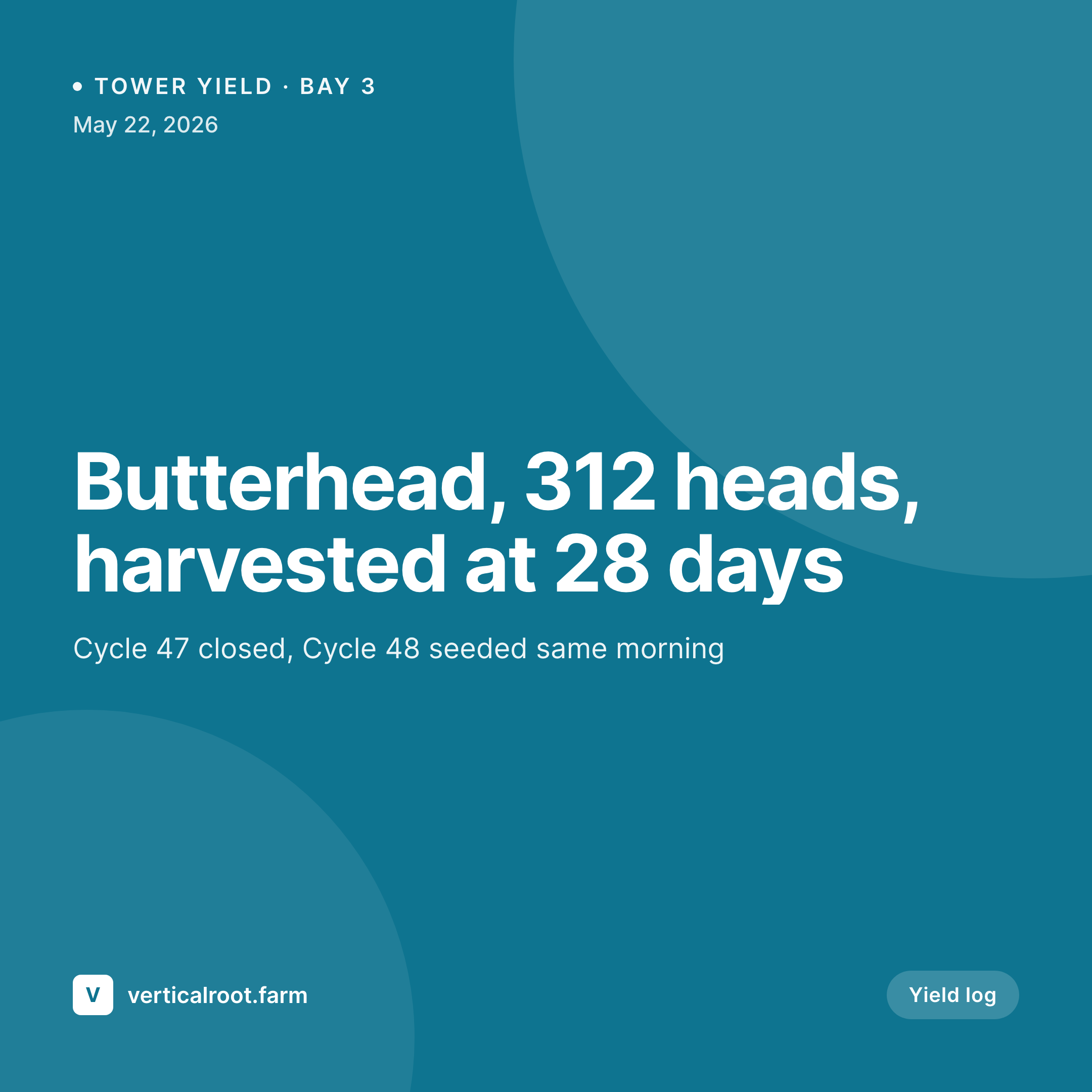
Sample cycle yield card
1080 square card from one cycle log post: crop, head count, days to harvest, bay or tower ID, and the cycle close date.


Comparison
Default hydroponic farms image vs SleekPixel
Default hydroponic farms image
- Phone shots of NFT channels with no metric overlay
- Yield numbers buried in captions that nobody reads
- Buyer reports built in Google Slides, manually each month
- Story posts skipped because they need a vertical
- Cycle archive page reads as a wall of post titles, no visuals
SleekPixel
- Cycle number, crop, and head count pulled from the cycle post
- Bay or tower ID renders as a label so multi-site farms stay legible
- Days-to-harvest and seed-to-pack metrics baked into the card
- Square, vertical, OG image, and buyer-report header from one template
- Bulk regenerate the cycle archive after a brand or logo update
Features
What SleekPixel gives you for hydroponic farms
Crop-routed templates
Lettuce, herbs, leafy greens, and strawberry cycles can each have a layout variant, so the card reflects the crop type without manual switching.
Metrics in the image
Days to harvest, head count, and yield per square foot pull from custom fields and render into the card as numbers, not buried in body copy.
Bay and tower IDs
Multi-bay farms tag each cycle with a tower ID. The card credits the right growing zone so buyers can trace which line their order came from.
Use cases
Who uses SleekPixel for hydroponic farms
Small commercial hydroponic operations
20 to 200-tower farms supplying local restaurants and chefs get every cycle documented without spinning up a separate design workflow.
Vertical-farm startups
Pre-revenue and growth-stage indoor farms use the rendered archive for investor updates, grant applications, and recruitment pages.
Research and education programs
University and nonprofit hydroponic programs publish cycle results as a public archive, with each card crediting the cycle parameters and team.
The bigger picture
Why visual cycle logs matter for hydroponic farms
Hydroponic farms compete on consistency. A restaurant chef choosing between two suppliers wants to see that the heads arrive at the same size, every week, week after week. A grant reviewer wants to see the same number of cycles closing on schedule.
Both audiences are evaluating a curve, not a single harvest. Visual cycle logs make that curve readable. A grid of 50 cycle cards from the last quarter, each with consistent metrics and clean branding, reads as operational discipline.
The same information in a spreadsheet reads as raw data that someone might have cherry-picked. Templated card generation removes the labor cost of maintaining that visual proof, which is why most small farms either skip it or do it sporadically. With the card writing itself from the cycle log, the proof keeps building without an evening reformatting session.
Questions
Common questions about SleekPixel for hydroponic farms
Not directly. SleekPixel reads from WordPress post fields. If your dashboard exports to a sheet that syncs into WordPress custom fields (manually or via an integration), those fields become available to the template.
Yes. The plugin renders whatever the post fields contain. Aquaponic systems can add fish weight and water nitrogen fields; aeroponic systems can add mist cycle and root zone data. The template variant decides which fields to display.
Yes, if those readings are stored as fields on the cycle post. Most farms add a 'cycle summary' field that holds the average EC and pH for the run. The card can show those as a small metric strip under the head count.
Add a kWh_per_pound or kWh_total field to the cycle post and bind it to a slot. Useful for grant reporting and for sustainability-focused buyer outreach where energy intensity is part of the conversation.
Yes. Most farms set up a separate 16:9 or banner-ratio template specifically for the top of the monthly buyer report. Same fields, different aspect ratio, rendered on save like the rest.
Use a multi-crop field on the cycle post. The template can render a list of crops with head counts each, or you can split the cycle into multiple posts. Either approach keeps the per-cycle accounting intact.
Add a status field. The template can switch to a 'cycle closed early' variant when status is set to culled, which still credits the bay and crop but acknowledges the result. Honest documentation reads better with buyers than silent failure.
Yes. The cycle archive is just a WordPress archive page. The OG image for each cycle post becomes the thumbnail on the archive grid, so the page renders as a uniform card grid the moment cycles publish.
Pricing
More than 1000+
happy customers
Explore our flexible licensing options tailored to your needs. Upgrade your license anytime to access more features, or opt for a lifetime license for ongoing value, including lifetime updates and lifetime support. Our hassle-free upgrade process ensures that our platform can grow with you, starting from whichever plan you choose.
Lifetime ♾️
Most popular
EUR
once
- Unlimited websites
- Lifetime updates
- Lifetime support
...or get the Bundle Deal
and save €250 🎁
💎 Want everything forever? The All Access Pass is going away on 01.08.2026.
The Bundle (unlimited sites)
Pay once, own it forever
Elevate your WordPress site with our exclusive plugin bundle that includes all of our premium plugins in one package. Enjoy lifetime updates and lifetime support. Save significantly compared to buying plugins individually.
What’s included
-
SleekAI
-
SleekByte
-
SleekMotion
-
SleekPixel
-
SleekRank
-
SleekView
€749
Continue to checkoutBrowse more
- TikTok shop images
- X ad images
- Instagram Reels covers
- Etsy listing images
- Snapchat ad images
- eBay listing images
- Instagram highlight covers
- Amazon Storefront banners
- Bluesky link cards
- Warpcast frame images
- Odnoklassniki banners
- Instagram ad images
- Patreon cover images
- Substack post thumbnail
- X list banners