






SleekPixel for farm stand
Farm stands live on same-day picks and weekend hours. SleekPixel renders 1080 by 1080 cards from each crop and stand-day post, with price per unit, pick date, and stand hours composed in.
♾️ Lifetime License available
Same-day pick announcements deserve more than a phone photo
A farm stand's whole marketing surface is the next three hours. Strawberries come out of the field at 8am, the stand opens at 9, and the regulars driving past at 10:30 need to see a post telling them today's first pick is on the table and the quart price hasn't changed. Most stands manage the first ripe Saturday well, then the rhythm slips and the feed becomes a phone photo with a price typed over.
SleekPixel turns each crop and each stand-day into a renderable square. Crop name, price per unit, pick date, stand hours, and the field name all live as fields on the post. The template pulls those fields, composes them into a 1080 by 1080 layout that reads as the farm itself, and saves a PNG ready to upload before the stand opens.
The same post drives the morning announcement, the midday restock, and the closing-soon card without re-design. Whoever's running the stand updates the crop or the stand day, the card regenerates, and the social shift becomes a phone tap from the table instead of a Canva session in the kitchen.
Workflow
From field to feed card in one save
Model the crops and stands
Design the template family
Map the fields
Post the pick
Output
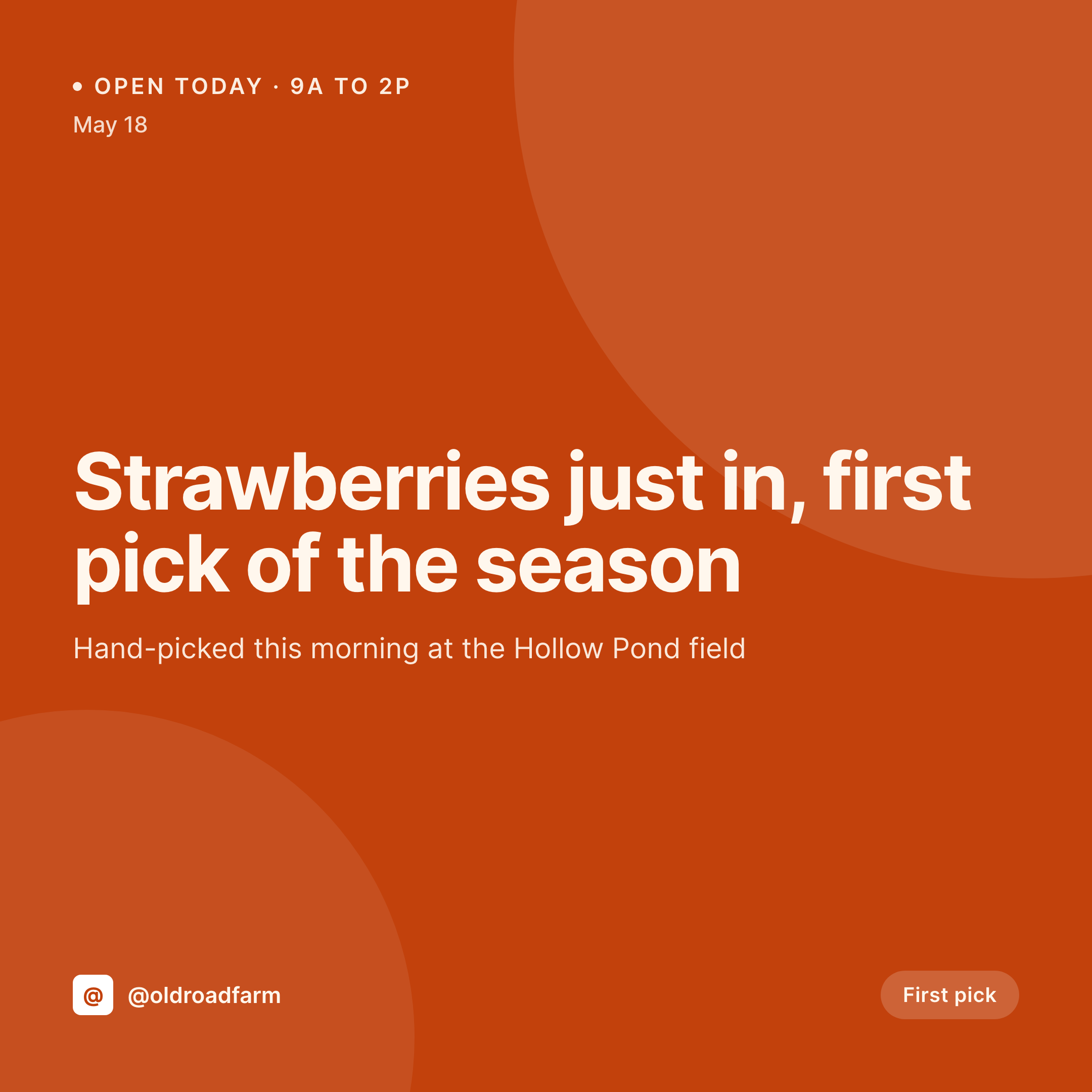
Sample first-pick card
1080 by 1080 square composed from a crop post: crop name, price per unit, pick date, field name, stand hours, and farm handle.
Comparison
Phone-typed pick card vs SleekPixel for farm stands
Phone-typed pick card
- Phone photo with a price typed in the corner, no consistent farm mark
- Hours and pick date retyped per post, mistakes common
- Field names drop off the card on the busiest days
- Sold-out cards rarely posted, customers drive over for nothing
- Visual identity drifts across the season, regulars don't recognize the feed
SleekPixel
- 1080 by 1080 cards rendered per crop, pick, and stand day
- Crop name, price per unit, and pick date pulled from the post
- Stand hours pulled from a per-day field on the stand post
- Bulk regenerate the crop list after a brand or price refresh
- Falls back gracefully if a field name or pick date is missing
Features
What SleekPixel gives you for farm stand
Per-crop templates
Different layouts for berries, stone fruit, leafy greens, and tomatoes. SleekPixel routes by crop category so the visual hierarchy fits each line.
Price per unit baked in
Quart, pint, pound, or each, the unit and price pull from custom fields. No retyping per pick, no missed prices.
Stand hours pulled per day
Today's hours come from a per-day field on the stand post, so a midweek limited window shows the right cutoff.
Use cases
Where farm stands use it
Same-day picks
A new crop comes out of the field, the post updates, and the feed card regenerates with the crop, the price, and today's stand hours.
Multi-stand farms
Two or three roadside stands share a crop list but differ on hours. The same template handles per-stand fields without re-design.
Stand staff posting
The teenager running the stand can post a fresh pick without opening Canva. The crop post is the source, the square card is the result.
The bigger picture
Why farm stands live or die on same-day cadence
A farm stand's competition isn't the supermarket, it's the inertia of the commuter who doesn't think of the stand on the drive home. The stands that beat that inertia post on time, with the right crop, the right price, and the right stand hours, every single day they're open. The whole identity is rhythm, and rhythm collapses the first morning the post doesn't go up because the kitchen Canva session feels like too much.
Templated cards remove that friction, so the morning pick lands at open, the closing-soon flip happens at 1pm, and the visual identity of the farm carries through every weekend of the season without anyone retyping a price.
Questions
Common questions about SleekPixel for farm stand
Yes. Crops can live as a custom post type with a few fields. SleekPixel doesn't require a store plugin to read fields off a post.
Yes. Bind a unit field and a price field. The card composes them as one line, like $7 per quart or $4 per pound.
Model each stand as a separate CPT with a daily hours field. The card pulls today's hours when the crop post is tied to a stand.
Yes. The same template family extends to 1080 by 1920 Stories and Reels covers. Render once, post across surfaces.
Yes. SleekPixel's admin works on a phone. Editing the crop post and pulling the card both work from the WordPress mobile experience.
Yes, with WPML or Polylang. The crop has a translation per language and SleekPixel renders one card per locale.
No. The image is rendered once on save and saved as a static PNG. Crop pages load it the same way they load any other image.
Edit the template, run a bulk regenerate against the crop post type, and every pick and stand day inherits the new look without anyone retyping a single post.
Pricing
More than 1000+
happy customers
Explore our flexible licensing options tailored to your needs. Upgrade your license anytime to access more features, or opt for a lifetime license for ongoing value, including lifetime updates and lifetime support. Our hassle-free upgrade process ensures that our platform can grow with you, starting from whichever plan you choose.
Lifetime ♾️
Most popular
EUR
once
- Unlimited websites
- Lifetime updates
- Lifetime support
...or get the Bundle Deal
and save €250 🎁
💎 Want everything forever? The All Access Pass is going away on 01.08.2026.
The Bundle (unlimited sites)
Pay once, own it forever
Elevate your WordPress site with our exclusive plugin bundle that includes all of our premium plugins in one package. Enjoy lifetime updates and lifetime support. Save significantly compared to buying plugins individually.
What’s included
-
SleekAI
-
SleekByte
-
SleekMotion
-
SleekPixel
-
SleekRank
-
SleekView
€749
Continue to checkoutBrowse more
- Amazon A+ content images
- podcast cover art
- Twitch alert
- Bluesky feed banner
- Lens Protocol posts
- Threads profile banners
- Facebook group banners
- Mastodon link previews
- Instagram Reels covers
- Shopify product images
- Patreon cover images
- LinkedIn company banners
- Substack post thumbnail
- KakaoTalk channel banners
- Pinterest Idea Pins