






SleekPixel for Cloudflare Stream
Cloudflare Stream handles uploads, encoding and global HLS delivery. WordPress sites wrap each Stream video in a post with the video UID, title and metadata. SleekPixel reads those fields and renders branded OG cards and thumbnails per video, so each share carries the brand and the context.
♾️ Lifetime License available
Cloudflare delivers the video, the share card is still on you
Cloudflare Stream is the video product inside Cloudflare's platform. It handles uploads, encoding, signed URLs, captions and global HLS delivery, with pricing that scales with minutes watched and minutes stored. WordPress sites using Stream typically wrap each video in a post or a custom post type, with the Stream UID, the video title, optional chapter notes and any series metadata stored as post meta.
The marketing-facing side of that setup is where the gap shows. A product changelog video, an internal walkthrough opened up to customers, a demo embedded in a marketing page, all of them share with whatever default OG the theme has set. The Stream player carries the playback, but the share preview never carries the brand or the video context, so the link looks identical to every other link on the site.
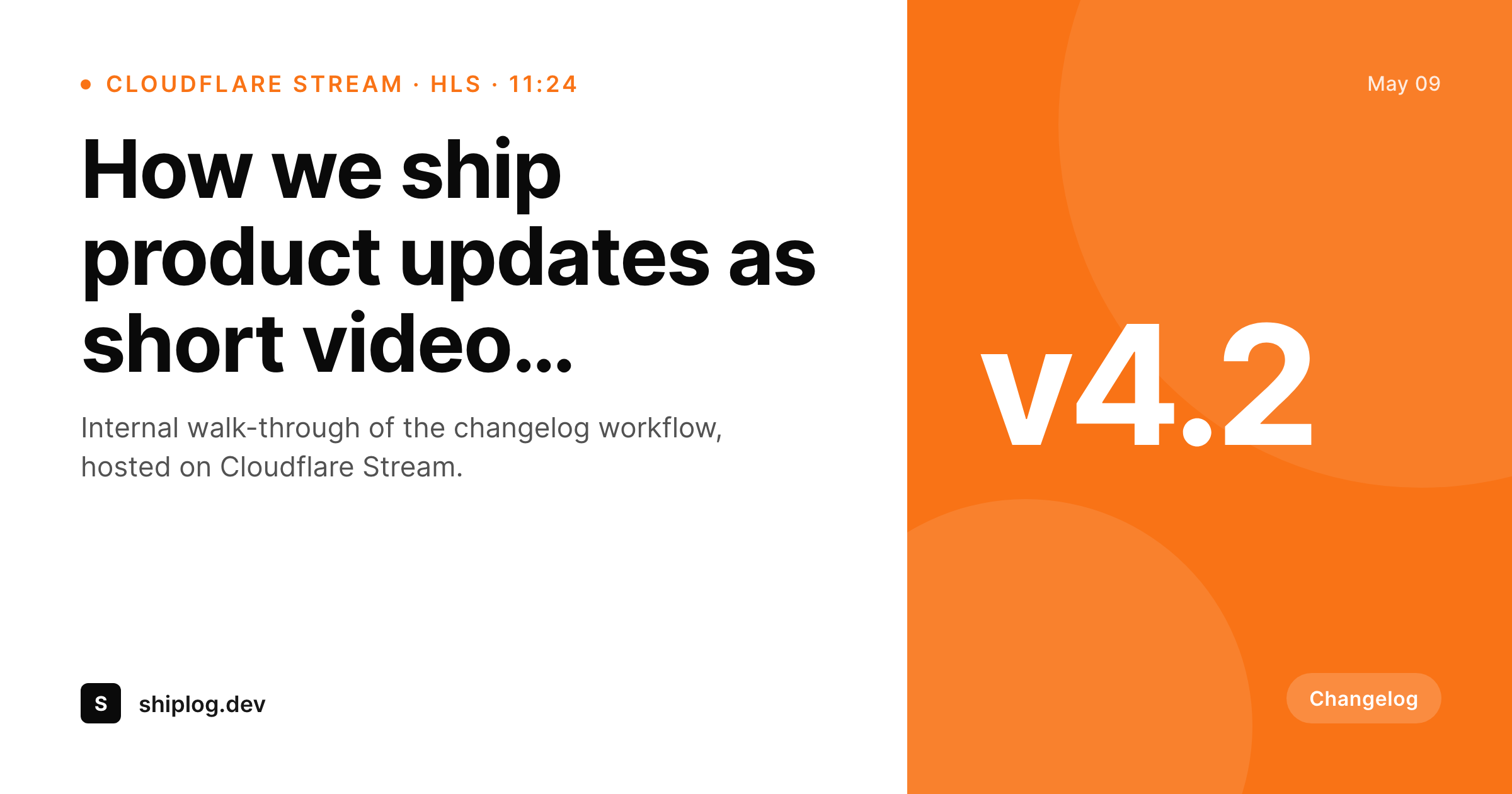
SleekPixel reads the WordPress post fields surrounding each Cloudflare Stream embed and renders a 1200 by 630 OG card and an optional 1280 by 720 catalog thumbnail per video. The card carries the title, optional version or episode mark, duration and brand wordmark. It gets stored in uploads and set as og:image so every share, including paid retargeting cards and partner shares, lands with the right preview.
Workflow
From Cloudflare Stream video to branded card
Videos already on Stream
Build OG and thumbnail templates
Render on save
Share with the right preview
Output
What renders per Cloudflare Stream post
A 1200 by 630 OG card with video title, optional version or episode mark, duration and brand wordmark. Matching 1280 by 720 thumbnail available from the same template.
Comparison
Default Stream share vs SleekPixel
Default Stream preview
- Cloudflare Stream does not produce branded share images on its own
- Default thumbnails are frame-grabs that rarely flatter the video
- Brand identity is missing from the share preview
- Manual social art per video lags the publishing cadence
- Brand updates leave older streamed videos without a refresh path
SleekPixel
- Reads WordPress post fields wrapping each Stream UID
- Per-video OG and thumbnail templates rendered on save
- Optional version, episode and series mark slots
- Bulk re-render across the catalog on brand updates
- Output stays self-hosted in uploads, served like any other media
Features
What SleekPixel gives you for Cloudflare Stream
Stream-aware slots
Stream UID reference, title, duration and version mark bind from post meta. The card matches whatever metadata the player already uses.
OG card plus thumbnail
One template family produces both the 1200 by 630 social card and a 1280 by 720 catalog thumbnail.
Signed URLs unaffected
Stream signed playback URLs control access to the video itself. The og:image is on the post URL and is unrelated to playback authorization.
Use cases
Where Cloudflare Stream sites benefit
Product changelog videos
Short feature walkthroughs share with a version mark on the card, instead of a generic homepage banner.
On-site help video libraries
Help articles with embedded Stream videos share with the article title and a help icon, refreshed automatically on save.
Member webinar archives
Recorded webinars on Stream surface with branded share cards per replay, even when the playback is gated.
The bigger picture
Why streamed videos deserve real share cards
Cloudflare Stream is most often picked by engineering and product teams that care about delivery quality and predictable cost. That same audience tends to leave the share preview as whatever the theme provides, because the share preview is invisible from the engineering side until someone notices on social. A product changelog video shared with the version number on a branded card converts curiosity into clicks at a different rate than a generic homepage banner.
SleekPixel reads the post meta the Stream UID already references, renders a branded card on save, and writes the og:image at the post level. Stream keeps doing what Stream does best (encoding, signed URLs, global delivery); SleekPixel handles the surface that social platforms see. The result is a video library whose share previews keep pace with the publishing cadence without anyone exporting per-episode art.
Questions
Common questions about SleekPixel for Cloudflare Stream
No. It reads WordPress post meta. Whichever plugin or sync wrote the Stream UID and title into post meta does the integration; SleekPixel reads the post fields.
Yes. The PNG lives in uploads, and if the site is fronted by Cloudflare, the PNG is cached at the edge like any other static asset.
Yes. Signed URLs gate playback only. The og:image is on the WordPress post URL and is independent of access control.
If a Stream Live event is wrapped in a WordPress post, that post can carry a live-specific template variant with a 'live' badge. The card is rendered when the post is created.
Yes. Any post meta bound to a slot can carry a version string, episode number or release date.
Yes, as long as the plugin writes Stream UIDs and video metadata into post meta. Most installs already do this for embed rendering.
No. The card is a separate static PNG. It does not touch playback, encoding or storage on the Stream side.
Bulk renders run as a background job. A catalog of several hundred videos regenerates within minutes without affecting the live site.
Pricing
More than 1000+
happy customers
Explore our flexible licensing options tailored to your needs. Upgrade your license anytime to access more features, or opt for a lifetime license for ongoing value, including lifetime updates and lifetime support. Our hassle-free upgrade process ensures that our platform can grow with you, starting from whichever plan you choose.
Lifetime ♾️
Most popular
EUR
once
- Unlimited websites
- Lifetime updates
- Lifetime support
...or get the Bundle Deal
and save €250 🎁
💎 Want everything forever? The All Access Pass is going away on 01.08.2026.
The Bundle (unlimited sites)
Pay once, own it forever
Elevate your WordPress site with our exclusive plugin bundle that includes all of our premium plugins in one package. Enjoy lifetime updates and lifetime support. Save significantly compared to buying plugins individually.
What’s included
-
SleekAI
-
SleekByte
-
SleekMotion
-
SleekPixel
-
SleekRank
-
SleekView
€749
Continue to checkoutBrowse more
- LinkedIn newsletter headers
- Pinterest product pin covers
- LinkedIn company banners
- Buy Me a Coffee banners
- Twitch offline banners
- Instagram feed posts
- Twitch schedule banners
- Mastodon profile banners
- LinkedIn event banners
- Passes page banner
- Twitter header banners
- WeChat Moments images
- Pinterest Idea Pins
- Instagram stories
- Open Graph images