






SleekPixel for industry report cards
Every industry report in WordPress renders a card with the sample size, the segment, the quarter and the brand mark baked in. The card looks like the report, and the program reads as one continuous artifact across quarters.
♾️ Lifetime License available
Industry reports rise or fall on the credibility signal
An industry report is judged on its sample size, its segmentation, and its methodology before anyone reads a finding. Analysts and journalists scan the share image first, and they decide whether to open the link in three seconds. A card with a visible respondent count and a clean segment label says the report is serious. A card with a generic gradient and a vague headline says the report is positioning.
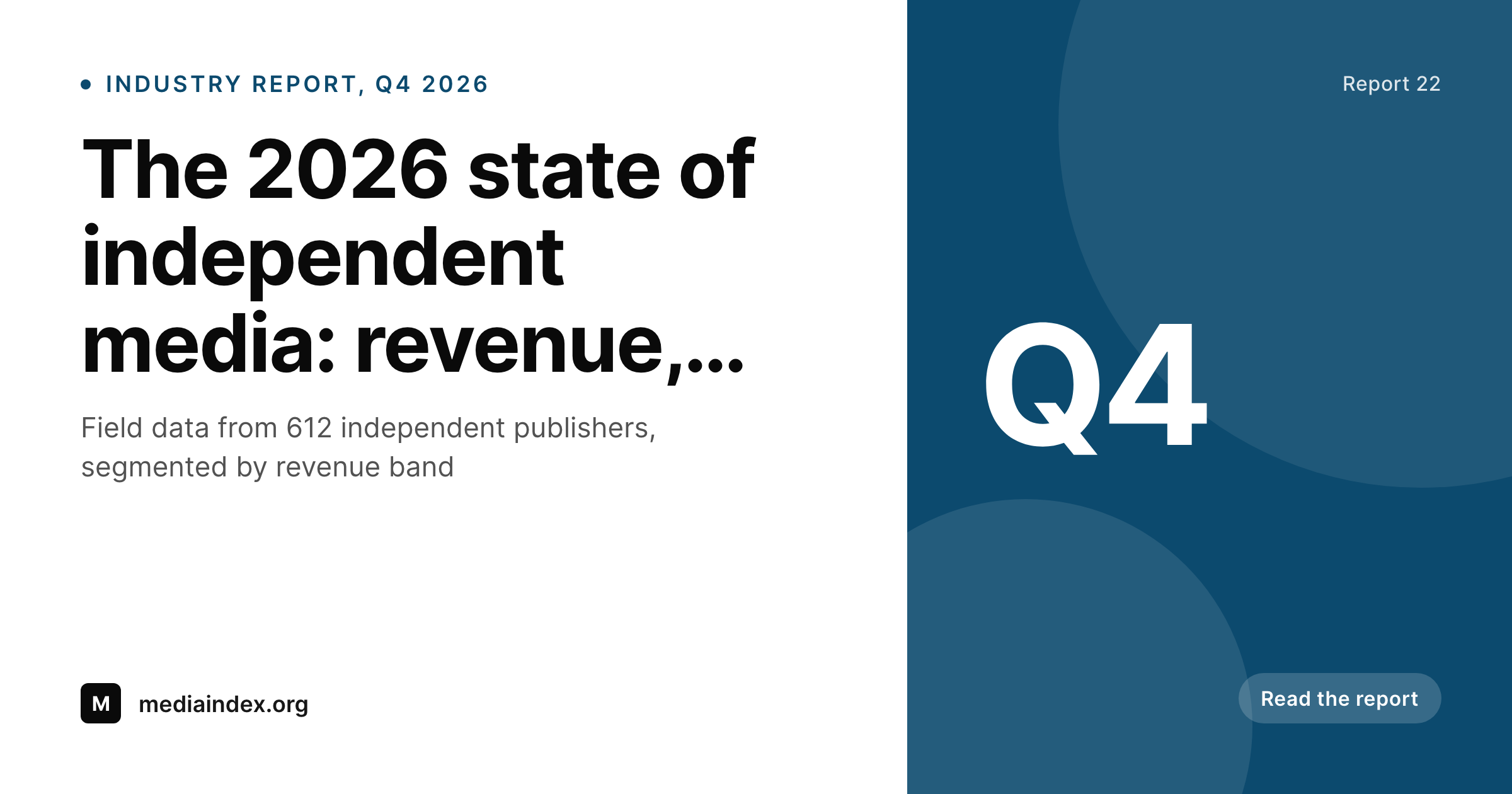
SleekPixel ties the card to the report record. The industry report post type already carries the sample size, the segment, the quarter, and the methodology reference. The template encodes the brand layout once with the right slots, and every new report renders with the credibility markers in the right place. The methodology link sits beside the chip so the receipts are one click away.
When a new wave ships, the older waves can be brought into the current template with a bulk regenerate. A quarterly industry program ends up with an archive of cards that look like a coherent series instead of a sequence of disconnected reports.
Workflow
From the field data to a citable card
Encode the card layout
Connect the methodology
Publish the report
Refresh the archive
Output
How an industry report card composes
An OG card with the sample size, the segment, the quarter, and the brand mark, all drawn from the industry report fields.
Comparison
Default industry report cards image vs SleekPixel
Default industry report cards image
- Sample size is missing from the card, the credibility signal is gone
- Segment labels are inconsistent across reports in the same series
- Quarter badges are hard-typed and drift over time
- Long findings overflow and the headline number disappears
- Brand refresh forces the program to redo every card by hand
SleekPixel
- Sample size renders from a real field, no manual typing
- Segment chip uses a controlled vocabulary across the series
- Quarter and edition badges come from data, not from designers
- Bulk regenerate refreshes every report after a brand update
- Card and post share one source so cited figures stay accurate
Features
What SleekPixel gives you for industry report cards
Sample size on the card
Respondent count, study size, or panel size renders as a clear marker. A 612-publisher report and a 4,200-publisher report carry the right credibility signal at a glance.
Segment chip
Industry segments (B2B SaaS, independent media, agencies) render as chips with per-segment colors. The series becomes visually filterable across the archive.
Methodology link
A small methodology badge sits beside the chip with a link to the methodology page. Readers reach the receipts in one click.
Use cases
Industry report formats this card supports
Quarterly industry waves
A recurring quarterly report with a fixed methodology and a refreshing sample. The card carries the quarter and the sample size for each wave.
Annual flagship reports
The annual report on the state of the industry. The card emphasises the year and the topline finding with the full sample size visible.
Segment-specific reports
One-off reports focused on a single segment. The segment chip leads the card, the methodology badge sits beside it.
The bigger picture
Why industry report cards earn the click
Industry reports are read by people who are skeptical for a living. Analysts, journalists, founders evaluating a market, investors sizing a category. They open the link only if the card matches the rigor they expect from the source.
A card with a visible sample size, a clear segment, and a quarter or year badge says the report has discipline. A card with a generic gradient and a marketing headline says the report is content marketing. The serious reader picks the first and skips the second.
Past the initial filter, the card has a second life. Analysts paste it into research notes, journalists quote the finding alongside the image, and rival publications screenshot it to discuss the result. If the card carries the sample size and the segment, those downstream uses stay honest.
SleekPixel keeps the card aligned with the report record, so the same image renders on share, on the archive page, and on the export deck. A program shipping quarterly waves ends up with cards that look like one coherent series across years.
Questions
Common questions about SleekPixel for industry report cards
Yes. Sample size lives on the report post as a field. The card reads the value directly so a 612-respondent report and a 4,200-respondent report carry the right markers automatically.
Map the segment taxonomy to the chip layer. Each term gets its own color, so industries and segments stay visually distinct across the archive without per-card design work.
Yes. The methodology badge can carry a small icon and a destination tied to a methodology post. The card itself shows the badge, and the click goes to the receipts page.
Yes. Save the post and SleekPixel re-renders the card with the updated fields. The og:image points to the latest render so social platforms pick up the new image on the next refresh.
Yes. The admin offers a one-click bulk regenerate that re-renders every card in the industry report post type. The full archive picks up the new layout in one pass.
Yes. SleekPixel attaches templates to whichever post types you choose. The existing report custom post type, with its current fields and methodology relationships, becomes the data source.
Either. The template references whichever field you map. A quarterly program renders Q1 through Q4 stamps, an annual program renders the year, both share the same template.
If the template stays current, yes. A brand refresh updates the template once and a bulk regenerate refreshes every wave so the archive reads as one continuous program.
Pricing
More than 1000+
happy customers
Explore our flexible licensing options tailored to your needs. Upgrade your license anytime to access more features, or opt for a lifetime license for ongoing value, including lifetime updates and lifetime support. Our hassle-free upgrade process ensures that our platform can grow with you, starting from whichever plan you choose.
Lifetime ♾️
Most popular
EUR
once
- Unlimited websites
- Lifetime updates
- Lifetime support
...or get the Bundle Deal
and save €250 🎁
💎 Want everything forever? The All Access Pass is going away on 01.08.2026.
The Bundle (unlimited sites)
Pay once, own it forever
Elevate your WordPress site with our exclusive plugin bundle that includes all of our premium plugins in one package. Enjoy lifetime updates and lifetime support. Save significantly compared to buying plugins individually.
What’s included
-
SleekAI
-
SleekByte
-
SleekMotion
-
SleekPixel
-
SleekRank
-
SleekView
€749
Continue to checkoutBrowse more
- Twitter header banners
- Fansly banner
- Apple Podcasts covers
- TikTok Now image
- TikTok profile banners
- YouTube community images
- YouTube Shorts thumbnails
- Lens Protocol posts
- Discord server banners
- Telegram channel cover images
- Vimeo thumbnails
- KDP paperback cover
- Etsy cover photos
- Bluesky profile banners
- Facebook ad images