






SleekPixel for benchmark report cards
Every benchmark report in WordPress renders a card with the quartile bands, the segment, and the headline metric baked in. The card carries the structure so readers see where the benchmark lives before they click through.
♾️ Lifetime License available
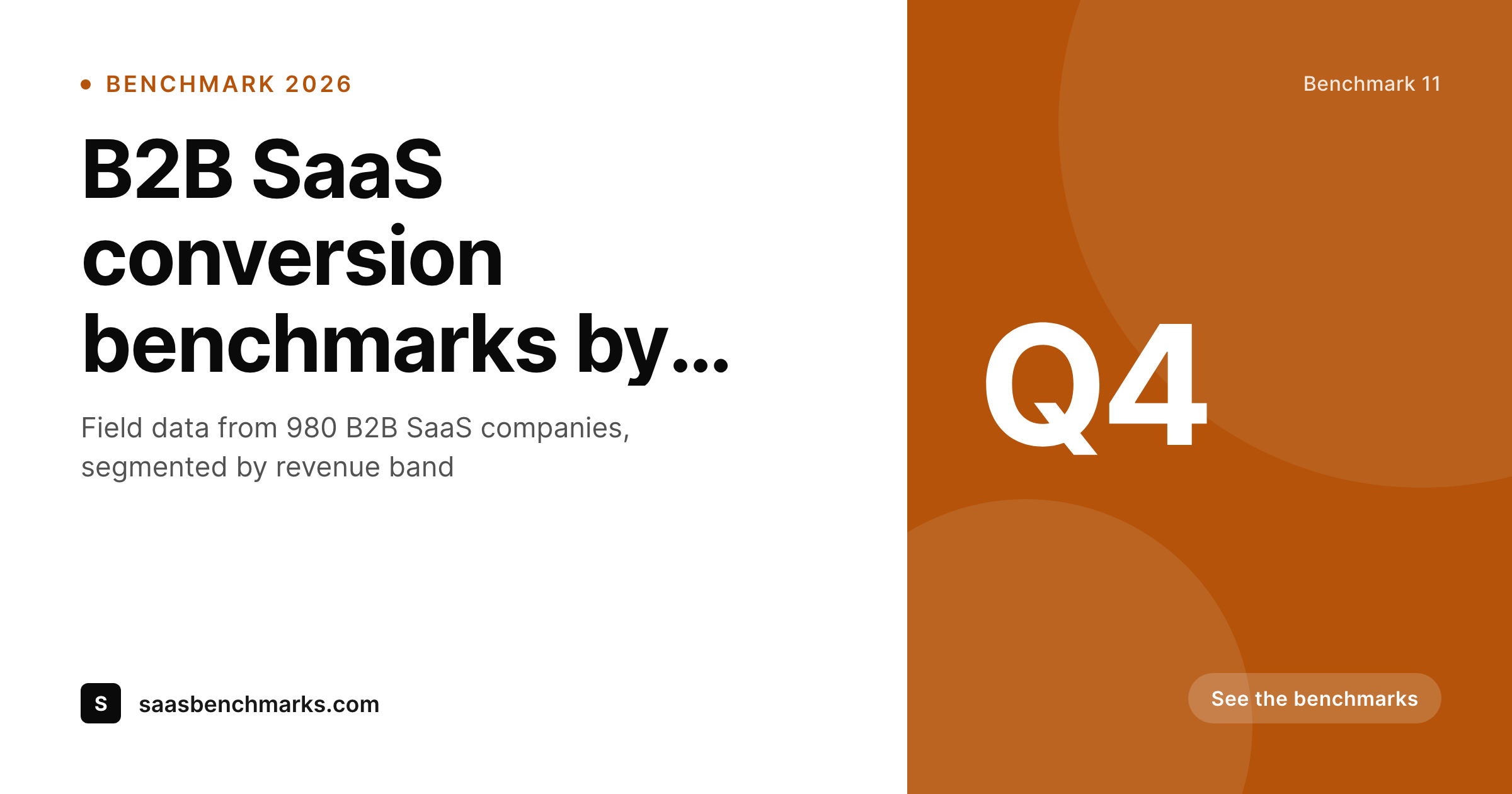
Benchmarks only mean something with the segment attached
A benchmark number on its own is almost useless. A 28 percent conversion rate is great for a 50k ARR company and terrible for a 10m ARR company, and the reader has to know which segment the benchmark is drawn from to use it. The OG card on a benchmark post that surfaces only the headline number leaves the reader without the context they need to apply the figure.
SleekPixel pulls the segment, the quartile band, and the sample size from the benchmark record. The template encodes the brand layout with slots for the headline metric, the segment chip, the quartile band, and the methodology link. Every benchmark renders with the right context, and the card stops being a misleading top-line.
Quartile bands (top, median, bottom) render as clear markers, so the reader sees whether the figure represents the top performers or the median. The card becomes useful for a board deck citation, a sales call anchor, or a hiring committee decision, without forcing the reader to open the source post.
Workflow
From the benchmark data to a card the desk can cite
Encode the card layout
Register the fields
Publish the benchmark
Refresh the archive
Output
How a benchmark card composes
An OG card with the headline metric, the segment, the quartile band, and the sample size, all drawn from the benchmark report fields.
Comparison
Default benchmark report cards image vs SleekPixel
Default benchmark report cards image
- Headline metric on the card with no segment attached
- Quartile band is invisible, readers cite the wrong tier
- Sample size is buried, the credibility signal disappears
- Methodology link is in the post body, one click too many
- Brand refresh forces every benchmark to be redrawn manually
SleekPixel
- Segment chip renders from a controlled vocabulary
- Quartile band marker keeps the figure honest
- Sample size lives on the card alongside the metric
- Methodology badge sits beside the chip, one click away
- Bulk regenerate refreshes the archive after a brand update
Features
What SleekPixel gives you for benchmark report cards
Quartile band marker
Top quartile, median, and bottom quartile render as labelled bands. Readers see which tier the benchmark represents without scrolling to find the methodology note.
Segment chip
ARR bands, headcount ranges, or industry verticals render as chips with per-segment colors. The benchmark series stays visually filterable across the archive.
Sample size
Sample size renders as a marker so the reader sees the credibility of the figure alongside the figure itself.
Use cases
Benchmark report formats this card supports
SaaS benchmarks
Conversion, churn, and growth benchmarks for B2B SaaS, segmented by ARR band. The chip carries the band, the marker carries the quartile.
Industry benchmarks
Benchmarks across an industry (retail, media, manufacturing) with the segment chip leading and the metric in the headline slot.
Quarterly benchmark updates
Quarterly waves with refreshing samples. The quarter stamp and the sample size update per wave, the template stays consistent.
The bigger picture
Why benchmark cards need the segment attached
Benchmark figures get cited out of context more than almost any other data point in business publishing. A founder reads a tweet quoting a 28 percent conversion rate, screenshots it, and pastes it into a board update without checking which segment the benchmark covered. The board reads the figure as applicable to the company, draws a conclusion, and adjusts strategy on the basis of a number that was drawn from a completely different ARR band.
The mistake is not the reader's fault. The mistake is on the card that surfaced the figure without the segment. The publication that ships benchmark data has a duty to make the card honest, because the card is the artifact that travels.
A card with the segment chip, the quartile band, and the sample size is hard to misquote. A card with just the headline number invites the misquote at every step. SleekPixel encodes the segment, the quartile, and the sample size into the template, so every benchmark ships with the context attached.
The next reader who screenshots the card carries the full structure into their next conversation, and the figure stays usable.
Questions
Common questions about SleekPixel for benchmark report cards
Yes. Use top quartile, median, bottom quartile, or any custom band labels. The marker renders the labels you define so a deciles study and a quartiles study both work through one template.
Register one card per segment. The benchmark report ships with a cover card and one card per segment, all rendered on save. Readers see each cut on its own image.
Yes. Map a segment taxonomy term to the chip with per-term colors. Industry, ARR band, and headcount range can each drive a chip color.
Yes. Save the post after the refresh and SleekPixel re-renders the card with the new figure. The cache busts on the next request.
Yes. The admin has a one-click bulk regenerate that re-renders every card in the benchmark post type. The whole archive picks up the current layout in one pass.
Yes. Add a quarter or edition field to the post type and the template renders the stamp on the card. Each wave inherits the template and ships consistently.
Yes. The badge can link to any methodology post, including a segmentation page that explains the bands. Readers reach the receipts in one click from the card.
Yes. The PNG renders at high resolution and the segment chip, quartile band, and metric all stay legible after a screenshot. The card was designed to survive the journey into board decks and sales calls.
Pricing
More than 1000+
happy customers
Explore our flexible licensing options tailored to your needs. Upgrade your license anytime to access more features, or opt for a lifetime license for ongoing value, including lifetime updates and lifetime support. Our hassle-free upgrade process ensures that our platform can grow with you, starting from whichever plan you choose.
Lifetime ♾️
Most popular
EUR
once
- Unlimited websites
- Lifetime updates
- Lifetime support
...or get the Bundle Deal
and save €250 🎁
💎 Want everything forever? The All Access Pass is going away on 01.08.2026.
The Bundle (unlimited sites)
Pay once, own it forever
Elevate your WordPress site with our exclusive plugin bundle that includes all of our premium plugins in one package. Enjoy lifetime updates and lifetime support. Save significantly compared to buying plugins individually.
What’s included
-
SleekAI
-
SleekByte
-
SleekMotion
-
SleekPixel
-
SleekRank
-
SleekView
€749
Continue to checkoutBrowse more
- Notion page covers
- Klaviyo email banner
- LinkedIn event banners
- Substack podcast cover
- Twitch profile banner
- Twitch panel images
- Open Graph images
- SoundCloud track art
- Threads post cover
- TikTok Now image
- YouTube podcast thumbnails
- Twitch schedule banners
- Amazon Storefront banners
- Etsy shop banners
- GitHub README banners