






SleekPixel for cooking school
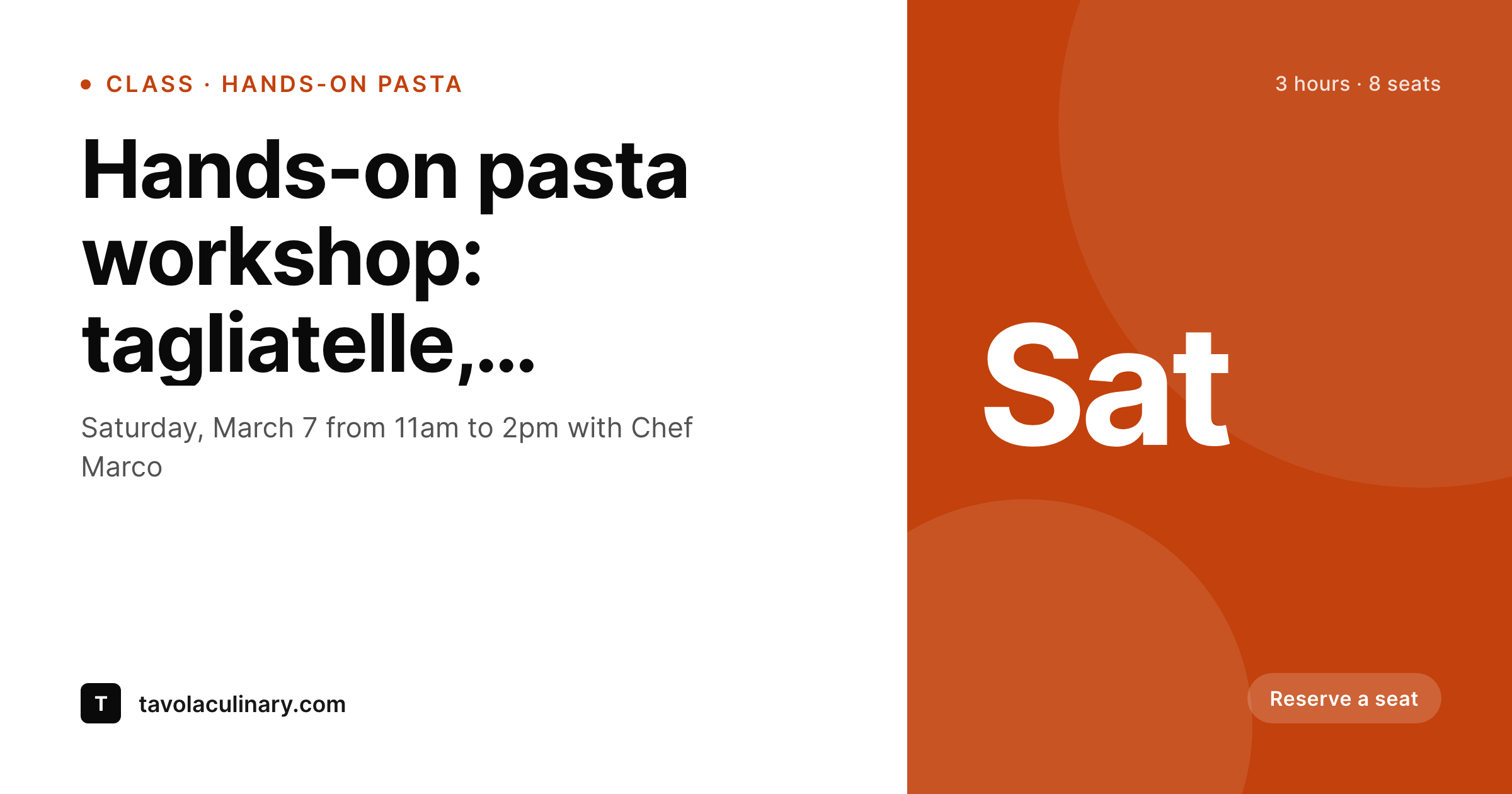
Cuisine, technique, chef name, and date already live on each class post. SleekPixel renders a branded 1200x630 share card on save, so every booking link opens with on-brand preview art.
♾️ Lifetime License available
Cooking schools sell out by week, not by year
Cooking schools fill seats by the week. A pasta-making class on Saturday, a knife skills intensive on Tuesday, a chef-led tasting next Thursday. The booking funnel is short and impulse-driven: someone sees the link in an Instagram post or a friend's text on Tuesday afternoon, makes a decision, and either books or moves on within the hour. The OG card on that link is doing more work than anyone planned for. A blurry default thumbnail is a quiet conversion leak that compounds across hundreds of links a year.
The class data is already structured. Each class post has cuisine type, technique focus, chef, date, seats remaining, and a hero photo of the dish. Tasting events have wine pairing, region, and chef. Chef profiles have name, specialty, and a portrait. All of it is exactly what a share card should display. Most cooking schools still hand-build the share image when they remember to, and skip it when the kitchen is busy, which is most weeks.
SleekPixel removes the queue. One template per post type (class, tasting, chef profile) reads the existing fields and renders a branded 1200x630 PNG on save. The class fills, the seats-remaining field updates, the OG card refreshes. The school posts the link to Instagram and the preview is correct on the first scrape. Booking momentum stops getting throttled by the design queue.
Workflow
From class draft to share-ready in one save
Map cooking school post types
Design templates per type
Publish normally
Bulk regenerate seasonally
Output
What gets generated per class
A 1200x630 OG image with class title, cuisine, chef, date, and seats remaining, all pulled from the class post fields.
Comparison
Canva flyers vs auto-rendered class cards
Canva / Manual export
- Each new class flyer made by hand on the chef's evenings off
- Seats remaining updates but the OG card still shows last week's count
- Hands-on workshops, tasting nights, and private events all need separate exports
- New chef onboarding waits on a designer to make their profile card
- Seasonal menu shifts mean redoing every class card from scratch
SleekPixel
- Each class, tasting, and chef profile saves with its own branded card
- Cuisine, technique, date, and seats pulled from WordPress fields
- Bulk regenerate when the seasonal menu changes or branding evolves
- 1200x630 PNG stored in uploads, wired into og:image and twitter:image
- Manual download from the Gutenberg sidebar for newsletters and Stories
Features
What SleekPixel gives you for cooking school
Class cards
Each class page saves with cuisine, technique, chef, and date on a branded card. Booking link previews drive bookings instead of leaking them.
Chef profiles
Name, specialty, portrait, and bio render onto a branded profile card. Guest chef weeks get share-ready art before the press release goes out.
Tasting events
Wine pairings, regional tastings, and pop-up dinners each render with their own template. The link previews look like the polished events they are.
Use cases
Where cooking school share cards earn their click
Instagram bio links
Class booking pages linked from the school's Instagram bio show on-brand previews. Discovery-driven bookings improve when previews look professional.
Newsletter forwards
Subscribers forward weekly class emails to friends, and the link preview shows date and seats remaining instead of a homepage banner.
Group bookings
Birthday and corporate group inquiries arrive faster when the share card shows the class clearly, with date, group capacity, and price.
The bigger picture
Why share cards matter for cooking schools
Cooking school bookings happen on impulse, in fast windows, and on phones. Someone sees the class link Tuesday afternoon and books by Tuesday evening or never books at all. The OG card on that link is the second-largest signal after the photo, because it tells the prospect at a glance what the class is, when it runs, and whether it looks professional enough to trust.
A current, branded card converts shares into seats; a missing or mismatched preview lets the impulse pass. Across a year of weekly classes, the cumulative impact is not small. The second reason is operational.
Cooking schools run thin on design time because the kitchen is the priority, and the chef-owner is usually the one running the website. Hand-building a flyer for every class drains the evening hours that should go to menu development and student feedback. SleekPixel collapses the design step into the publishing step.
The school updates the class post once, the share card exists, and the marketing surface keeps pace with what the kitchen is actually offering this week. Bookings stop leaking, and the chef stops working a second shift in Canva.
Questions
Common questions about SleekPixel for cooking school
Yes, with one caveat. Bind a 'seats remaining' custom field to a slot on the class template. Update the field as bookings come in (or via your booking system's webhook), save the post, and the card regenerates. Truly live updates per visitor are not in scope; per-save updates are.
SleekPixel renders the share card for the WordPress class page that links to your booking system. Whether bookings run through Eventbrite, Cookening, or a custom form, the WordPress page is what gets shared and what carries the OG image. The booking system handles its own checkout previews.
Yes. Map cuisine as a taxonomy and bind a per-term accent color and icon to template slots. Italian classes render in warm reds, French in cool blues, both pull from the same template skeleton so the school brand stays unified across cuisines.
Add a 'private event' template variant and toggle it on for those posts. Private bookings render with a discreet 'Private event' badge and skip the public price slot. Corporate inquiry pages share with the team-building angle on the card.
Yes. Add a 1080x1920 Story format to the class template and SleekPixel renders both the OG card and the vertical Story image on save. Download the Story from the Gutenberg sidebar to post the morning of the class.
Yes. Set the dish photo as the WordPress featured image and bind it to the template's image slot. The card renders with the actual dish, cropped per template specs, instead of a stretched homepage hero.
Each chef can have their own accent color stored on their user profile, and templates can read that field per chef. The school keeps a master template, but each chef's classes carry their personal accent so the brand feels cohesive without being identical.
Generation runs on save, not on page load, so the public site stays fast. Rendered PNGs live in standard WordPress uploads. For a school running weekly classes, the storage footprint stays small even after years of operation.
Pricing
More than 1000+
happy customers
Explore our flexible licensing options tailored to your needs. Upgrade your license anytime to access more features, or opt for a lifetime license for ongoing value, including lifetime updates and lifetime support. Our hassle-free upgrade process ensures that our platform can grow with you, starting from whichever plan you choose.
Lifetime ♾️
Most popular
EUR
once
- Unlimited websites
- Lifetime updates
- Lifetime support
...or get the Bundle Deal
and save €250 🎁
💎 Want everything forever? The All Access Pass is going away on 01.08.2026.
The Bundle (unlimited sites)
Pay once, own it forever
Elevate your WordPress site with our exclusive plugin bundle that includes all of our premium plugins in one package. Enjoy lifetime updates and lifetime support. Save significantly compared to buying plugins individually.
What’s included
-
SleekAI
-
SleekByte
-
SleekMotion
-
SleekPixel
-
SleekRank
-
SleekView
€749
Continue to checkoutBrowse more
- Mastodon profile banners
- Tumblr header
- Twitter/X header
- Instagram feed posts
- GitHub social preview images
- Snapchat ad images
- Threads post images
- Telegram channel cover images
- Twitch overlay
- YouTube end cards
- SoundCloud banner
- Substack post thumbnail
- KakaoTalk channel banners
- VSCO cover
- YouTube end screens