






SleekPixel for KPI cards
Teams publishing KPI updates need a share image that names the metric, shows the value, and signals the trend. SleekPixel renders one card per KPI in WordPress, built from the fields on save.
♾️ Lifetime License available
KPI updates deserve more than a spreadsheet screenshot
Operators who publish KPI updates have a recurring problem with share assets. The dashboard exports as a screenshot that looks fine in a board doc and terrible on LinkedIn. The numbers are dense, the typography belongs to whichever BI tool the team uses, and the brand frame is missing. The update itself, posted as a long-form essay, ends up with a generic header graphic that does not carry any of the numbers being discussed.
A KPI card flips that. One metric per card. The metric name as a clean label. The current value in display size. A small trend slot that shows the delta against the previous period. A target slot if the team publishes targets. The whole thing framed in the company's typography and colors, so a KPI card from your team reads as your team, not as a screenshot from Looker. Build the template once, publish a card per KPI per period, accumulate a body of share assets that travel.
SleekPixel binds the card to a KPI post or a KPI block. Metric name, value, target, trend, and period come from fields. The render fires on save, writes the PNG to uploads, and serves it as og:image. Quarter ends, new KPI post, save, fresh share asset ready for the update.
Workflow
From KPI value to share card in one save
Design the KPI template
Set up the KPI post type
Save the KPI post
Publish the update
Output
What a generated KPI card looks like
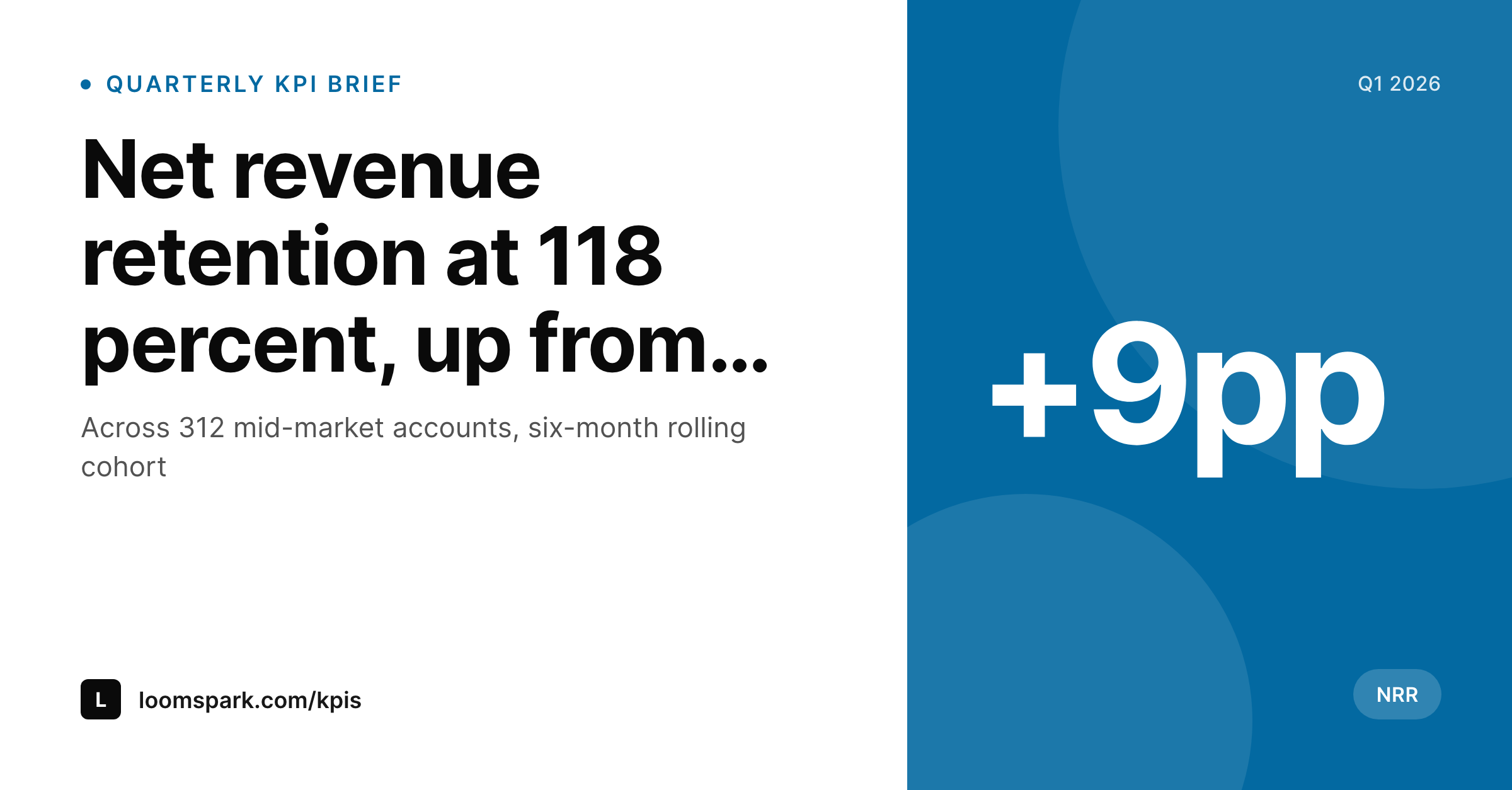
A 1200x627 LinkedIn-ready card with the KPI name, the current value in display size, the period, and a small delta slot showing the trend.
Comparison
Dashboard screenshot vs SleekPixel
Dashboard screenshot
- BI tool typography and chrome read as the brand, not your team
- Multiple KPIs cramped into one screenshot, none of them legible
- Period and trend lost or rendered in tiny axis labels
- No consistent format across quarters, every update designs from scratch
- No regeneration path when a KPI value gets restated
SleekPixel
- Render fires on save for every KPI post
- Metric name, value, period, and trend pulled from fields
- Single-KPI cards keep each metric legible at thumbnail size
- og:image and twitter:image meta tags written automatically
- Quarterly KPI series reuses one template across years
Features
What SleekPixel gives you for KPI cards
One KPI per card
Each card carries one metric. The reader can scan the value, the period, and the trend in two seconds without zooming. Multi-KPI updates become a series of cards rather than one cramped screenshot.
Trend in a fixed slot
The delta against the previous period renders in a fixed slot with an up or down indicator. A small change reads as a small change, a step change reads as a step change, both legible at preview size.
Target slot when published
An optional target slot shows where the team aims the metric, useful for KPIs that the company publishes targets for. Missing targets collapse the slot cleanly without breaking the layout.
Use cases
Where KPI cards earn their keep
Founders posting quarterly KPIs
Founders who publish a public KPI cadence. Each KPI gets its own card so the update reads as a series of legible posts rather than a single dense screenshot.
Customer success teams
CS teams publishing program KPIs internally and externally. Templated cards keep retention, NPS, and time-to-value metrics consistent across quarters.
Open-startup operators
Operators running an open metrics page who publish revenue, churn, and growth KPIs. Each metric ships as a share card that travels into newsletters and X threads.
The bigger picture
Why KPIs deserve a dedicated card format, not a dashboard crop
KPIs are the closest thing a company has to an honest summary of how it is doing, and the way they get shared usually fails them. A Looker or Mixpanel screenshot drops the company's brand, the period, and the trend into a dense rectangle that reads at meeting-room projection size and nowhere else. A templated KPI card respects the medium it will travel through.
One metric, one period, one trend, one frame, designed to read at the small sizes feeds and decks actually use. Across quarters this builds a visual series that signals consistency, which is itself a piece of evidence about how the company runs. The investment in the template pays off every time a KPI gets restated, every time a new metric joins the public set, every time a partner or a customer scrolls through the public update.
Questions
Common questions about SleekPixel for KPI cards
Yes. The value field accepts any string. Common formats include 118 percent, $4.2M ARR, 312 accounts, and 4.7x multipliers. The template renders the value with consistent typography across types.
Store the previous-period value as a separate field. The template computes the delta (in absolute terms or percent change) and renders an up or down indicator with the delta value.
Yes. Store a series of past values as a meta field and the template can render a simple sparkline alongside the main number. The card stays single-KPI but adds context.
Leave the target field empty. The slot collapses cleanly. Cards with and without targets stay visually consistent because the slot is optional in the layout.
Yes. A visibility meta field can pick a slightly different variant of the same template, for example one with a target line for internal cards and one without for public cards.
SleekPixel reads from WordPress fields. An import pipeline can pull values from Looker, Metabase, or a BI API into WordPress on a schedule, then SleekPixel renders the card automatically.
Headless render on save, usually under a second. The save returns immediately and the PNG lands in uploads in the background.
Yes. The bulk regenerate action re-renders every KPI post under a chosen template. Useful when the team adopts a new typography or color system between quarters.
Pricing
More than 1000+
happy customers
Explore our flexible licensing options tailored to your needs. Upgrade your license anytime to access more features, or opt for a lifetime license for ongoing value, including lifetime updates and lifetime support. Our hassle-free upgrade process ensures that our platform can grow with you, starting from whichever plan you choose.
Lifetime ♾️
Most popular
EUR
once
- Unlimited websites
- Lifetime updates
- Lifetime support
...or get the Bundle Deal
and save €250 🎁
💎 Want everything forever? The All Access Pass is going away on 01.08.2026.
The Bundle (unlimited sites)
Pay once, own it forever
Elevate your WordPress site with our exclusive plugin bundle that includes all of our premium plugins in one package. Enjoy lifetime updates and lifetime support. Save significantly compared to buying plugins individually.
What’s included
-
SleekAI
-
SleekByte
-
SleekMotion
-
SleekPixel
-
SleekRank
-
SleekView
€749
Continue to checkoutBrowse more
- Substack post thumbnail
- Patreon post thumbnails
- Rednote (Xiaohongshu) post
- VK community cover photos
- Discord server banners
- Telegram channel cover images
- Dribbble shot covers
- KDP paperback cover
- WhatsApp status images
- YouTube end screens
- Apple Music cover art
- Twitch alert
- Twitch profile banner
- Instagram stories
- kbin post images