






SleekPixel for weekly ship cards
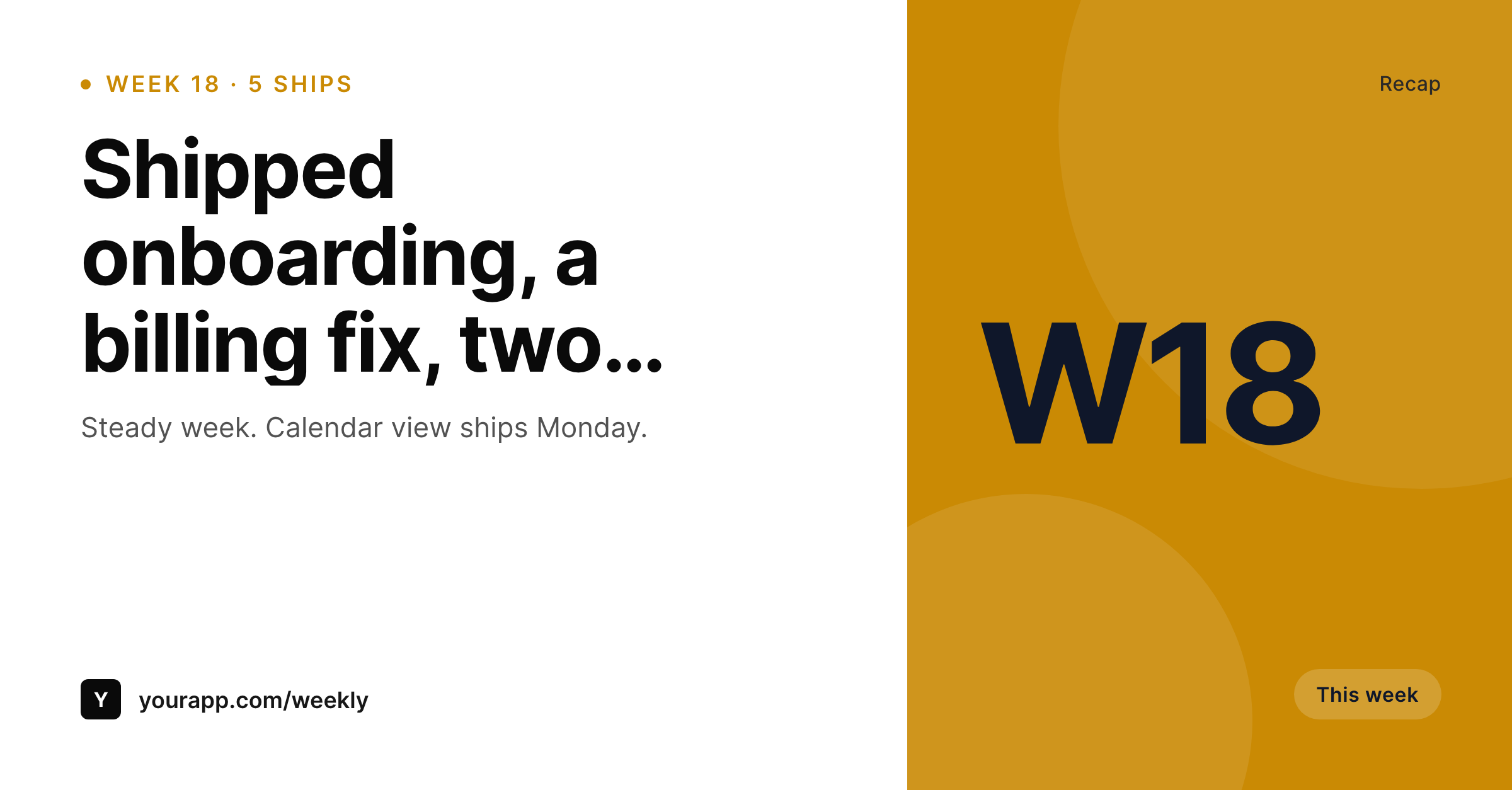
Daily logs are too fast for some audiences. SleekPixel renders a 1200x627 weekly recap card from a WordPress weekly post, with the week number, ship count, and top items already laid out for the Friday LinkedIn post.
♾️ Lifetime License available
Weekly recaps are the most underused content beat in SaaS
Daily ship logs work for hardcore audiences. Most LinkedIn followers are not hardcore audiences. They want one well-written summary per week with the week's wins, and they want it on Friday afternoon so they can read it before the weekend.
SleekPixel renders the recap card from the WordPress weekly post. The week number, the ship count, and up to five top items bind to fields on the post. The template lays them out into a 1200x627 LinkedIn-ready card. The Friday post goes up on the website at noon and on LinkedIn at three, both with the same image.
Over a year that is fifty-two cards that all match. The Friday recap becomes a recognizable beat in the LinkedIn feed, which is the kind of cadence that compounds followers over twelve months.
Workflow
From weekly recap post to Friday LinkedIn card
Design the recap template
Bind to the weekly post type
Write Friday's recap
Post the Friday card
Output
What goes on a weekly ship card
A 1200x627 image with the week number, the ship count, and up to five top items. Same layout every Friday, content varies.
Comparison
Text-only Friday recap vs SleekPixel weekly card
Text-only Friday LinkedIn post
- Friday text posts get scrolled past on busy LinkedIn afternoons
- Designing a weekly card eats Friday afternoon every week
- Week numbers and ship counts get retyped instead of pulled from a source
- Different weeks produce visibly different cards over a quarter
- No connection between the weekly recap on the website and the LinkedIn post
SleekPixel
- 1200x627 weekly recap card rendered per WordPress weekly post
- Week number, ship count, and top items bind to post fields
- Same template every week, content varies per recap
- og:image set automatically for the website weekly archive
- Sidebar download for the Friday LinkedIn post
Features
What SleekPixel gives you for weekly ship cards
Week number slot
A fixed slot for the week number, recognizable on first scroll. Drives the cadence and lets the audience track the series at a glance.
Top items stack
Up to five top items render in a stacked list. A short week with two items and a busy week with five both look balanced because the template handles spacing.
Friday-ready download
Save the recap post Friday morning, hit download in the sidebar at 3 PM, post to LinkedIn. The card is ready before the coffee shop closes.
Use cases
Where a weekly ship card outperforms daily
Founders with LinkedIn-heavy audiences
A B2B founder running a Friday recap series keeps a recognizable Friday beat for the LinkedIn audience without daily-cadence work.
Startup newsletters
A weekly newsletter pairs a header image with the recap, both rendered from the same weekly post in WordPress.
Teams celebrating wins
An ops lead posts the weekly recap card in the company Slack and on LinkedIn. The team sees the same artifact internally and externally.
The bigger picture
Why the Friday recap is the most efficient cadence in SaaS marketing
Daily content is a streak game. Weekly content is a habit game. The Friday recap is the habit game most LinkedIn audiences actually engage with, because once a week is the cadence a busy professional can absorb.
A SaaS team that runs a Friday recap for a full year produces fifty-two artifacts that the audience reads in the same context every week, which is the strongest format for building recall and trust. Most teams know this and still miss weeks, because the design step makes Friday afternoon a chore. Removing the design step means Friday afternoon becomes a writing exercise instead of a writing-plus-design exercise, which is the difference between fifty-two posts in a year and thirty-three.
Questions
Common questions about SleekPixel for weekly ship cards
Either works, depending on audience. Some teams run both: daily logs on Twitter and a Friday recap on LinkedIn. SleekPixel can hold both templates and bind them to different post types in the same WordPress install.
Empty slots in the top-items stack collapse. A week with two items still produces a clean card with just two lines visible. The template handles spacing automatically.
Yes. Bind a placeholder to the featured image and the template will compose a small screenshot alongside the items list. Useful when the week's headline feature is visually distinctive.
Optionally. A contributors field on the post can drive up to three avatars on the card, showing who shipped what. Useful for teams that want individual visibility.
Either a numeric field on the post incremented by hand, or a computed field tied to the ISO week number of the post date. Both work; the hand-incremented version handles skipped weeks more naturally.
Indirectly. SleekPixel renders cards per post, so a quarterly summary would be a separate post that aggregates the twelve weekly items. The template can be different, with a four-quarter layout.
Yes. The template hides team-related slots when the contributors field is empty. A solo founder gets a clean recap card without phantom avatar slots.
LinkedIn caches by URL. Each weekly post has its own URL, so each week's card shows fresh. Use the LinkedIn post inspector if you need to force-refresh a single week.
Pricing
More than 1000+
happy customers
Explore our flexible licensing options tailored to your needs. Upgrade your license anytime to access more features, or opt for a lifetime license for ongoing value, including lifetime updates and lifetime support. Our hassle-free upgrade process ensures that our platform can grow with you, starting from whichever plan you choose.
Lifetime ♾️
Most popular
EUR
once
- Unlimited websites
- Lifetime updates
- Lifetime support
...or get the Bundle Deal
and save €250 🎁
💎 Want everything forever? The All Access Pass is going away on 01.08.2026.
The Bundle (unlimited sites)
Pay once, own it forever
Elevate your WordPress site with our exclusive plugin bundle that includes all of our premium plugins in one package. Enjoy lifetime updates and lifetime support. Save significantly compared to buying plugins individually.
What’s included
-
SleekAI
-
SleekByte
-
SleekMotion
-
SleekPixel
-
SleekRank
-
SleekView
€749
Continue to checkoutBrowse more
- Instagram collab post images
- Pinterest board covers
- Etsy shop banners
- Rednote (Xiaohongshu) post
- Lens Protocol posts
- VK community cover photos
- Mastodon profile header
- YouTube Shorts thumbnails
- Discord server icon
- Tumblr header
- podcast cover art
- Substack post headers
- Kick channel banners
- kbin post images
- Medium article headers