






SleekPixel for blog posts
SleekPixel reads each post's title, author, category, and date and generates a custom OG image on save. No more uploading featured images for social - the post itself becomes the source.
♾️ Lifetime License available
Stop hand-uploading featured images for every post
Most blogs lose half their social traffic to a single missing image. The featured image gets uploaded for the post, but the social card - the OG image that shows up when the post is shared - gets forgotten or set to a generic site logo. The result is identical thumbnails on every share, no matter how different the posts are.
SleekPixel solves this without adding a single step to the publishing flow. You design one template in the admin - a layout that uses fields like {post_title}, {author_name}, {category}, and {date}. Every time you save a post, SleekPixel renders that template with the post's actual data and attaches the result as the og:image meta tag. Twitter, Facebook, LinkedIn, Slack, and WhatsApp all pick it up.
Edit the template once and every post's social card refreshes. Add a new field, every post inherits it. The featured image stays in its own role - hero on the post page; the social card lives next to it in the post meta and goes wherever the URL goes.
Workflow
From draft to social-ready in one save
Design the template
Connect to post type
Save the post
Share anywhere
Output
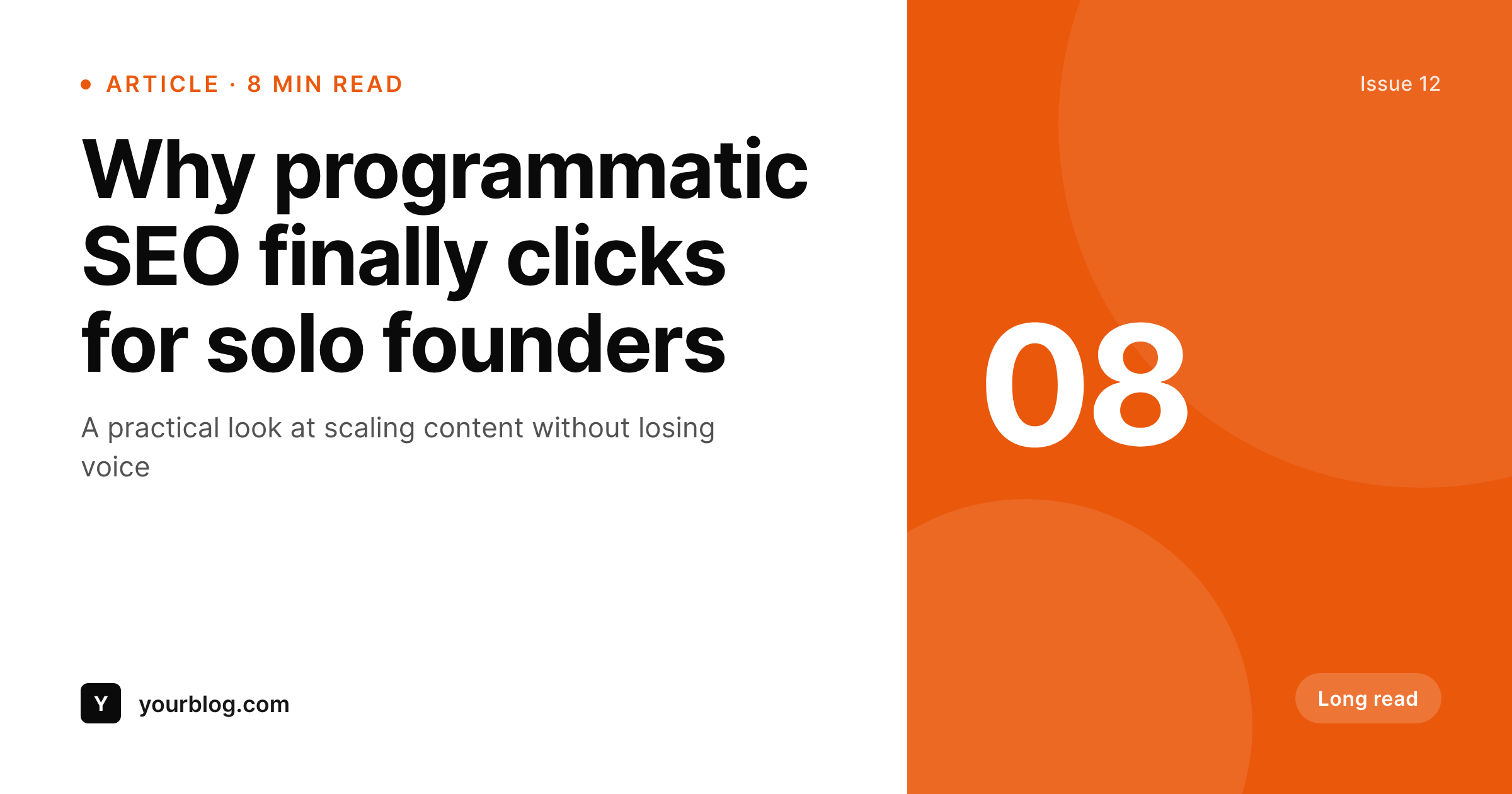
Sample social card from a blog post
This card was rendered from a post's title, category, read time, and a single accent color. Same template, every post.
Comparison
Hand-made featured images vs SleekPixel
Manual upload per post
- A featured image gets uploaded; the social card gets forgotten
- Same generic OG image on every share, regardless of post topic
- Updating the brand means re-exporting every featured image manually
- Authors paste their own crops, every post looks slightly different
- No automation - rely on humans to remember every time
SleekPixel
- Auto-generated OG image per post on save, every time
- Per-post variables: title, author, category, date, custom fields
- One template = one consistent visual identity across hundreds of posts
- Edit the template once and every post's card refreshes
- Falls back gracefully if a field is missing
Features
What SleekPixel gives you for blog posts
Template-driven
Design the social card layout once with text, shapes, and dynamic fields. Every post inherits it automatically on the next save.
OG + Twitter meta
SleekPixel writes the og:image, twitter:image, and twitter:image:alt meta tags directly on each post - no theme code to touch.
Regenerate on demand
Updated the template? Bulk-regenerate every post's image from the admin, or wait for the next save - both work.
Use cases
Where this fits best
Editorial blogs
Per-post social cards mean every share looks like it belongs to the same publication, without art-directing each post.
Multi-author sites
Author name and avatar pulled per post - readers see who wrote what at a glance from the share preview.
Content marketing teams
Bulk-generate cards for an entire archive after a brand refresh. No designer time, no per-post manual work.
The bigger picture
Why a consistent social card matters
Social shares are the cheapest distribution a blog has. A reader posts your article, ten more see it in a feed, three click. The single biggest factor in whether those three click is what the link preview looks like - the OG image.
Generic site-logo cards look like spam. Random featured images look unprofessional when they don't match the post's tone. Bespoke per-post designs are unrealistic above five posts a month.
The middle path - a template that adapts to each post automatically - has been the way for years on apps like Notion, Linear, and Vercel. SleekPixel brings that to WordPress without forcing you to host the rendering elsewhere or pay per image.
Questions
Common questions about SleekPixel for blog posts
Yes. SleekPixel writes the og:image meta tag directly into the document head - it doesn't depend on theme support. If your theme already outputs og:image, SleekPixel takes precedence and overrides it cleanly.
The template renders without it. You can set defaults per field (e.g., 'Untitled post' for missing titles) or design the layout so missing fields collapse gracefully. Nothing breaks if data is incomplete.
Yes. The admin has a one-click bulk regeneration that re-renders all images for posts using the template. Useful after brand updates or template tweaks.
No. The image is rendered once at save time and stored as a static PNG/JPG. Visitors load a regular image URL - no rendering happens at view time.
Yes - they read the og:image meta tag on first share. Both have card debuggers (Twitter Validator, Facebook Sharing Debugger) you can use to clear their caches if you're testing.
Yes. SleekPixel supports per-category, per-tag, and per-CPT templates. Routing rules in the admin pick the right template for each post automatically.
The featured image stays in its theme role - hero on the post page, archive thumbnail. The social card is a separate piece of metadata SleekPixel manages. They don't conflict.
Stores. Each generated image is a real PNG/JPG saved to the uploads folder. This keeps page loads fast and means images survive even if the plugin is later disabled.
Pricing
More than 1000+
happy customers
Explore our flexible licensing options tailored to your needs. Upgrade your license anytime to access more features, or opt for a lifetime license for ongoing value, including lifetime updates and lifetime support. Our hassle-free upgrade process ensures that our platform can grow with you, starting from whichever plan you choose.
Lifetime ♾️
Most popular
EUR
once
- Unlimited websites
- Lifetime updates
- Lifetime support
...or get the Bundle Deal
and save €250 🎁
💎 Want everything forever? The All Access Pass is going away on 01.08.2026.
The Bundle (unlimited sites)
Pay once, own it forever
Elevate your WordPress site with our exclusive plugin bundle that includes all of our premium plugins in one package. Enjoy lifetime updates and lifetime support. Save significantly compared to buying plugins individually.
What’s included
-
SleekAI
-
SleekByte
-
SleekMotion
-
SleekPixel
-
SleekRank
-
SleekView
€749
Continue to checkout