






SleekPixel for HubSpot emails
HubSpot powers integrated marketing, sales and service email for mid-market and enterprise teams. When campaigns mirror into a WordPress archive, SleekPixel renders covers that pull the subject, list and send date from the post.
♾️ Lifetime License available
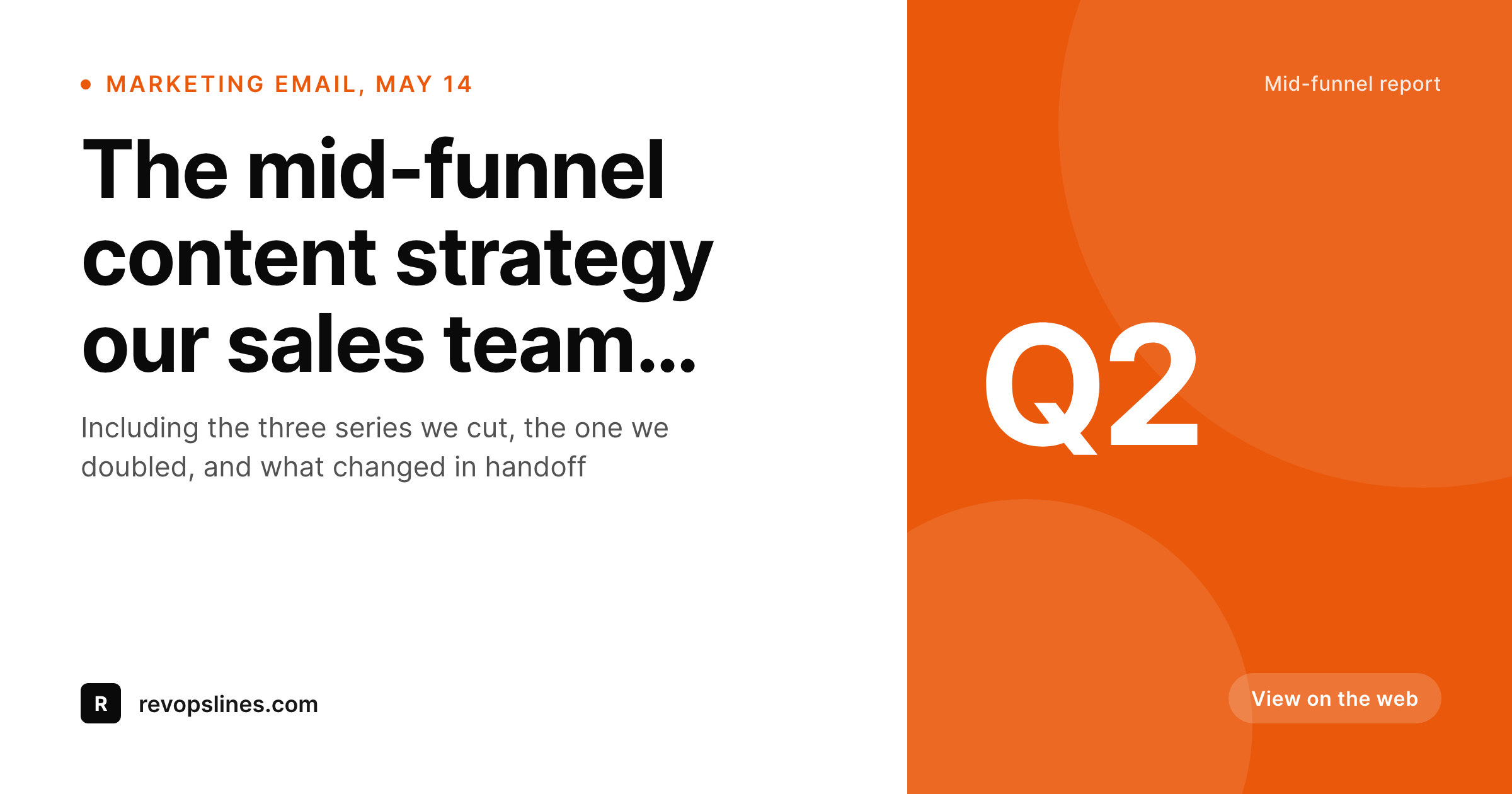
HubSpot marketing emails benefit from a real archive presence
HubSpot's marketing hub runs email for a huge slice of the B2B mid-market. The platform integrates with the CRM, the service hub and the marketing analytics layer, which makes it the canonical place for campaign data in many organizations. What HubSpot does less well is hosting a clean public archive of past campaigns on the brand's own domain. The marketing email URLs HubSpot generates have a HubSpot subdomain footprint that most brand teams prefer to avoid sharing publicly; instead, they mirror the campaign into their WordPress site for the canonical public version.
The archive page on WordPress is where social shares, sales-team forwards and journalist links land. A mid-funnel content email forwarded to a prospect or shared on LinkedIn pulls the WordPress page's OG image as the first visual. For most HubSpot-powered teams that image defaults to the homepage banner or a featured image cropped at the wrong aspect ratio, and the carefully constructed email shares on the web with a preview that does not match its production value.
SleekPixel reads the archive post fields and renders a real cover on save. Subject line, list or audience, campaign type and send date all live on the post; the template reads them and emits the right cover. The og:image meta tag writes itself. The brand starts sharing the archive the way it ships the email, and the entire LinkedIn audience that sees the share gets the right first impression instead of the same homepage banner that every other team's share carries.
Workflow
From HubSpot campaign to social-ready archive
Design the cover template
Mirror the HubSpot campaign
Share the archive URL
Edit and re-render
Output
What a HubSpot archive cover ships with
A 1200 by 630 PNG: campaign tag, subject line, send date and list, rendered from the archive fields on save.
Comparison
Default HubSpot archive share vs SleekPixel
Default HubSpot archive image
- Theme falls back to the homepage banner on every archived HubSpot campaign
- Mid-funnel content emails share with the same default as transactional summaries
- Featured images crop wrong on LinkedIn and Slack share previews
- List or audience context never comes through at the social preview layer
- Manual cover art falls behind as content series get renamed
SleekPixel
- Render fires on save for every archived HubSpot campaign post
- Subject, list and send date pulled from existing fields
- og:image and twitter:image written automatically
- Per-list templates for mid-funnel, customer education and event-driven sends
- Bulk re-render the catalog when the brand or list strategy evolves
Features
What SleekPixel gives you for HubSpot emails
HubSpot-aware
List name, campaign type and audience context render onto the cover when stored as fields on the archived post. The mid-funnel context carries through.
Per-funnel templates
Top-funnel content, mid-funnel nurtures, customer-education sends and event invites each pick their own cover layout from the campaign field.
Edits regenerate
Subject revisions, audience swaps or list rename trigger a re-render on next save. The archive's social preview never drifts from the live campaign state.
Use cases
Who uses SleekPixel for HubSpot emails
Mid-market B2B teams
B2B brands using HubSpot for the full funnel mirror their key campaigns to a WordPress archive. SleekPixel makes every shared link open with the brand's actual identity.
Enterprise content teams
Large content operations producing dozens of campaigns per month need consistent share previews. Templates render automatically from the HubSpot data.
RevOps and demand gen
Demand-generation campaigns and account-based marketing sends get a branded archive home. Pipeline-relevant forwards open with the right context, not a generic banner.
The bigger picture
Why HubSpot-powered brands need archive covers that match the funnel
HubSpot accounts skew toward mid-market and enterprise B2B, where the brand is a major asset and inconsistency in public-facing materials drags on perception. A campaign that gets shared on LinkedIn or referenced in a sales follow-up email pulls the WordPress archive page's OG image as the first impression. A default homepage banner there signals that the brand does not pay attention to its public surface, which is exactly the opposite of the impression a HubSpot-powered marketing team wants to convey.
The cover preview is a small but visible competence signal at one of the most common forwarding points for B2B content. The second reason is funnel context. Top-funnel awareness content, mid-funnel nurtures and bottom-funnel sales enablement all have different design conventions in the inbox because they serve different audiences.
When every archive cover shares with the same default, those distinctions collapse at the preview layer. SleekPixel restores the distinction because the right template picks itself from the campaign type stored on the archived post, and the right tone reaches the share preview without any manual design step.
Questions
Common questions about SleekPixel for HubSpot emails
Yes. SleekPixel runs on the WordPress side and reads archive post fields. The HubSpot plan and feature set only matter for what gets sent; once a campaign is mirrored to a WordPress post, the cover renders from the post fields regardless of HubSpot tier. Marketing Starter and Marketing Enterprise users can both use SleekPixel for their archive.
Several routes: the official HubSpot WordPress integration plugin can mirror campaigns, the HubSpot webhook can hit a custom wp-json endpoint, Zapier can connect HubSpot triggers to WordPress posts, or content teams can do a structured manual paste-in. SleekPixel reads the resulting fields regardless of route.
Yes, if the list name is captured as a custom field on the archived post. Most integration flows include this in the payload because it is the most useful piece of audience context. Bind the cover template slot to the field and the list name renders in a small caption or badge.
CRM contact properties are per-recipient and do not apply at the campaign level. The campaign-level audience (list, segment) does apply and can flow onto the cover via custom fields. If you want personalized previews per recipient, that is generally not done via OG images, which are public; consider per-recipient landing pages instead.
Smart content varies the email body per recipient inside HubSpot. The WordPress archive captures a single canonical version of the campaign for the public record. SleekPixel renders the cover for that canonical version. Per-recipient variations stay inside HubSpot's send infrastructure.
Yes. Automated sequence steps mirrored into the archive look like any other campaign post to SleekPixel. The cover template can use the sequence name or step number as a tag for variant selection. Long nurture sequences stay visually distinct from one-off broadcasts at the share-preview layer.
No. HubSpot's marketing reporting tracks sends, opens, clicks and conversions inside their platform via tracked URLs and pixel events in the sent email. SleekPixel only touches the OG image meta on the WordPress archive page. The two layers run independently and do not overlap.
Yes. Run the bulk re-render command and every existing archive post renders with the new template using its existing fields. A multi-year archive of HubSpot campaigns and sequence steps usually completes in a few minutes, including legacy campaigns from before the integration was in place.
Pricing
More than 1000+
happy customers
Explore our flexible licensing options tailored to your needs. Upgrade your license anytime to access more features, or opt for a lifetime license for ongoing value, including lifetime updates and lifetime support. Our hassle-free upgrade process ensures that our platform can grow with you, starting from whichever plan you choose.
Lifetime ♾️
Most popular
EUR
once
- Unlimited websites
- Lifetime updates
- Lifetime support
...or get the Bundle Deal
and save €250 🎁
💎 Want everything forever? The All Access Pass is going away on 01.08.2026.
The Bundle (unlimited sites)
Pay once, own it forever
Elevate your WordPress site with our exclusive plugin bundle that includes all of our premium plugins in one package. Enjoy lifetime updates and lifetime support. Save significantly compared to buying plugins individually.
What’s included
-
SleekAI
-
SleekByte
-
SleekMotion
-
SleekPixel
-
SleekRank
-
SleekView
€749
Continue to checkoutBrowse more
- Vimeo channel banners
- eBay listing images
- LinkedIn ad images
- SoundCloud banner
- Gumroad product covers
- Facebook cover photos
- Fansly banner
- LinkedIn showcase page banners
- Mastodon profile banners
- Behance project covers
- WeChat Moments images
- KDP paperback cover
- Tidal cover art
- Twitter header banners
- Twitch offline banners