






SleekPixel for TikTok creator
Video breakdowns, behind the scenes posts, and tutorials on a TikTok creator's blog already carry episode numbers, gear references, and screenshots. SleekPixel renders a 1200x630 share card on save so DM forwards and Twitter shares arrive looking like the channel.
♾️ Lifetime License available
TikTok success funnels through a blog the algorithm cannot promote
A TikTok creator who has built a real following on the platform faces a structural ceiling: TikTok itself does not pay enough to support full-time work, and the algorithm does not promote external links inside the app. The blog becomes the place where the creator's commercial business actually lives: gear lists with affiliate links, paid tutorial breakdowns, sponsorship landing pages, and email list signups. The TikTok caption says 'breakdown on my blog', and the link in bio routes the audience there. The blog post is where attention finally converts.
The forwarding network for TikTok creators runs heavily through DMs and group chats. A follower watches a thirty second cut, screenshots the bio link, and sends it to a friend who edits videos with the question 'have you seen how she does this'. The friend opens the link in Messages, and the preview decides whether the link gets tapped or scrolled past. Most creator blogs surface a default theme banner, an unrelated stock photo, or the channel's profile picture pulled out of context. The breakdown becomes 'a random link' instead of 'Ari's episode 12 breakdown'. The friend scrolls.
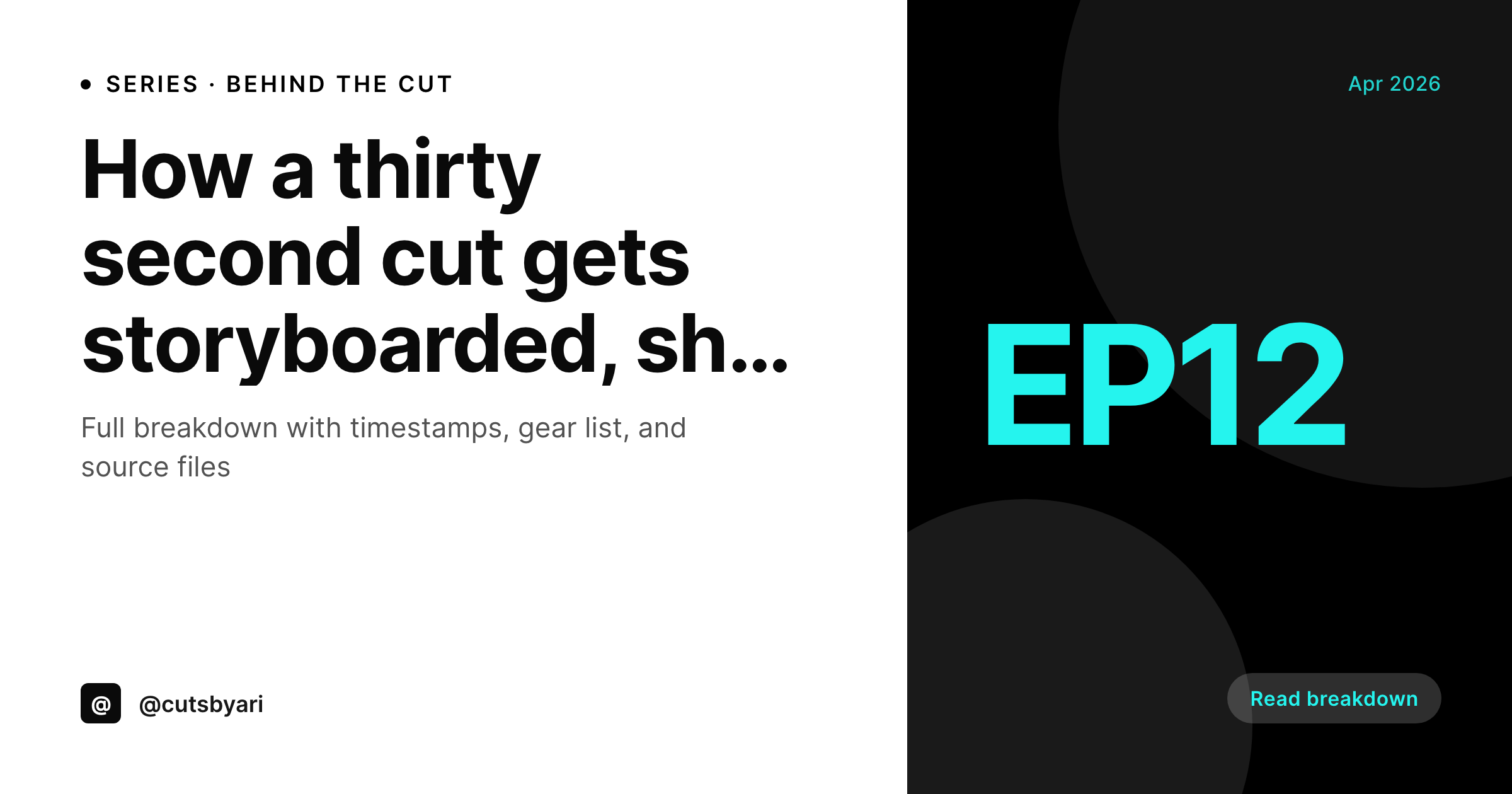
SleekPixel reads the breakdown post on save and renders a share card with the episode number, breakdown title, hero frame, and creator handle. The card matches the channel's visual treatment, and the forwarded link arrives branded. Friends recognize the handle, tap through, and the affiliate funnel survives the trip across the DM network. Across the thousands of monthly forwards a serious creator generates, the difference between branded and unbranded previews compounds directly into the commercial layer.
Workflow
From upload to branded preview on save
Set the channel template
Map post fields
Save the breakdown
Audience forwards the link
Output
What renders on every breakdown save
A 1200 by 630 share card carrying the episode number, breakdown title, hero video frame, and creator handle. Used as og:image and twitter:image for cross-platform shares.
Comparison
Theme default vs auto-rendered episode cards
Theme default / Random thumb
- Theme default banner stretches over every breakdown and tutorial page
- DM forwards strip context, and friends ignore unrecognized links
- Episode numbers never reach the share preview, breaking the series identity
- Sponsored gear posts share without the brand co-mark visible
- Old breakdowns share with last year's brand templates after a refresh
SleekPixel
- Every blog post saves with a branded 1200x630 share card
- Episode number, breakdown title, hero frame pull from post fields
- Sponsored posts flip to a co-brand variant when the collab field is set
- Bulk re-render the archive after a channel rebrand
- Twitter card and Pinterest pin variants render on the same save
Features
What SleekPixel gives you for TikTok creator
Per-episode share card
Breakdowns, behind the scenes posts, and tutorials each save with a 1200x630 card. Episode number and hero frame come from the post.
Hero frame import
Pull a still frame from the video field or featured image. The share card carries the actual cut, not a generic banner. Watchers recognize the moment.
Multi-format set
OG card, Twitter card, and Pinterest pin render on the same save. Cross-platform shares all arrive branded without manual format work.
Use cases
What TikTok creators generate with SleekPixel
Gear list affiliate posts
Gear breakdowns ship with cards naming the gear category and the episode number. Affiliate forwards arrive branded, click rates hold across DM shares.
Tutorial breakdowns
Paid or free tutorial pages render cards with the technique name and episode reference. Useful when peers in the editing community forward the link.
Sponsorship landing pages
Brand collab pages render co-branded cards with the brand mark and creator handle. Cleaner media kit, stronger reporting back to the sponsor.
The bigger picture
Why share cards matter more for TikTok than other platforms
TikTok is structurally hostile to external links. The algorithm does not promote videos that reference outside destinations, the in-app browser strips context, and the bio link is a single point of failure that audiences have to actively work around. Every other platform a creator might use, YouTube, Instagram, Twitter, has at least some surface that promotes external destinations.
TikTok creators end up running their commercial business through a blog the platform itself works against. That makes the blog's share preview disproportionately important. Most TikTok blog traffic does not come from TikTok directly, it comes from forwards: a follower screenshots the bio link, sends it to a friend, the friend forwards it to two more friends in a group chat.
Each forward is a moment where the link either reads as recognizable or gets scrolled past. The branded preview is the single signal that survives the trip from TikTok bio to DM to group chat. Without it, the entire funnel collapses at the second forward.
With it, the creator's commercial layer extends across the social network the platform refuses to serve. The second reason is brand collab attribution. Sponsors increasingly judge creators on cross-platform reach, and a blog post that shares cleanly across DM and group chat networks gives the creator a real second-platform asset to point at, separate from the TikTok metrics the brand can already see in TikTok's own dashboard.
Questions
Common questions about SleekPixel for TikTok creator
If the video lives on the WordPress site (uploaded directly, embedded with a video CPT, or attached as a featured video), SleekPixel can pull a configurable timestamp as the hero frame. If the video lives on TikTok or YouTube only, the post still needs a screenshot field that the creator uploads. Most creator workflows already include that step.
No. TikTok strips og:image inside the app and does not allow third-party preview customization. SleekPixel handles WordPress-side share cards: DM forwards, Twitter, Pinterest, Facebook, LinkedIn, and email previews. Those are the main forwarding surfaces for TikTok creators, and they all read og:image.
Yes. Configure an episode field on the breakdown CPT, and the template pulls it into the share card. New episodes increment the number, the share card shows the right episode, the series identity stays consistent. Useful when a creator runs a numbered breakdown series across hundreds of posts.
Affiliate disclosures are a textual requirement, not a visual one. SleekPixel does not affect the disclosure language in the post body, and the share card is not the right surface for disclosure copy. Configure the disclosure inside the post template separately, and the share card carries the visual identity while the post body carries the legal text.
Yes. Assign a category-aware variant to the template. A camera breakdown uses one accent and icon set, an audio breakdown another, an editing tutorial another. All anchored to the same channel wordmark, so the channel reads as one creator across hundreds of posts in different gear verticals.
Yes, with caveats. SleekPixel renders the share card on save, regardless of paywall status. The og:image meta tag fires whether the page body is gated or not. Audiences see the preview, click through, and hit the paywall on the destination. The preview itself does not leak gated content unless the creator chooses to feature gated screenshots in the card.
Render runs in the background on save. The save returns immediately, the image renders within a few seconds, and the og:image meta tag writes when the render completes. For high-volume creators publishing several breakdowns a week, the queue handles the volume without blocking the editor. No noticeable slowdown in normal use.
SleekPixel does not push to Twitter directly. What it does: write the twitter:image meta tag, so when a creator pastes the blog link into a tweet, the card auto-loads. Twitter scheduling tools (Buffer, Hootsuite, TweetDeck) all read that tag, so cross-posts arrive branded without manual image attachment.
Pricing
More than 1000+
happy customers
Explore our flexible licensing options tailored to your needs. Upgrade your license anytime to access more features, or opt for a lifetime license for ongoing value, including lifetime updates and lifetime support. Our hassle-free upgrade process ensures that our platform can grow with you, starting from whichever plan you choose.
Lifetime ♾️
Most popular
EUR
once
- Unlimited websites
- Lifetime updates
- Lifetime support
...or get the Bundle Deal
and save €250 🎁
💎 Want everything forever? The All Access Pass is going away on 01.08.2026.
The Bundle (unlimited sites)
Pay once, own it forever
Elevate your WordPress site with our exclusive plugin bundle that includes all of our premium plugins in one package. Enjoy lifetime updates and lifetime support. Save significantly compared to buying plugins individually.
What’s included
-
SleekAI
-
SleekByte
-
SleekMotion
-
SleekPixel
-
SleekRank
-
SleekView
€749
Continue to checkoutBrowse more
- award announcement images
- referral program cards
- A/B test result card
- forecast cards
- podcast episode
- domain launch card
- webinar
- scheduled maintenance card
- case study banner
- indie hacker cards
- SOC 2 announcement card
- hiring announcement images
- compliance update cards
- before-after comparison images
- principle cards
- Fansly banner
- Etsy listing images
- Substack post headers
- Telegram channel cover images
- Etsy shop banners
- Ghost feature images
- KDP paperback cover
- Instagram feed posts
- X ad images
- Twitch profile banner
- Notion page covers
- Facebook ad images
- Lemmy post images
- Odnoklassniki banners
- Reddit subreddit banners